Somebody save me: EA not working properly
-
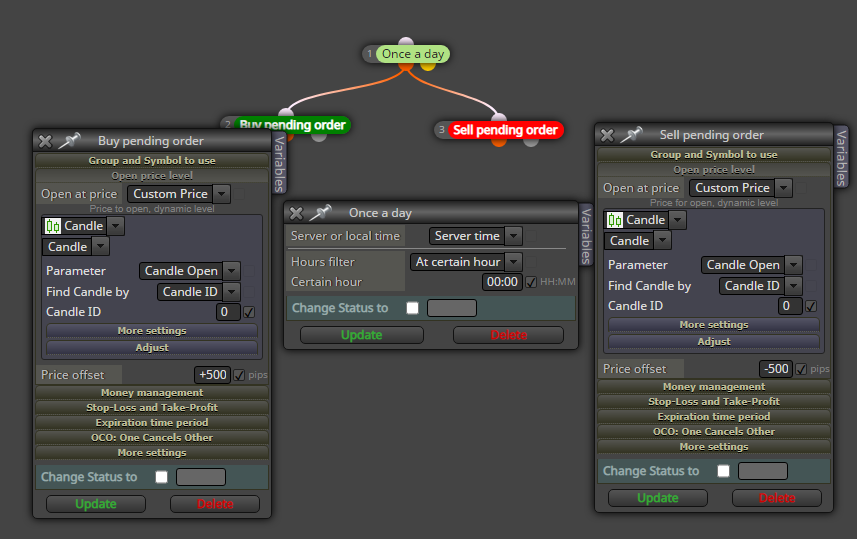
Please, the EA is meant to open pending buy and sell orders at certain pips away from the open of the new daily candle. it works at the first time of placing the EA on the chart (i.e, places a buy and sell pending orders), but subsequent times, it only placed sell stops and now, it has stopped working.
somebody help me out.
NB: it should only place pending stop orders.
Link to EA: https://fxdreema.com/shared/OiopXV0he -
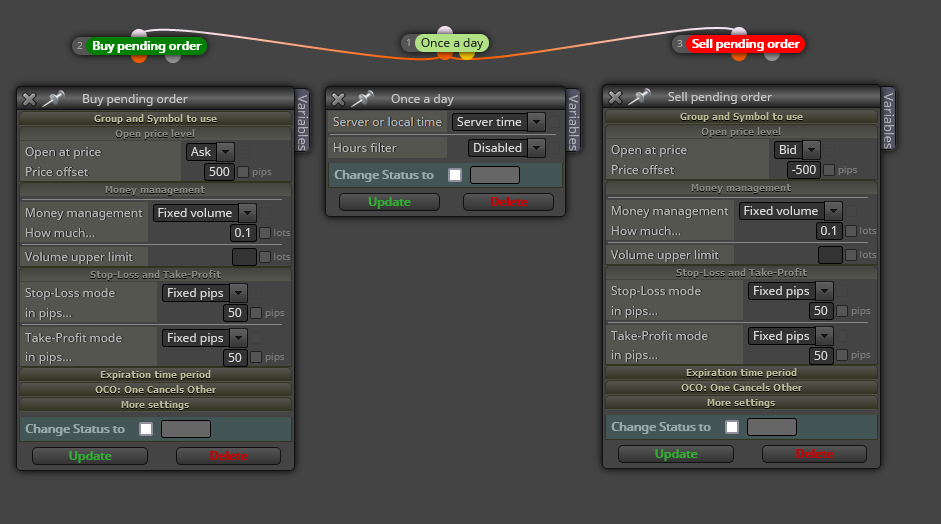
@laudable222 Use this configuration instead:
-
@l-andorrà great, thanks. i will try this out.
but does this tell it at what time it will buy at, or does the server time tell it to open at the bid and ask +/- 500 pips at candle open?. just curious, but i will try this out. -
how about this sir.
-
@l-andorrà please, what do you think of this logic sir?
-
@laudable222 That should work, yes.
-
@l-andorrà
I also believe it should work, but i am faced with a challenge.- whenever I attach the EA to the chart, and the time difference between the time of attachment and the actual time it is supposed to place the pending orders, it will work, as expected on just two indices, but if the time of attachment is running to hours, it doesnt even work at all, and if it does work, it only sets a sell pending order on just one indices.
please, what could be the problem.
i feel the problem is in the pip to point value conversion of the indices.
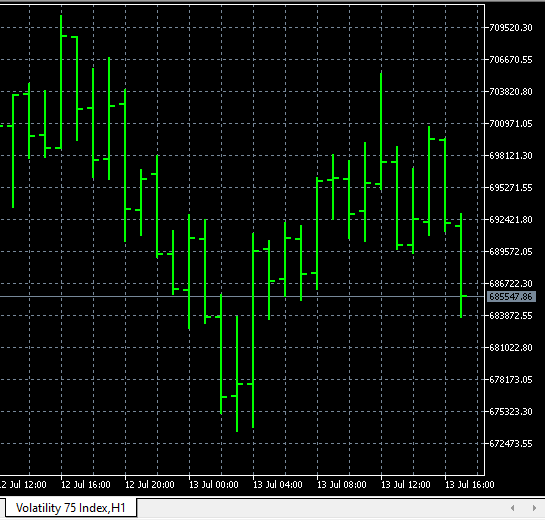
This is what the price quote looks like. I am more confused with points to pip conversion of these indices.
please, put me through.
I will be expecting a positive feedback soon.
-
@laudable222 Just curious. What symbol is that? I agree the problem should be pip size rules. You can modify them here:
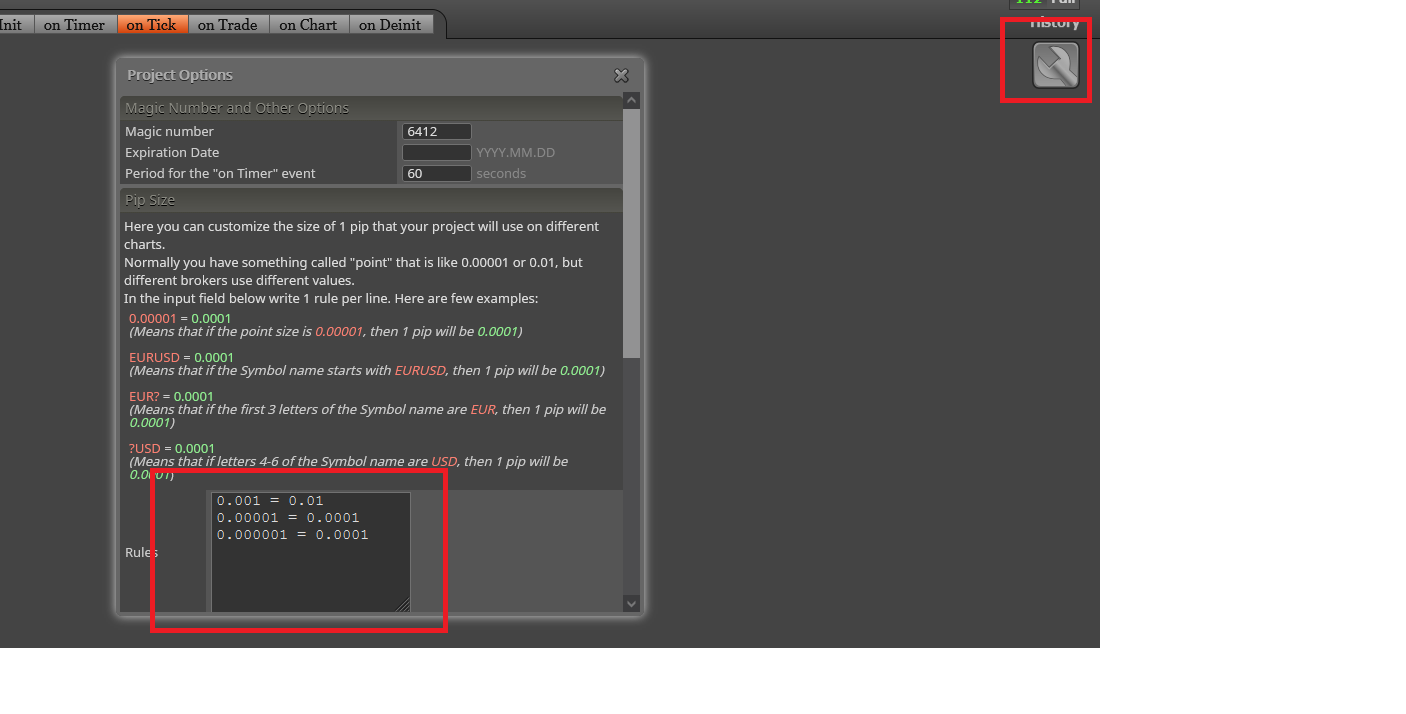
You need to insert the exact name of the symbol there and then selecting the conversion number. I guess it should be 10, but not sure. You should try some values until you get it.
-
It is Synthetic indices.
10?
where and how should I insert it.How do I do the conversion?
-
@laudable222 You should insert it exactly where I show in my example. You need to type the EXACT name of the symbol, and the type ' = 1 ' (without quotes). And don't forget to click on 'update' at the bottom of tha window. Otherwise it won't be saved.