delete object
-
day candle close above horiline and close below horizondal line and again close above horiline then delete the object same as bear side that means close below,close above ,close below then delete
-
I'm not sure I fully understand. Could you please upload an image example?
-
Hello, Pls i need your assistance.. I built a button on chat trade manager ea.. but any time i click to open a pending order. the trade expires after few seconds.. what can possibly be the cause of this?
-
@cmfinance Could you please open a new thread for your question? This is not your thread.
-
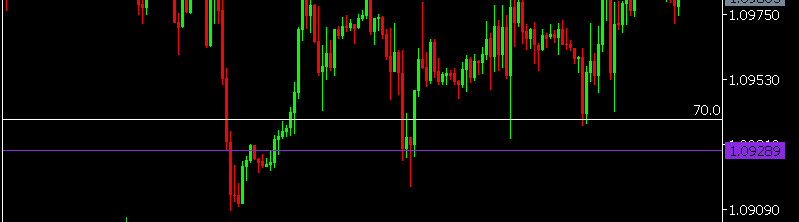 red close beloew, green close above,and red close below the purple line then delete i want same as above white line ,
 -
How is that purple line created? Manually or via a custom indicator?
-
manually
-
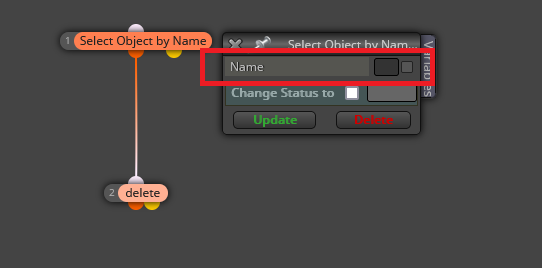
@priyaavatar Then you need to type the name of that line (you can create it) into this blocks:
-
i want delete after my condition met,close above ,close below,close above the line then only delete
-
under condition delete object.
-
how to condition i apply c1 close above line,and next what ,we dont know which candle close is below or above,give me condition how to create using above image as example


