once per bar ..... and a bit more
-
Hey guys
Im new here and trying to learn this block languge a bit better. So I am starting simple.My projekt rules are simple.
- Buy when rsi comes above 60Level and keep buying on every candle undtil it hit 60Level again. and close all position
- Sell when rsi comes below 40Level and keep selling on every candle undtil it hit 60Level again. and close all position
My problem is.
- I cant make the EA take a position on every candle. What an I missing or dooing wrong?
- I want to control how many candels/bars. the EA should take. dont know how to do that.
- The EA is taking positions one candel late. how do I fix that ?
I would be greatfull if there was a helping master mind

A link to my wonder projekt https://fxdreema.com/shared/w2UPZNIec
-
No new trades are open because you are requiring new crossings to happen every candle. In order to get what you want you will have to use a variable checking if the crossing that happened before is still valid. Are you familiar with variables?
-
Hi andorra.
I have not tryed using variables before. How can I implement that in my project ? -
That is not a trivial thin to do, but let's move step by step. The first thing to do is creating two boolean variables, one for RSI 60 level and another one for the RSI 40 level. The first time one or the other is activated, they need to change from false to true. Once you do that, we can move to the next step.
-
Thanx l'andorrà
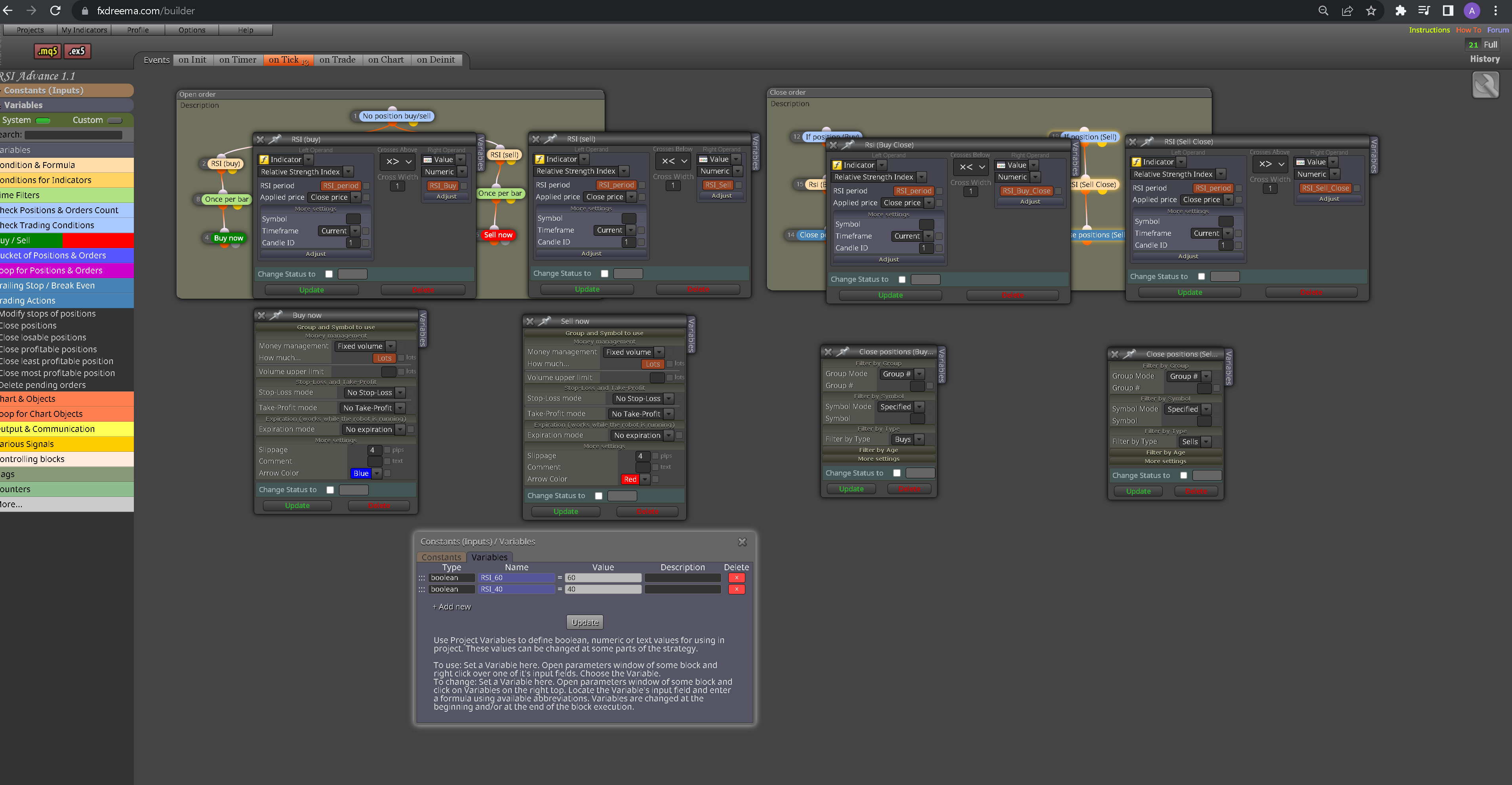
I have created to variables now. this is how it looks
 But I didnt get the part "false to true". Is that somthing I have to do in the settings.
 -
-
Ok. Now you need to add one 'modify variables' block below each 'buy/sell now' block where both boolean variables are changed from false to true. At the same time. You should add a new condition block just above the current ones when they are required that both variables are false. Then we'll move on.
-
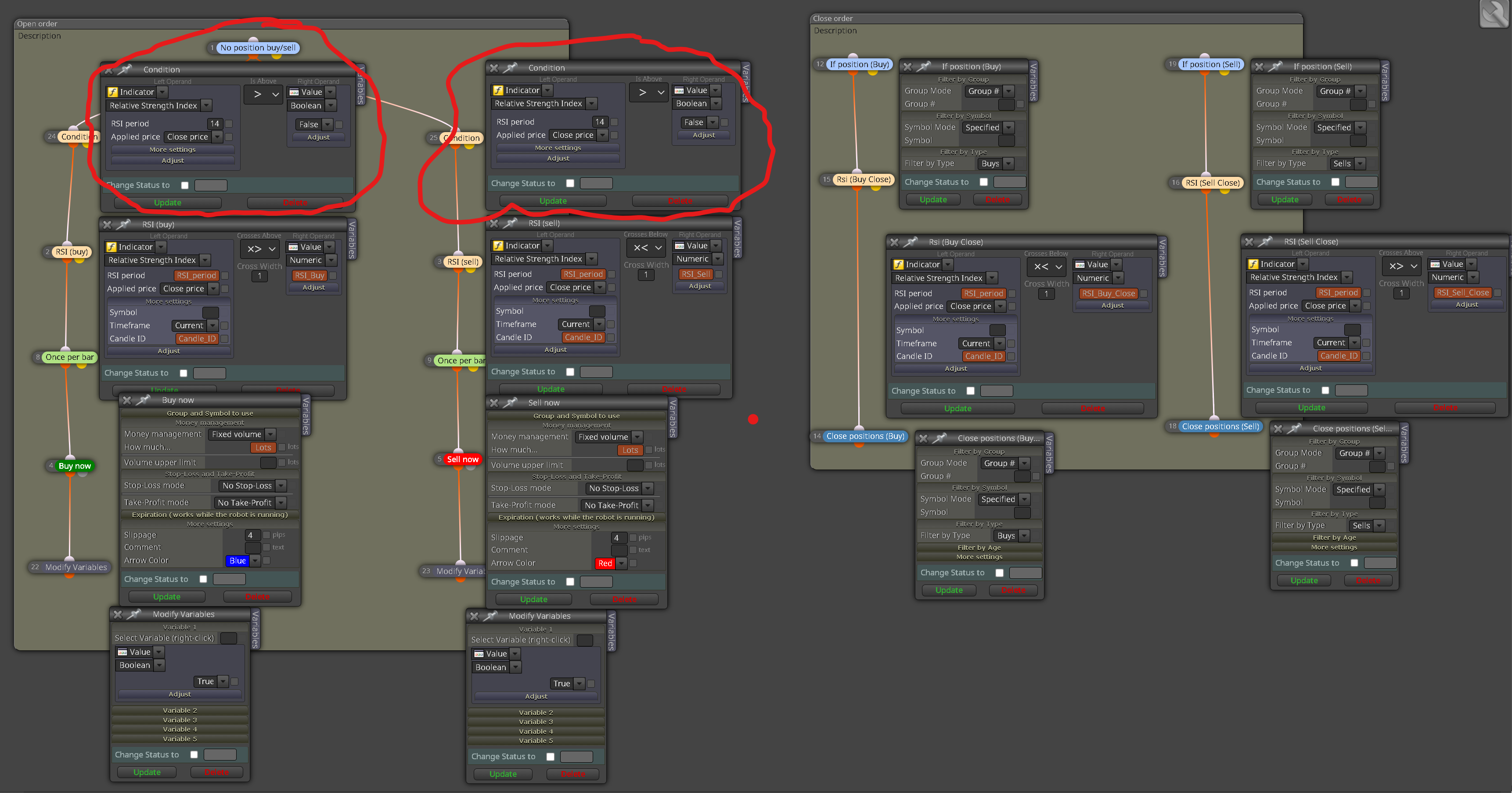
-
Like this........ I dont think the highlighted settings in the new condition bloks are right.
-
No, no. I mean a condition block where the left operand is the boolen variable you need and the right operand id the value of that variable to be 'false'.
-
Sorry l'andorrà I dident get that. can you send me a screenshot
-
@AhmetB I mean this:
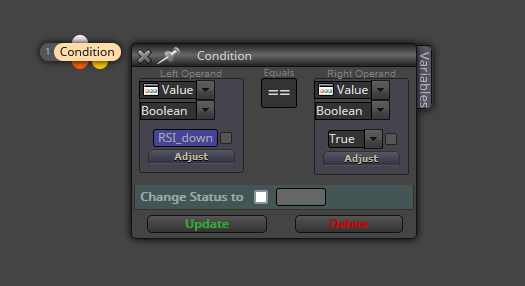
-
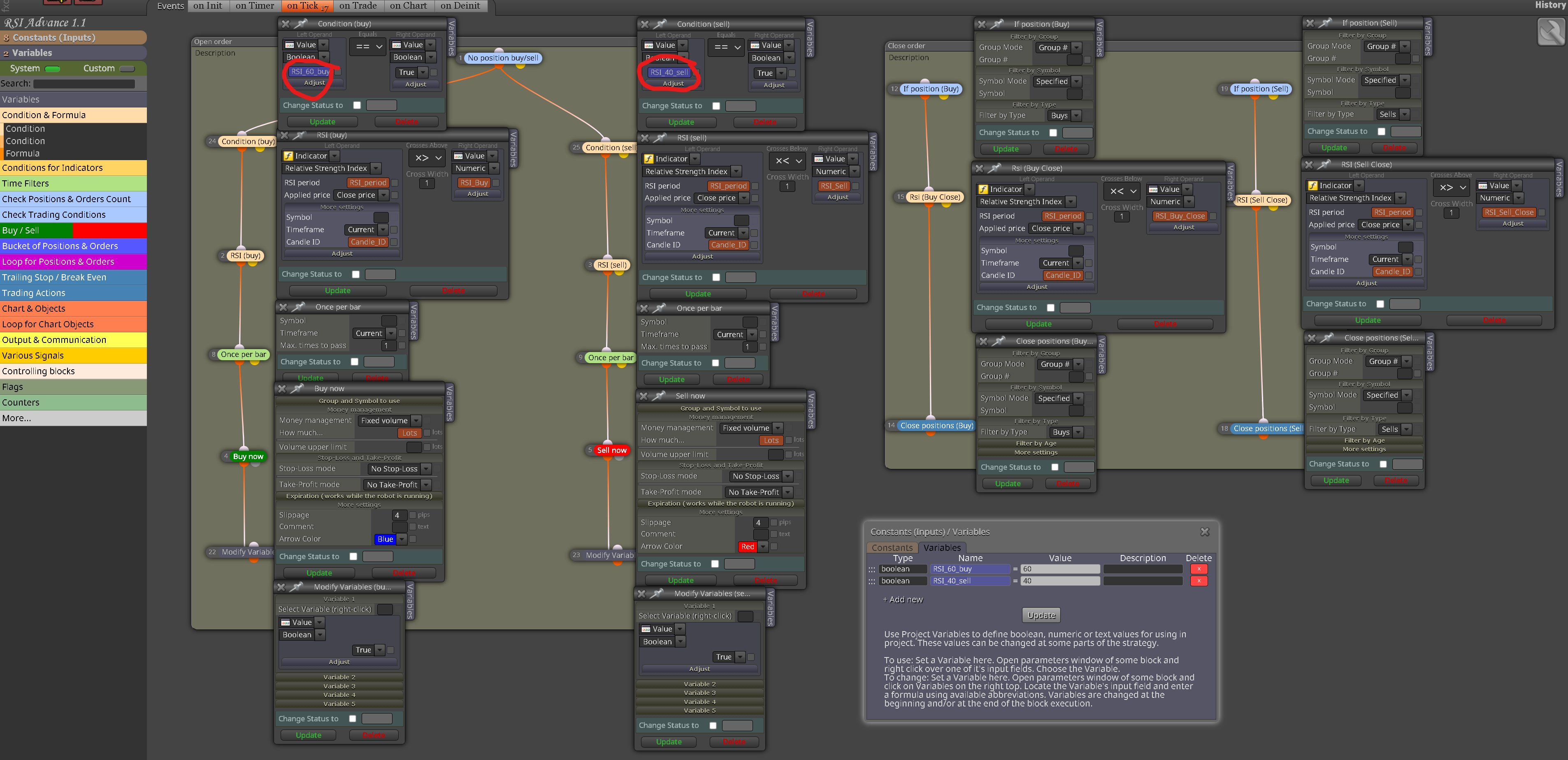
-
Do this look right.... under the marked area is set to true
-
Could you please share the link to the project instead of uploading a picture? That would definitely help.
-
sorry...... https://fxdreema.com/shared/KlmpfWEkd
-
You need the following changes:
- Select 'false' in both blocks 24 and 25.
- Select the corresponding variables on blocks 22 and 23.
That should work.
-
-
Select 'false' in both blocks 24 and 25.......................................... Left operend is set to false and right operend is set to true in both blocks 22 and 23
-
Select the corresponding variables on blocks 22 and 23........ Think this is right.
-
-
- No the variable is to be selected on the left operand and the 'false' result on the right one.
- No. The variable is to be positioned on top of the slot and then selecting 'true' on the display menu where the variable is positioned now.
-
Sorry for not understand the fxdreema language. but I try my best too learn.
Hope this is right...... https://fxdreema.com/shared/g0UKCnknc
