Convergence of multiple conditions in single indicator
-
Hi dears, I found an interesting MTF HA indicator
0_1633787790709_4 TF Heiken Ashi Arrows.mq4As you can see in image below, it draws arrows on the first time all 4 timeframes became red or green:
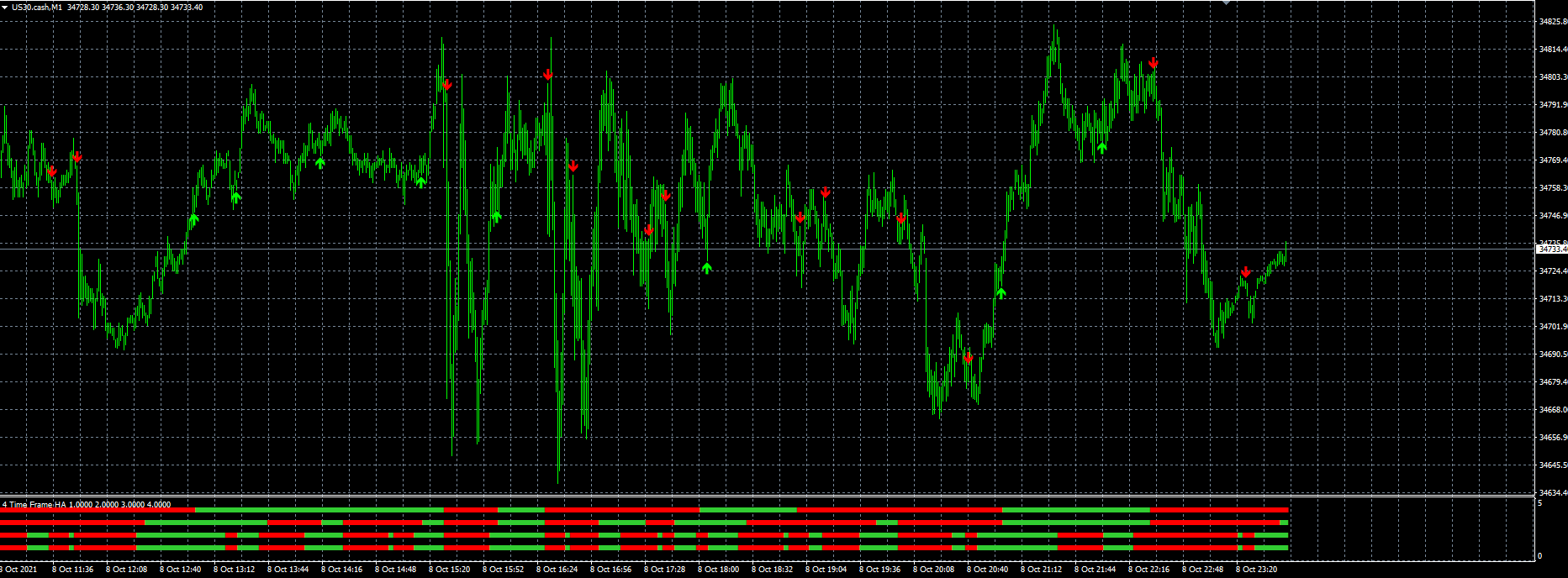
Unfortunately the indicators draws arrows as objects on chart, and I couldn't get to get them in am EA.
I understand I have to use variables to get the signal, but I failed so long.
Anyone can help?
ThanksThe only edge on the market is to lose less than you win...
-
@alex81 Check your mt4 object list, this will give you the names you are trying to reference as objects.
-
Ok, and how can I use it as an entry condition?
The only edge on the market is to lose less than you win...
-
@alex81 This indicator has 7 buffers, in HERE you can see what I did to check, buffer 0 or 1 is sell arrow, 6 or 7 is buy arrow, with the indicator appear block you can make EA buy/sell, you only need to use 1, something like buffer 1 for sells and buffer 7 for buy, what is in the link should show you enough to create an EA.
-
Sorry but I don't think it is what I have in mind...
I need that buffer 1, 3, 5, and 7 are visible but only first time they are together visible, i.e. it's like 3 are visible and the last one became visible.
How could you use 8 variables to create an entry condition?The only edge on the market is to lose less than you win...
-
@alex81 All is in the link, you can use any combination of buffers to suit your needs.
Learn fxDreema Without the Wait!
My comprehensive book, available on Amazon, is packed with examples and invaluable insights to help you fast-track your learning journey.
The paperback and hardback editions include MT4 & MT5 QR codes for easy access to all prebuilt projects and robots, including my latest gold trading robot!
Don’t miss out
Click here➡️ https://mybook.to/fxDreema to get your copy today!
Enjoy! 😊
-
@jstap Please can explain better?
How would you pick 4 buffer to select a buy?The only edge on the market is to lose less than you win...
-
@alex81 You have to place in a tree in the logical way you want the trade placed, for example no trade, buffer 1, buffer 3, place trade, if you want something that has already happened to allow a trade to open, you will have to use variables or flags, then reset when condition is no longer valid.
-
Something like this is correct?
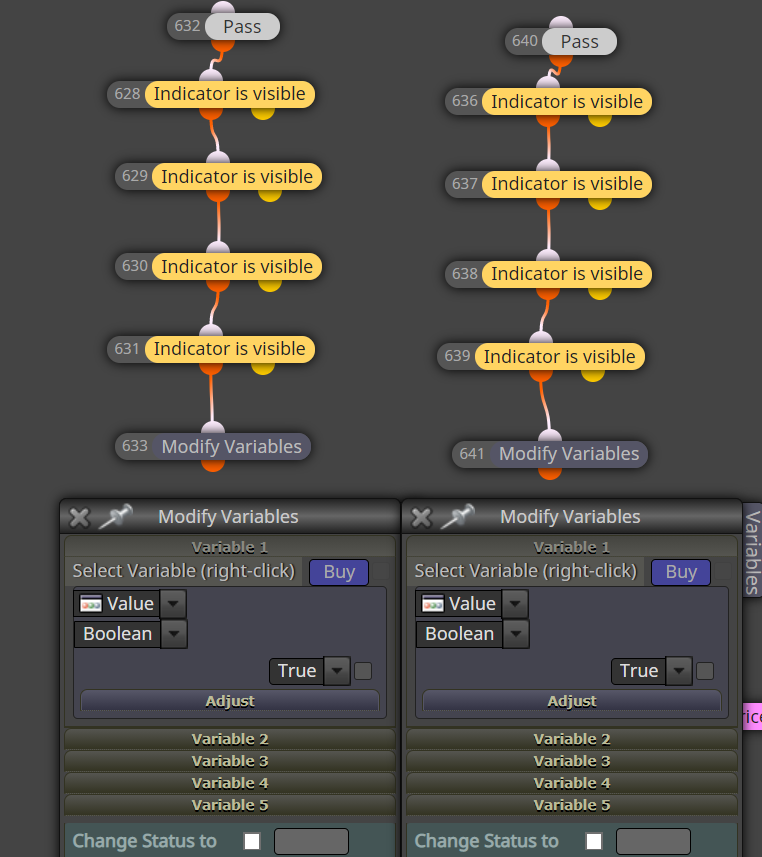
Buy on the left, sell on the right
The only edge on the market is to lose less than you win...
-
@alex81 Yes that will set buy variable to true when 4 buffers are visible (change) at the same time, you don't need pass above throe's blocks, but you do others.
-
I think I worked out an effective solution.
It could be used with two or more indicators, and the graphical tracing can be used to track if it is working correctly.https://fxdreema.com/shared/3WMVuDZze
Now it comes the issue: I am not able to use it as a signal.
I'd need a block to evaluate variable at candle 2 and candle 1 or something similar as for indicators.@jstap any ideas?
The only edge on the market is to lose less than you win...
-
@alex81 What do you mean by use as a signal? If you mean MA-MACD-CCI all happening at the same tine, tee off your original tree, or create new, put whatever block to create the signal you want.
Learn fxDreema Without the Wait!
My comprehensive book, available on Amazon, is packed with examples and invaluable insights to help you fast-track your learning journey.
The paperback and hardback editions include MT4 & MT5 QR codes for easy access to all prebuilt projects and robots, including my latest gold trading robot!
Don’t miss out
Click here➡️ https://mybook.to/fxDreema to get your copy today!
Enjoy! 😊
-
@jstap try to use my project in visual tester: you'll se coloured trendlines whenever each tree is active. I need the beginning of each condition, so when variable "zone" from 0 became 1 or -1. How to do it?
-
Here:
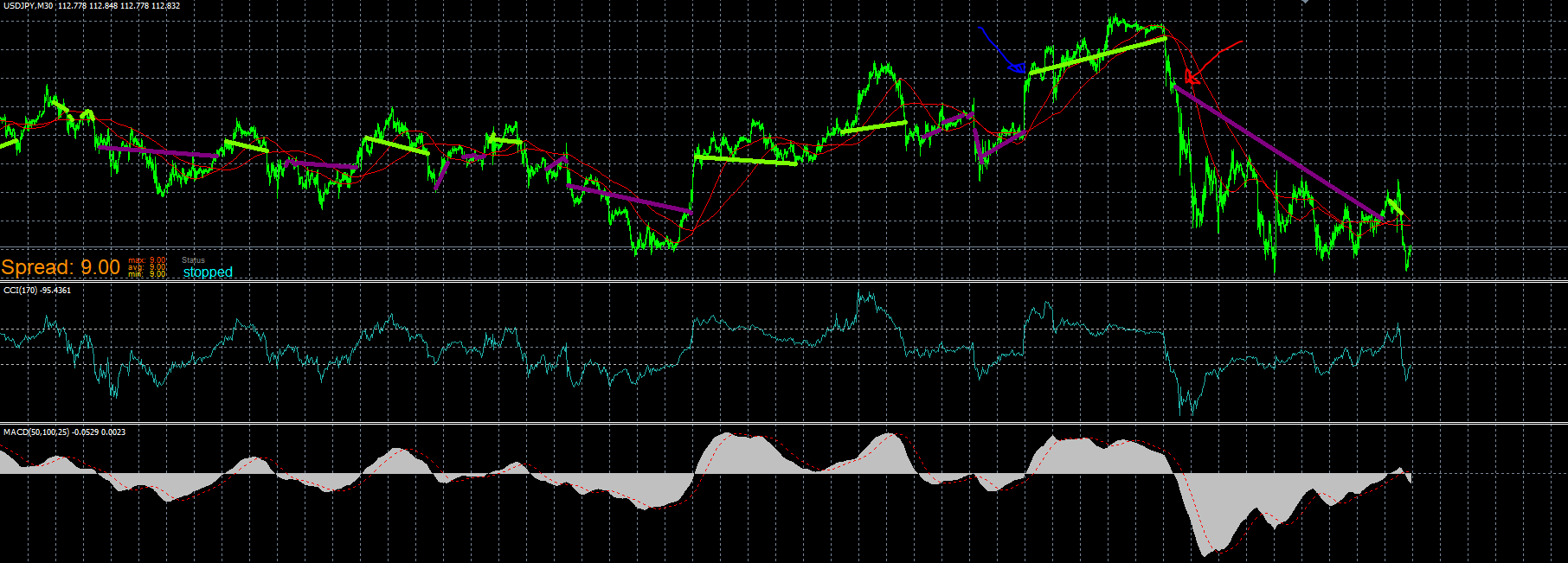
see the blue and red arrows? I need to catch that signal, the first time the convergence of 3 indis appears.
The only edge on the market is to lose less than you win...
-
If I put this block there is no buy:
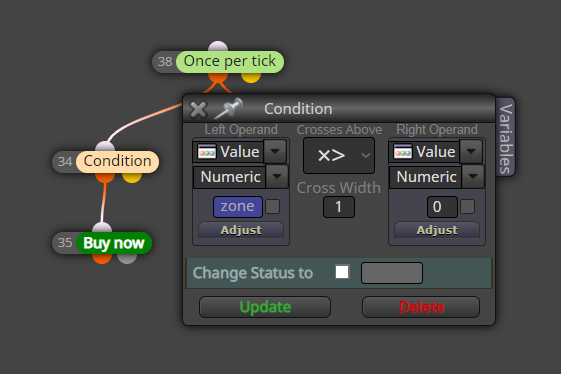
If I put this
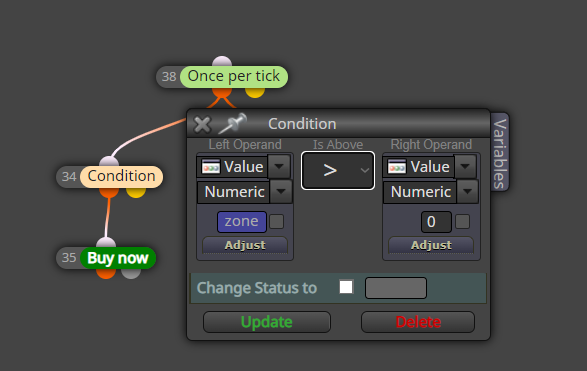
I get a trade on every bar...
I don't know how to define zone[1]>0 and zone[2]=0 -
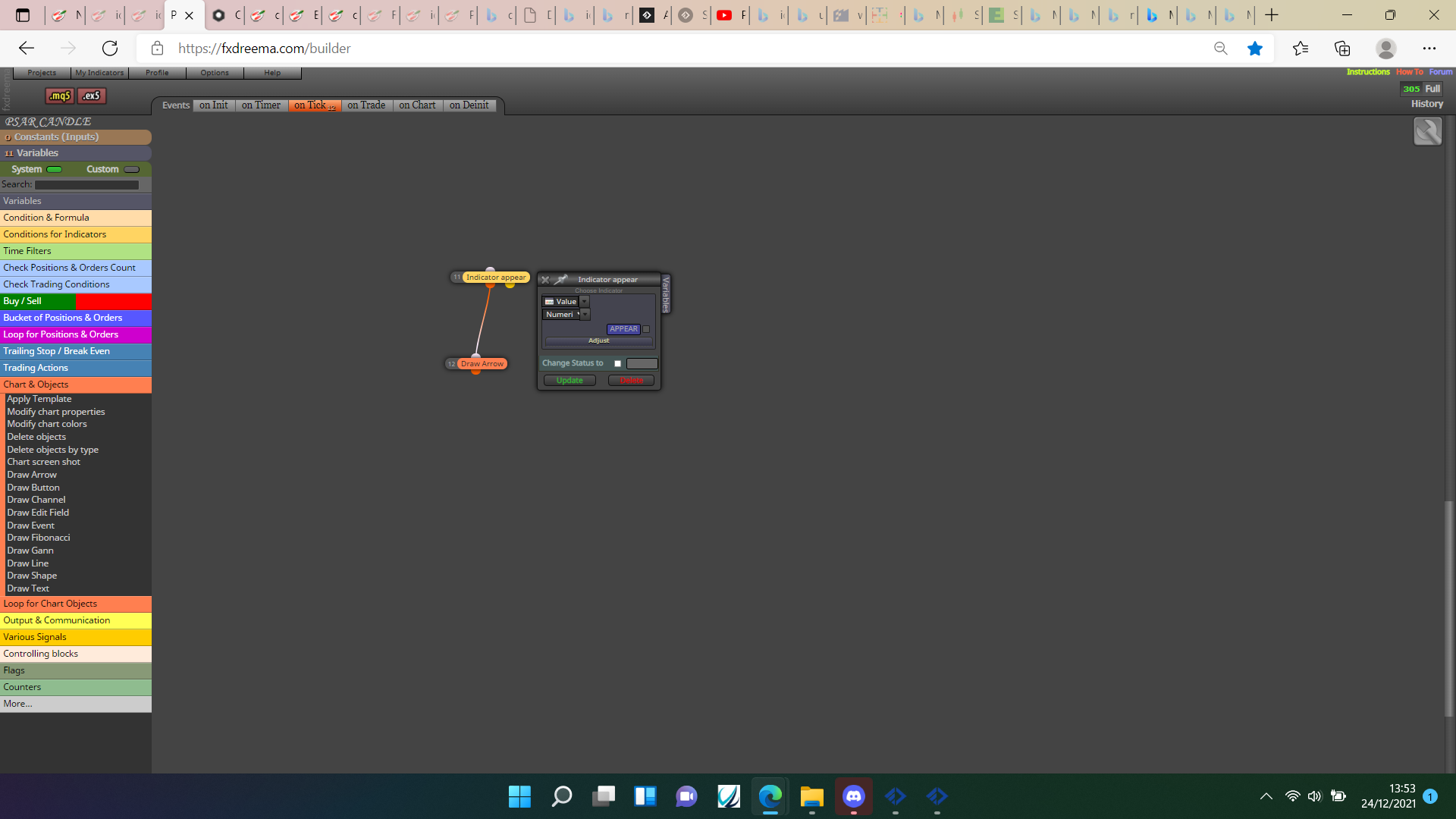
@alex81Try using the indicator appear block, this should generate a signal every time the variable changes. If this doesn't work you have the option to use counters and a bool variable, so if variable changes from 0 to 1 it sets a bool to true and another to false, sets the counter above to off and the other tree counter to on, when this tree fires it sets the 1st counter to off, changes the variables to false and true. Am sure the indicator visible will work though.
Learn fxDreema Without the Wait!
My comprehensive book, available on Amazon, is packed with examples and invaluable insights to help you fast-track your learning journey.
The paperback and hardback editions include MT4 & MT5 QR codes for easy access to all prebuilt projects and robots, including my latest gold trading robot!
Don’t miss out
Click here➡️ https://mybook.to/fxDreema to get your copy today!
Enjoy! 😊
-
@jstap nope,
If I do the "appear"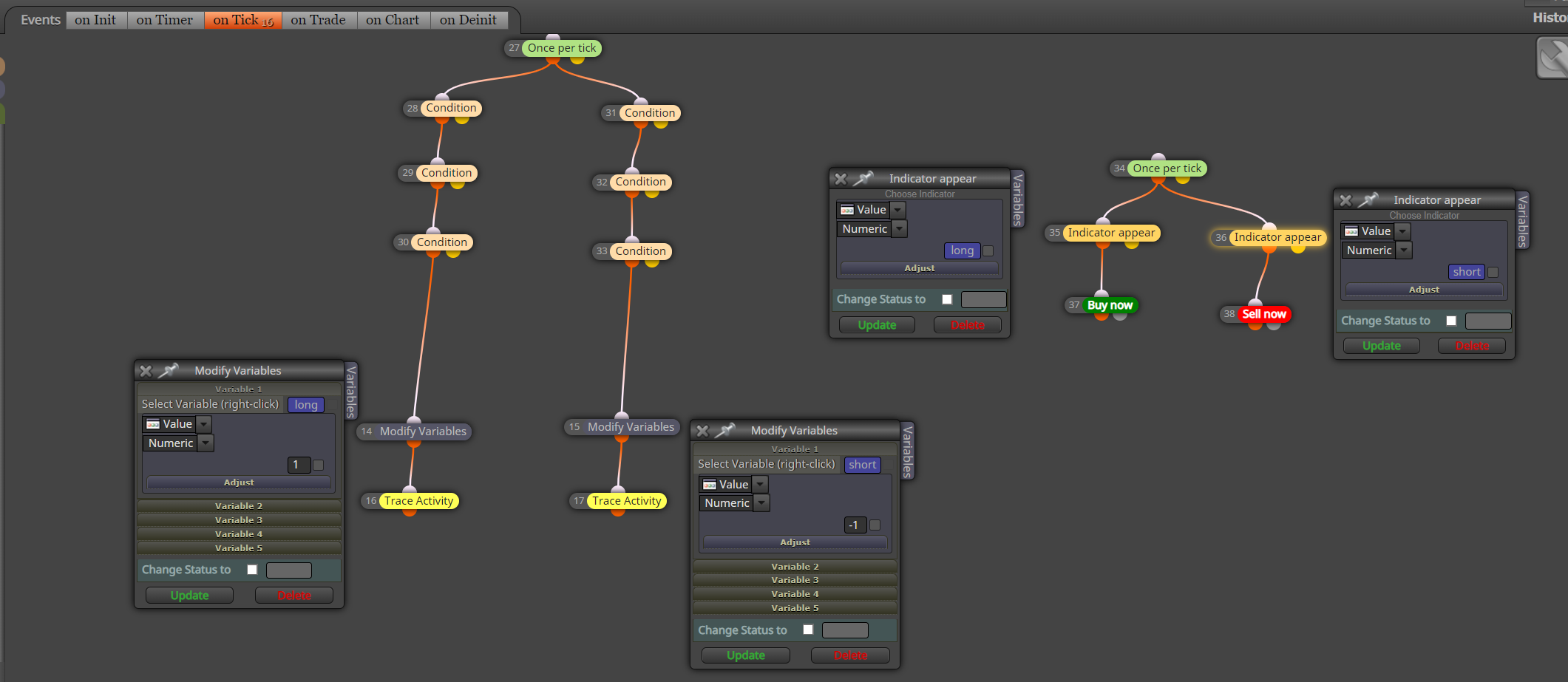
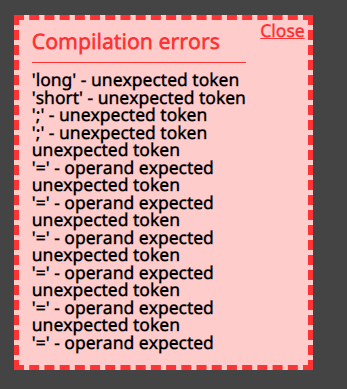
I get this error:
The only edge on the market is to lose less than you win...
-
@alex81 I am unsure how you got these errors but indicator appears is not the block to achieve this, in this link you can see how to.
Learn fxDreema Without the Wait!
My comprehensive book, available on Amazon, is packed with examples and invaluable insights to help you fast-track your learning journey.
The paperback and hardback editions include MT4 & MT5 QR codes for easy access to all prebuilt projects and robots, including my latest gold trading robot!
Don’t miss out
Click here➡️ https://mybook.to/fxDreema to get your copy today!
Enjoy! 😊
-
@jstap wonderful my friend, I admit I would never got this by myself!
The only edge on the market is to lose less than you win...
-
@alex81Your welcome