Simple Custom Block to detect Hedging or Netting Accounts
-
It is known to all developers that running the logic of the EA for netting accounts is usually different from hedging accounts, and sometimes, not even desirable to run on certain types of accounts.
To resolve this, I have created the simplest custom block that will detect if the account being used is hedging or not. With this block, developers can even decide to terminate the EA, in case it is not running on the right type of account, or the developers can also choose other logical paths, depending on the type of account.
In this simple 1 step tutorial, we will create a custom block that looks like the above image.
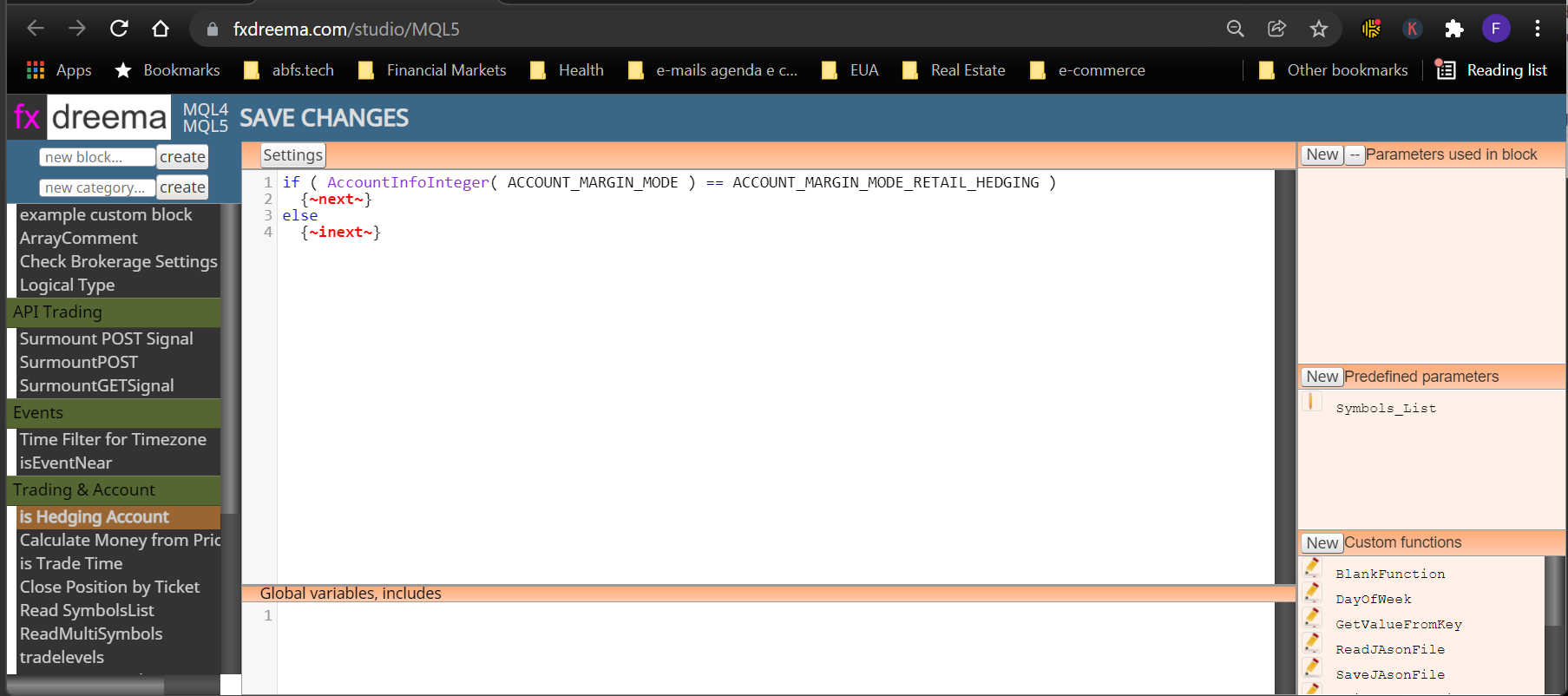
This Tutorial is ideal for someone just starting out on creating their own custom blocks, because it only uses 1 area of FX Dreema Studio. Just open up your FX Dreema Studio, create a new block and copy paste this code into the main area:
if ( AccountInfoInteger( ACCOUNT_MARGIN_MODE ) == ACCOUNT_MARGIN_MODE_RETAIL_HEDGING )
{~next~}
else
{~inext~}Once this is done, just click Save changes, and that's it.
Your custom block will show up on the appropriate region of your FX Dreema Builder.
Allright, this was the easiest tutorial on the Studio, about building useful blocks! Hope you all enjoy it!
I wish you all the best! -
thanks bro.
-
You are welcome
-
@QuantEngineer
Hello @QuantEngineer , can you help me to write a customer block that calculates the "break even" and outputs it for further use? I am currently solving this task with such a constellation.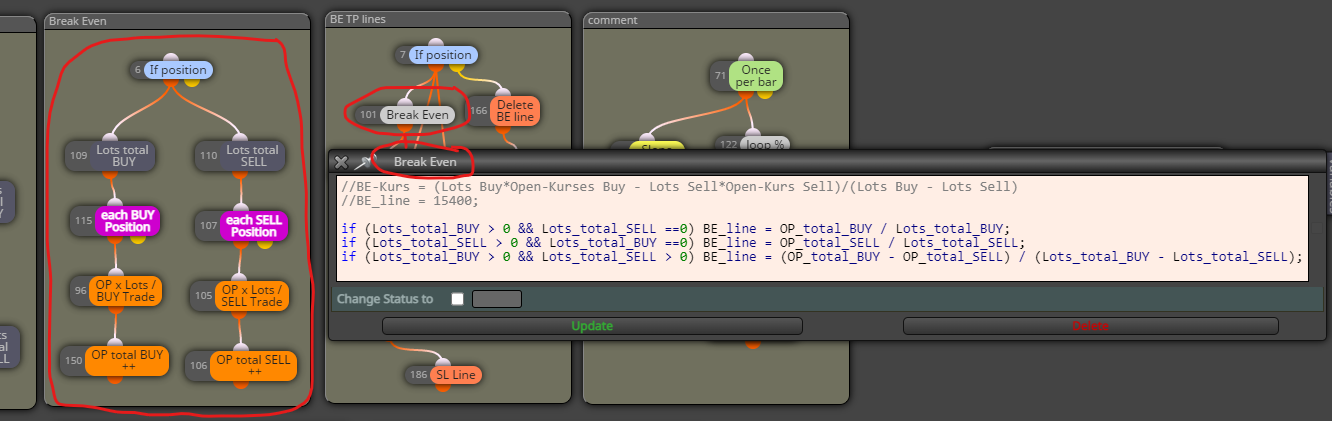
-
Currently, I am not accepting work requests via forums. in case this is important enough to have a budget associated with it, you are welcome to let me know via Inbox and I will be happy to help.