Accounting for Time Change
-
editing...standby..
-
This is my Tipsy Wisdom on how to properly account for the 2 changes in time through the year that we experience when trading.
The logic to the method is to:
- get the month
- check month number
- sort by logic, if we are above or equal to 11, and below 3, then we are in the November hour. If we are above or equal to 3 and below 11, use the march hour.
- itll pass conditions according to which is true, now to times for the proper accounting that you want to search for, for that time period, before finally modifying variables. For me, I have a start and ending trade window I used that changes by an hour on the start side, but the end trade time remains the same.
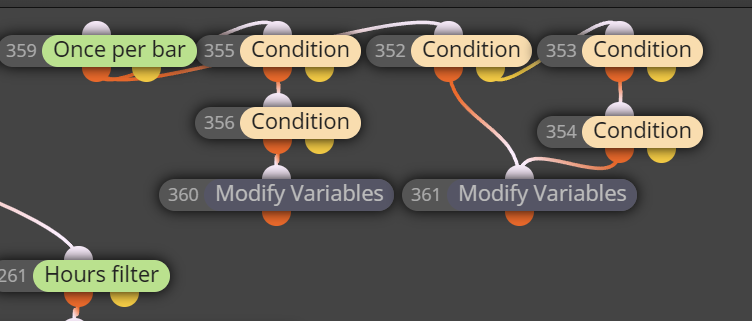
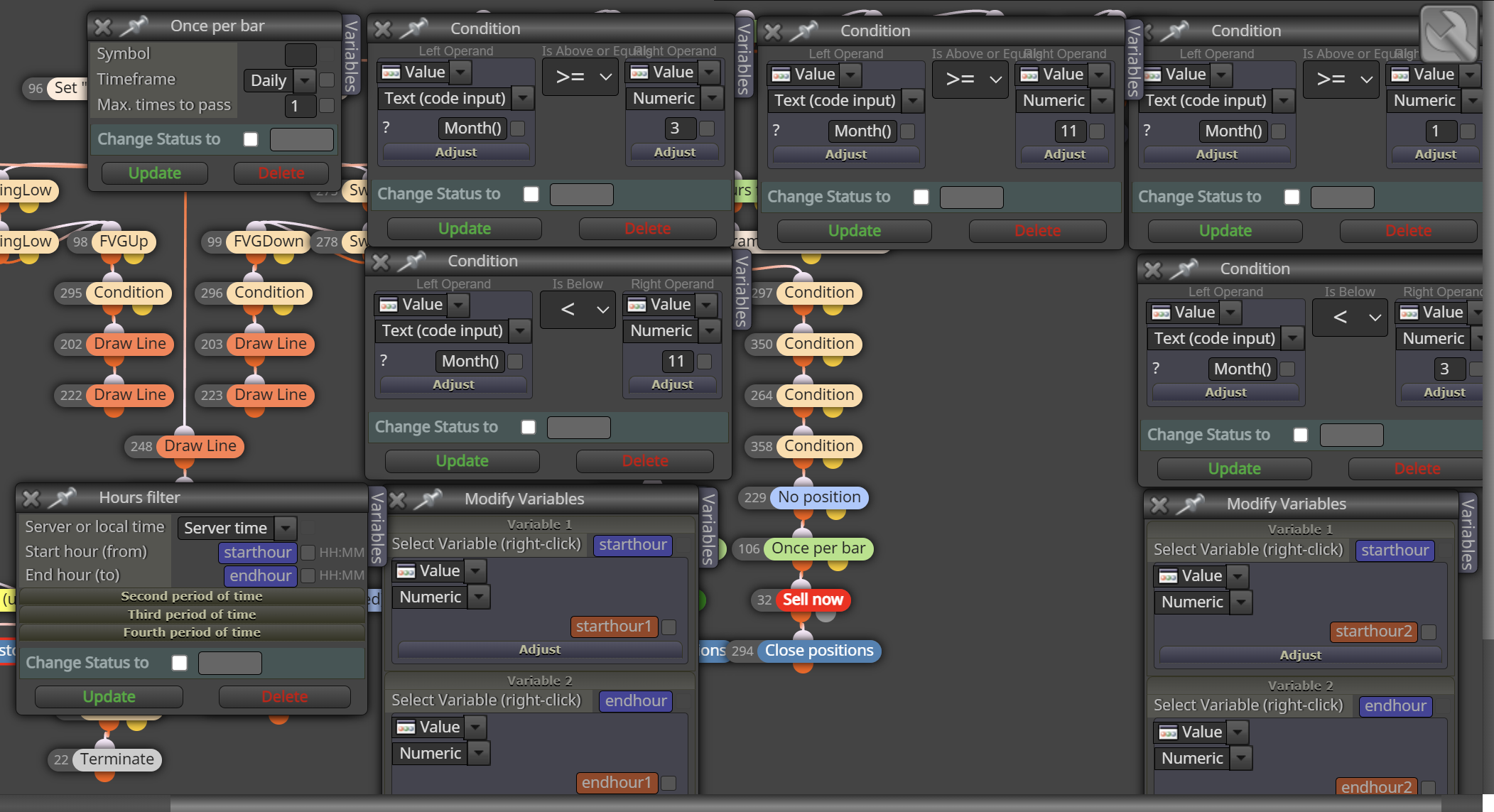
using this has its drawbacks in terms of visually, drawing lines does not accept using variables in the manner im using them because its a double, rather than a string as time should be. However, I can backtest and adjust time. so, 1 version for backtest, and it can be built different accounting for live running forward thought, with a slight change in config.
enjoy. hopefully of use to someone.
-
if necessary


-
Impressive, as always. Thanks for sharing.
-
I did get it to show the lines visually as well.
-
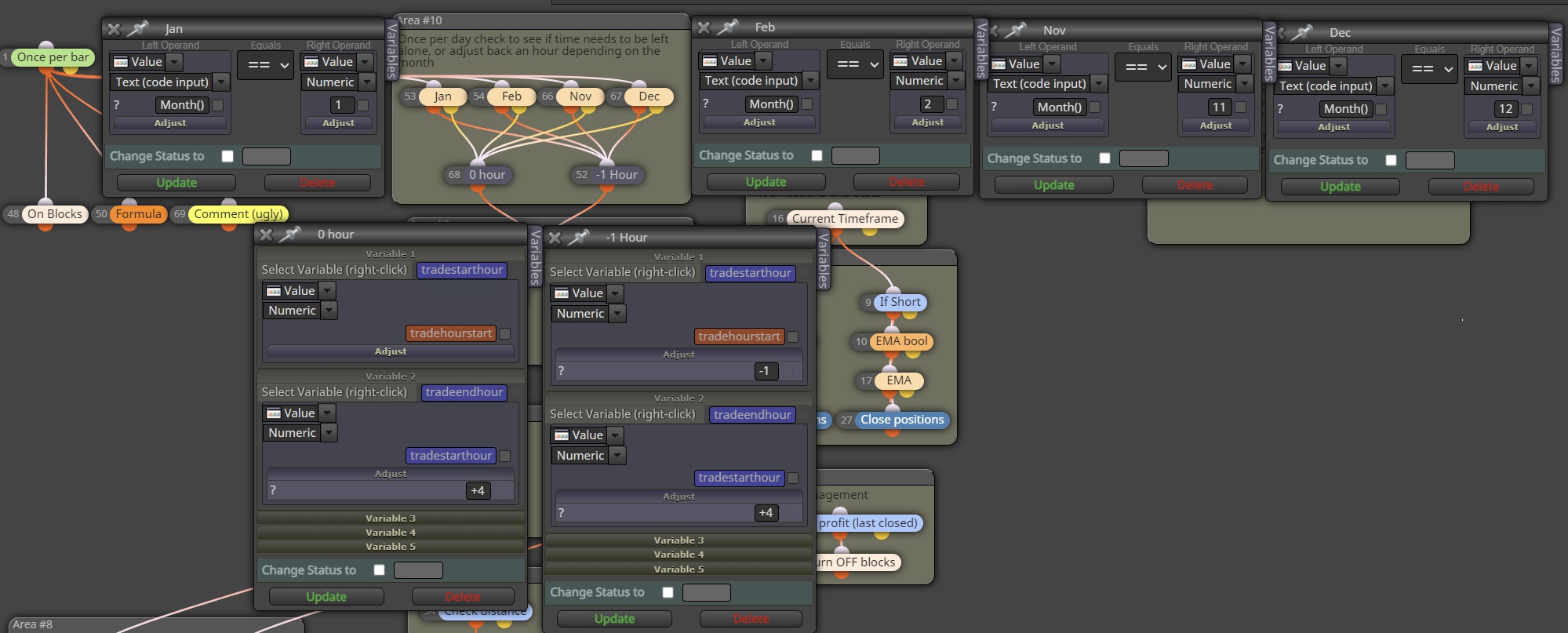
another way to do it.
-
@TipsyWisdom Thankyou so much for this.
I have had problems with accounting for time shift. It's not clear if you put the time stamp, components, whether you type 'November' in the field or have to put the month number 11. Some extra detail from them would be nice here.Yes, I've definitely noticed a big difference with the 2 changes in time through the year
-
@Julianrob months are by number. Glad it helped!
-
MT platforms adjust to DLS times (including on back test), the real issue here is when you use a broker that uses a different time zone to your personal time zone. At least that is what I have seen.


