Resolving the issue of the difference in calculated lot size in capital management 'Risk % of Balance (Volume size depending on Stop-Loss)' between 2 different brokers
-
Hello good time,
Below are the specification information images for the XAUUSD symbol from two brokers, where broker 1 calculates the lot size correctly, but broker 2 calculates it incorrectly. What can I do to make the bot calculate the lot size for the XAUUSD symbol correctly in both brokers?Broker 1 :
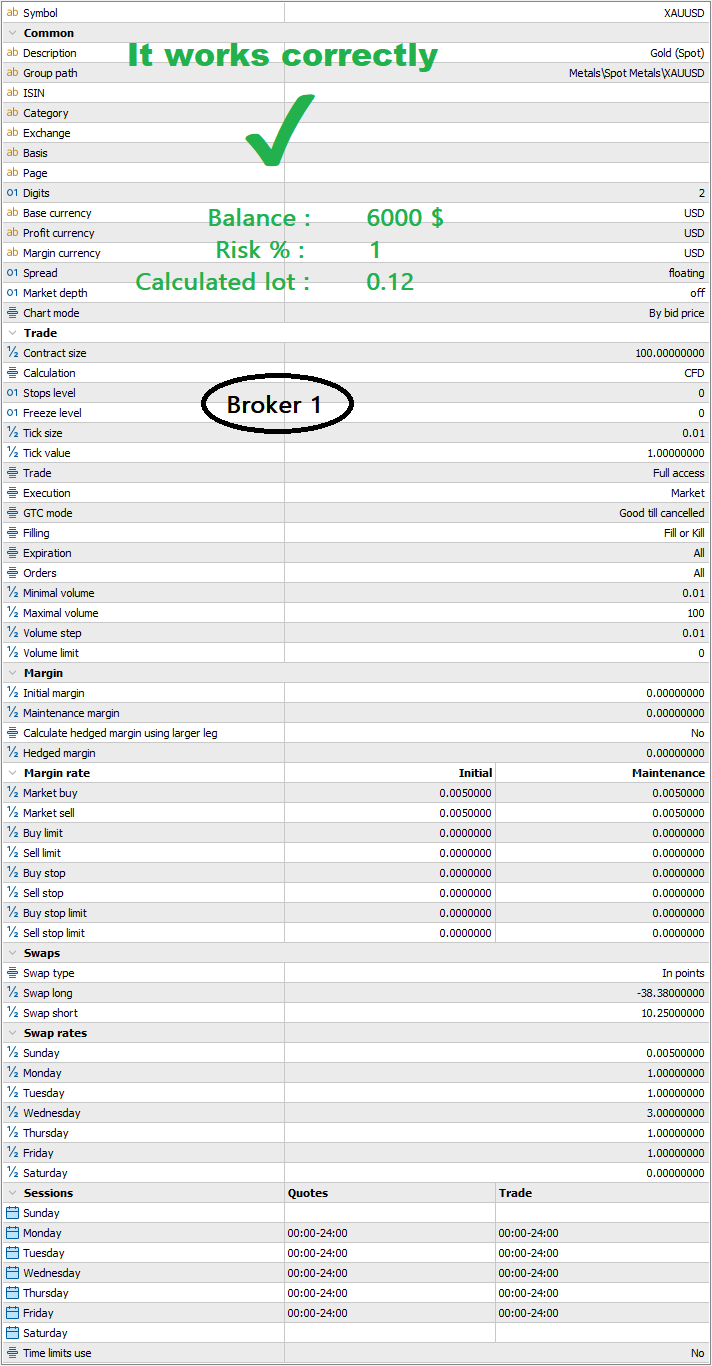
.
Broker 2 :
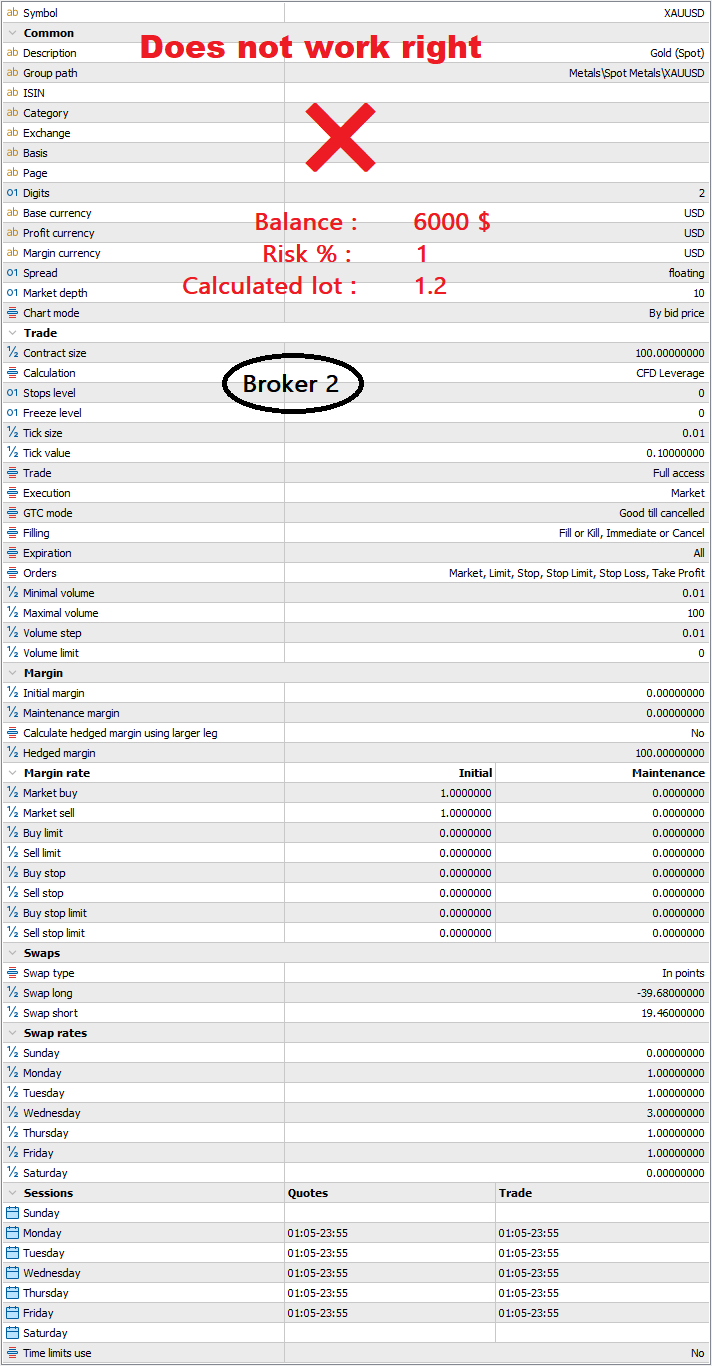
-
You need to use two different versions of the same bot by changing the pip size rules for each broker or asking roar how can be added the '*point' code within the project. Sadly I have no idea how to do the second option.
-
Is the pip value lower on broker 2?
Learn fxDreema Without the Wait!
My comprehensive book, available on Amazon, is packed with examples and invaluable insights to help you fast-track your learning journey.
The paperback and hardback editions include MT4 & MT5 QR codes for easy access to all prebuilt projects and robots, including my latest gold trading robot!
Don’t miss out
Click here➡️ https://mybook.to/fxDreema to get your copy today!
Enjoy! 😊
-
Information for a demo account on a broker that is experiencing issues with symbol XAUUSD:
Server: MetaQuotes-Demo
Login: 74227591
Password: 8yC@LbZiAlso, here's a link to a robot that you can test with the strategy tester to see if it risks 1% balance with this broker or not.
https://fxdreema.com/shared/xDSuiYtSc -
Set up a small test project, one that places a trade then closes it on SL, use this to check if you get the same values on both brokers, with the same lot size, also check if you gat the same pip distance with your crosshair. you can do this on back test, ctrl and f will bring this up on MT5. FYI lot siz
es on FTMO tend to be a lot bigger for the same value.Learn fxDreema Without the Wait!
My comprehensive book, available on Amazon, is packed with examples and invaluable insights to help you fast-track your learning journey.
The paperback and hardback editions include MT4 & MT5 QR codes for easy access to all prebuilt projects and robots, including my latest gold trading robot!
Don’t miss out
Click here➡️ https://mybook.to/fxDreema to get your copy today!
Enjoy! 😊
-
The brokers differ in "Tick value" and leverage setting. So it would be normal that you get different lot sizes for the same "risk". If you let a trade go into SL, do you lose $60 on both accounts?
Need small help? Tag me in your post
Need big help? https://www.fiverr.com/big_algo/automate-your-winning-strategy-in-mql4-or-mql5 -
The crosshair is the same on both brokers, and if a fixed pip is entered, the same amount of loss will be calculated on both brokers.
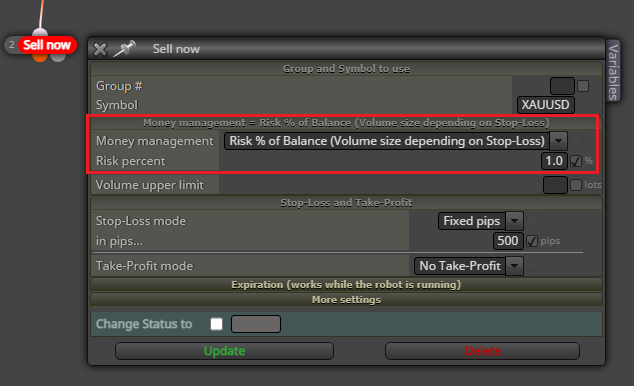
This issue arises when using Money Management "Risk % of Balance (Volume size depending on Stop-Loss)" in the robot.
-
@roar
No
In Broker 1, $60 is lost
And in Broker 2, $600 is lost -
@AlirezaTrade you can try using a point value as SL, and then calculating the lot size "manually" in a custom block:
https://fxdreema.com/shared/OavmTKGic
The example uses 123 point SL with a 1% risk.
Need small help? Tag me in your post
Need big help? https://www.fiverr.com/big_algo/automate-your-winning-strategy-in-mql4-or-mql5 -
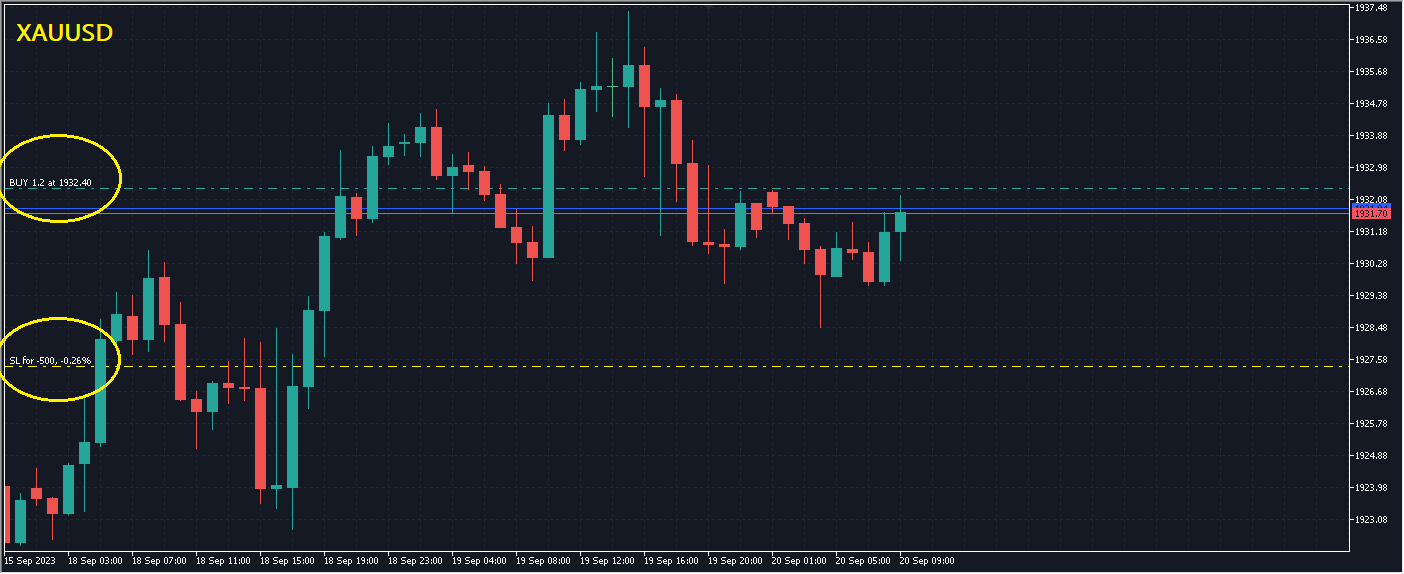
With your created robot, the 1% risk is not calculated correctly in this broker.
Balance = $6000
SL = 500 points
Risk = 1%
Calculated volume = 1.2 lot
Loss = $600The correct volume with a 1% risk should be 0.12 lot, so that with a 500-point stop loss, the loss would be $60.
-
@AlirezaTrade that's interesting.
I added some prints to the EA, check out what values it prints to Experts:
https://fxdreema.com/shared/XDU7ADF9bNeed small help? Tag me in your post
Need big help? https://www.fiverr.com/big_algo/automate-your-winning-strategy-in-mql4-or-mql5 -
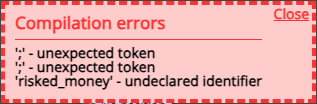
It does not compile.
-
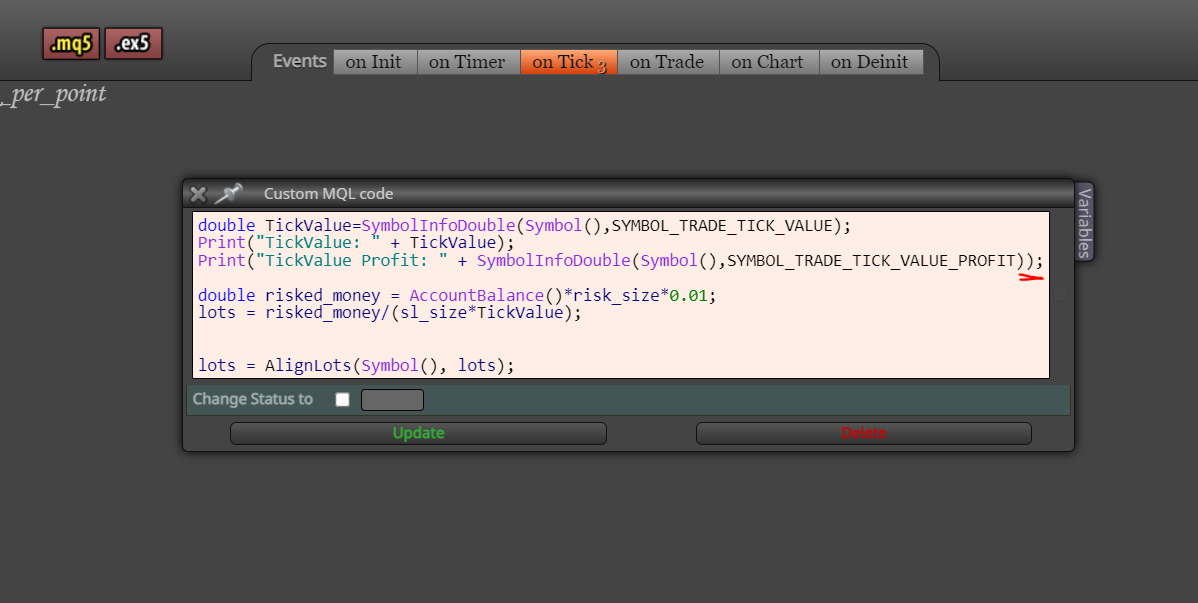
@AlirezaTrade add one more bracket here:
Need small help? Tag me in your post
Need big help? https://www.fiverr.com/big_algo/automate-your-winning-strategy-in-mql4-or-mql5 -
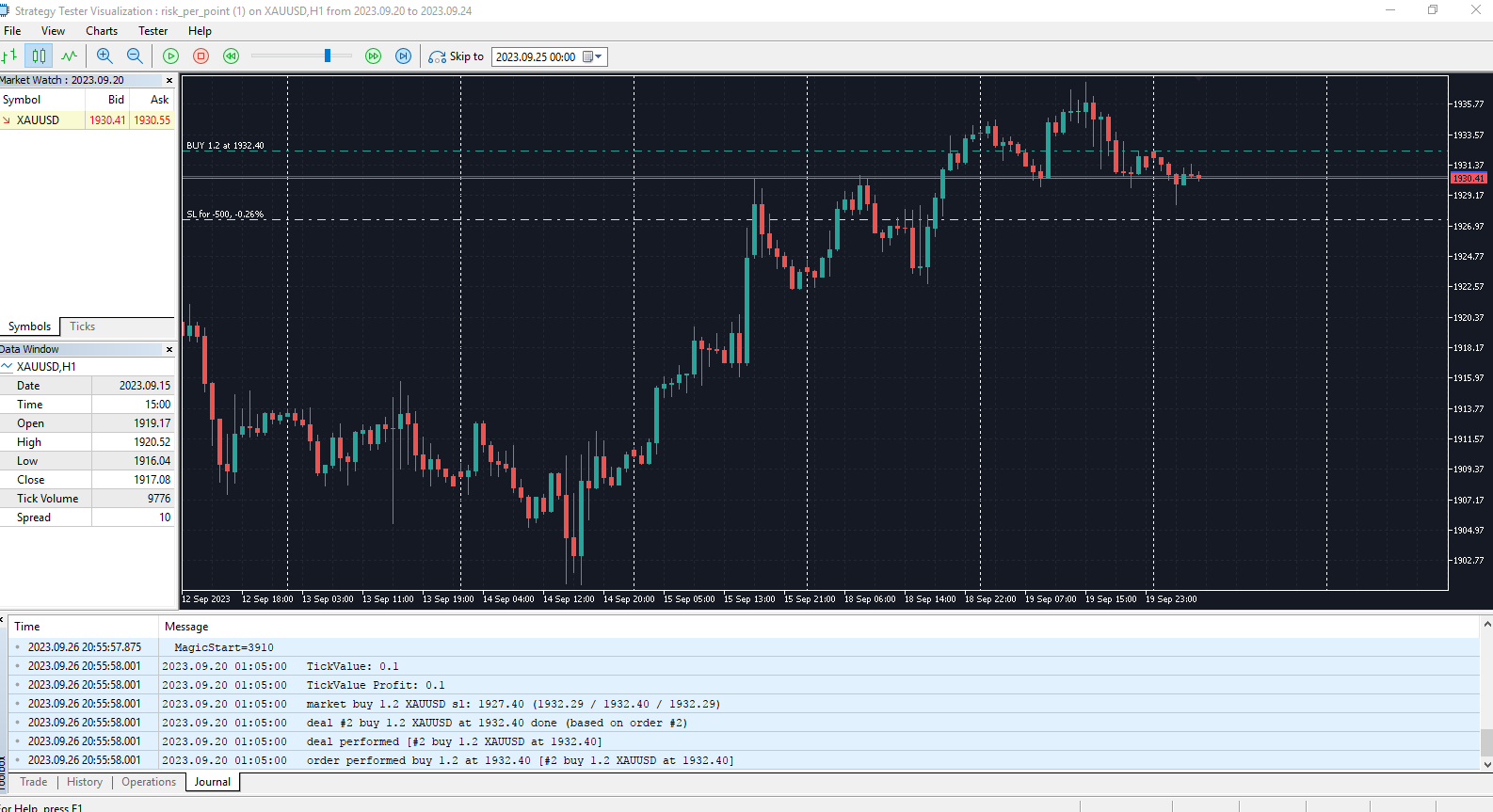
TickValue: 0.1
TickValue Profit: 0.1
-
@AlirezaTrade the math would add up with this new formula, not sure it applies to all cases: https://fxdreema.com/shared/MeB6yIyMd
Need small help? Tag me in your post
Need big help? https://www.fiverr.com/big_algo/automate-your-winning-strategy-in-mql4-or-mql5 -
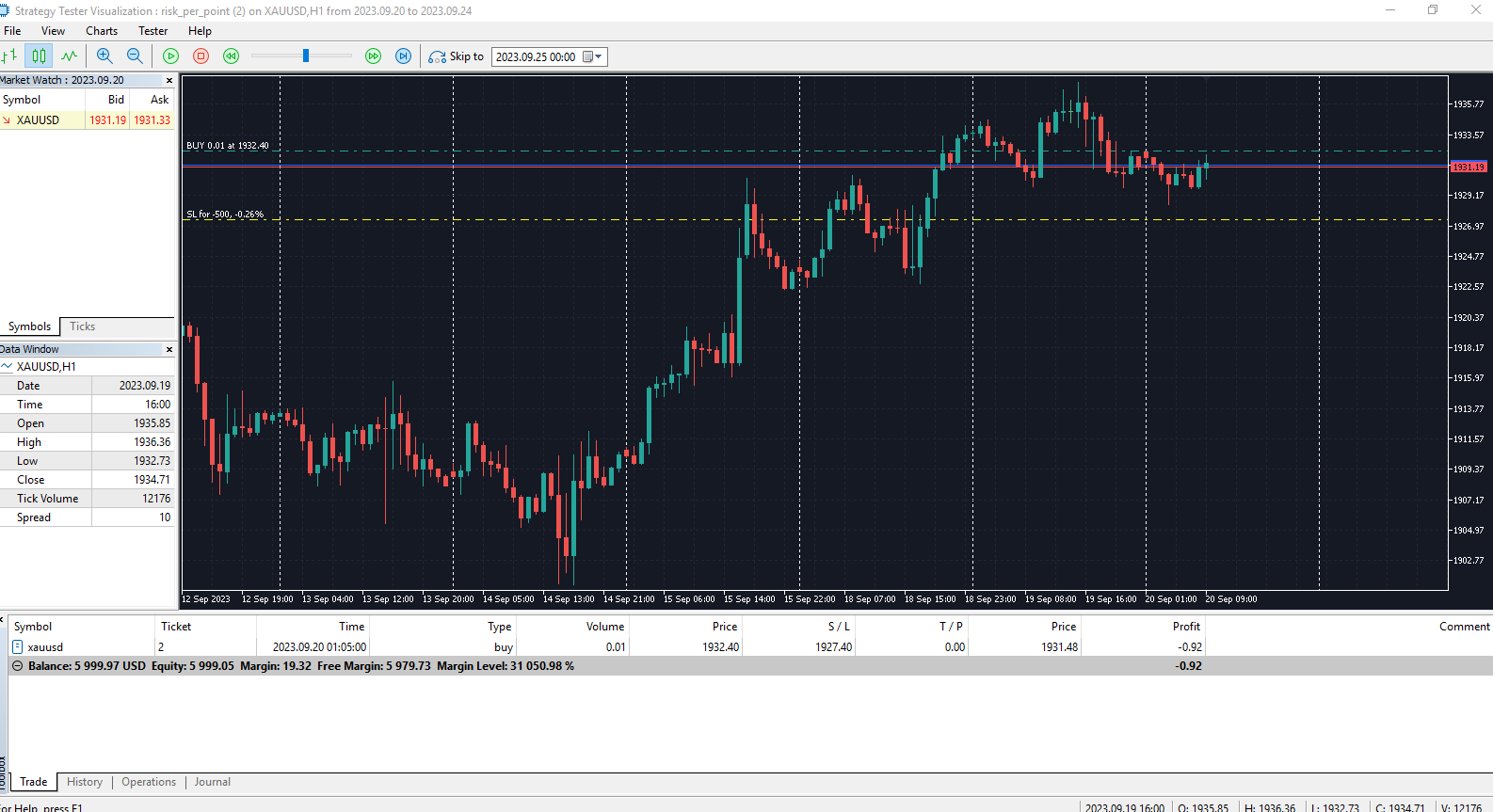
This formula does not calculate correctly.
The volume is considered 0.01 lot.
-
And how about this?
https://fxdreema.com/shared/DprjQjg6cI'm just guessing, difficult to replicate your case
Need small help? Tag me in your post
Need big help? https://www.fiverr.com/big_algo/automate-your-winning-strategy-in-mql4-or-mql5 -
@roar
This formula does not calculate correctly.
The volume of 0.01 lot is considered. -
@roar
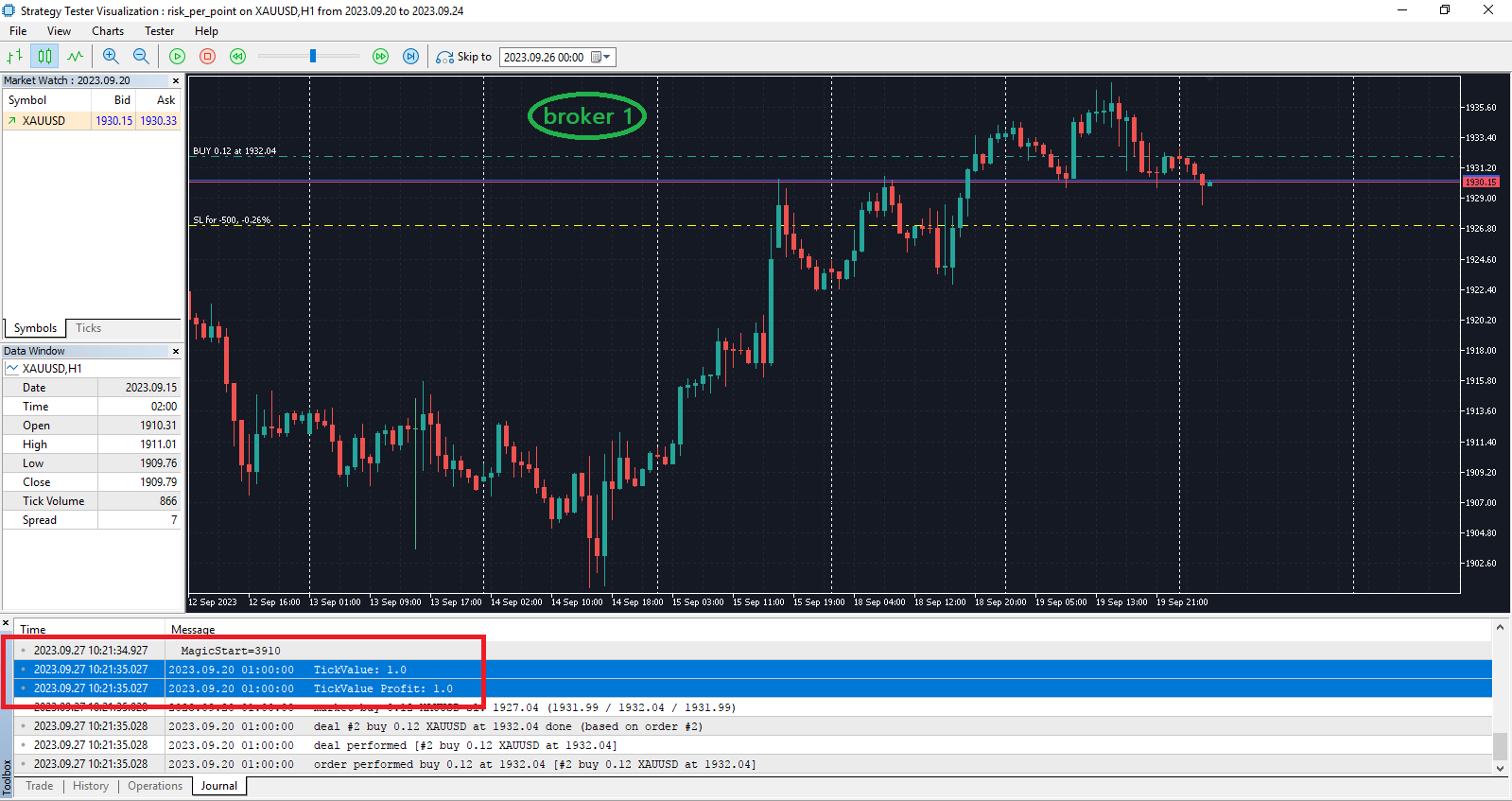
Broker 1, which is working properly, the journal information is like this:TickValue: 1.0
TickValue Profit: 1.0