Best way to set Delay and Modelling functions while back testing
-
Hi
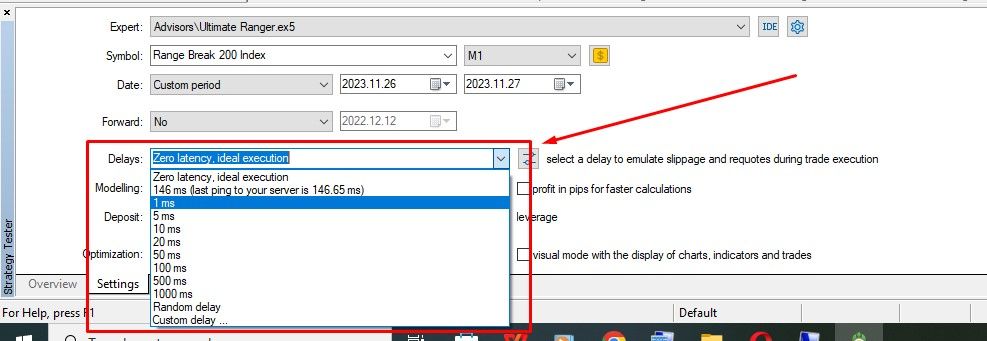
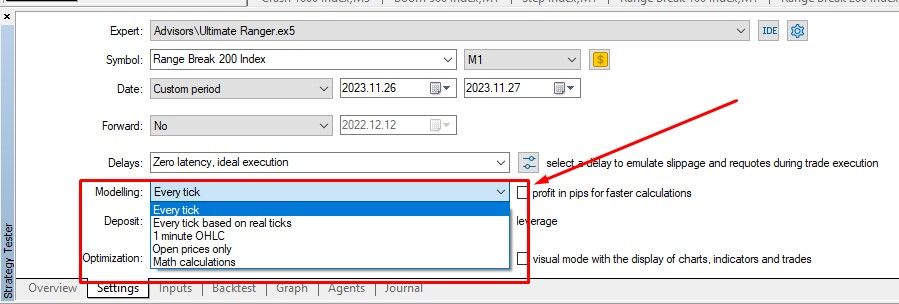
I will like to know the best ways to set up the DELAY AND MODELING functions while back testing an EA. Do these settings really matter and do they have any effects on the outcome of your EA's performance in live trading?
Please see the attached screen shots to understand what am talking about better.
-
Whenever doing backtesting, you should always include some kind of delay, if not random. You're orders in live markets are never instant.
Additionally, any test that's not based on real-ticks or tick-data is not good and shouldn't be taken seriously.
There are still other factors such as how it trades. Does it scalp? Does it have a tight trailing stop? All these things matter. Additionally, you should add commissions to your backtest. Some kind of swaps too if the strategy holds trades through the next day.Lastly, and most important, just because these things are included, it still doesn't mean it's going to perform the exact same way in live, but it should be a close representation.
-
Thank you so much @willramsey , You've just enlightened me more on this topic.
-
Just have some quick questions:
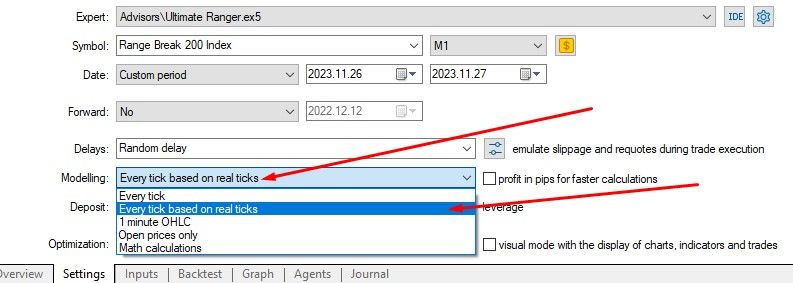
According to your explanations will it be good to use the following settings as shown in the screen shots?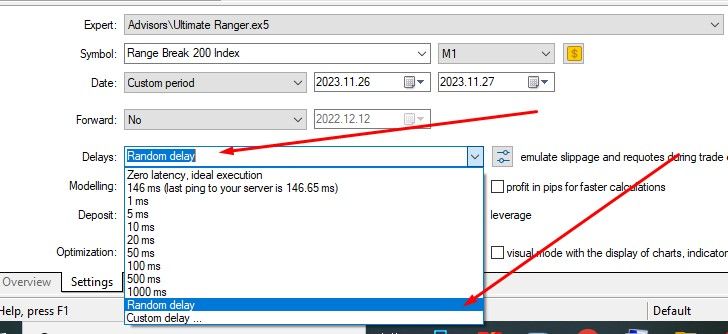
-
Also how can I factor in commissions/spread in my back testing?
-
That'd be better than the first screenshot for more realistic results, yes. If you really want the best data to test through if you plan on working with EA's a lot, then you can get a license to TickDataSuite(TDS) or Tickstory for tickdata. I believe there are some free sources as well but I personally use Tickstory.
-
To add commissions, you can click this button and input the commissions your broker charges. I can try to find an article to link if it's confusing to you or you can probably find an article in a few minutes on how to do it.

-
Thank you so much for the clarification. Much appreciated. I will definitely look for more articles if I need more info.

