Condition check before allowing entry
-
Yo
Basically, i want a check before allowing a buy trade. I use a ton of indicators, but all use custom enum, but if all the enums = 0 then check the value before trading. If they all add to 0 - prevent trading.
So like below
Add multiple conditions
Check output value variable
If variable = different from 0, then allow tradingThanks in advance
-
That's not a trivial question. Not only those indicators can be used/not used. The order in which they are used is also determining, which one will be checked before all the other. Did you consider that?
-
By connecting all from yellow, you are saying, if this do this, or look at this and do this, if not do this, or this, or this etc, and you need to connect all from orange. But everything is set from a constant (so manually set), you may as well have a button to start or stop trading, everything needs to be switched on by variables. If V1=true+V2=true+V3=true+V4=true+V5=true+V6=true, etc do this...
-
I apprecaite the concern but I think you mis-understand the questionor I did not explain well. I already have the indicators setup, I simply want to check at the end of the BUY tree if the total of the conditions = !0 otherwise stop at that block.
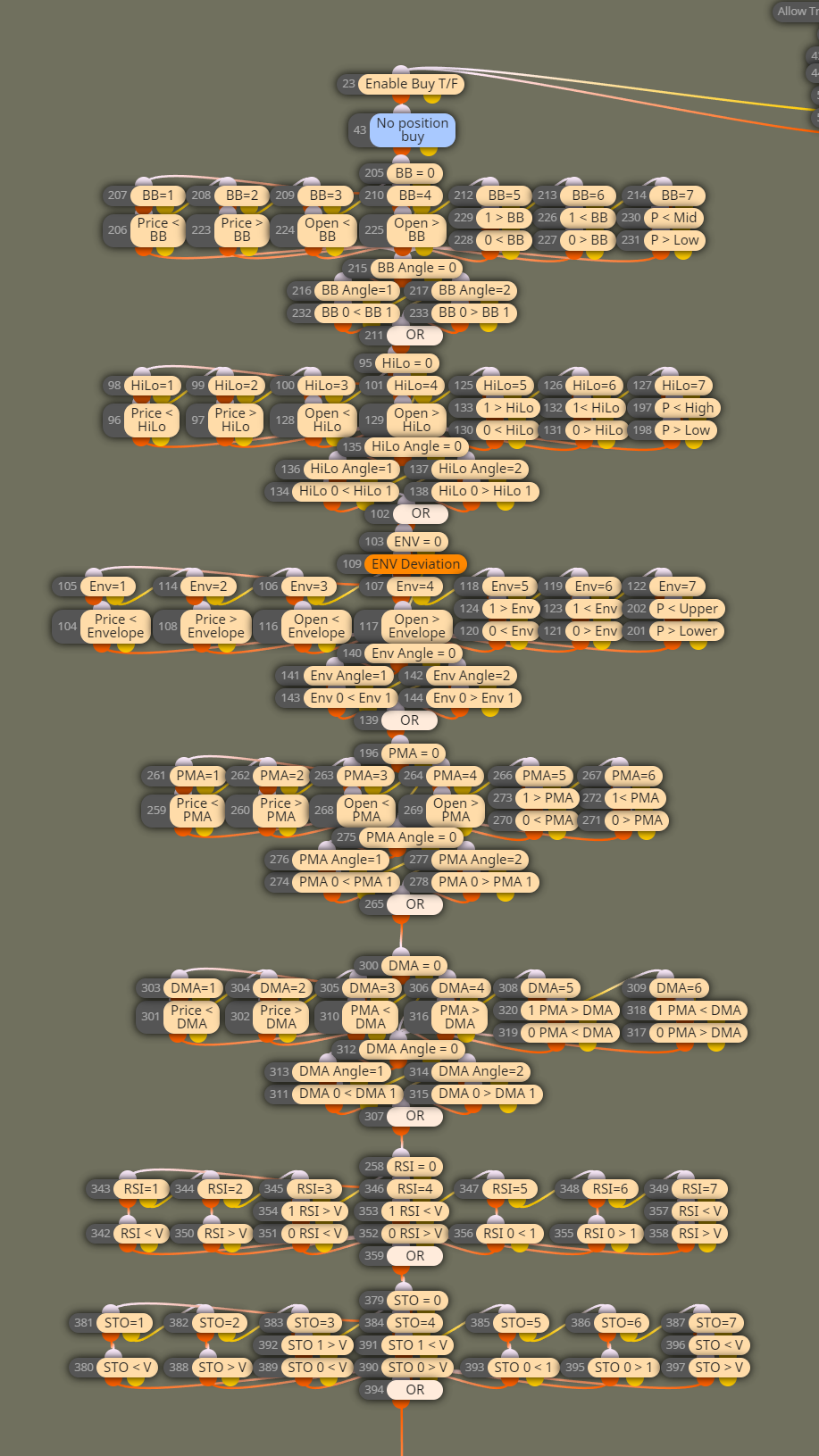
The boxes I have left in my shared project are simply the enum condition checks and I deleted everything else out of my project. e.g. if I use BB it will be a value from 1-9 depending on my custom enum but if it reads 0 then that means it is OFF and it skips the indicator and moves onto the next one.
What I want is to add up the constants from the custom enums in one block and check on a condition block if the value !=0, if they = 0 i will prevent trading.
So for instance. Custom code block or variable block (add all the constants from my shared project)
(BBCondition)+(BBAngle)+(HLCondition)+(HLAngle)+(ENVCondition)
Check != 0
PassThanks
@jstap @l-andorrà -
The only way to stop trading is that ALL conditions behave as bottle necks. The only way to do that is connecting them from orange output dot to the next orange output dot. If you use the yellow output dot the execution will move to the next block no matter what and the trade will be open. All input parameteres are to be conected as if all had to be true at the same time only.
-
@l-andorrà how do I add constants in one block though? That is what I am asking

My actual project is built very differently than the example.
-
You will need a custom array. There is no block in fxDreema doing that. I'm afraid you will need a programmer to do it.

-
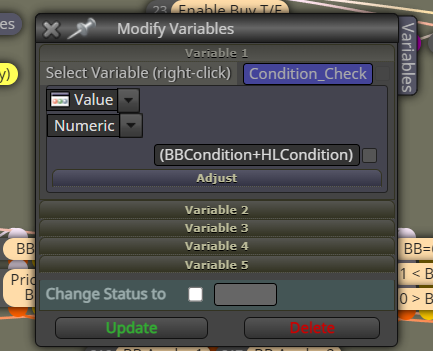
Turns out it was way simpler than I realised. Simply putting then like this works, they add up and I should be able to use this to prevent people using my EA with all the indicators turned off and risking their account.
-
Congrats!


