custom function
-
please i am trying to create a function inside custom block and call it but not working. for example something like this:
void MyCustomFunction(double inputValue) {
// Your custom logic here
double result = inputValue * 2; // For example, multiplying the input by 2
Print("The result is: ", result);
}MyCustomFunction(5); // Call the custom function
-
Dont work function This code you wrote does not work like this. Because tick init ... etc. This card is already a function and functions do not work inside functions, my friend.
-
the code i posted is just an example please, what i want is how do i use functions and call functions in fxdreema is that possible?
-
@alexitoeve50 you need to define your function in https://fxdreema.com/studio. No need to make any custom block in the studio, just add the function to the list here.
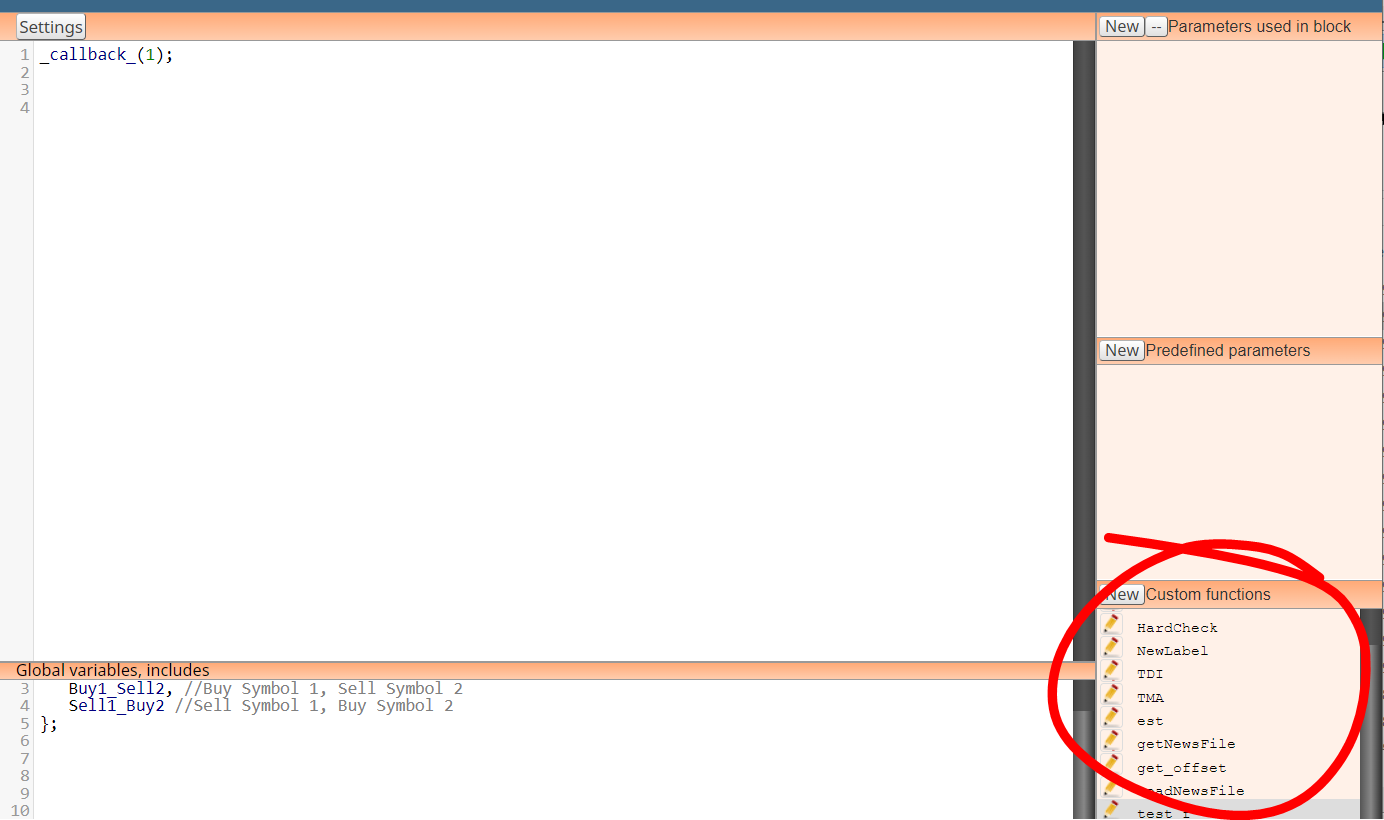
-
@Jeson-C said in custom function:
Dont work function This code you wrote does not work like this. Because tick init ... etc. This card is already a function and functions do not work inside functions, my friend.
the code i posted is just an example please, what i want is how do i use functions and call functions in fxdreema is that possible?
-
The way I do this is like Roar has said, but I ask Chat GPT to tell me what to add, I will add an example:
I say this is an example of what I add to sections to create a maximise screen in my MT4 code.
in the on tick section I use this:
// Example usage: maximize the window
SetWindowState(SW_SHOWMAXIMIZED);
~next~In the custom function section I use this:
void SetWindowState(int desiredState) {
int hWnd = WindowHandle(Symbol(), Period());
int parent = GetParent(hWnd);// Check current state using WinUser32.mqh functions bool isMaximized = IsZoomed(parent); bool isMinimized = IsIconic(parent); if (desiredState == SW_SHOWMAXIMIZED && !isMaximized) { ShowWindow(parent, SW_SHOWMAXIMIZED); } else if (desiredState == SW_SHOWMINIMIZED && !isMinimized) { ShowWindow(parent, SW_SHOWMINIMIZED); } else if (desiredState == SW_RESTORE && (isMaximized || isMinimized)) { ShowWindow(parent, SW_RESTORE); }}
In the global variables section I use this:
#include <WinUser32.mqh>
#import "user32.dll"
int GetParent(int);
int ShowWindow(int, int);
#define SW_SHOWMAXIMIZED 3
#define SW_SHOWMINIMIZED 6
#define SW_RESTORE 9
#importUse this set-up and create a code that does this "Choose what you would like to create". It may take a few corrections but using this you can create blocks doing what you like...


