FXDreema source code
-
Hello friends! How do i get a source code of an EA i built with Fxdreema?
-
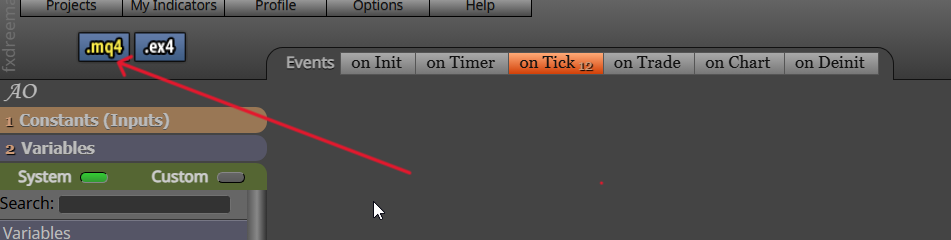
click the mq button
-
Jstap, thanks for response. Where is the mq button? Can you please screenshot and direct me with an arrow pointing at it? Thanks
-
It's on top left of the builder page.
-
@l-andorrà Thanks very much, though I couldn't see it and I wondered if my builder page is different from yours. I will be grateful if you would send me a screenshot with an arrow directing me to the place. Thanks
-
For mt5, it says mq5
-
@jstap Thanks! Let me try it.
-
@jstap I am back. It's like my description or the use of
the word "source code" was wrong, so let me use a lame man description: I am looking for where I will see plain code which I wrote with the help of FXdreema. I use that MQL5 button you showed me on the screen to download the EAs as an application to my download folder and install them on my charts for testing; there is no issue with it. I only want to see the plain codes, thinking it would be easier to make specific changes and get the desired result, that's combining the help of FXdreema with my little knowledge of MQL coding. I hope I didn't confuse you. Thanks as usual. -
- After your download suggested by @jstap, you can see the source code.
- To add your code in fxdreema, you better use the MQL block (very useful), or creating your own custom block (seems very difficult).
-
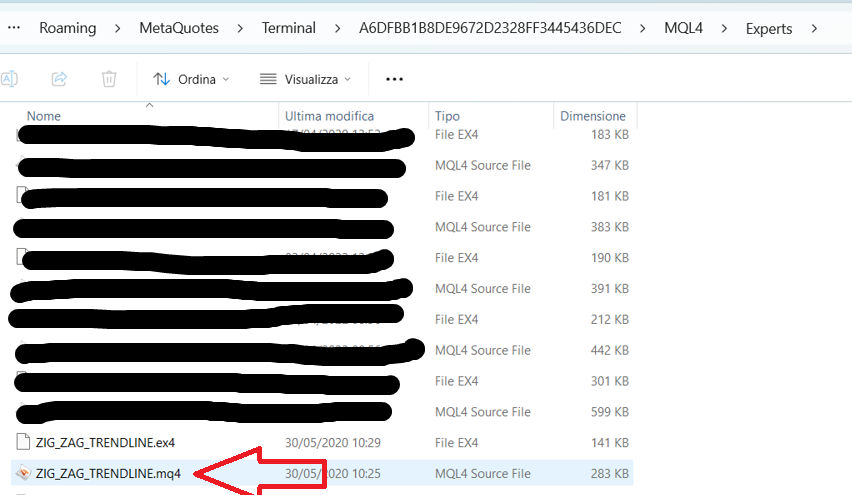
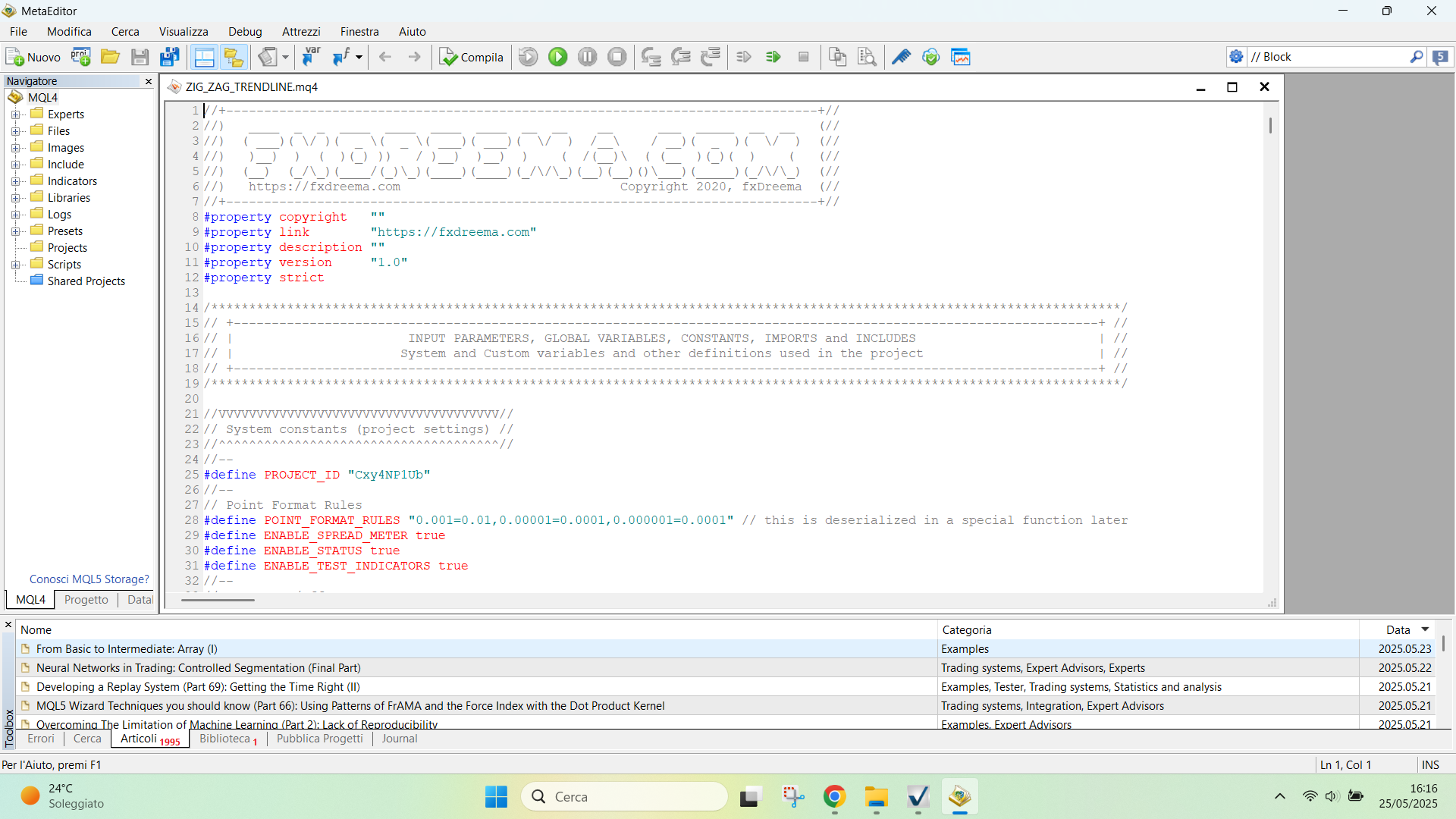
@jpsam If you want to make changes on source code directly, you can double click on the mq file in your PC folder and it will be opens in Metaeditor directly
-
@sktsec Thanks, I will try it
-
@ambrogio double clicking the mq folder didn't open the source code, instead it attached it on the chart. My goal is to see the EA codes so that I can manually input some code lines that may not be easy to add using fxdreema blocks
-
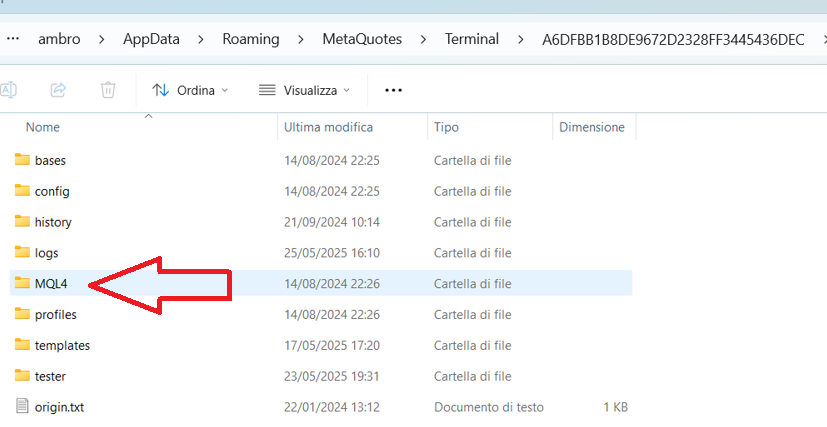
Not in MT navigator, but in the PC folder, right where the file was saved. Ctrl+Shift+D from metatrader
-
@ambrogio Sorry, I meant double clicking the file in the download folder. It doesn't show the source code, however, I will try once more. Thanks

-
Hello @Jstap. Could you pls help me in custom indicator ex4 to my fxdreema
-
@ambrogio I know. It didn't open. Can you demonstrate on your (screenshot) PC folder, showing the opened source code? I shall be grateful. Thanks
-
-
@ambrogio Thanks! It's clearer. I will try it
-
-
@ambrogio Maybe something is wrong with my system! I followed your guide well with the help of the screenshots and was happy because everything seemed to work fine until the final stage when I double clicked the EA in the Expert folder, instead of opening the source code, it attached it on the chart that's loaded with another EA, and ready to change the present EA. If there is an alternative method, please help. I really need to get the source code of FXdreema EA so that I might be able to bypass some bottlenecks of using FXdreema alone. Please help! Thanks