Tutorial 06 - My Indicators in fxDreema
-
1.) Import with mq file:
Here I show you, how to add custom indicator into My Indicators in fxdreema and how to use this indicator in project. You can take any indicator, for this tutorial I created own indicator based on Trader Divergence Index. It are few moving averages over RSI and my own enhancement channel based on Standard Deviation multiplicator over market line (third MA).
First you need is know, how indicator is working and which values are in buffers.
For this, place indicator into chart and see:

On that picture observe indicator buffers in settings window how they are numbered (0,1,2,3,4, ...), these buffer indexes are important numbers for you.
In builder click on My indicators - Add custom indicator - Select, and find your mq file with indicator and ok:

.
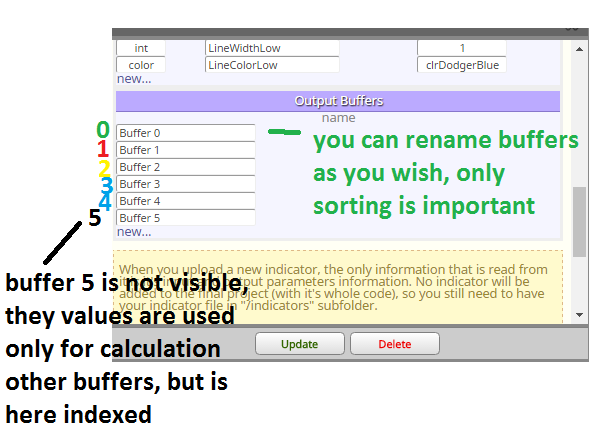
click update and now you can working with this indicator ... see there buffers, parameters,
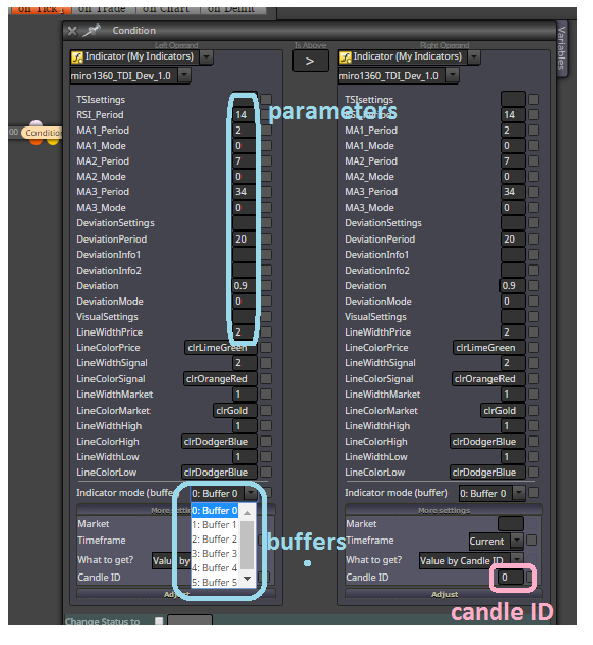
and next important: Candle ID ... for this candle ID you can observe from chart what values are in buffers
for my indicator it are values somewhere from 0 to 100, sometimes >100 or <0
Candle ID are indexes in buffers and buffers are holding values (for each candle ID is here value), small example:
Buffer0[0]=50
Buffer0[1]=52
Buffer0[2]=51
etc ... Buffer0[0]=50 means, that Buffer0 have on candle 0 value 50, Buffer0[1]=52 have on candle 1 value 52 ....when are there negative candle indexes, like -1,-2,... you can read values from indicators that are ploting values into future (like ichomoku indicator) ... if you will this value, only you need is give negative Candle ID into block where you are working with indicator

note, you need compare values from indicator with adequate values (for this indicator, when value from buffer is 60, you can not compare it with value from candle price 1.1200, because how?)
when you will make cross green line above red line on candle 0 (candle 0 is not closed and it means repainting, but is fresh), this is way:
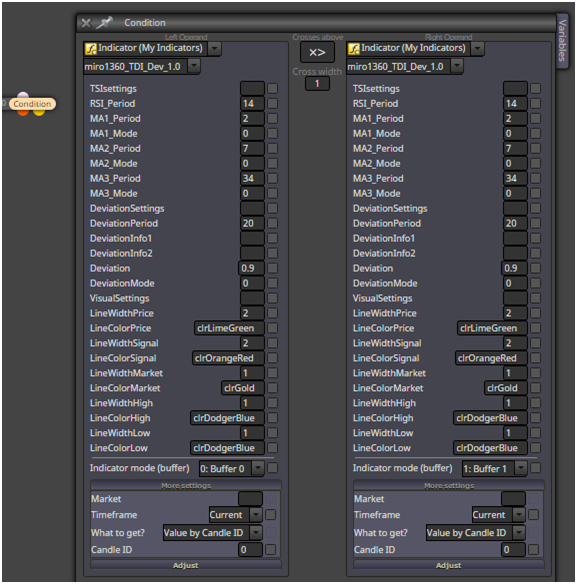
you can take cross also from candle 1 (this is closed candle and is not repaint - repainting this candle depends on indicator, because some indicators repaints all values) ... Candle ID in this case = 1
or you can make cross with two condition blocks with logic:
Buffer0[2] < Buffer1[2] AND
Buffer0[1] > Buffer1[1]
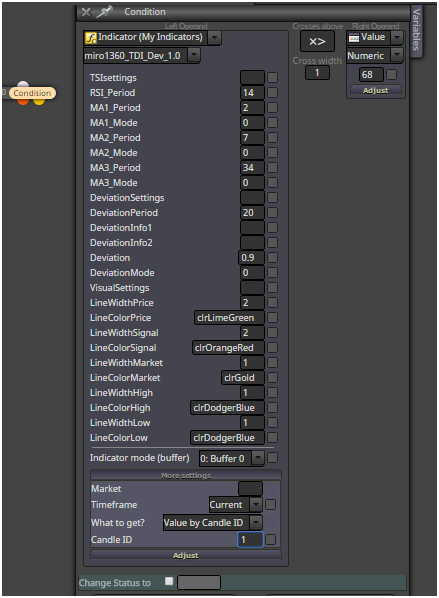
means Candle ID, in words: when green line on candle 2 is below red line on candle 1 and green line on candle1 is above red line on candle 1 (than is cross up)when you will make cross above value, lets say green line crosses UP value 68 (level 68) on closed candle 1, this is how to do:
2.) Import without mq file, with ex file:
If you dont have indicator mq file and only ex file, import can be done this way:
example is my ex file from indicator miro1360_DynamicMA, look for indicator behavior:
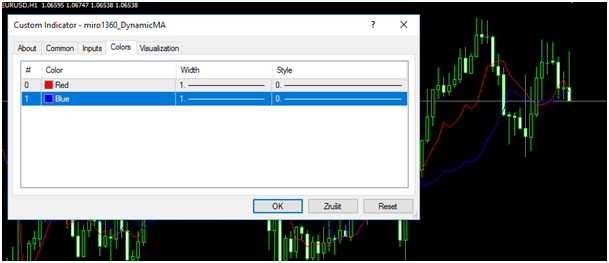
you see here 2 buffers
and also some input parameters:
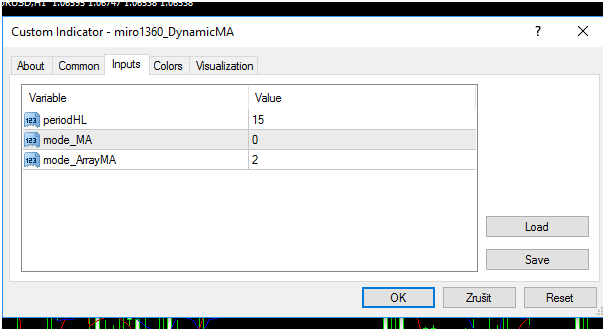
now go to Builder and find your indicator ex file with My Indicator manager:
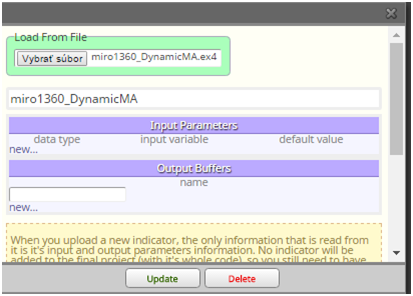
you see, after selecting indicator here are not buffers and parameters, so you need type them manualy, keep data types correctly, instead of enum datatypes you can use int (maybe, I am not sure with implicit conversion in MT5) ...
this picture show you correct values for this indicator:

click on update
indicator is imported and test it:
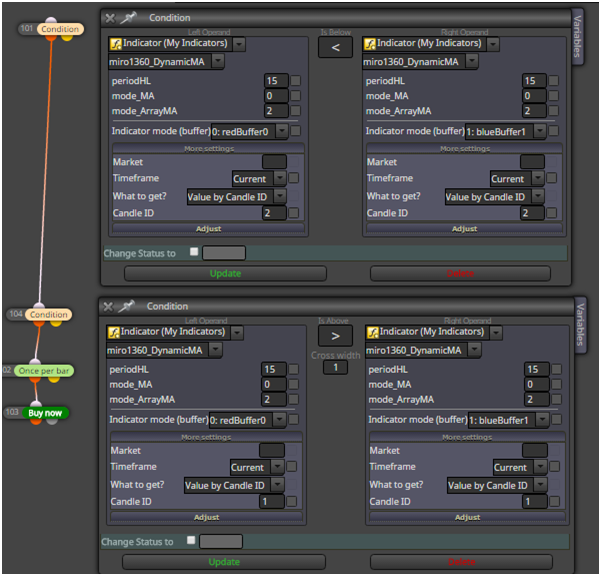
all is working as expected:
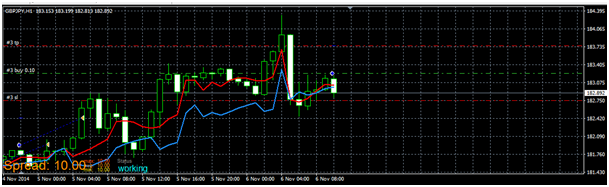
here are other indicators, with other type of buffers, like histogram (histogram is also value),
or arrows, like ADXcrosses, for this case you can use block called Indicator appear and select right buffer:
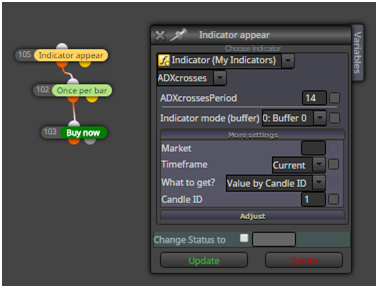
and it is working ok:
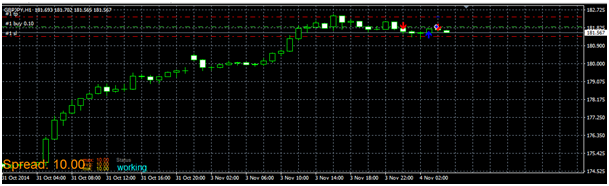
Important:
your indicators must be located in indicator folder and must have same name as in EA:
C:\xxxxxxxxxxxxx\MQL4\Indicators
(when experts are located: C:\xxxxxxxxxxxxx\MQL4\Experts)here are some indicators that I used in this tutorial (they are maybe renamed after uploading, rename it as you wish):
1_1480900961494_miro1360_TDI_Dev_1.0.mq4
0_1480900961493_miro1360_TDI_Dev_1.0.ex4
0_1480901002364_ADXcrosses.ex4
0_1480901026428_miro1360_DynamicMA.ex4all for this tutorial
-
Hello Miro, Thank you for all you do for traders on this site.
I am new to this and trying to figure out how to create an EA but with luck I read this tutorial. Its the indicator that I am using, but I also use a 5 ma in the same EA.
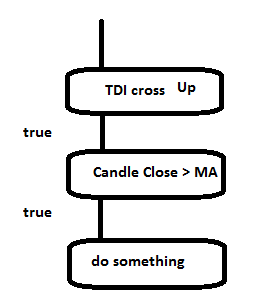
So when the Green crosses above the Red on the TDI and a new candle opens above the 5ma I want a Long trade opened and a Short opened when the opposite happens. Can you help. Thanks -
just add next block with MA to your conditions
-
@miro1360
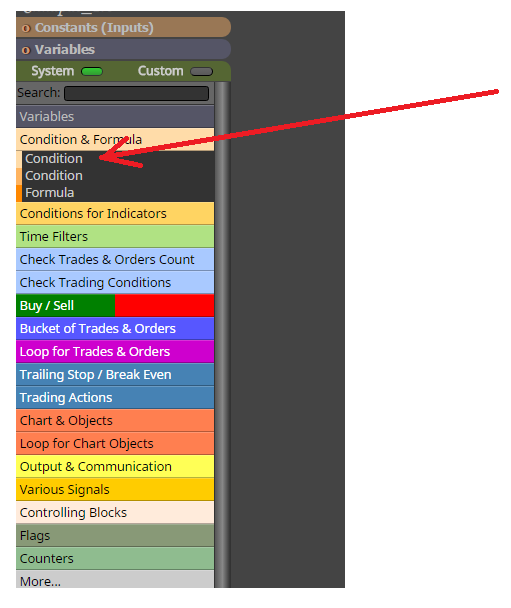
I have put my custom indicators to My Indicator and done, so I can see it in the list of My Indicator, but why I can not see in the box Condition? -
-
@miro1360 thank you very much Mr. Miro .. it was very helpful
-
hey miro am having some problems with my indicators could you please help ?
-
Between trading and gambling is a very small gap, be careful.
-
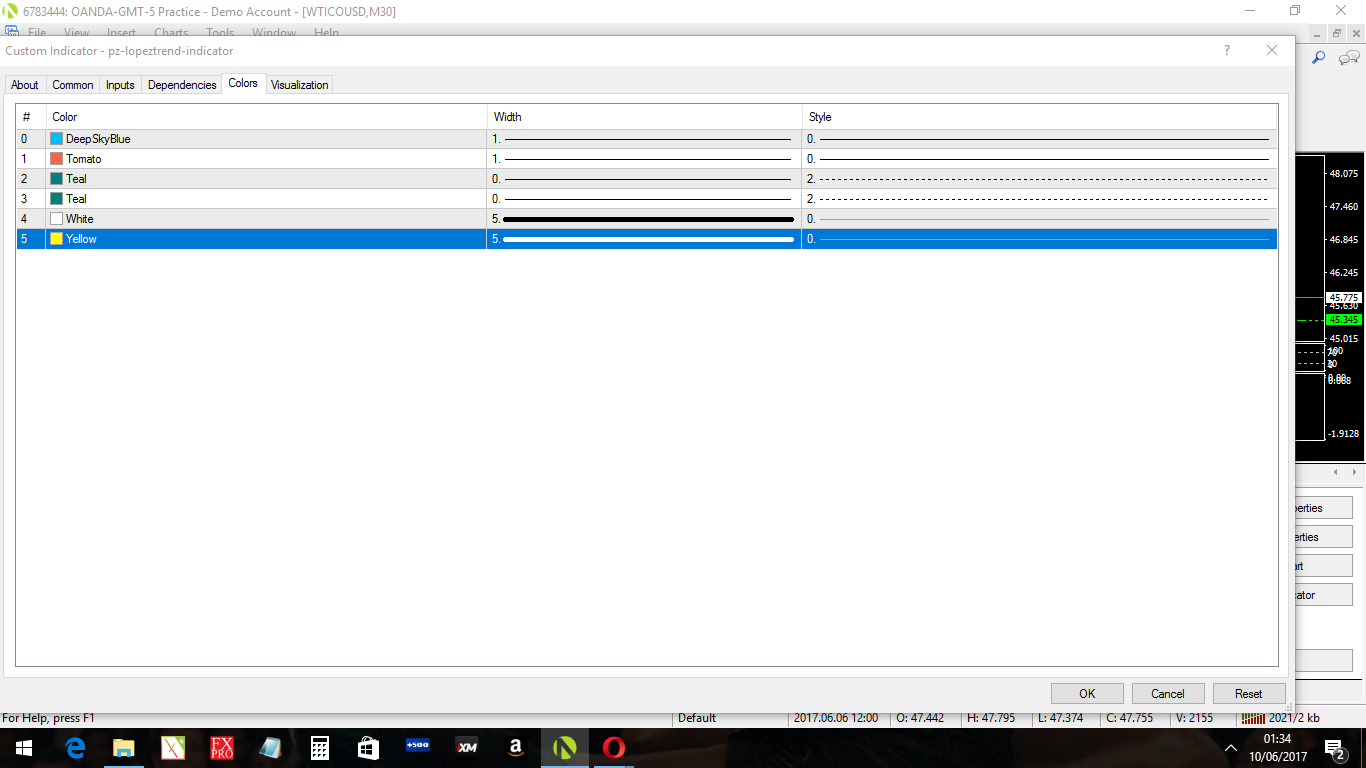
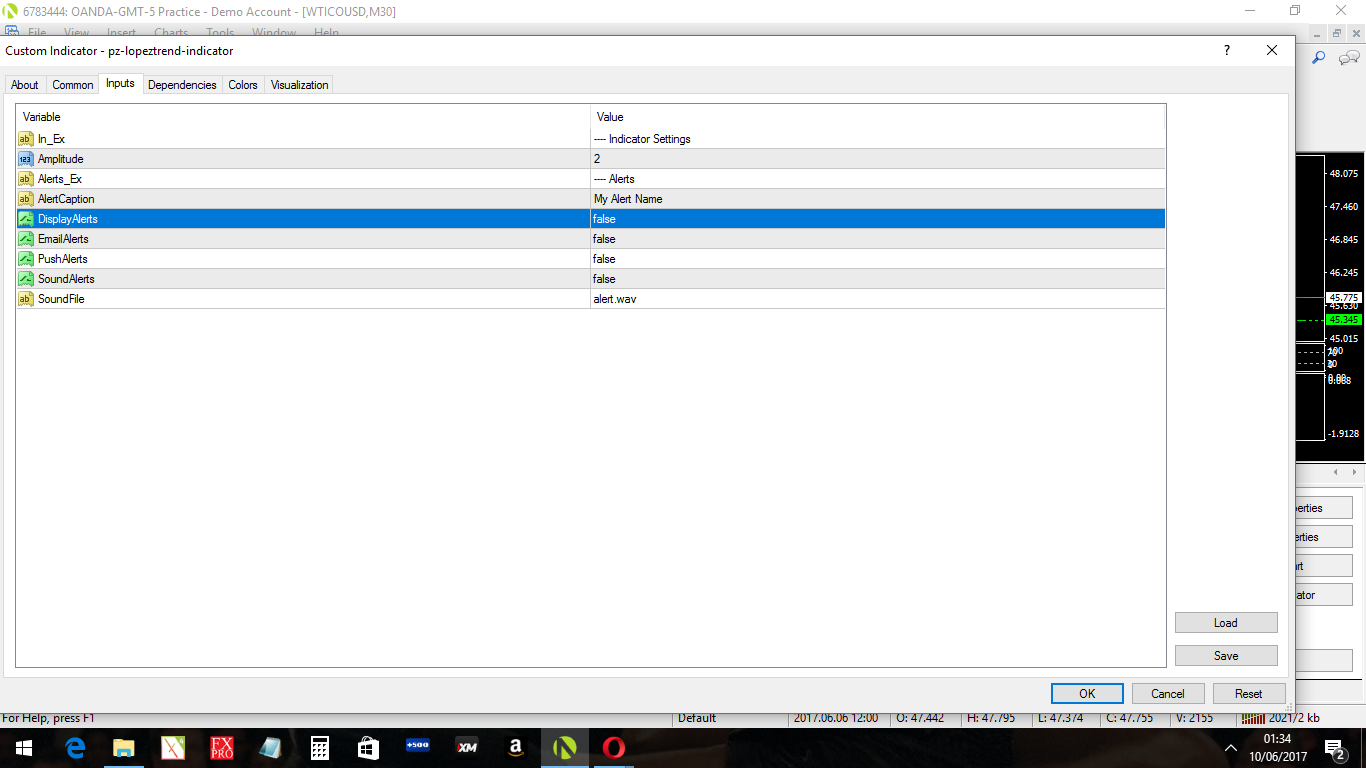
hi @miro1360 0_1497054305304_pz-lopeztrend-indicator[1].ex4 is there any way i could upload this indicater to fxdreem when i look at the inputs dater it comes up with setting of alerts there is no infor of input parameters will it still work ?
-
sure, it should working, add all buffers and all input parameters with right data type ...
Between trading and gambling is a very small gap, be careful.
-
@miro1360 i did but i still cant seem to get it to work is there a way you could do this for me and send it to me please i will pay! you if you would like ? i got a lot of indicators that i would love to make in to an ea
i can get some of the indicators to work on fx but most of the ones i try dont seem to work. what do you say? -
... I dont need your money, I am not doing this for money
 ...
...take this EX file indicator and import it into your indicators, - it import only its name (because it is ex file and not mq), for this reason you need type all input parameters manually:
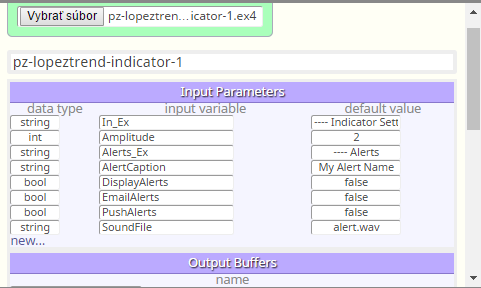
continue with adding all buffers, numers are enough:
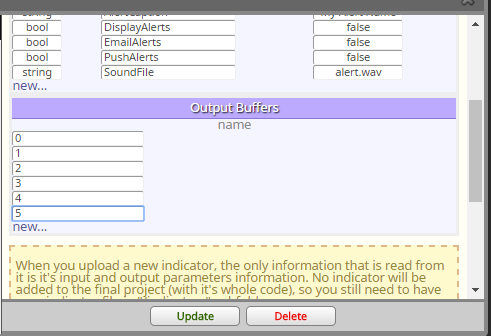
click update and your indicator is in fxdreemacreate easy logic to test your indicator:
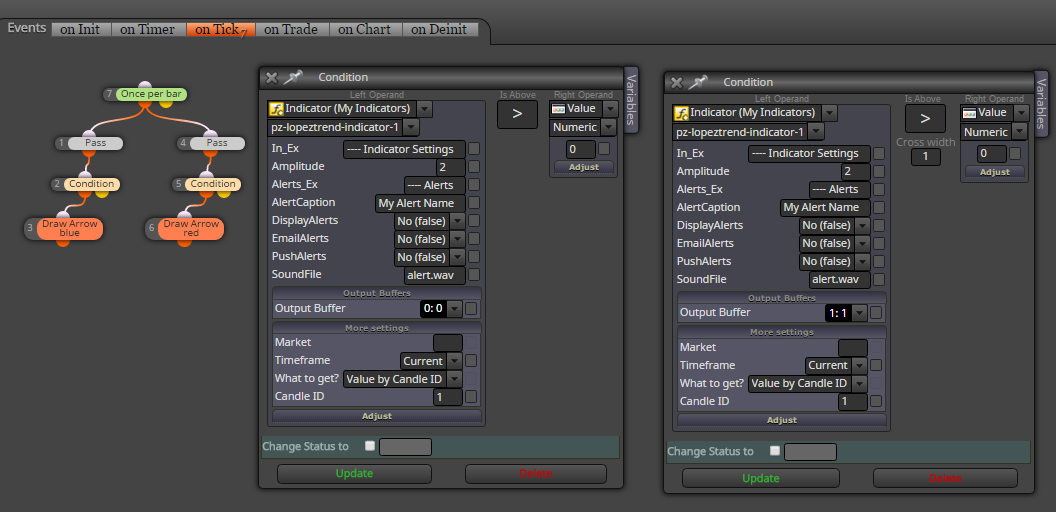
and you see, that all is working:
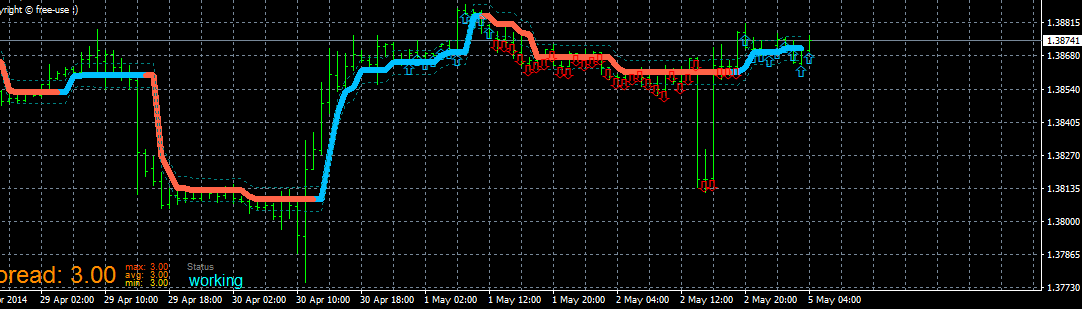
always observe in details how indicator is working with all buffers, in this case you need take value from candle 1 (because candle 0 have no indicator data - it is seen from chart) ... hope you do it right ...
Between trading and gambling is a very small gap, be careful.
-
@miro1360 ThankYou soo much i have not tested it yet caz of work but whn i get home on the weekend i wil do n lol i offered you money because i had a lot more indicators that i would like you to help me with i just wanted to show you my appreciation thats all
-
my intention is, you learn do it also for other indicators from example I provided you :simple_smile:
Between trading and gambling is a very small gap, be careful.
-
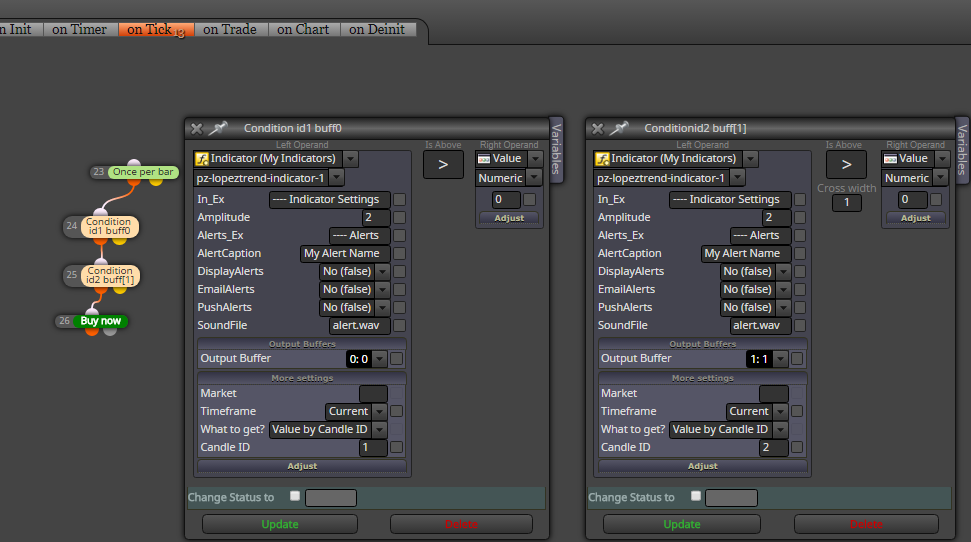
@miro1360 thanks miro i got it to work but my ea keeps opening a new trade every new bar but i oney want to open one every time the colour changes is there a way around this ?
-
is this working? (I have not tried) if is not, we try something else

Between trading and gambling is a very small gap, be careful.
-
@miro1360 idont know about that i dont think it will but i got a nother question for you
is there a way i can make an dash bored out of indicaters so just say if pz lopeztrend is blue on 30 min chart and is blue on 4h chart and i want it to be displayed on the 1 min chart.its all most like a mtf indecater and is there a way to tell my ea to read the dater from my dash bored ? -
dashboard is good to create as indicator, but if you want something in fxdreema as EA with lot of signals, try this:
https://www.youtube.com/watch?v=6wYxwRF6slw
if few signals are enough, do it as normal project with blocks but instead buy/sell blocks place blocks for drawing objectsis there a way to tell my ea to read the dater from my dash bored ?
sure, just play with blocks (create normal logic combination from blocks for trade), or control some text changes in dashboard (with condition block and object on the chart) ...Between trading and gambling is a very small gap, be careful.
-
@miro1360 okay thankyou i will give it a go
-
Hi Miro,
FxDreema doesn't support enum datatypes. Some great coders, such as Mladen, are using enum frequently for Price type. Even when I imported one of his "mq4" indicators that has enum Price type I could not use it as costume indicator in FxDreema because of this datatype.. Importation of one of his "ex4" indicator ended up the same. When I tried to use "int" with the default value of the enum (which was "close"), I got errors message on this "close" during compilation.
Awhile ago you suggested to try a work-around it, but I can't find my post in the forum where you suggested it. Do you have any practical experience with converting enum datatypes to a list of the usual datatypes, and if yes could you please share with me one or two segments of codes to teach me how to do it?
With your permission I'll also post this question as a new topic in the forum to check if the moderator has any new ideas.
Thanks Ron