What is the correct way to extend Stoploss?
-
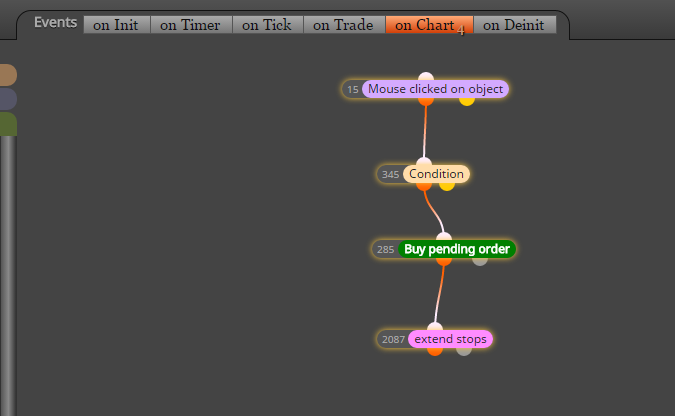
I am facing an issue. I created a button, when pressed it places a pending buy order with a stoploss at the candle low.
This Stoploss can be changed x amount of pip from the candle low. For this I used the 'extend stops' block.The button works and places the pending buy order with the stoploss. I noticed that when using this button over and over that sometimes the Stoploss does not get placed at the extended stop level. Instead it will just be place at the low of the candle.
This might be a bug, but I also wonder if there is another way of extending the stoploss? As it first seems to place a pending buy order (including Stoploss at low of candle) and then changes the Stoploss level (I see it moving on the screen).
I hope I explained this clearly.
-
before block extend stops try place another block: For each Pending Order and apply some filters in this block (like Not more than "n" orders: 1)
-
With this recommended block "For each pending order" I get another problem. When it is added and I click my pending sell order button multiple times, it does the following:
- adds pending sell order 1 - correct with Stoploss above last candle + the required amount of pips;
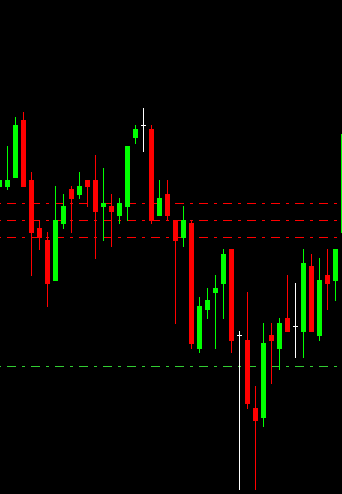
- if I than again click the pending sell order button (order 2) - it adds a Stoploss above the Stoploss of order 1;
- if I than again click the pending sell order button (order 3) - it adds a Stoploss above the Stoploss of order 2;
enz.
In this case it should just have put the order multiple times with the same Stoploss and entry. This problem is being caused by the "For each pending order" block.
Do you have any other ideas how to use the "Extend stops" correctly for pending orders?
This pictures shows what happens with my Stoploss after applying the "For each pending order" block.
-
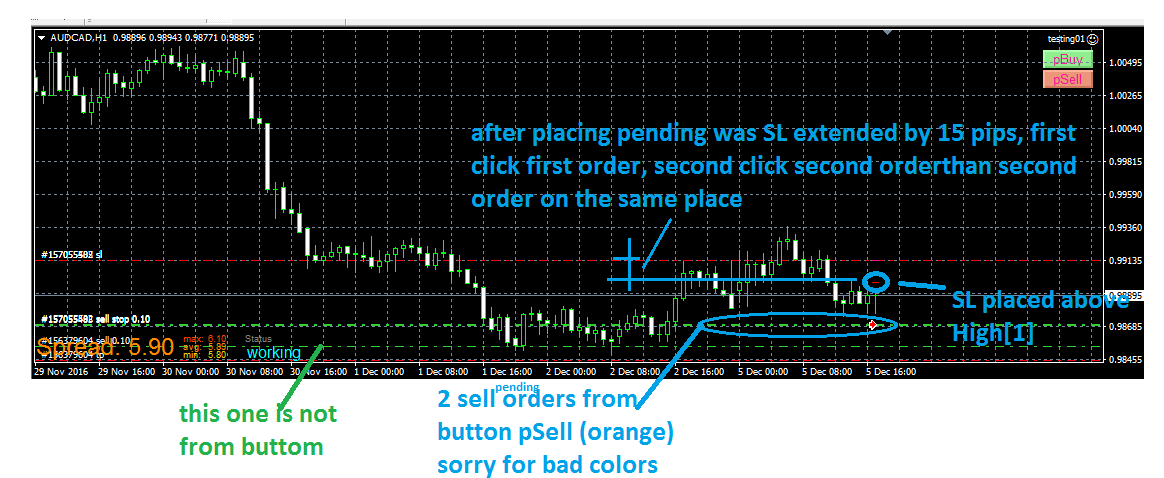
I dont see here problem with extend stops, look here:
(I used onTimer section for blocks, but the same happen with on Chart, dont be confused)https://fxdreema.com/shared/KQV8gHcfd
-
Thank you for your help, I must have had some setting wrong before, as I now copied your settings and it seems to be working fine.
Appreciate the support.
