Multiple trades are created one after another?
-
This is a very common problem and people often ask me why their EAs produce multiple trades non stop. Here is my answer...
Variant 1
The current count of trades is not checked before creating a new trade. Remember that blocks such as "Buy now" and "Sell now" are designed to create a new trade every time they run. If "Buy now" block runs 10 times, 10 trades should be created as a result. So, the idea is to not allow these blocks to run too often. The very first examples here show you exactly that - https://fxdreema.com/examples As you can see, the easiest way to be sure that you only have 1 trade at a time is to connect "No trade" block somewhere above "Buy now" and/or "Sell now".Variant 2
You use "Close trades" somewhere and what really happens is that every time a new trade is created, it is closed immediately after that.It's important to remember that every time you run "Close trades" block, it does its job - if there are trades to be closed, they will be closed. So it's important to run "Close trades" only when trades needs to be closed. Look at Variant 1 and you will see that this is also true for blocks "Buy now" and "Sell now" - you only need to run these blocks when a new trade needs to be created.
Again, you need to use some conditions or filters above blocks "Buy now", "Sell now" and "Close trades". But the conditions above "Buy/Sell now" and the conditions above "Close trades" MUST NOT be true at the same time.
What people often do is that they connect their "Buy now" and "Sell now" blocks with certain conditions and then they use the same conditions above "Close trades" block. And the result is that trades are created and immediately after that they are closed, because the conditions to create trades and close trades are the same.
How to fix the problem? It depends on the situation. For example, look at this project - https://fxdreema.com/demo/mt4-buy-sell-buy-sell-opposite-conditions You can see that "Close trades" blocks are used under exactly the same conditions to Buy and Sell. You may say "But fxDreema, you just said that this is wrong...". And again, it is wrong to close trades right after they are created, but if you try this particular expert advisor you will see that such thing does not happen and everything works fine.
Let me repeat that again - do not allow "Close trades" to run shortly after a trade creation.
-
Thank you, this what I am curious. But my question is I want EA to open order "once per condition". how to do? sometime my EA meet conditions and it open order then TP already but at the same time it open another order under old conditions, I want just one order per condition.
-
I have the same Problem, I need one trade per condition but I don't know how to do it

-
You guys just need to use the Time Filter "Once per Bar" or whatever Time Period you need after your conditions blocks, but before your Buy/Sell now blocks.
-
Estou precisando de ajustar a quantidade de ordens, a primeira tentativa o EA disparava varias ordens depois ficou com apenas 1.
preciso de estipular a quantidade de ordens, onde faço?I need to adjust the number of orders, the first attempt the EA was firing several orders then was only 1.
I need to stipulate the number of orders, where do I go? -
I did it, but in zigzag for example it will open trade every new bar, I fixed it with ( if no trade/order) but this made another Problem for me in after trade conditions.
Regards
-
For any EA you make ... Before allowing a new order to be placed, we need to check first if there is an already pending open order or an open trade.
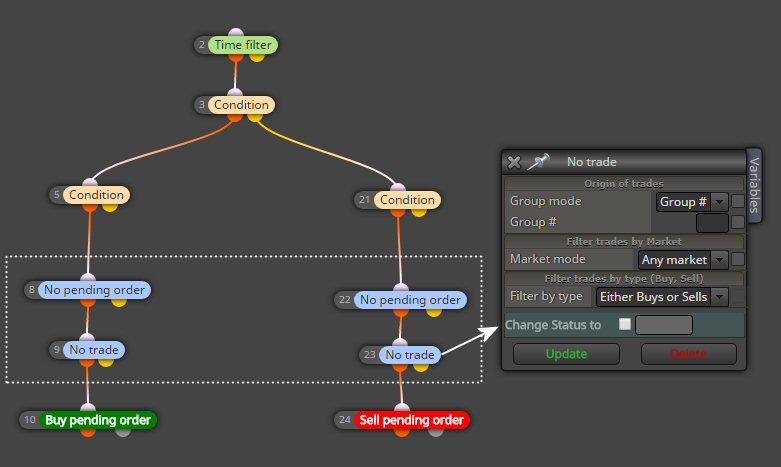
Once per bar is probably not a good idea. If you use your EA on more than 1min chart ...a bar can be very long and a lot can happen in that time.
You also want to use a time filter.... (if you want to sleep well...hahahah) I trade for example DAX and I want my EAs to work only during Euro and US market times. -
Hi!
I don't find this guide there anymore. Can anyone share this guide?
Avraham -
@avrahambr
Don't be so naive mate.
Clearly he's a scammer. -
I still have same problem, in my case is a open trade one after the other....
-
@pipperoni can i see your conditions. many multi open position opened
-
@abdelhak spamming? report this account
-
@fxDreema Request Sinochem, sir.
As a terrible trader in English, it would be great to be able to translate into Chinese.
In any case, request Chinese software, sir.
Best wishes.
Wang. -
@fxdreema in this configuration there will be no more trades. The left connection is for no open trades. The right thing to do has to copy the structure to the right connection. Am I right?
-
hello,
i need your help plz if i want the ea take orders when there is news from the Economic Calendar using also indicators like volumes with bears and bulls for every 2 pips make pending orders buy and sell. -
Hi friends, someone can help me do that:
If call exist Bid = 0 close trade:For example if I buy eurusd at 1.12631 if I start making profit and the market will go down, when Bid or Ask = 1.12631 I want to close my position.its like a break even but I do not want to use break- Even -
Maybe an virtual stop loss is something
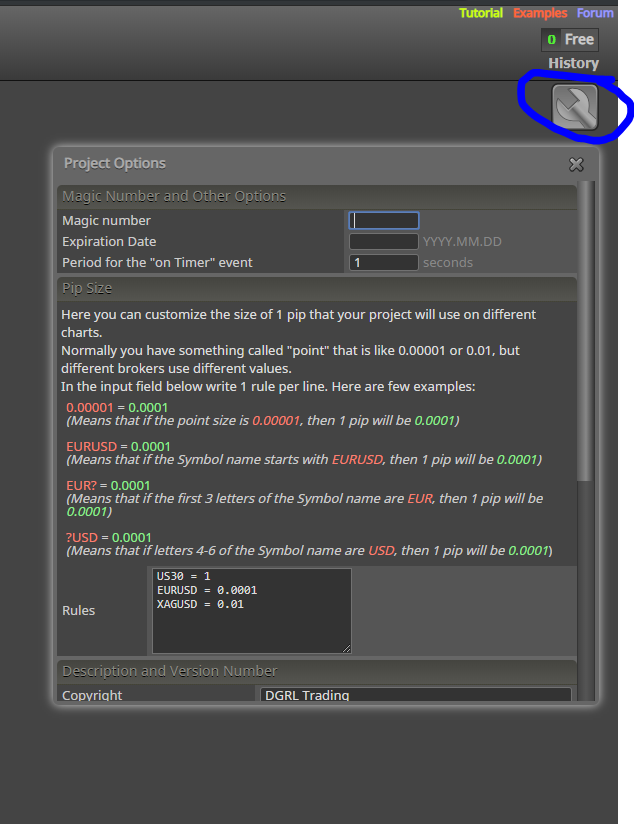
Take a look at your project settings and enable them -
Nevermind... I found it. Thanks!
@dgrl - How do you enable a Virtual Stop Loss?
BTW: I consider a virtual stop loss - an order that is not posted to the broker as a stop order. It is a variable that triggers a market order once a stop price variable has been met.
-
Good thk u
-