FxDreema Changing/deleting Custom Indicator's Parameters
-
Guys,
I'm trying to program a EA using a Custom Indicator for months. But I'm facing differents issues and bugs with FxDreema. Each one take weeks to discover what is happening.
Now, FXDreema is kind of sorting all my indicator parameters and deleting some of them .
My EA just stop worked some weeks ago and the developer told me that I must have at least two custom indicators. After that, FxDreema was not accepting indicators field called "Period" . And now it is sorting randomically my indicator's fields and deleting some .
I really need a help here guys...
Every week I have some bugs. -
I've removed and added again my custom indicator as the steps below:
Indicator Inputs Screen
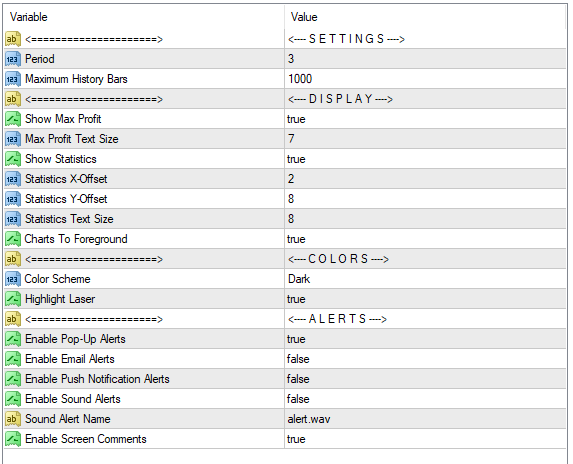
This is how my indicator shows before the removal:
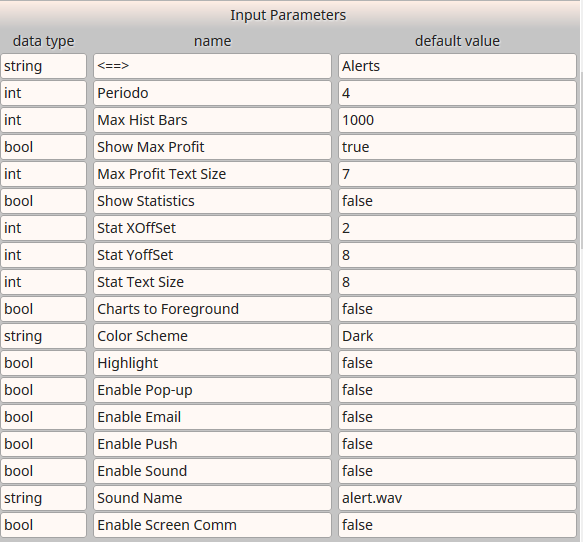
Steps to remove and include it again:
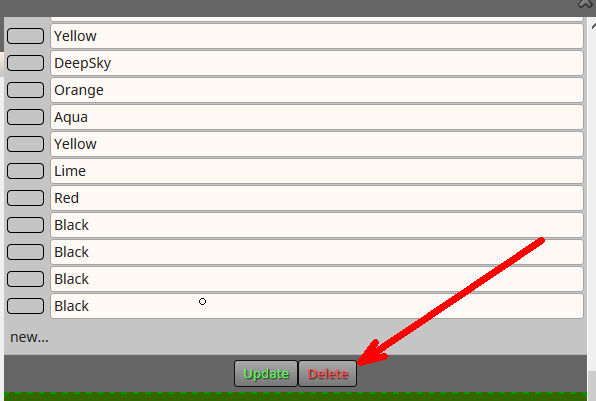
Deleting the old one (that was working some weeks ago)
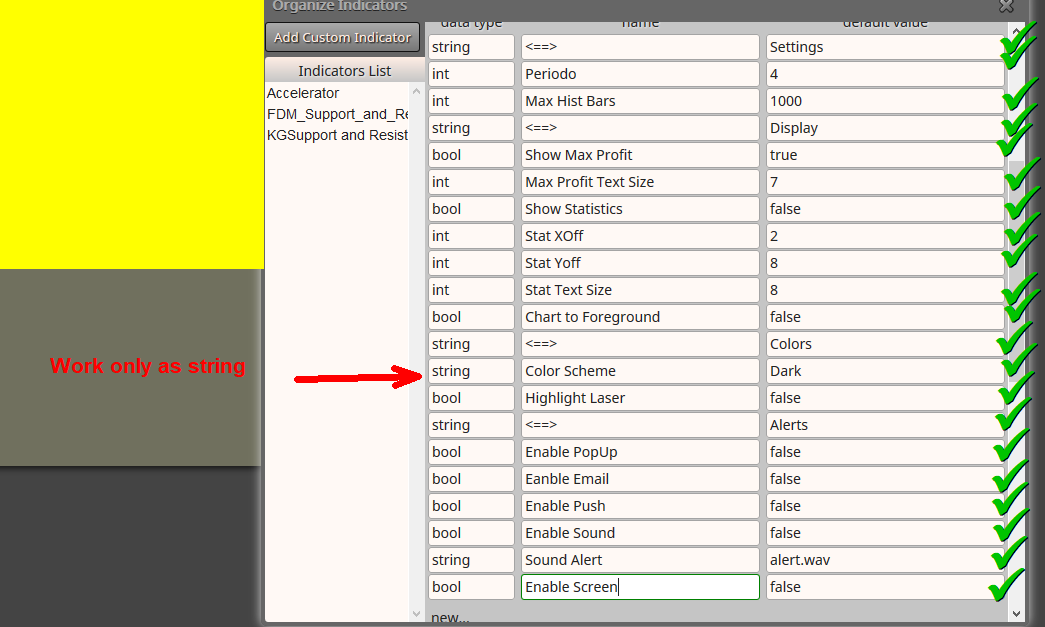
Then, inserting all the input field. All fields checked
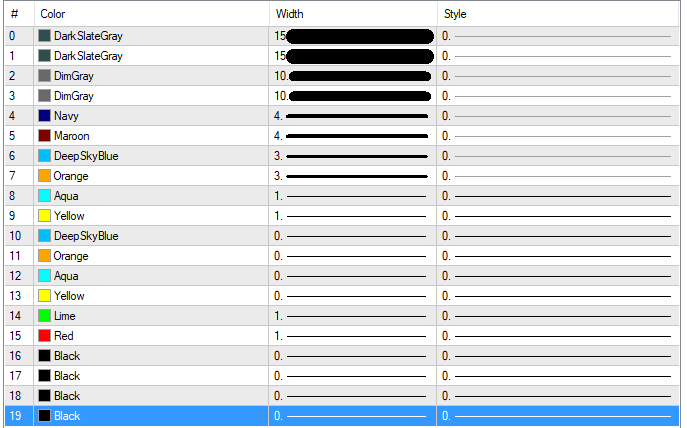
Also the Output buffers
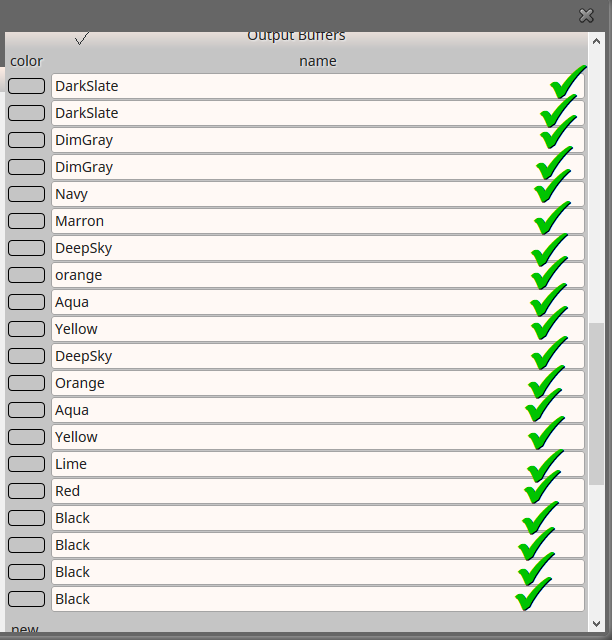
Just like in the indicator
Now is time to save the indicator:
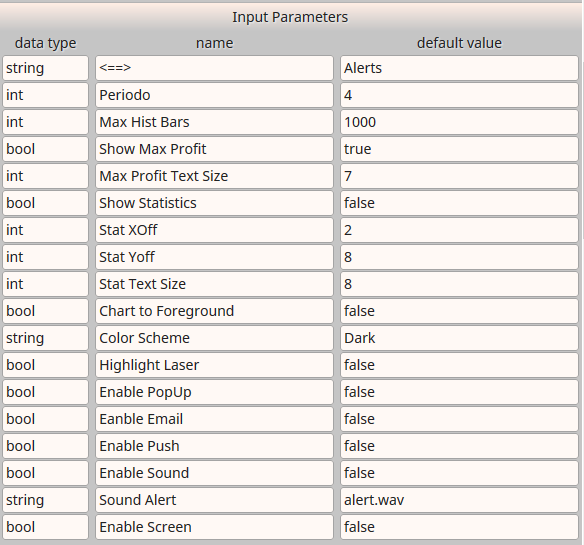
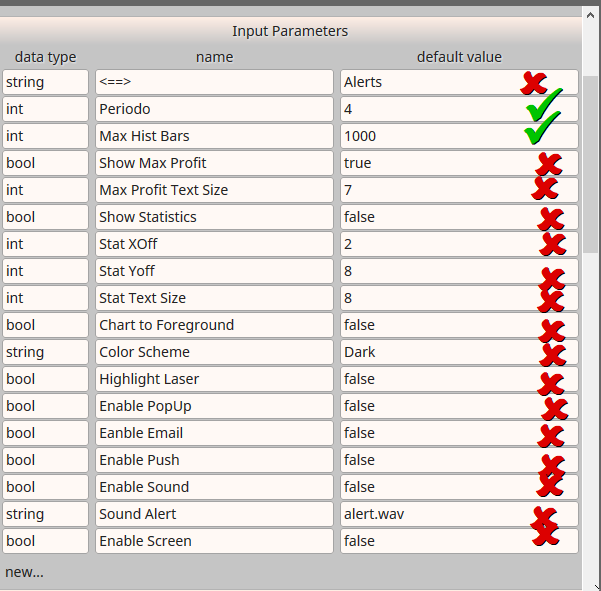
And just right after the click I've scrooled up the screen and it shows like this:
-
You know that normally fxDreema can try to read all the data from the source code file. In this case, the parameters names are the names of the global variables. For example:
input int MaxHistBars = 1000; // Maximum History BarsHere "MaxHistBars" is the name of the global variable used in the code. Variables can only contain latin letters, numbers or underscore. Space and everything else is not allowed.
"Maximum History Bars" is just a comment in the code, it describes what the variable is used for. This text obviously can contain space and special characters. In MT5 this comment text goes in the input parameters... if it is present. You can see what you have in your source code. If there is no comment, you will see "MaxHistBars" instead of "Maximum History Bars".
In the EA you call the custom indicator with the iCustom() function. This function does not care about the names of the input parameters, it cares about their data type and order. So everything could work properly if you give non-variable names, but it's better if the names are at the same as the variable names.
For example, I added fake parameter for this test indicator:

The name of the parameter is "<==>" and normally these letters are not written in the output code, but if you check that checkbox (for optimization) they are written and everything breaks. So it's better if the name is a valid variable name.Also, the idea is that each parameter should have a name that is unique. Each parameter has its own name and when you save the block, each parameter<->value pair is collected and then written in the database. Parameter "Period" was giving troubles because such parameter already exists:
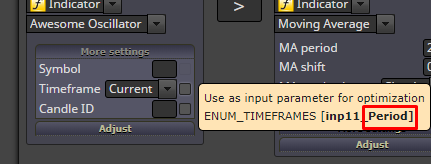
The same situation happens now when you have few parameters with the same name "<==>", they are simply combined into one parameter.
This is the situation at the moment. Given these problems, I can think of some alternative way of giving names to the parameters. Something like... they can have hidden names like this - param1, param2, param3... - and <==>, Period and Max Hist Bars could be just display names. But I think that I can't do that transition very easily and I'm not sure what possible problems could emerge.
Now my suggestion is to give unique names for each parameter and don't use Period, Symbol, Shift and CORRECTION... and few more names actually. Meanwhile I will try to find a way to fix this situation.
-
Thank you for your reply!
I think that I can handle with that. No problem. Just keep it in mind for future cases...
