fxDreema

    • Register
    • Login
    • Search
    • Back to the main page
    • Categories
    • Recent
    • Tags
    • Popular
    • Search

    problem with out buffers (pipfinte trend pro) any help ?

    Questions & Answers
    2
    8
    2330
    Loading More Posts
    • Oldest to Newest
    • Newest to Oldest
    • Most Votes
    Reply
    • Reply as topic
    Log in to reply
    This topic has been deleted. Only users with topic management privileges can see it.
    • bob 2
      bob 2 last edited by

      problem with out buffers (pipfinte trend pro) any help ? https://fxdreema.com/shared/QozlR3CRc
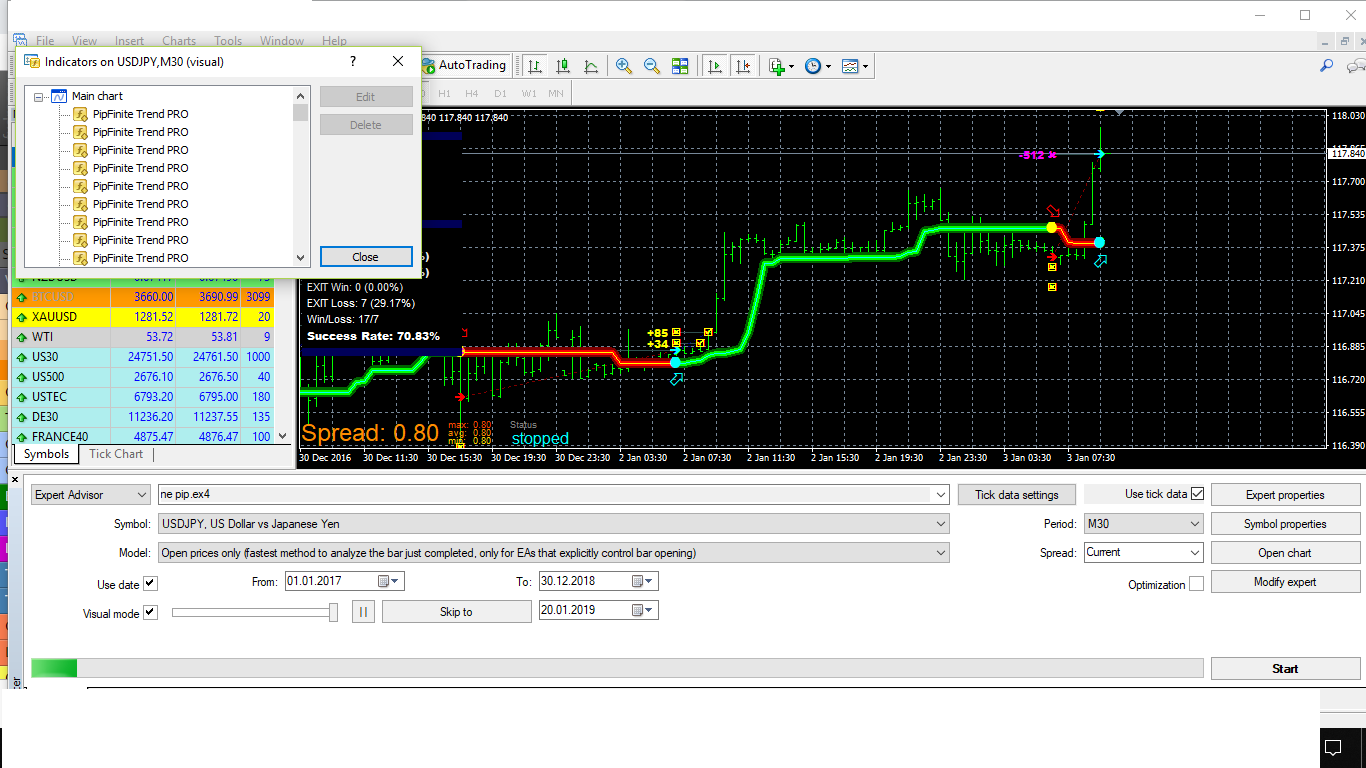
      0_1547967656698_pip finte pic.png

      ..

      1 Reply Last reply Reply Quote 0
      • fxDreema
        fxDreema last edited by

        0_1548370023979_1597a3e8-695e-4dcf-89c1-e7165c71be98-image.png

        Give those parameters names without empty spaces. And I'm not sure about the Period name. If it still doesn't work, change its name a little bit as well.

        bob 2 3 Replies Last reply Reply Quote 0
        • bob 2
          bob 2 @fxDreema last edited by

          @fxdreema thank u i well try your idea

          ..

          1 Reply Last reply Reply Quote 0
          • bob 2
            bob 2 @fxDreema last edited by

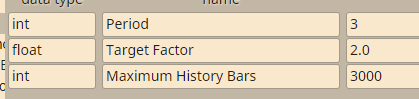
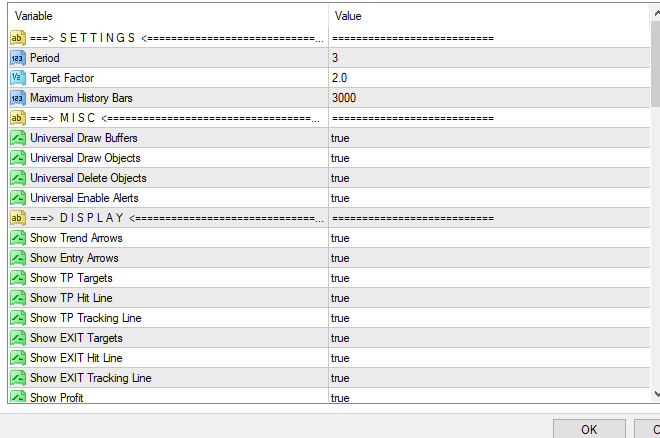
            @fxdreema 0_1548606501519_pipfinte trend pro.png

            (this is the setting of the indicator it is importent to write all the setting or just like I write it ?

            ..

            1 Reply Last reply Reply Quote 0
            • bob 2
              bob 2 @fxDreema last edited by

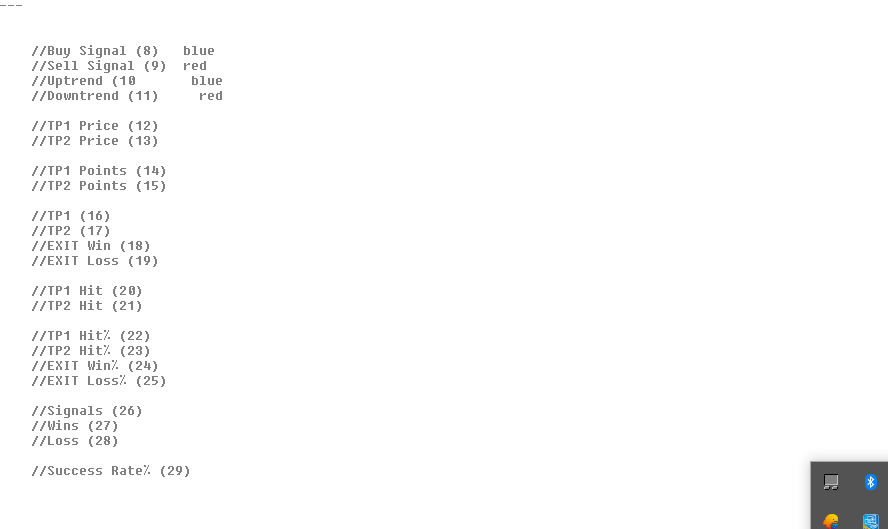
              @fxdreema 0_1548608228451_buffers.png this buffers are from who write this indicator . i put only the importent buffers sell buyy but it not work and dont open any trade

              ..

              1 Reply Last reply Reply Quote 0
              • fxDreema
                fxDreema last edited by

                I see. The thing is that you see the description of each parameter, not its actual name. In the code it probably looks like this:

                input double TargetFactor = 2.0; // Target Factor
                

                The name of the variable (TargetFactor) looks ugly, so they decided to allow people to decribe the parameter better in a comment after the definition (// Target Factor).

                But in fxDreema you should use the ugly names, because they appear in the output code as variable names.

                bob 2 1 Reply Last reply Reply Quote 0
                • bob 2
                  bob 2 @fxDreema last edited by

                  @fxdreema great my bro i under stand what you mean . but the ugly way how can i write it ?? like which way can you tell me bcz i tired with writing this indicator it make me crazy i repeat it 3 times and still not working plz i want to solve this problem can i give you my account ??? to solve the problem plzz?

                  ..

                  1 Reply Last reply Reply Quote 0
                  • fxDreema
                    fxDreema last edited by fxDreema

                    If you upload the indicator in "My Indicators", the ugly names should be read. But if you are doing it manually... it depends. If you have the source code, you can open it and see the names, they are somewhere on the top. Or if you don't have it, just write some names. It's not mandatory for the names to be exactly the same as those in the indicator. Any variable names will do the job. Aaaaand better rename "Period" as well, because it makes some conflict with another variable in fxDreema. For example:

                    string | separator1 | ==> S E T T I N G S <<=
                    int | ThePeriod | 3
                    double | TargetFactor | 2.0
                    int | MaximumHistoryBars | 3000
                    string | separator2 | ==> M I S C <<=
                    bool | UniversalDrawBuffers | true
                    bool | UniversalDrawObjects | true

                    and so on...

                    1 Reply Last reply Reply Quote 0
                    • 1 / 1
                    • First post
                      Last post

                    Online Users

                    B
                    A
                    T
                    M
                    E
                    C
                    B

                    24
                    Online

                    146.7k
                    Users

                    22.4k
                    Topics

                    122.6k
                    Posts

                    Powered by NodeBB Forums | Contributors