SLIDE ORDER function
-
I would like to slide multiple pending orders for a certain amount of time. Then stop sliding them and let them wait for candle there.
How do I make the Slide function to work for a specific Time period. (For example ... Pending orders at 20 pips away from current price, should keep slidding or avoid being triggered, until 5 minutes later)
-
Could you please include a screenshot showing the exact requirement? I can't fully understand what you need.
-
@l-andorrà What I am trying to do does not exist. I do not have a screenshot of it. I am trying to make it exist. In my best description, I want to make a pending order that will trail current price over a certain length of time and then stop trailing wherever it is after that timeframe (Note : Order not to execute the trailling 'after a certain period' of time, but instead to execute the trailing 'over a certain period' of time).
This is extremely simple since both the trailing order block and time block are there, but what makes it difficult is the fact that the time blocks seems to be designed for executing something 'after a certain length' of time.
-
@l-andorrà
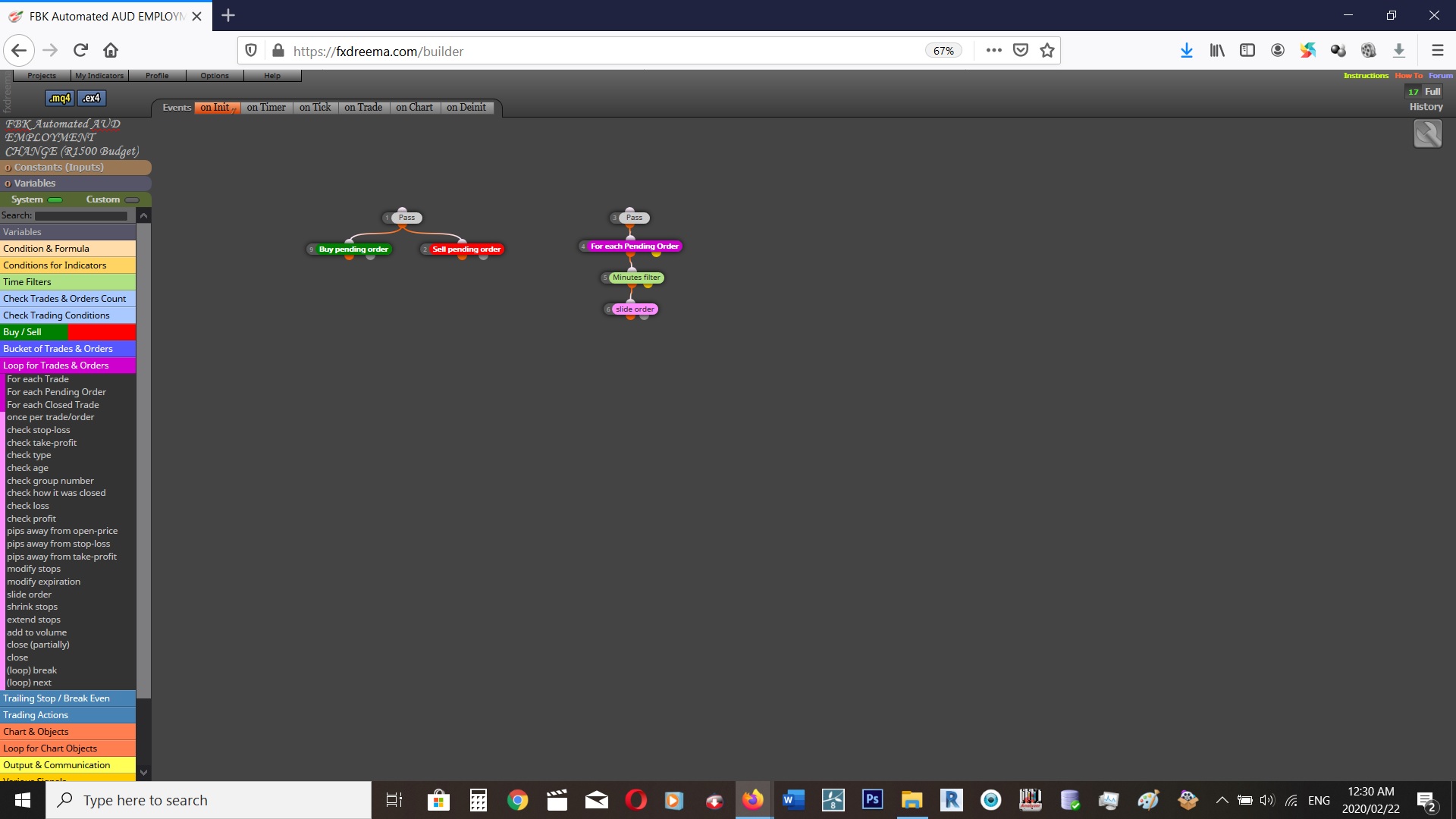 Perhaps this as a screenshot helps ?
 -
@nande-designs said in SLIDE ORDER function:
I would like to slide multiple pending orders for a certain amount of time. Then stop sliding them and let them wait for candle there.
How do I make the Slide function to work for a specific Time period. (For example ... Pending orders at 20 pips away from current price, should keep slidding or avoid being triggered, until 5 minutes later)
Nande,
You'll need to provide more detail. How many pending orders? Different conditions per pending order?
Anyways. To do this, you'll need to define what "let them wait for candle there" do you mean when a specific candle closes? For example, the beginning of a new trading session?
I've never you used slide blocks but based on their description, you would do the following.
First Block will be For Every Pending Order. Then Connect to Once Per Bar. ON THIS BLOCK YOU CAN DETERMINE YOUR TIME. You can choose "5" 1 minute bars. Effectively making the condition pass once every minute. Connect to Slide Block
This will cause the slide block to run once every minute for a total of 5 minutes based on our example.
This will cause "...slide multiple pending orders for a certain amount of time..." and "...stop sliding them and wait for [price to hit] candle there..."
Good luck.
EDIT, you will need to use the Counter Pass "n" times after Once per bar.
You will reset this counter on the "for every pending order" not true output. So, once your pending order is activated, after 5 minutes, then it will reset. Once you put another pending order, then it starts again.
https://fxdreema.com/shared/dk1rXYzwc
See if this works
-
I believe your screen shot shows that only between X minutes will the program run.
So from minute 10 to minute 15.
The description says "period" so I'm assuming its talking about specific time periods within the hour. So if you have 1-5 minutes but your pending order activates at 1:30, then it won't slide until 2:01 until 2:05.
I could be wrong, but that's what I understood.
-
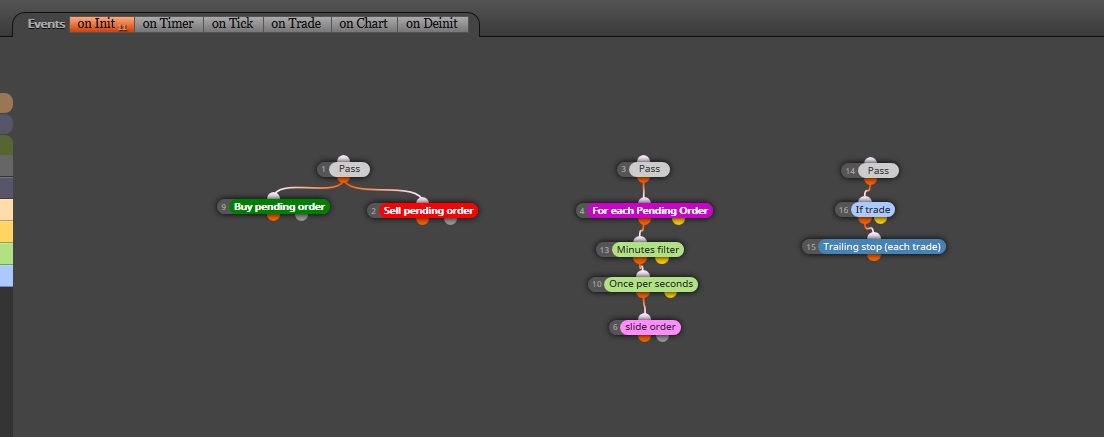
I think this best describes my intention.
-
I think I know what you want to do. Unfortunately I don't have the experience to answer your question. You can try the method I posted earlier, if that doesn't work, then I won't be able to help.
-
Nande. Sharing your current project would be way more useful than that screenshot. Can you please share it? Just do this:
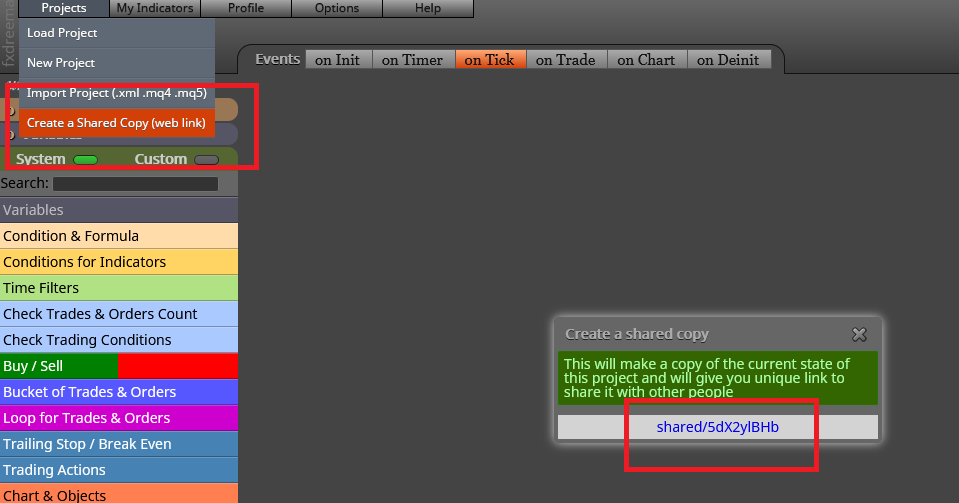
-
@l-andorrà Alright... here ;
https://fxdreema.com/shared/4x2CIeuIc -
All you blocks are on the 'on Init' tab. To need to move them all to the 'on Tick' tab
-
@l-andorrà Alright thanks, is that all ?
-
Probably. Could you please try it and then let me know?
-
@l-andorrà It still does not slide the order
-
Can you please share the latest version?

