thank you @roar
I'll fallow yor way.
@tec-nacks
I normally use two news idicators:
IceFX.NewsInfo.ex4
FFC_March_2021.mq4
FFC_March_2021.ex4
IceFX has a cool built-in additional function for disabling auto trading on the entire platform, but for obvious reasons, you need to be careful when using it if you're using more than one EA.
Regarding the backtest, simply place the file named "All news events 2007-01-01 thru 2023-12-31 timestamped UTC time -- sorted by date, time.csv" into the folder that roar mentioned in the previous message, just rename it to "news.csv".
Then the indicator will start working.
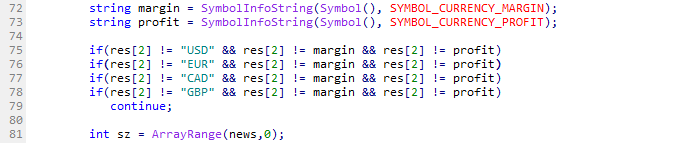
The logic in the block you're asking about is simple ->>> -3600 seconds means that one hour before the news, the EA will trigger the SKIP TICKS function, which will block EA actions for a specified number of minutes in that block. So, if you set it to, for example, 90 minutes and the news was at 14:00, the EA won't do anything from 13:00 to 14:30.
I don't know the structure of your EA, so I'm not sure which method, SKIP TICKS or ON/OFF, will be more effective for you.