@l-andorrà Hi
Yes have used to use the variables so have a small idea. This is my project and Code but its not calculating the Swing Highs and Lows according to fractals.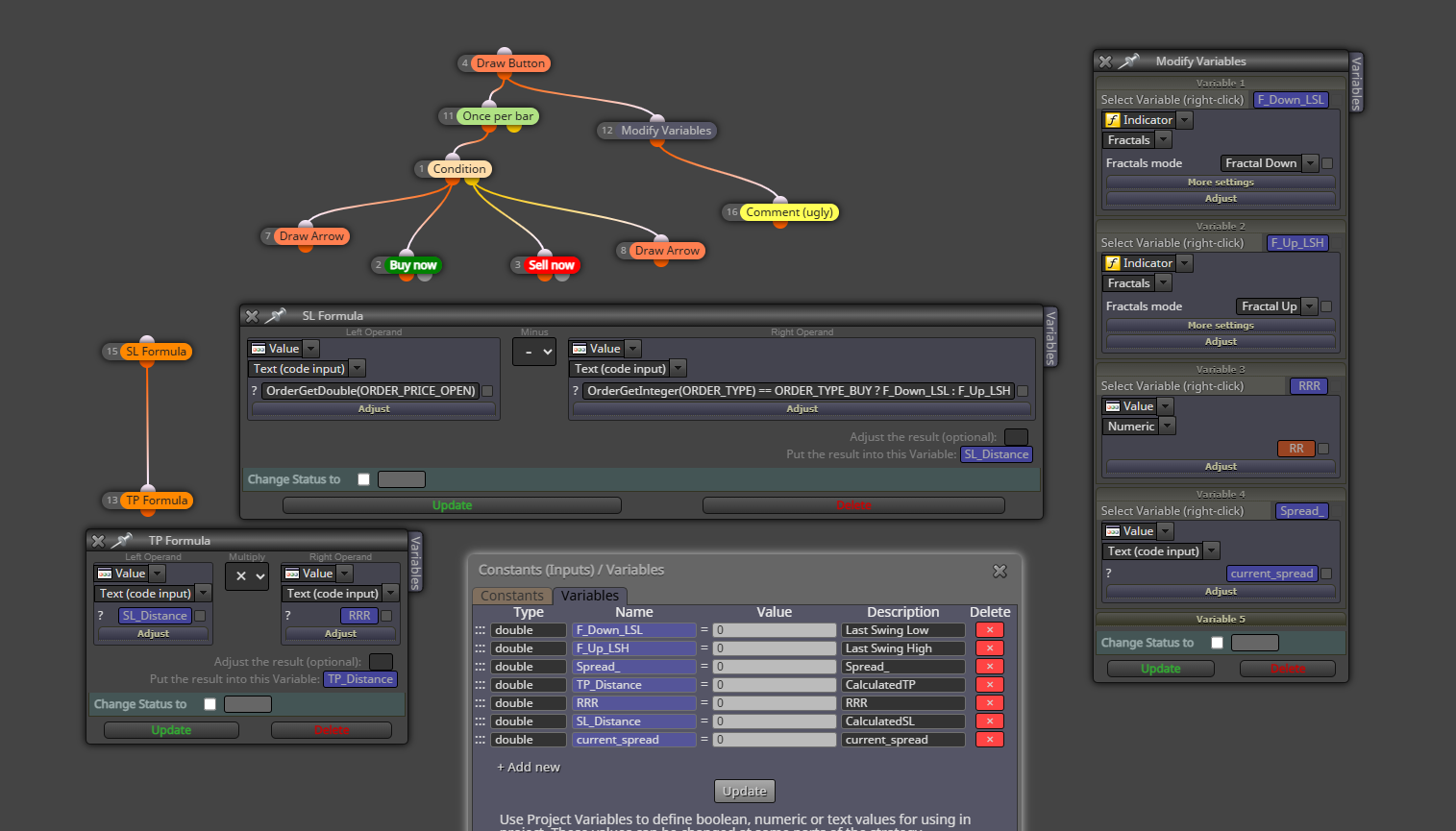
So I am checking what is the other way to do it.
@l-andorrà Hi
Yes have used to use the variables so have a small idea. This is my project and Code but its not calculating the Swing Highs and Lows according to fractals.
So I am checking what is the other way to do it.
@Robo84 Could You please tell me how you did that. I want in my EA also similar thing that I put a SL line but the TP line auto adjusts according to the RRR I pre assign in input and hence my trades can have a SL and TP according to it.
Hi,
I want to set the TP according to the (Distance in points of SL from order opening + current Spread) * RRR(Risk to Reward Ratio
Please experts reply me how to do it.
Hi I have a condition box (using basic indicators) which has a crossover Signal for BUY trade and SELL Trade.
I want to set SL at a price level which is at a Swing Low (formed in recent past candles when the trade is opened) and if there is a BUY Signal then set SL at a Swing High (formed in recent past candles when the trade is opened).
Also I want to Set my TP Level according to the Multiple factor (Risk to reward) the SL is away from Opening price(+Spread), so TP is set as per the RR ratio i Set.
Can I make a Indicator which has SL and TP as buffers ? But then How I will use the Buffer value to set in SL and TP in the BUY and SELL Order Box ?
Please the Experts in Fxdreema Help me how to do it. I have some knowledge of CHATGPT, DeepSeek, Copilot and can create the indicator to give SL and TP Prices I guess it can be stored in a buffer with some effort, but even them to use it as SL and TP in Fxdreema could be done easily ?
Or I am thinking in wrong way so please experts here guie me how to do this. Thanks I appreciate the Help I get from all the Experts who reply to People in Questions forum as I have also got help earlier. Thanks Again
For Custom Level I used the same for all orders and it worked

In here there are lots of options what does each option do ?
I want a Custom price level to feed for SL but I need to know what these mean so that I can use it may be in better way.
Oh Sorry Its resolved. I got my mistake. I unchecked the HH:MM on everyone and it got compiled.
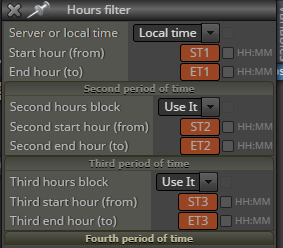
I want to define my times to be used in some blocks but when I define it in Constant then compiling has error that "Constant Expected"
ChatGPT isn't able to correct this basic syntax problem, please some experts here guide me.
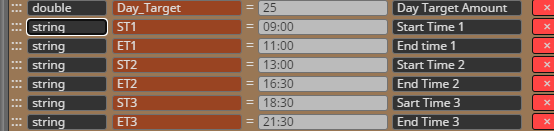
I defined like below and Used ST and ET ones in blocks too but since its time so i dont know wether my syntax is correct or not.
Thanks a lot in Advance to the Experts. I really appreciate this support.
Sorry found the Box of Mouse click in On Chart Tab. But is it feasible that button remains pressed till I unpress it
There is a State Definition in Button Box like Below

It says not Pressed means Initially it will be Not Pressed condition. when I will press it it will run connecting Box once only or they will be continue running until I Unpress the button ?
Please some experts Answer me