https://fxdreema.com/shared/ux0Lp1N7d it's simple and no changes are made to Risk, SL or TP.
D
Latest posts made by doeveR
-
RE: Question on Money Management Buy/Sellposted in Questions & Answers
-
Question on Money Management Buy/Sellposted in Questions & Answers
Hello, I have seen something I can not explain. In my EA I defined parameter Risk, SL and TP. Risk was entered 0.0567, SL was 0.2 and TP 100.0. In a Buy or Sell block I use Risk % of balance - so 0.0567 (No upperlimit set), Stop-Loss mode is % of price - so 0.2 and Take-profit mode is % from Stop-loss.
During my backtests with a 100K account the profit/loss money amounts are all around 500/600 (+/-) which was what I expected. But someone else got Trade losses of 5000-6000(+/-). I am confused. 100000*0.0567 is indeed 5/6K but in my backtest I got position values that were much smaller. So what is the position value on a 100K account with the values in my example: Risk 0.0567, SL 0.2 en TP 100. How can it be different ? -
RE: Library Studioposted in Questions & Answers
@jstap said in Library Studio:
how is your global variable set? If it's not it can't return true.
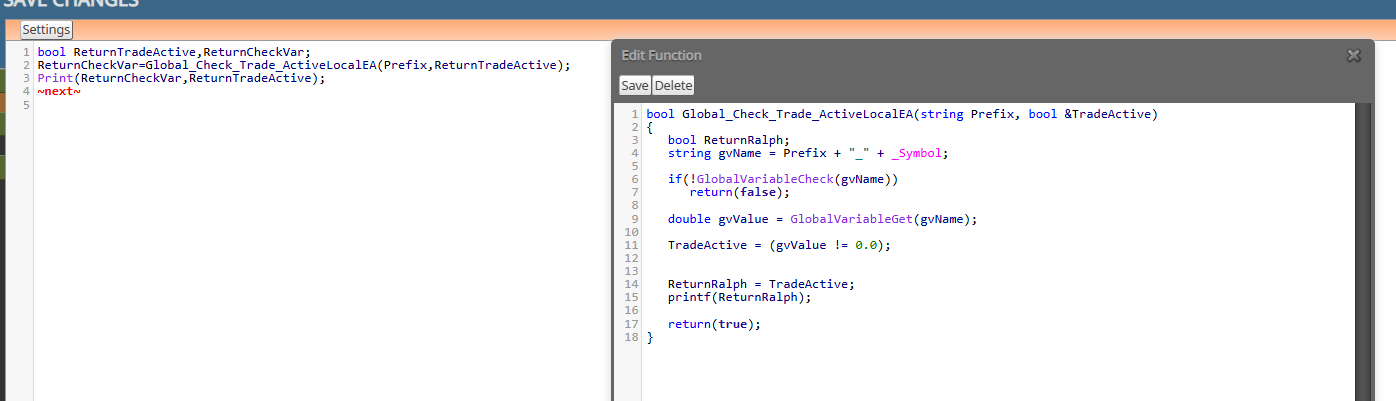
My global variable is set by another EA - that one is set , so TradeActive is set to true. My Print(ReturnCheckVar,ReturnTradeActive) shows true,true in my Experts tab. Also my printf(ReturnRalph) shows true. Therefore I don't understand why ReturnRalph in my EA does not have the value true.
-
RE: Library Studioposted in Questions & Answers
It's set to the value of TradeActive (see the code in the Function Global_Check_Trade_ActviveLocalEA)
-
RE: Library Studioposted in Questions & Answers
I think I am missing the point of your question (due to lack of knowledge). In the EA I have the variable ReturnRalph as boolean defined. I defined ReturnRalph as boolean in the Custom Fucntion GlobalCheck_Trade_ActiveLocalEA as shown on the screenshot. What is missing that allows a proper return ?
-
RE: Library Studioposted in Questions & Answers
Unfortunately the variable set in my function is not passed on to my EA:
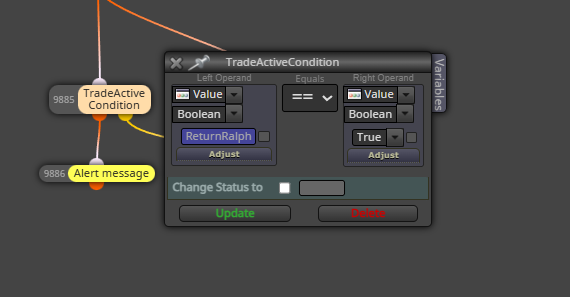
My printf in the function below says TRUE. The check in my EA gives false for variable ReturnRalph
-
RE: Library Studioposted in Questions & Answers
Ah you use a Custom Function named CalculatedLotSize where you pass the value of slPoints to a variable named calculatedLot - which is then available in your EA. Correct ?
-
RE: Library Studioposted in Questions & Answers
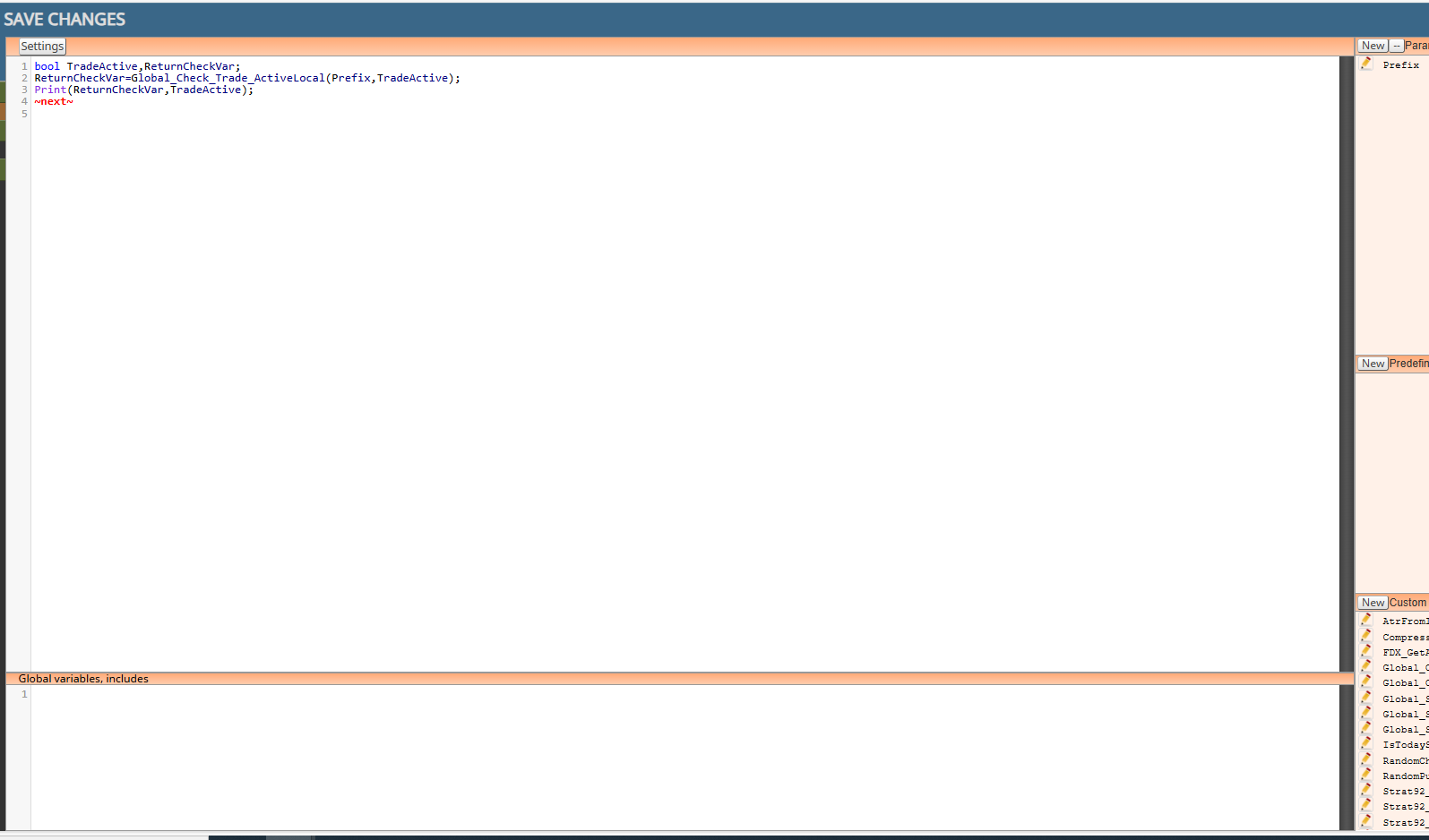
This is how I used in in Sudio and then called it (see previous screenshot)
-
RE: Library Studioposted in Questions & Answers
Ok, so apparently that should work although it does not seem to work for me. In your example, you show calculatedLot as a double in your FDX EA, right ? I don't see this exact value in your previous screenshot but I gather thery are named EXACTLY the same ?
-
RE: Library Studioposted in Questions & Answers
OK, I understand that you send variable values from your Custom function to the Custom Block (code in Area A). I meant sending variable values to the EA in FXDreema where you used a Custom Block.