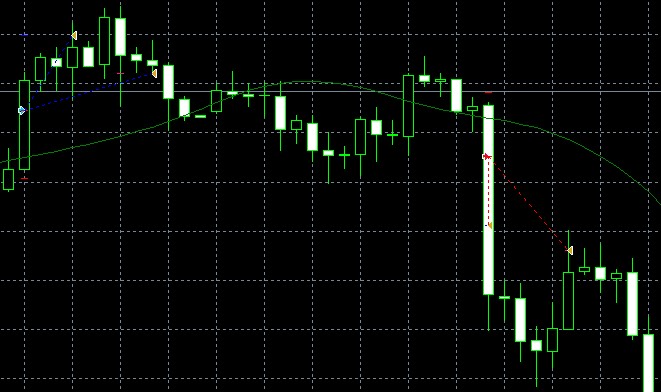
Still trying to do this.. I think this will help everyone's trading out as it would be able to check an exit indicator in the middle of the candle create a trailing stop and get you out of a trade quickly at the most profitable spot, or conversely get you out of a bad trade with the least amount of damage. Being able to cancel the trailing stop is good if the indicator turns back around and you can let your trade ride.
J
Posts made by johnle1024
-
RE: Cancelling a trailingstopposted in Questions & Answers
-
RE: Passing a condition for the entire candleposted in Questions & Answers
@fxdreema Thanks for clarifying, got most of this working !!
-
Cancelling a trailingstopposted in Questions & Answers
Hi Guys,
I am trying to activate a trailing stop if for example, the 5MA crosses below the 20MA. However, I would like to cancel the trailing stop if the 5MA crosses back above the 20MA. Any ideas which blocks or formula will do this? Thanks in advance!
-
RE: Bucket of tradeposted in Questions & Answers
@num387 The blue boxes only loads pending orders like a notebook I think? You need to be able to extract the information from it through a condition block: i.e. Bucket of Pending orders has X variable >= to a numerical value or something. That will then be connected to the buy/sells etc.
-
RE: Multiple Trades Closing At Different Timesposted in Questions & Answers
@laneciar create a candle cross condition and attach to trade exit. Or insert the value of the trend line.
-
RE: fxDreema Problem check profitposted in Questions & Answers
@sevdarko Hi, this should work:
https://fxdreema.com/shared/BjWe39Kkb
Just check the box next to the money filter so you can input the dollar amount each time, I am guessing that you don't want to have to sit around and monitor the trades after you make them. This should do it?
-
RE: SL = X pips + spread?posted in Questions & Answers
@jferreira You can adjust accordingly in ATR similar to what fxDreema did above.
However, adding to the SL doesn't account for spread, it just makes SL larger by the spread and the price still needs to account for the spread. So all this does is make a bigger SL.
-
RE: Multiple Trades Closing At Different Timesposted in Questions & Answers
@laneciar because it keeps trying to close trades and create trailing stops every single tick. probably is doing the same thing with your buys. See below:
-
RE: help with not buying again and selling where it should be buying againposted in Questions & Answers
@digitalb23 work backwards is all.
Start with first bull candle that shows up, then link to the condition starting at 1 candle away, the link the false tab to same conditions but 2 candles away etc.
Finally link the true button to the buy now (with once per bar) for each condition.
So bear bar - check candle 1 buy if true, pass if false etc etc.
-
RE: pips or pipettes used for the blocksposted in Questions & Answers
@dgrl I think it’s pips, and that’s how it behaves on my bot. However, it depends on your account maybe like a micro lot account may be pipettes?
Not entirely sure as I have never used a micro lot, but yea it’s essentially 1 pip.
You should start a project called test, then take each part of your algo and test it to see if it works the way you want it to, then put them together.
-
RE: Multiple Trades Closing At Different Timesposted in Questions & Answers
@laneciar It’s set up wrong, the conditions are activating on every single tick, and every single tick the conditions are passing to buy or close trades or create trailing stops. Use the once per bar button before the buy, close, trailing etc.
-
RE: help with not buying again and selling where it should be buying againposted in Questions & Answers
@digitalb23 Move the "once per bar" right above "buy now"
Everything seems to work, however your conditions are only activating at the open of the candle, which the mifi was slightly above.
-
RE: Object Name Has Date and Timeposted in Questions & Answers
@mwilson4754 "Check Trading Conditions" ==> "Check Text Value", there is a scroll down to check object name... The name of object can be whatever you want I believe. That will find it, but then you would need to set conditions and such to make it execute. Or you could just run the backtest on a working EA during that time period?
Also people helping you is a free service, please stop expecting others to do your work for you. I have been using this for 20 days and it seems pretty logical if you look through the options.
-
RE: enter reverseposted in Questions & Answers
@roberto1925 "Check Trading Conditions" ==> "Check Type (Last Loser)"
-
RE: Current Object Onlyposted in Questions & Answers
@mwilson4754
It's how your EA starts, "For Each Object", so it's running every object ever created. You need to create parameters around what you want this thing to do. i.e. check the objects, modify it, then specify the trade.There doesn't seem to be any conditions for the buy/sell besides: object value above 1. The second condition doesn't seem like an actual thing. I'm not sure you can look for an object that is =< time, as it is not another object on the chart.
Try using the green time filters and see if that works.
-
RE: How to modify Take Profits?posted in Questions & Answers
Try adding a "for each trade" between the "Trade created" and "modify stops"
Use oldest to newest setting.
Haven't tested it but I did something like this with another bot.
-
RE: Partial Close Error with odd numbersposted in Questions & Answers
@eklonsousa Np, I got some questions answered and also there is a ton of info in the forums... just making sure I do my part.
-
RE: Partial Close Error with odd numbersposted in Questions & Answers
I open 2 trades and close one.