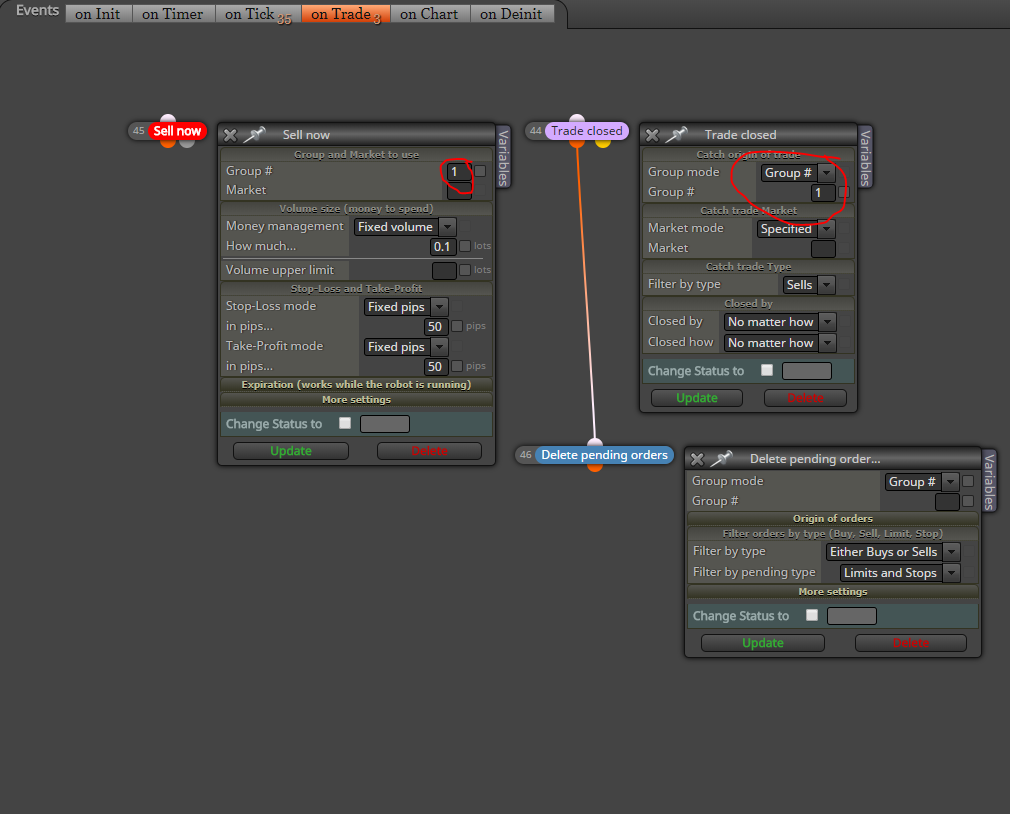
You're welcome. Use the formula block under condition:
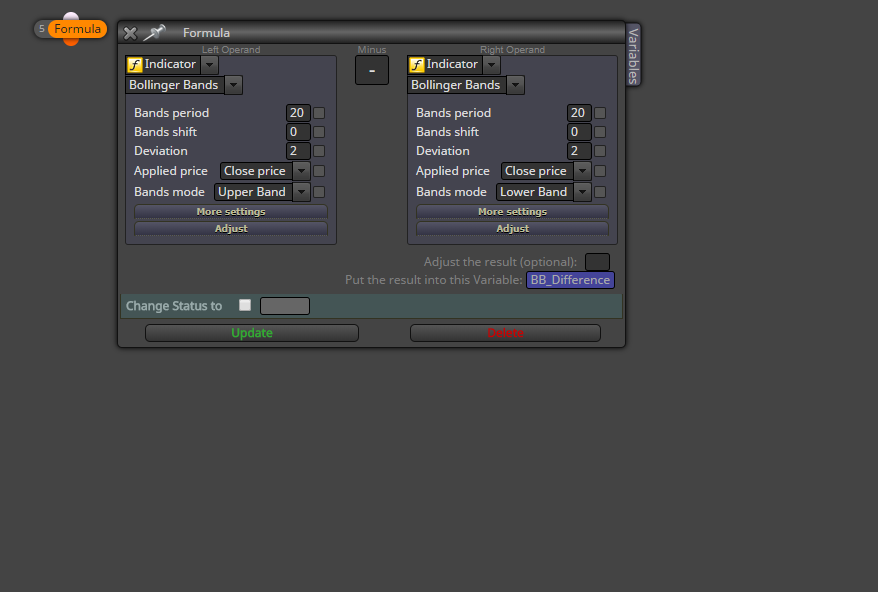

You're welcome. Use the formula block under condition:
I'm sure there's something on here that describes this in some way. Let the search box be your friend  and anything miro1360 posts. I have learned best by searching and then trial and error. You'll get it. I've banged my head on the desk trying to figure stuff out and I still run into problems lol. Just takes time.
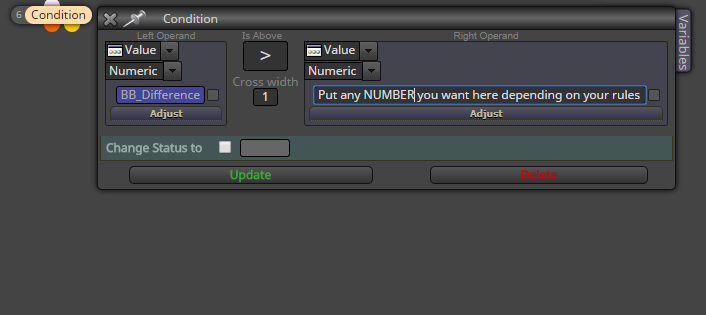
You might be able to do this:
I have also struggled with trying to do this but I think I found the solution. The object that the indicator creates (arrow for example) must be found and deleted. Once that happens another arrow must be created to take its place. Since you can name that arrow whatever you want, you now have a condition to go by.

@l-andorrà Maybe I should have tagged you in this so you can see it. I do appreciate the help!
Thanks for the reply! Yes that is correct! 
Just from doing some research, maybe it's that the Chart's ID exceeds 2147483647? From what I read, mql4 doesn't like integers bigger than that number.
I have been racking my brain on trying to get this to work.
What I am trying to do is copy an object from one chart ID and draw it onto the current chart the EA is on. The problem is that when I try to draw the object onto the current chart, it will not get the price level of the object on the other chart, therefore the price will be 2147483647
I have tried to use the code ObjectGetDouble() but to use that code, the object's name must be selected and I'm not sure how to select the names that have been stored in the For Each Object block since there could be multiple.
Another thing I have found during research is ChartRedraw(). When I tried to use that I got an error about Global Scope and I'm not sure what that is or how to fix it.
Here is my project: https://fxdreema.com/shared/a4SH6S1A
You the man Miro! Works perfectly. Thanks for the help!!
Does anyone know how to read part of a description?
For example, the text object's Description (not Name) is Cypher - 0.786. Is there any way to call out just Cypher?
I have tried both of these and no luck. 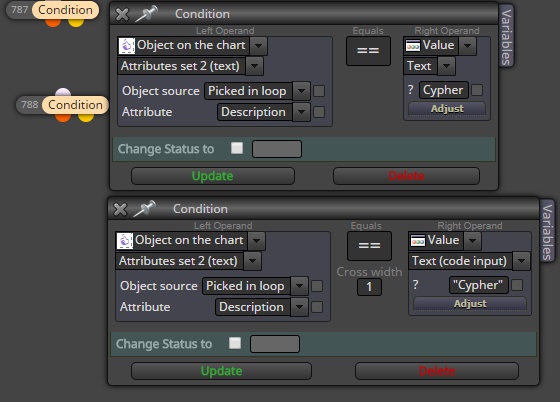
Thanks!
I have also struggled with trying to do this but I think I found the solution. The object that the indicator creates (arrow for example) must be found and deleted. Once that happens another arrow must be created to take its place. Since you can name that arrow whatever you want, you now have a condition to go by.
I'm sure there's something on here that describes this in some way. Let the search box be your friend and anything miro1360 posts. I have learned best by searching and then trial and error. You'll get it. I've banged my head on the desk trying to figure stuff out and I still run into problems lol. Just takes time.
You might be able to do this:
You're welcome. Use the formula block under condition:
You would first need to find the difference between the upper and lower BBs and set that as a variable. Then in your condition of buying or selling, you need to make sure that the value of that variable is higher than (x) to allow it to pass. If that value is lower then it will be false and not pass.
I am no veteran at using FxDreema yet but,
In the example image Sell now is under onTrade. Make sure Sell now stays in onTick