@jstap thanks again, really appreciate you taking the time to do this.
M
Posts made by Matatika
-
RE: Turning on and off blocksposted in Questions & Answers
-
RE: Turning on and off blocksposted in Questions & Answers
Sorry - copied wrong link.
https://fxdreema.com/shared/aEKpJMLSd -
RE: Turning on and off blocksposted in Questions & Answers
@jstap Um, not sure if i've done this right - still keeps opening trades after the profit target is hit.
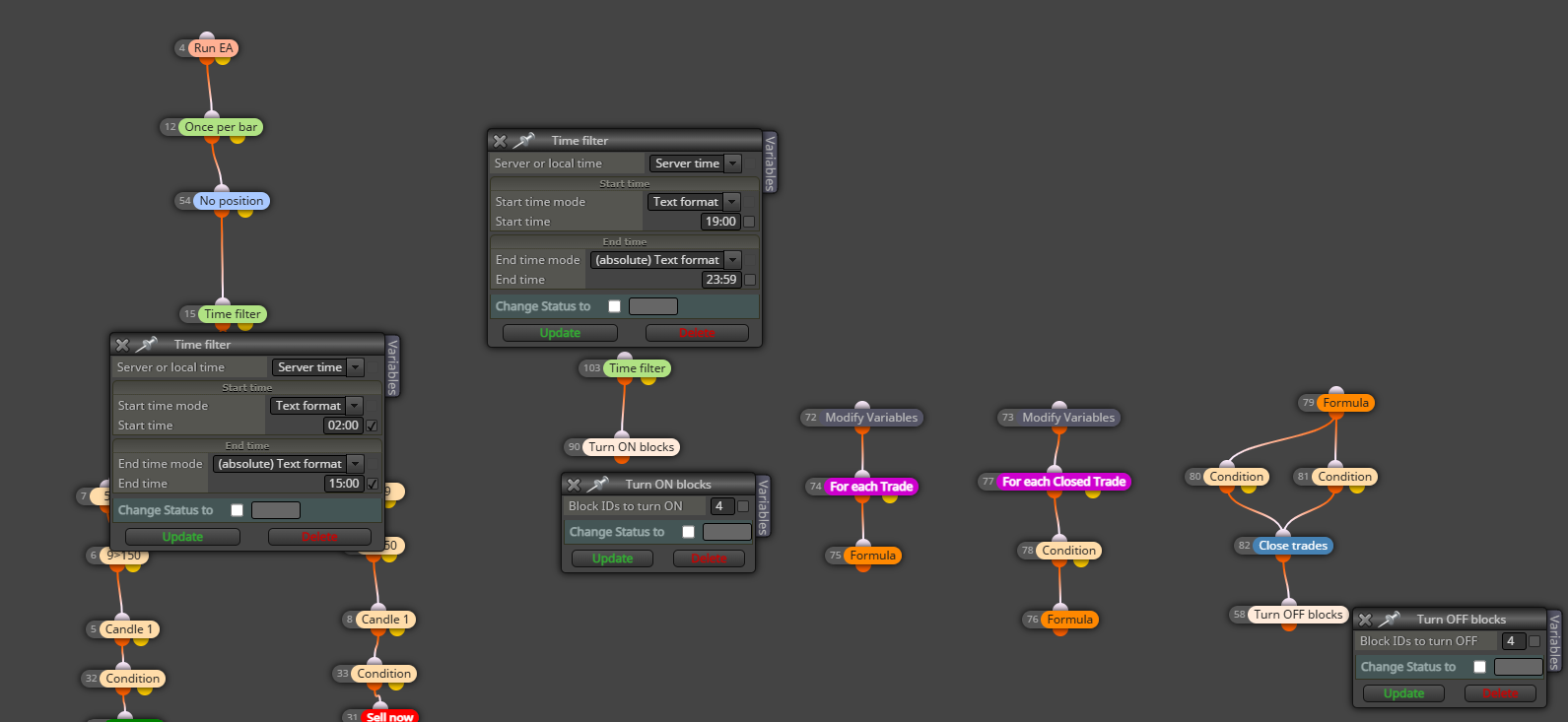
Any thoughts
-
Turning on and off blocksposted in Questions & Answers
https://fxdreema.com/shared/61hq6xTF
I've created an EA that turns off when a profit target is hit, but I can't get it to turn back on properly - once it's off it misses the next trading day, and only starts again on the "2nd" day.
There a link to the project, and here's a screen shot. Any suggestions how I can adjust the time blocks to make sure it turns back on for the next trading day?
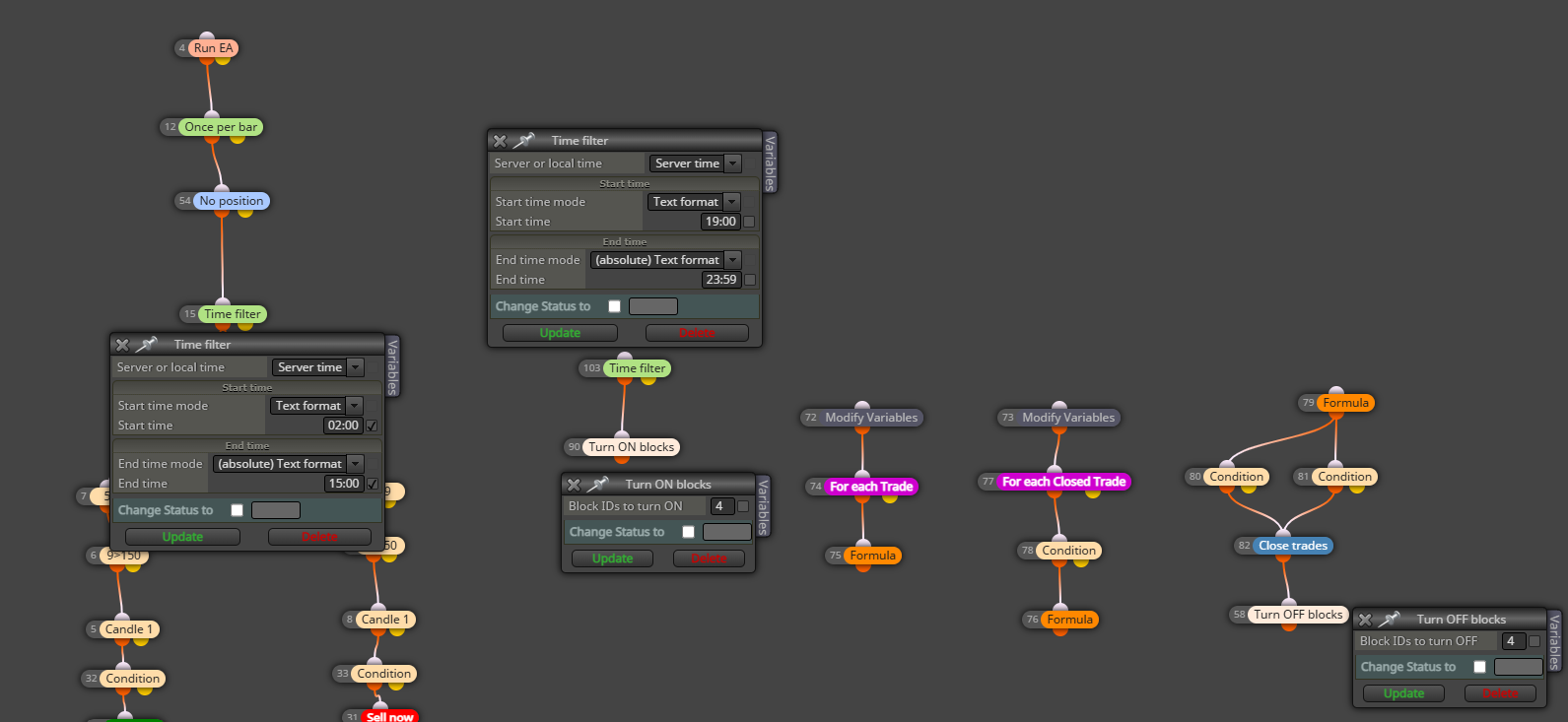
Thanks -
Identifying Levelsposted in Questions & Answers
Anyone got a suggestion for how to create a stop level at a point where 2 EMAs cross. For example, if the 5EMA crosses down on the 9EMA, I'd want to use that level as the stop for a short position. Thanks in advance!
-
RE: Run EA Message on Chartposted in Questions & Answers
@sktsec thanks, my question is how to use it. What to connect to.
-
Run EA Message on Chartposted in Questions & Answers
Hi
I use a "Run EA" block to control if the EA is on "true" or off "false". Any suggestions how can I use a message block to display the status on screen without having to go into the setting?
Thanks in advance. -
RE: Daily target profitposted in Questions & Answers
@l-andorrà Thank you for your advise, it's functioning as it should.
-
RE: Daily target profitposted in Questions & Answers
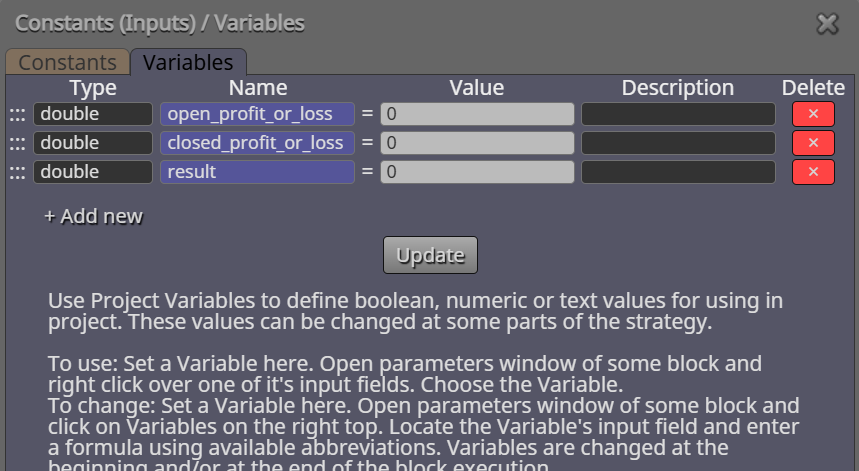
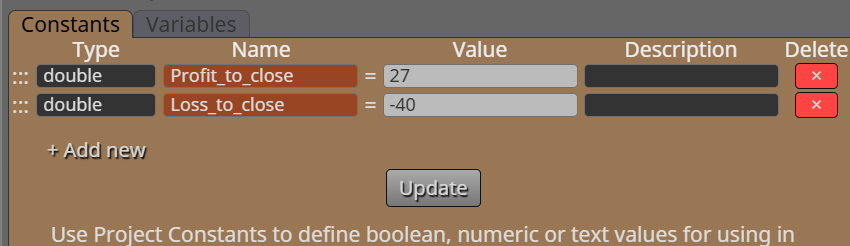
@l-andorrà Hi, I wonder if you can check some parameters for me, I've implemented the blocks you shared into my project. I've used the follwoing settings for the variables and constants:
https://fxdreema.com/shared/PWGoU3Ove
I wasn't sure how to set the variables, given that the information in them is needed from the open and closed trades. -
RE: Daily target profitposted in Questions & Answers
@l-andorrà Hi, looping back on this old post of yours, can you update the block to show how these would work to close at say a daily profit of $40 and a daily loss of $30? Appreciate the advice you give out here on FX Dreema forum!
-
RE: Help with "Check Profit" Pleaseposted in Questions & Answers
@l-andorrà Thanks for this, I haven't used loops and formulas etc before so will up-skill my knowledge and incorporate into the EA and test. Cheers
-
RE: Buy Pending Orderposted in Questions & Answers
@ambrogio Hey, just to let you know, this worked! Thanks for your help.
-
RE: Help with "Check Profit" Pleaseposted in Questions & Answers
@sktsec Thanks, i'll try that and see if it makes a difference.
-
RE: Help with "Check Profit" Pleaseposted in Questions & Answers
@jstap Thanks, I will try changing the time setting. Can you explain what you mean by "normalising" block IDs please?
-
RE: Buy Pending Orderposted in Questions & Answers
@ambrogio Okay, thanks, i'll try that. Appreciated.
-
RE: Buy Pending Orderposted in Questions & Answers
@Hiten7405 here's the link: https://fxdreema.com/shared/7dbefV1wd
I've created a separate project where I just have a buy at market where the conditions are met, but it would be good to have the pending orders to work.