fxDreema

    • Register
    • Login
    • Search
    • Back to the main page
    • Categories
    • Recent
    • Tags
    • Popular
    • Search
    1. Home
    2. mauro0425
    3. Posts
    M
    • Profile
    • Following 0
    • Followers 0
    • Topics 6
    • Posts 21
    • Best 0
    • Controversial 0
    • Groups 0

    Posts made by mauro0425

    • Imágenes del panel de control (Control Panel) salen muy pequeñas después de cambiar de computador – ¿Solución?

      4c89f91b-fd7a-4e64-935d-c735da511dea-image.png

      Hola a todos,
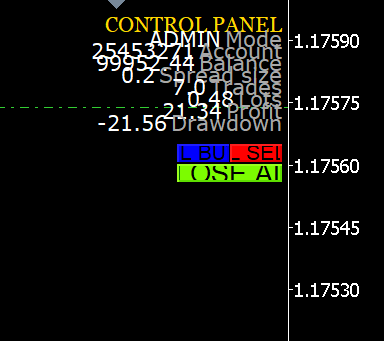
      Resulta que cambié de computador recientemente y ahora en fxDreema, las imágenes y elementos del CONTROL PANEL (el dashboard con BUY, SELL, OSF, AI, profit, drawdown, etc.) aparecen mucho más pequeños en la pantalla del MT4/MT5.
      Antes se veían normales y grandes (como en esta captura que adjunto [aquí pones la imagen que me mostraste]), pero ahora todo el panel se ve reducido y es difícil de leer/usar cómodamente.
      Detalles:

      Cambio de PC (probablemente diferente resolución o escala de Windows)
      Sucede tanto en MT4 como MT5
      Los indicadores y bots que uso son los típicos de fxdreema (OSF, AI, etc.)
      Probé cambiar la escala de Windows (100%, 125%, 150%) pero no arregla el tamaño del panel dentro del chart
      También probé reinstalar el EA/indicador, borrar objetos del chart, etc. sin éxito

      Alguien ha tenido este problema y sabe cómo solucionarlo?
      ¿Hay que ajustar algo en el código del EA, en las propiedades del chart, en la configuración de objetos o en fxdreema al generar el bot?
      Gracias de antemano por cualquier ayuda o idea.
      Saludos
      posted in Questions & Answers
      M
      mauro0425
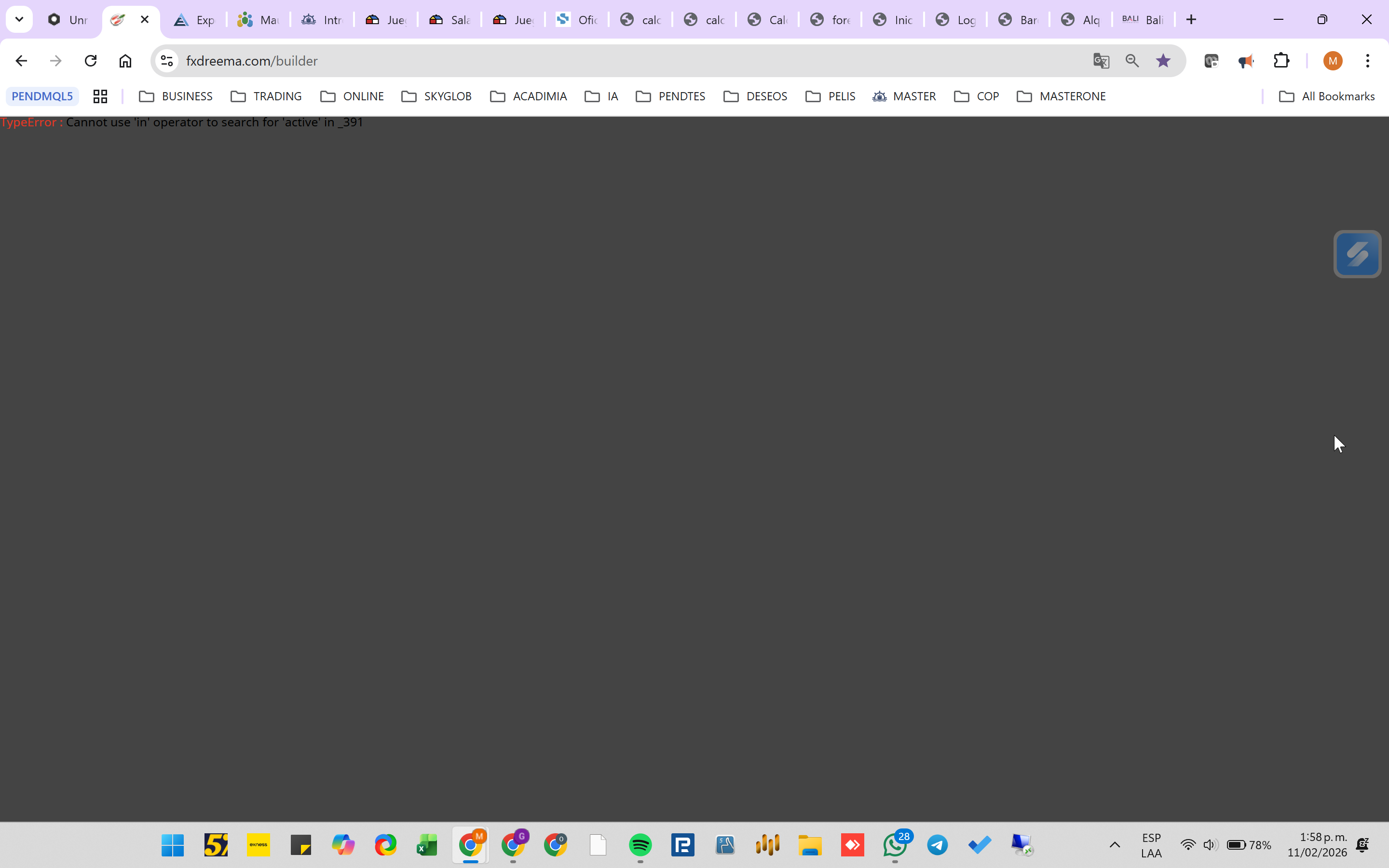
    • Hello, I cannot access the builder. It shows: TypeError: Cannot use 'in' operator to search for 'active' in _391

      c2eba1a9-84fd-4985-8148-a86430208254-image.png

      Hello, I cannot access the builder.
      It shows: TypeError: Cannot use 'in' operator to search for 'active' in _391
      It happens in all browsers and even in incognito mode.

      TypeError : Cannot use 'in' operator to search for 'active' in _391

      posted in Bug Reports
      M
      mauro0425
    • RE: Error in mt5 position bucket

      Well I'll tell you something, it seems that the problem is not fxdremma, I opened an account with another broker and it started to work well
      It seems that it is the Deriv account with which I was doing the tests, It was the one with the error... you must have something disabled for bot use
      I'm going to continue trying the other broker to see how it goes.

      posted in Bug Reports
      M
      mauro0425
    • RE: Error in mt5 position bucket

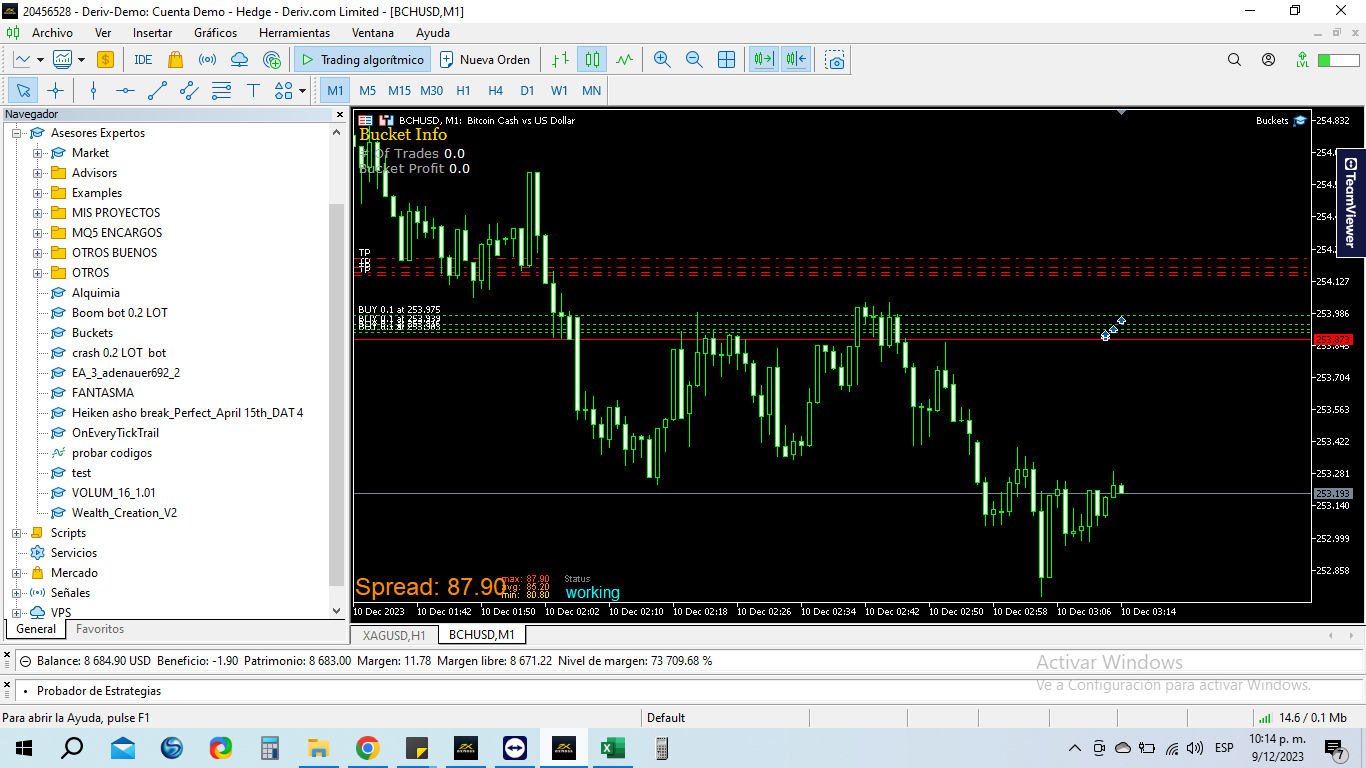
      I already tried it too, and it doesn't work either.

      pgfnSXNFOR.png

      posted in Bug Reports
      M
      mauro0425
    • RE: Error in mt5 position bucket

      I did exactly the same
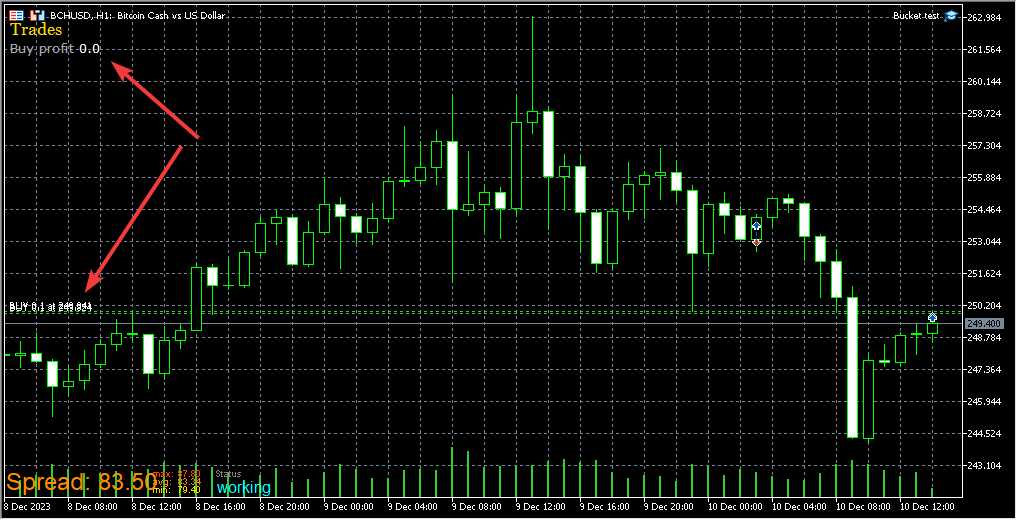
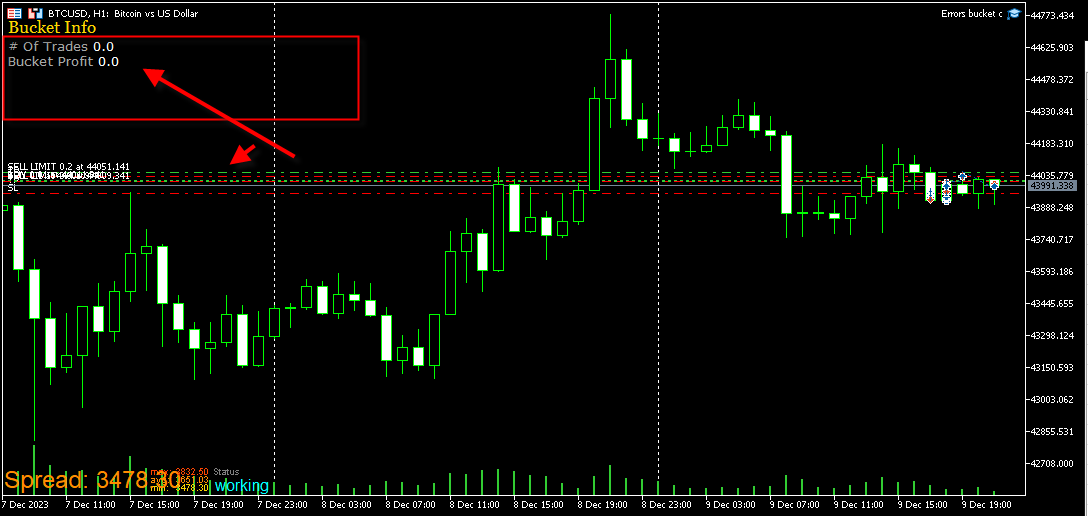
      and the image I have is = 0

      image.png

      posted in Bug Reports
      M
      mauro0425
    • RE: Error in mt5 position bucket

      I am sure that something is wrong with the buckets, I have been programming with fxdremma for 7 years... this was not the case, since I always use this function and this error appeared last year 2022, I thought it was a fault with my team, that's why it didn't work. I said nothing at first but after reestablishing my PC and doing tests on other terminals I concluded that there is a problem with mt5 in fxdremma.
      but I haven't used mt5 in a while because of this failure. I have been limited to working only with mt4 precisely for that reason

      posted in Bug Reports
      M
      mauro0425
    • RE: Error in mt5 position bucket

      There is an open order in the photo I sent you and as you can see the value is zero

      posted in Bug Reports
      M
      mauro0425
    • RE: Error in mt5 position bucket

      @mauro0425 I thought it was my PC, because the problem has been there since last year but I installed Windows from scratch and installed it again and the problem continued
      and I have some people who also use my bot and it doesn't work on their terminals either.

      posted in Bug Reports
      M
      mauro0425
    • RE: Error in mt5 position bucket

      @willramsey c89f5b69-a7f2-43c7-a109-e77cf411d959-image.png

      posted in Bug Reports
      M
      mauro0425
    • RE: Error in mt5 position bucket

      @willramsey I tested it on my terminal and it still doesn't work, as I told you live it doesn't work.... and in my opinion it is an error in the fxdremma system, something is wrong in the buckets

      I made the code in mt4 and it worked fine
      then i moved it to mt5 and it works fine only in strategy tester
      live it doesn't work... the values are =0
      both the counter and the profit

      posted in Bug Reports
      M
      mauro0425
    • RE: Error in mt5 position bucket

      @jstap That's where I am, thank you very much for the support, that is the idea of this report

      posted in Bug Reports
      M
      mauro0425
    • RE: Error in mt5 position bucket

      @jstap We agree, mt4 is more stable... but mt5 is very efficient in backtesting
      gives many more options
      I use mt5 a lot to search for strategies and then to work live I use mt4
      but still in mt5 it should be able to work fine, and it can't because the bucket has errors

      posted in Bug Reports
      M
      mauro0425
    • RE: Error in mt5 position bucket

      I already did that too, but the problem persists
      They work very well in mt4, and in the mt5 strategy tester, but in real life the values are zero
      There are many bots that stop working when you move them from MT4 to MT5 for this reason.

      posted in Bug Reports
      M
      mauro0425
    • Error in mt5 position bucket

      I am having problems with the buckets in mt5, since it is not loading the data
      I have many bots that when migrated from mt4 to mt5 stop working for the same reason
      In the strategy tester it works perfectly but when you run the real one they stop working

      The error is practically that it does not show the total profit or the order counter
      annex example..
      It works perfectly in mt4 and in the mt5 strategy tester but when I run it in real mt5 it no longer works and the value is empty

      https://fxdreema.com/shared/vI8cyAL4d

      posted in Bug Reports
      M
      mauro0425
    • RE: volume limit exceeded errors

      @l-andorrà I do not believe, and I do not find where to correct it

      posted in Questions & Answers
      M
      mauro0425
    • volume limit exceeded errors

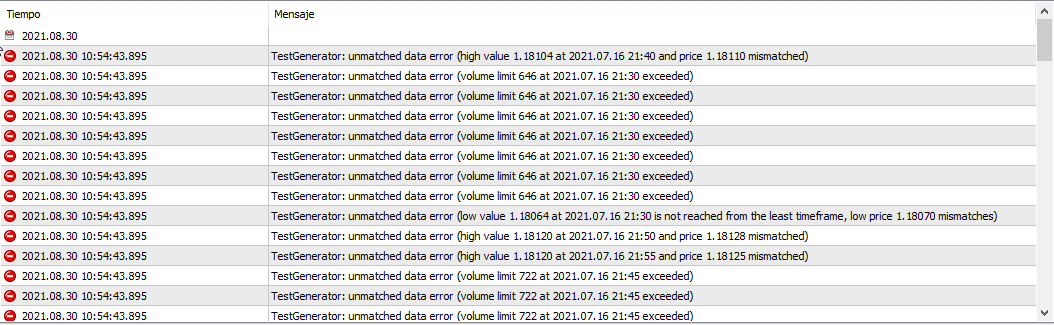
      When backtesting from the expert I get this error, how can I correct it?

      0_1630369183247_volume limit exceeded errors.png

      posted in Questions & Answers
      M
      mauro0425
    • RE: CUSTOM ENUM

      @l-andorrà Yes, I had already seen the tutorial, and I am currently creating the enum listings with a custom indicator, which will always be necessary later so that the expert can work normally.
      in the end I have to manually delete the indicator block and modify the code manually with the enum listings
      The idea is that you do not have to manually modify the code but that the enum listings are by default in the fxdrema without the need to add indicators

      posted in General Discussions
      M
      mauro0425
    • CUSTOM ENUM

      It would be possible that somewhere in fxdreema you could add custom enum listings
      the function is already in the custom indicators, but the idea is to be able to add the custom lists without having to load indicators
      0_1603484127483_1f3535a5-a808-49ee-a0ff-6fe49caffab8-image.png

      posted in General Discussions
      M
      mauro0425
    • RE: Necesito ayuda con un indicador personalizado no detectado

      0_1597169389731_ELLIOT WAVE INDICATOR.mq4
      es para mt4

      posted in Questions & Answers
      M
      mauro0425
    • Necesito ayuda con un indicador personalizado no detectado

      Estoy cargando un indicador personalizado pero este al momento de usarlo no da señales no funciona
      no se que estoy haciendo mal
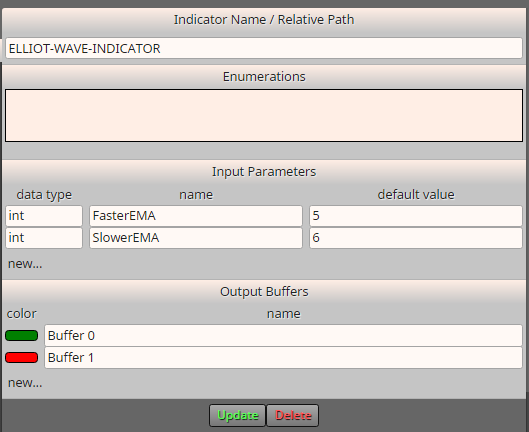
      0_1597080539043_9f020939-b01f-4017-bd16-ff5393ae3733-image.png

      estos son los parametros del inidicador
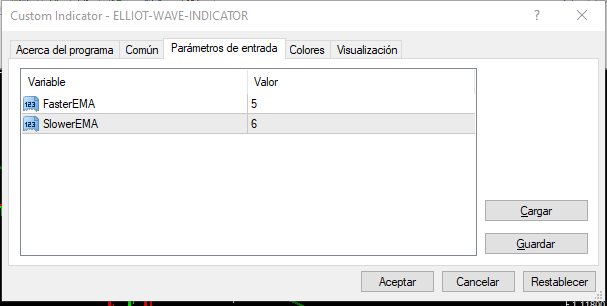
      0_1597080611543_c8f33cc9-a4aa-42af-9945-0e830cc0c7b5-image.png

      lo extraño es que en la grafica aparecen las flechas hacia arriba y hacia abajo pero no aparecen objetos por ningún lado, no hay lista de objetos en la grafica
      no se como detectarlas con el experto

      posted in Questions & Answers
      M
      mauro0425
    • 1
    • 2
    • 1 / 2