fxDreema

    • Register
    • Login
    • Search
    • Back to the main page
    • Categories
    • Recent
    • Tags
    • Popular
    • Search
    1. Home
    2. max_well
    M
    • Profile
    • Following 1
    • Followers 0
    • Topics 13
    • Posts 29
    • Best 0
    • Controversial 0
    • Groups 0

    max_well

    @max_well

    0
    Reputation
    324
    Profile views
    29
    Posts
    0
    Followers
    1
    Following
    Joined Last Online

    max_well Unfollow Follow

    Latest posts made by max_well

    • Custom Indicator

      Has anyone ever encountered a situation where you're trying to use icustom() to access indicator buffer values but it is restricted by the programmer somehow (I bought the indicator but got the exe file only and the vendor also stated that they do not provide the ability to access data through iCustom).

      But I wanted t incorporate it in my EA but I'm stuck here.

      Any walkaround to this problem?

      posted in Questions & Answers
      M
      max_well
    • RE: Custom Indicator- Compilation error

      @sktsec the buffer names are same as in the indicator.

      It's working fine now with nothing changed, was a glitch in fxdreema itself I guess.

      posted in Questions & Answers
      M
      max_well
    • Custom Indicator- Compilation error

      94b87729-6a24-4454-849e-a547b8e9fbdf-image.png

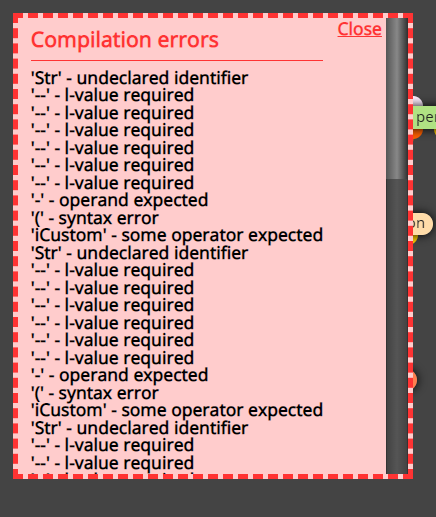
      I'm using a custom indicator, but I'm unable to download the exe file-getting this compilation error when trying to download exe file.

      I've declared the input/output buffers as shown:
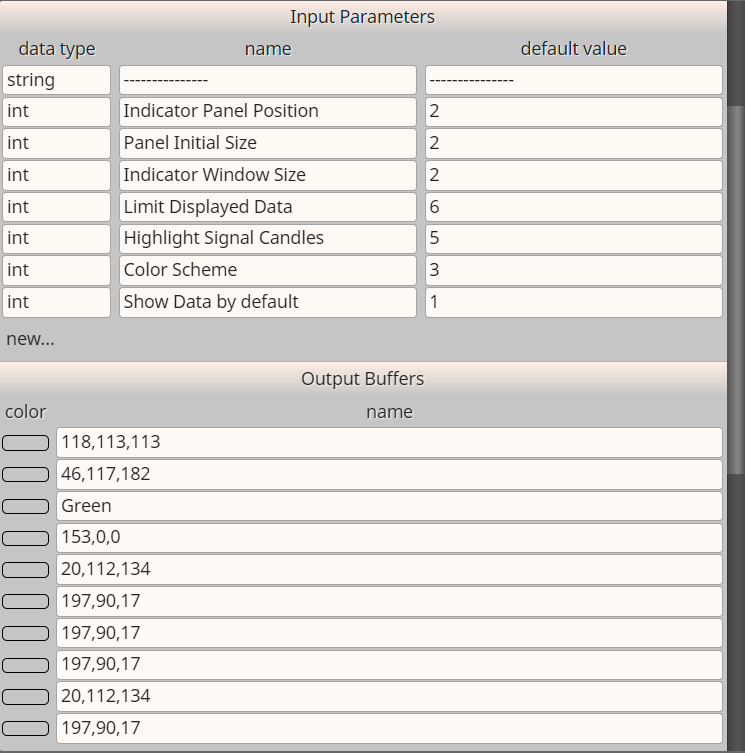
      6edb2c3f-bd9f-440f-8293-a3e50ec4ce0f-image.png

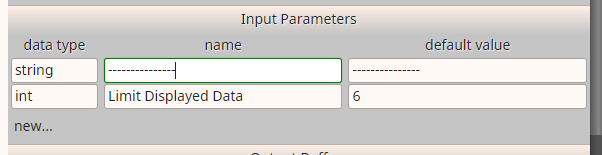
      In my custom indicator the first input is actually set as "---------------". Like this:

      dac7fb95-274b-4aca-8493-6ebf4300d6f4-image.png
      So I'm not sure if i need to actually declare it in the Input parameters or not, however, i did it but I'm getting that error message.

      I tried removing it, still i get the same error message.

      Few days back it was working fine but today the indicator got cleared from the list while updating the relative path, and so I'm trying to bring it back all again.

      I'm able to download the mq4 file, so I had a look at iCustom() part, this is what its like at the moment:

      iCustom(symbol, timeframe, "Indicators/custom_indicator" , (Str)0, buffer, shift);
      

      which I believe is incorrect.

      This is what it actually should be I guess (unsure):

      iCustom(symbol, timeframe, "Indicators/cutom_indicator" , (int)2, (int)2, (int)2, (int)6, (int)5, (int)3, (int)1, buffer, shift);
      

      I made these changes, it compiles successfully but doesn't work when I pull it on the chart.

      Any help on this please!!

      posted in Questions & Answers
      M
      max_well
    • RE: OR block

      @l-andorrĂ  thanks

      posted in Questions & Answers
      M
      max_well
    • OR block

      Which block can I use as "OR" block?

      posted in Questions & Answers
      M
      max_well
    • RE: Indicator in the subfolder of indicators folder

      @jstap I tried that and the EA gives me this error message;
      "Indicator path or name is invalid. Must be \MQL4\Indicators\Market\IndiName (currently \MQL4\indicators\Market/IndiName)"
      From that error message I could see the problem could be with the different slash sign so I tried to change it here on fxdreema indicators section but when I save it, the relative path automatically changes this backward slash to forward slash. And also my indicator works in it's subfolder only. So any solution?

      posted in General Discussions
      M
      max_well
    • Indicator in the subfolder of indicators folder

      How should I write the relative path if my custom indicator is in the subfolder of the indicators folder? "Market" is the subfolder name;

      1. Market\indicator_name
      2. Market/indicator_name

      1 or 2?

      posted in General Discussions
      M
      max_well
    • RE: Adding Custom Indicator with drop down menus

      @jstap okay but by default it was set as 1 month which should be 1 in the default value, but here while adding the parameters I wrote 6, so would it affect in anyway? or is everything okay? And are you sure the counting starts from 1 or does it start with 0?

      posted in General Discussions
      M
      max_well
    • RE: Adding Custom Indicator with drop down menus

      @jstap okay and what if I want to use 4 months of data which is fourth in the drop down list. So should I write "4" here;
      0_1631326287178_Capture.PNG

      posted in General Discussions
      M
      max_well
    • RE: Adding Custom Indicator with drop down menus

      @jstap Hey, I wrote the parameters, from the drop down menu I counted there were 6 options (counting from 1) so I wrote like this;
      0_1631324101241_Capture.PNG
      Is everything correct for both the Input Parameters?

      posted in General Discussions
      M
      max_well