@roar Precisely. I think what's happening is that it only works on fields named "Timeframe" and nothing else. So even fields named "Candle Timeframe" will not work.
One could argue that it is working according to specification 
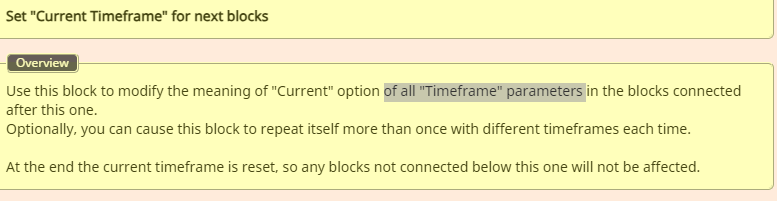
@roar Precisely. I think what's happening is that it only works on fields named "Timeframe" and nothing else. So even fields named "Candle Timeframe" will not work.
One could argue that it is working according to specification
It's taken me hours of troubleshooting to realise that the "Set Current Timeframe..." block does not work properly. In the below link, I have added two "Draw Line" blocks - both drawing trend lines. However one derives (or is supposed to derive) its timeframe from the "Set Timeframe..." block, while the other has it manually set to "H1".
If you run the EA on a 1min chart, you will notice that the two lines drawn are different. The manually set one is correct while the other isn't.
I am marking this post as resolved as I have realised the issue is local.
I decided to test the same EA on another terminal/broker, and to my surprise it worked fine. Hence I reinstalled the terminal on which I initially experienced the issue, and that resolved the issue.
Ok great. Thanks @l-andorrà ...was beginning to think I was seeing things
I've been battling to make this work...until I realised it might be a bug...
I have attached an example project to demonstrate the issue.
Steps:
I have noticed that for every 2nd and 4th symbol in the Set "Current Market" for next blocks block, the candle id position lags behind by 1 candle. Hence it lags behind when symbol in the Condition block (block 3) is set to either EURUSD (which is the 2nd on the list) or GBPJPY (which is the 4th on the list)
This issue makes it near-impossible to backtest multiple symbols if the logic utilises candle id positions (eg check that candle ID 1 closed above candle ID 2)
Not to worry. Worked it out. Just needed to write the level of the already drawn object's 100 level to a variable and leave it unchanged in the "Move" block...while the O level keeps updating with the current bar
Hi,
Hope someone can help with this...
I am trying to modify the 0 level price of an already drawn fib to always be the high of the current bar (where the 0 level is the highest level). That way, the fib will keep adjusting as price goes higher. But I can't see anywhere that the fib level prices can be modified...there is no "Modify Object" or "Modify fib properties" block.
For clarity, I know how to check for the conditions (by the way, I am using the "loop" option so I don't have to specify a name for the fib. This works on other object types such as trend lines). The issue I am having is changing just one level without having to move the actual fib (hence the "move" block does not do the job).
Even if I save the 0 lovel price to a variable, how do I write that variable into the fib level?
Hope that makes sense.
Any ideas?
I was finally able to work out the cause of the issue. I realised the problem only occurred at the end of a trendline. Hence one bar after the trendline has ended, it seems to evaluate the value of the trendline as 0. Hence, since my condition says "Trigger when BID is greater than Trendline price value" it would trigger at that point.
So now, I simply make my trendlines longer.
Hi,
I created a trendline alert EA that alerts me when price touches a trendline that I have drawn on the chart. 80% of the time, it works well. However at other times, it triggers without even reaching the trendline.
Does anyone know what could be wrong? I have looked through the blocks over and over again without any luck.
By the way (in case anyone is wondering) I used '<=' and '>=' rather than '<x' and '>x' intentionally.
Here a link to the EA: shared/DNUCf7I6d
It is a simple one.
Regards
Ose
Thanks!
It's now working.
Regards
Hi,
Since this morning, I have been getting the error "template parameter ambiguous, could be 'double' or 'int'" when I click on the "mt4" button in order to save my EA. This happens for some of my other EAs too.
What's changed?
Regards
Thanks Fxdreema, I will give your suggestion a go
Thanks. I had achieved the same result using counters. But it was way more long-winded.
Thanks for pointing that out. Will amend my EA
Hi,
I am not sure if this is a bug or simply how the functionality is. The "Once Per Trades" option does not run once for each trade. It simply runs once and that's it.
I have entered "1" in the "Once per trades" block as below and would expect a line to be drawn every time there is a new trade with a profit of 50% of TP. However it only draws the line for just the first trade that reaches 50% profit. All other trades are ignored.
If this is not a bug, how is it supposed to work? I am simply looking for something that will allow me modify the SL once in the trade (so it does not keep changing the SL for the same trade)
Hi,
You are right. I have just scaled everything down and tested with a simple EA and it works both ways. So it must be something else in my original EA that's the issue.
Sorry for the bother.
Hi,
I have noticed that my EA does not trigger as quickly as I would like (It does not enter the trade immediately the previous bar closes. So sometimes I loose a fraction of a pip). This matters because it is a scalping EA.
So to work around this issue, I want to enter the trade on the signal bar (rather than on the next bar). However I want to enter the trade in the last 9 seconds of the signal bar (that is, when the candle time is between :50 and :59). How can I achieve this?
Hi,
After hours of battling, I have decided to give up and simply ask:
How do I modify a virtual stop loss when price reaches a certain percentage of TP? I know how to do this normally if using hard stops (by using "Modify Stops"), however since virtual SLs and TPs are not stored in the trade's statistics, there is nothing for the EA to base its calculations on.
An example is I want to move SL from break even to 10% in profit when prices reaches 50% of TP.
Hi,
Thanks for your response. Thanks for the HOLD option. However since you say it is slow, I guess it would not be a preferred method. Also thanks for making mention of the Datetime data type.
I however (after hours of trying different options) found another solution that seems to work fine:
Block 1
Block 2
So people stop bothering you about stuff like this, I guess you could add it to the "Examples" area, as I think it would help those that have been requesting it. In short, they need to use "Flags".
Regards
Ose