Just a small tutorial on how to let user select Money Manager
First create a custom block in fxdreema studio
How to create the custom block:
I named the block Select Money Management but you can choose the name you ever want to.
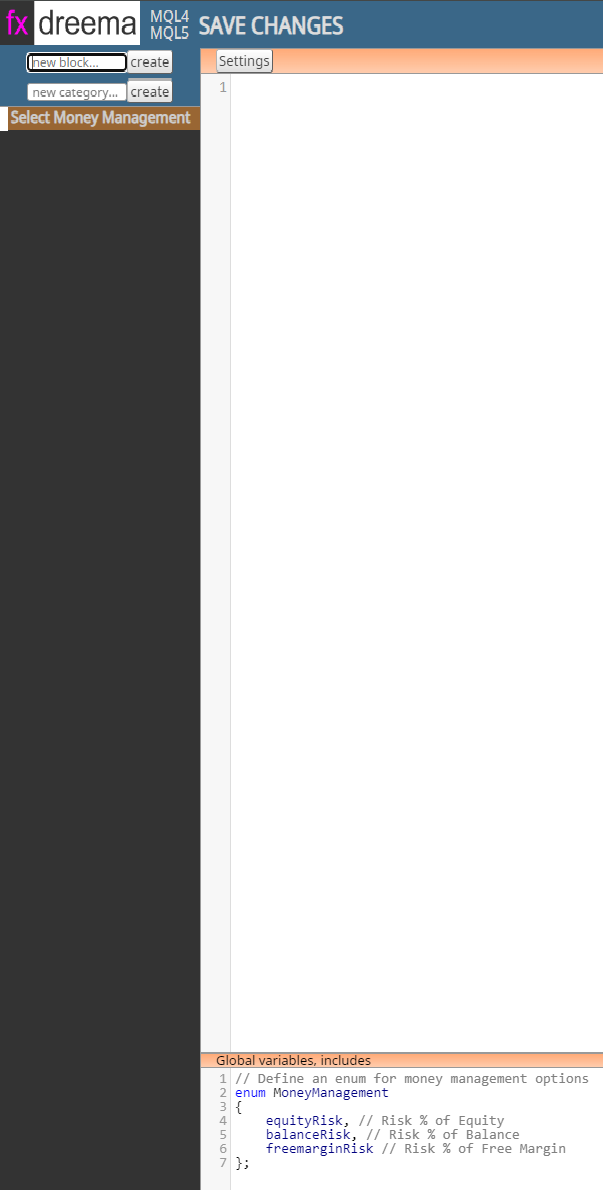
Select the created block, add the following code in Global variables, includes window:
// Define an enum for money management options
enum MoneyManagement
{
    equityRisk, // Risk % of Equity
    balanceRisk, // Risk % of Balance
    freemarginRisk // Risk % of Free Margin
};
Save Changes
In your fxdreema project
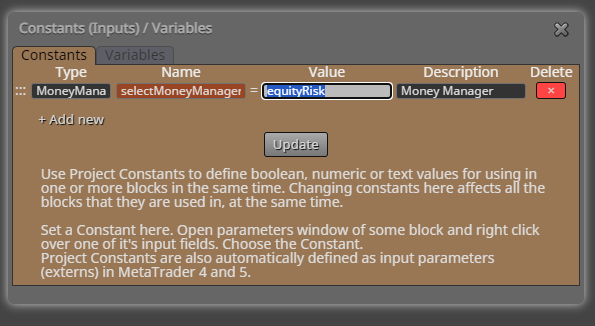
Create a constant following
Type: MoneyManagement <- The enumeration we created in fxdreema studio
Name: selectMoneyManager or what name you want...
Value: one of the values we defined in MoneyManagement enumeration, example: equityRisk
Description: Money Manager or whats on your mind....
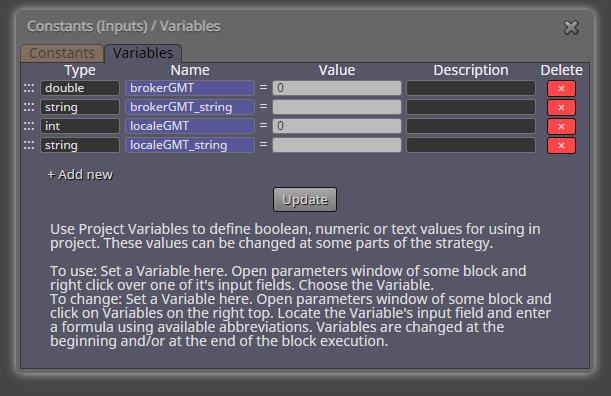
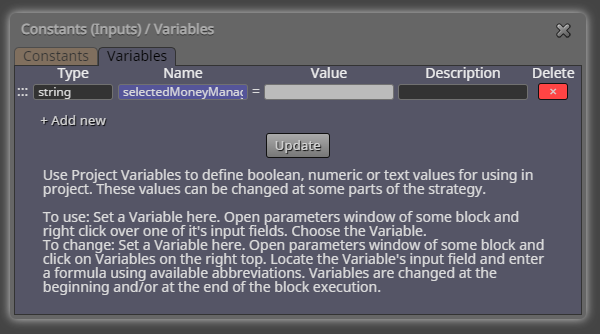
Next step is to create a variable where we later is storing the selected money management string name
Variable
Type: string
Name: selectedMoneyManager or whatever you choose...
Next step is to add the blocks:
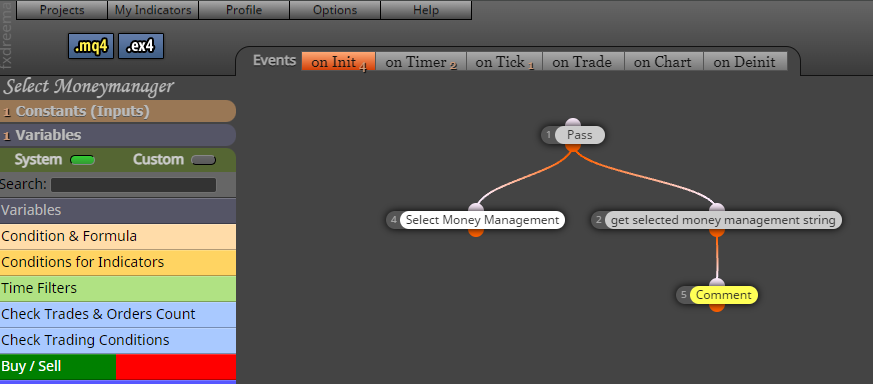
Add the custom block you created "Select Money Management"
Add "custom MQL block"
Code for the custom MQL block:
switch(selectMoneyManager)  // <- Name of the constant you created
				 {
					  case equityRisk: selectedMoneyManager = "equityRisk"; break; // Save to variable
					  case balanceRisk: selectedMoneyManager = "balanceRisk"; break; // Save to variable
					  case freemarginRisk: selectedMoneyManager = "freemarginRisk"; break; // Save to variable
				 }
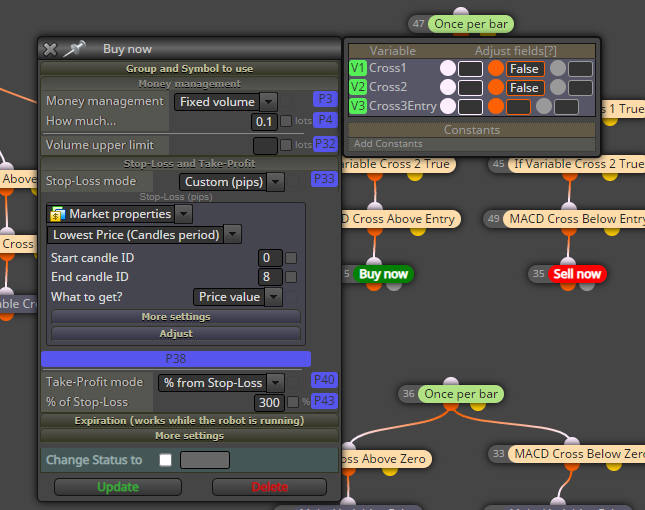
In the Buy/Sell block:
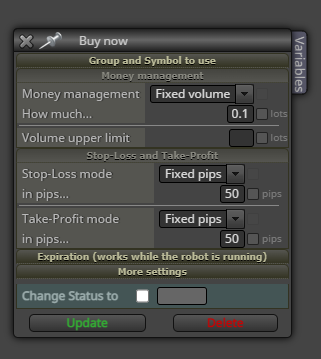
In this case I have choosed Risk % managements as you can see in enum MoneyManagement
First select one of the Risk % management
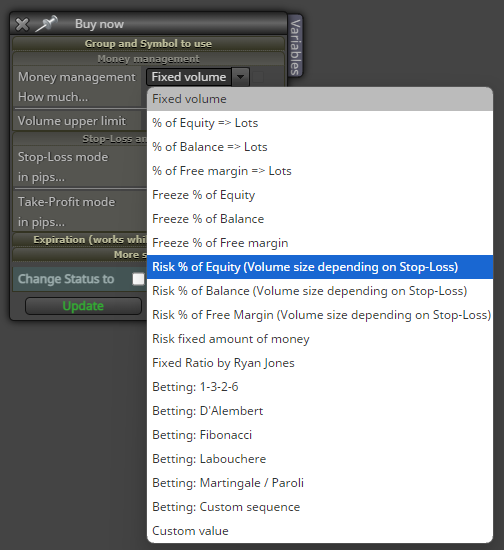
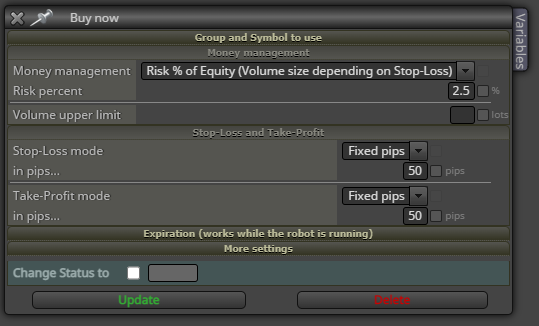
Example Risk % of Equity selected:
Now rightclick at the Money management field and select the string variable you created (selectedMoneyManager)
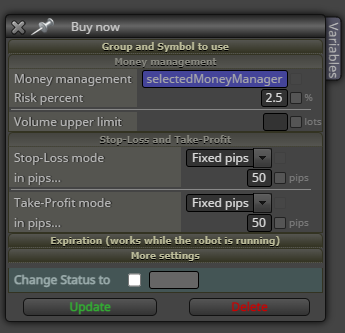
That's all!
It should now be possible to change the EA Money Management in MT4
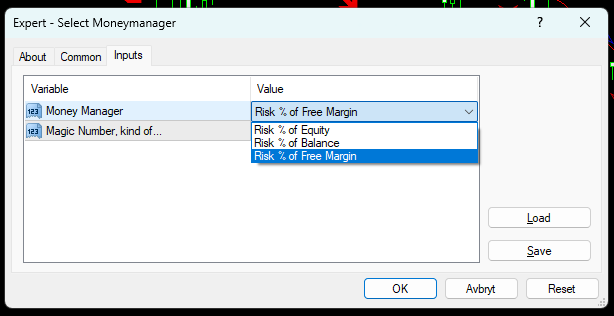
Example project: Select Money Manager


 The list is now finnished, you can now save it.