Thank you! I decided to use another method that will make the bigger picture more efficient.

Thank you! I decided to use another method that will make the bigger picture more efficient.
Re: Having Absolut Math inserted into Adjust field
I have a number of variables tracking + and - deflections of parity. Can I use = MathAbs($) in the adjust as I assign variables to other variables ?
Example Max Bullish 1 (with = MathAbs($) in adjust) = Max Bullish 2 in the absolute state? Or does it need to be somewhere in it's own block?
I'm trying to replace it's own block with an inversion via x (-1) block.
If at 12:03 I identify candle 2, at 12:07 does FXD know I was referencing candle 7 after 5 minutes.
Can anyone tell me if, when using candle, does it sequentially add +1 to stay dynamic with time frame based events? or Do I have to add 1 candle each close to keep track of a candle event?
As I have always previously done, on deinit named items and deleted them. By changing to delete by type with just two blocks, it stopped their deletion. Now, one of the buttons is changing it's text randomly even when isolating it's naming, when I remove that button, the same thing happens to another.
Buttons.... I've used buttons in the very same configuration on prior projects. Now they delete themselves on their own accord. 1st image is the full set, while the second image is 30 seconds into it's operation with buttons deleting themselves.
What the ?
 image url)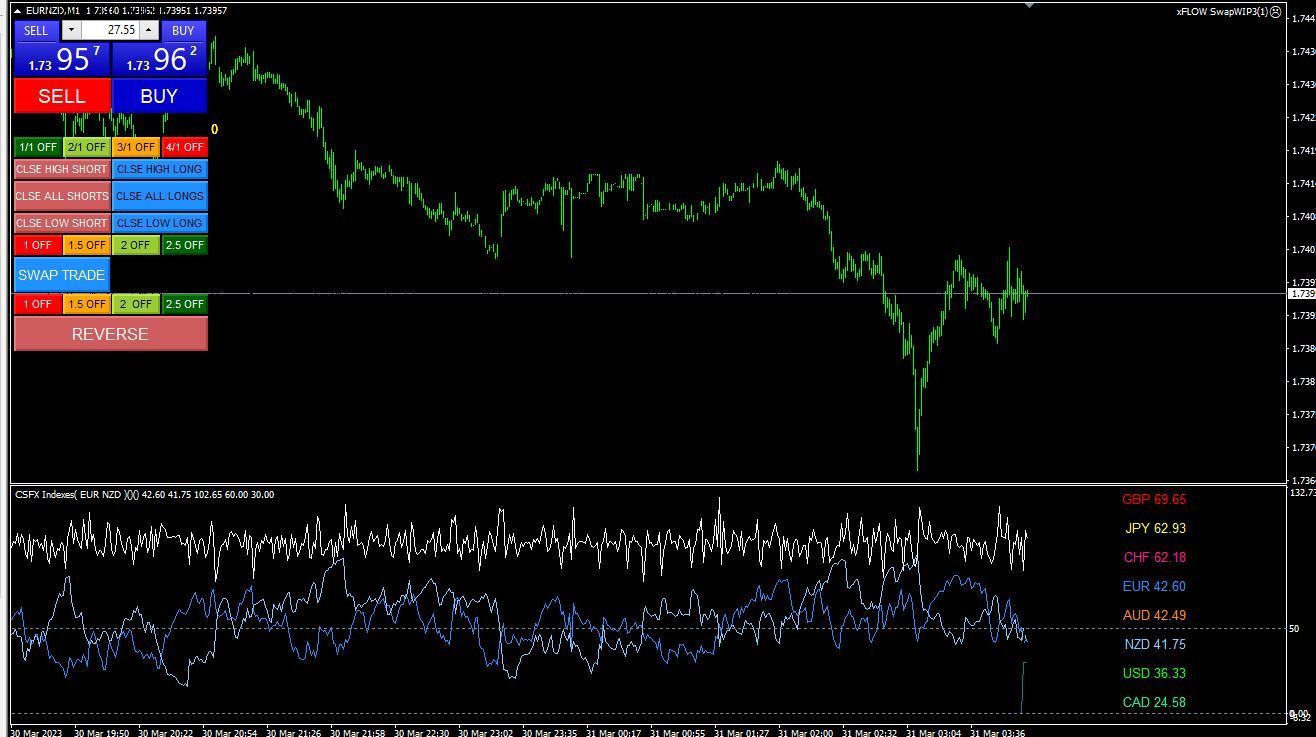
@l-andorrà They are not updating tick by tick, seem to be massively delayed or randomly deciding when to update

Market sentiment tick by tick is the white line circled. The high and low are in the circle under the interface.. high 1 high 2 low 1 low 2 those are what I want driven by the tick by tick updates from the variables.
@l-andorrà I have it doing what I need to with assignment operators on events Ty though!
@l-andorrà Can this be used with variables to constantly update tick by tick? Place it on chart on init then right click and set variable in the label?
I want to display text on chart and update it tick by tick with variable data. I have 4 items for this but when compile/build they are all overlapped without 'redrawing' and with separate coordinates. Strange. Anyone?
@pan4pips Is FXD that insufficient that it's not possible?
I am trying to build an array with dynamic data. (custom indicator data) that I can read with buffers. This data fluctuates through the minute and I'm looking to store the highs and the lows of the data for a period of about 20 minutes. (not the closing of each minute) but the actual highs and lows during the minute. Anyone have any ideas on arrays in FXD?
@jstap No, the DLL's just feed the data into the terminal, there's a couple indicators that allow/draw the data.. I can use them like any custom indicator with buffers etc.
That's a good question. I have custom measures of net currency values that are fed in through a DLL/Connection. I use the conditions on the M1 to trade but want to automate it so the same conditions are also used on the M5 as a governing factor.
When m1 aligns with same condition on m5 allow trade
I can't seem to find anything of consistency - with detailed explanations or examples in building a variable that reads a set of conditions on a chart to be used in governing the trading on the lower time frame.
Anyone with experience writing global variables? Seems the tutorials on here are always left vague.
@jstap Figured it out. Was a pain. Even though two blocks were turned off, the sequence which you turn them off was actually turning one of the blocks back on.