Are variables sticky upon Terminal restart?
-
If for some reason the system has to restart, for mandatory update or something, will variables be lost or are they sticky until being overwritten?
-
They will reset. The only option you have to stop this is to save and load the variable as a global (terminal) variable.
This link will give you an idea of how to achieve this: https://fxdreema.com/shared/rotTPFn8b Every time the value changes you will need to update, then read this to use
-
So they got reset on program close... What about a system crash (or force close)?
-
(or reset on terminal open?)
-
save it in file? read initial lots last open position? what are you trying to save?
-
As my link, save as global then any type of crash won't affect the saved value. Global variables are saved on your computer so to lose you would have a hard drive/computer problem
-
I'm trying to make sense of the method.
Block 1 sets the variable...
Block 2 reads it and does nothing if something there.
Block 3 If nothing there it resets the variable to 0I'm not getting it... please elaborate @jstap
-
Also... is it limited 10?
-
Nothing is limited to 10 unless you are on the free version, then that is the maximum number of connections. add a shared link to see what you have done...
-
I need some guidance... can't get it to work...
-
Can't post images here? Only links?
-
Is the example you gave me above correct?
I'm on mt5 btw. @jstap -
Your name is not accidentally Jasper? And you play sax?
-
You should be able to post images, links are better because inside blocks can be seen, so you get a full picture of what the EA is/isn't doing. MT5 and MT4 on FX are basically the same but you will need to create as MT5
-
https://fxdreema.com/shared/eLJBfyide
Global Writing is fine... now how to put them back in terminal variables. -
- Conditional writing
-
You read them by selecting terminal variable and putting in the name:
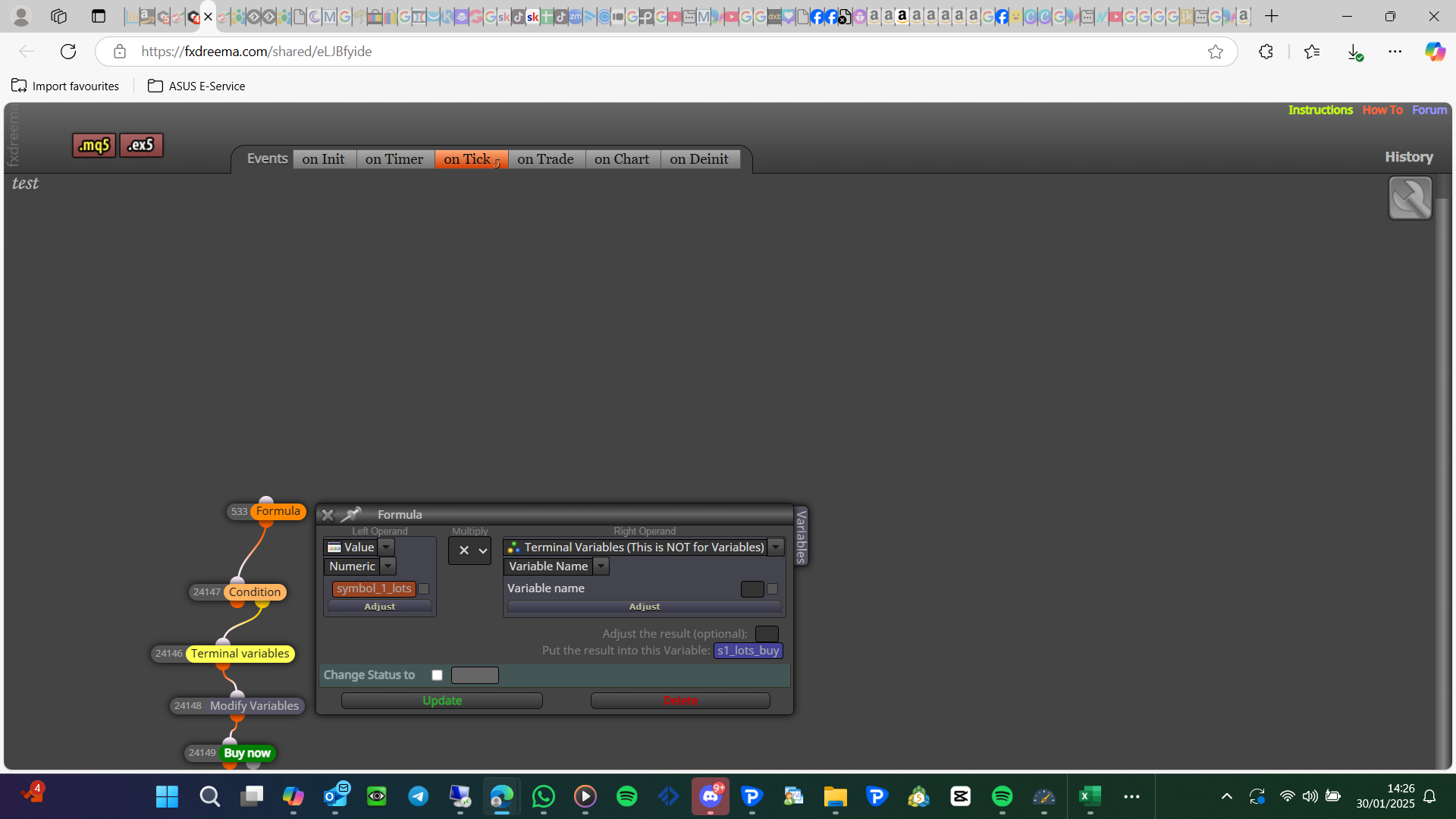
-
This might actually fix my problem.
Ran some tests yesterday and not storing vars, indeed gives a lot of problems upon restart. .Thanks mate.
-
I can restore all values in the "on init" tab right?
This runs the stuff just one time when it starts up? Correct? -
@jstap A new thought came up... this means I can only run the EA once on a single computer? There is no magic number attached or something?

