custom indicator
-
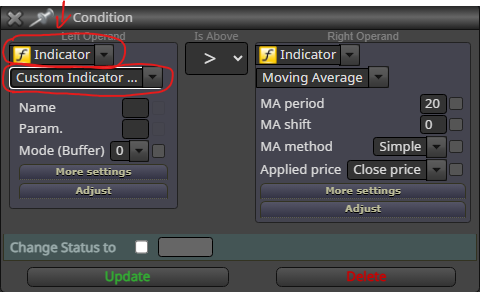
Hello, Please can someone tell me step by step how to use this option?
-
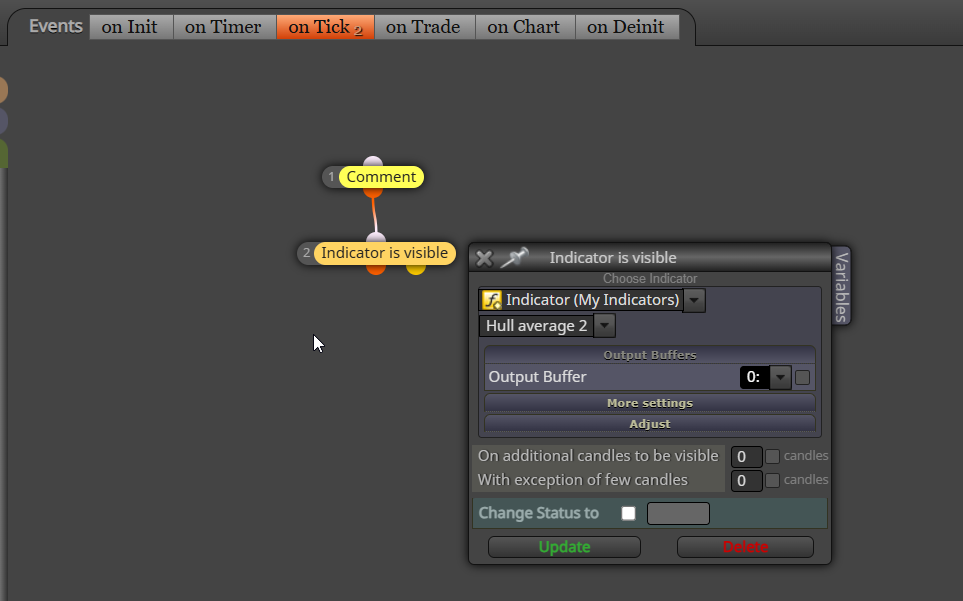
insert the indicator in the my indicators tab at the top of your builder page
-
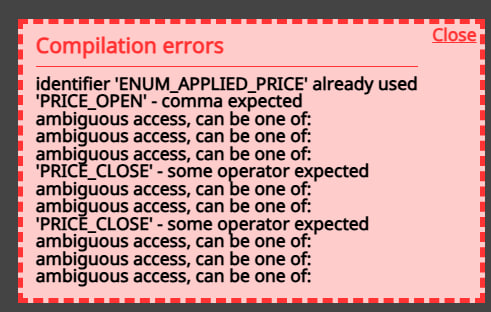
i did but i get this error
-
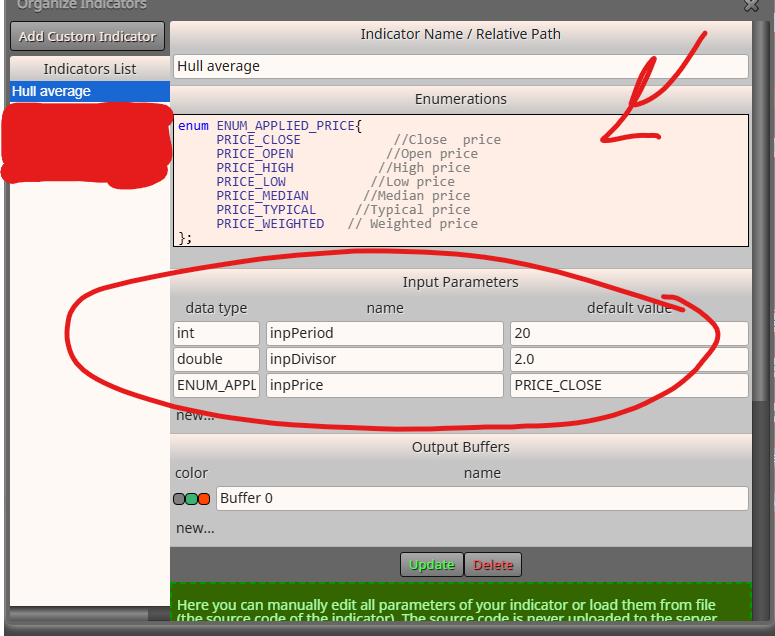
From the looks of what you have posted 2 indicators in the same project are using the same ENUM name, to fix this you will need to rename the ENUM in the MQ file in meta trader and upload uthe new
-
@jstap I did it but it shows up again.
can you check by yourself (use this indicator in a block and try to get ex5 file)
-
Just upload a picture showing the ENUM code now being used
-
@jstap what?
-
The picture above shows the ENUM code, take another picture of the updated code.
-
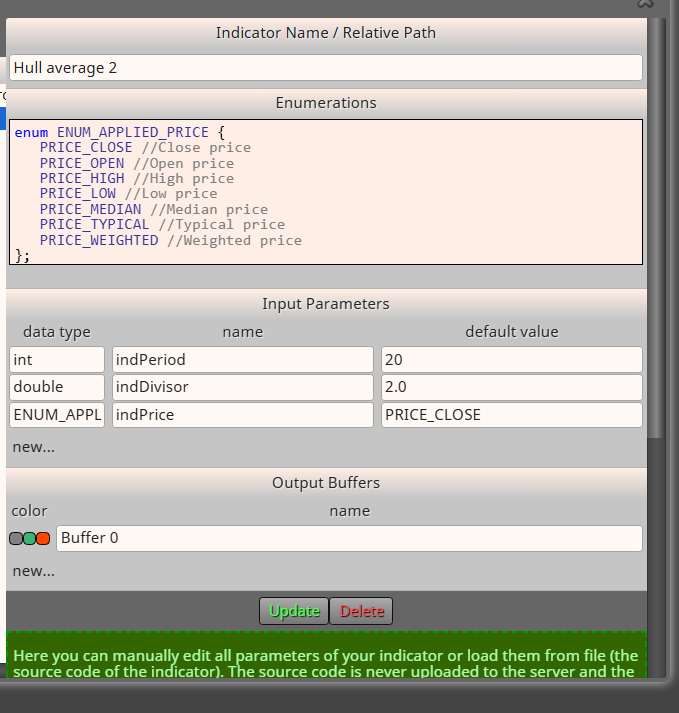
i renamed the inputs as you said
-
You haven't changed the name of the enum, just add a number1 and change the name in meta editor, then compile.
-
@Dr-Amiin
Remove your custom enumeration of ENUM_APPLIED_PRICE.It is built-in. Just used it directly.
-
@sktsec I deleted them and when I try to export it, it gives this error the first time and the second time it gives the file, but when I test the file in MetaTrader, it gives these errors.


-
@jstap what should i do please help
-
Try copy, add it as new with the deleted enum, and see if this works
-
@jstap no it didn't worked.
I want to try hull indicator do you have one to have buffers or can it be imported into Fxdreema without any problems?
-
@Dr-Amiin Not MT5
-
It may need some time to update the custom indicator.
Try it the next day. Remove the related block and start from scratch.
By the way, the :: problem is an old bug, that happens when you try to set enum in custom indicator.
-
@sktsec can you report this bug to admin (he doesn't replay me)
-
@jstap can you send it
-
I compiled your hull average 2 and no issues, start a fresh project using this and all should work.