How to create your own custom blocks step by step??
-
How to create your own custom blocks step by step?
-
You can try to learn from this, but there is no step by tutorial: https://fxdreema.com/forum/topic/19004/help-custom-mql-code/28
-
Ok thank you
-
@jstap Hey, I had a quick question. After creating a custom block, isnt it supposed to be available in the builder? I created a custom block, but cant find it under any category. Any idea why this might be happening?
-
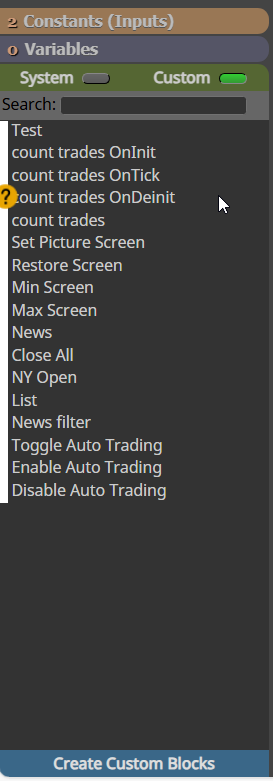
It will be under the custom tab.
-
@jstap ok thanks but isnt showing for me. Could you share any code that i could paste on studio main window that shows up in builder just for testing?
thanks
-
You can find that here (https://fxdreema.com/forum/topic/21603/close-all-mt5-trades-quickly/14) not sure how quick it will be though. maybe you are looking in MT4 when you created in MT5, or vice versa?
-
@jstap Thanks will try it. What do you mean by how quick it will be, does it take lot of time to show up in builder? Just started using the studio, no idea whats happening, I am using MT5 for MT5 builder.
-
@jstap thanks for your help. I wasnt clicking on the customs section in the builder, so i could not see it
thanks the link helped
-
not to show up in the builder, and if you already know a little about it you should be ok, When ever I create as soon as I save it can be used, I will refresh the builder page though
-
@jstap Thanks for the info. There seems to be issue with variables in the studio. Any variables declared in variable tab don't seem to be working in the studio. Is there any specific thing that needs to be done to make them work in studio? Also, var declared in global area dont seem to work in builder either
-
show me pictures of how you have it set, if you are getting compile errors after creatin while trying to use, you could copy each section, past into ChatGPT and ask what is wrong showing the builder compilation errors