unix timestamp to "hh:mm" timestamp
-
hey,
i have no clue how i can convert a unix timestamp into a timestamp to work with like "hh:mm"
thx for your answers ! -
Where... In most blocks that work with time, for example "Time filter" there is an option to choose between different ways to input data. But if you need a function to convert string to datetime, then you can try StringToTime() https://www.mql5.com/en/docs/convert/stringtotime
-
and how can i setup this function?
that is what i have so far:
fxdreema.com/shared/meHzzqmjd -
but where you need this? only in Comment block?
https://fxdreema.com/shared/6N55SodxdBetween trading and gambling is a very small gap, be careful.
-
Well, this is better https://www.mql5.com/en/docs/convert/timetostring
I guess there is no proper way in fxDreema to output time variable, I wonder what can I do about this. But this works: http://prntscr.com/dwzl2t -
Thx I will have a look at it later on today!
But I need it not just as a comment. I'll also need to store it as a time stamp and the date of if it for timer functions and other things. -
@miro1360 said in unix timestamp to "hh:mm" timestamp:
but where you need this? only in Comment block?
https://fxdreema.com/shared/6N55Sodxdi tried your version and i have to admit this just shows the current time not the time that is saved as an unixtimestamp.
@fxDreema said in unix timestamp to "hh:mm" timestamp:
Well, this is better https://www.mql5.com/en/docs/convert/timetostring
I guess there is no proper way in fxDreema to output time variable, I wonder what can I do about this. But this works: http://prntscr.com/dwzl2tYour version worked as a comment but as i tried to get it split up further i failed completely and i have no clue how it can be done to save those conversions in a variable to work with it.
Thx for your help!!
-
@beatking wait little while maybe here is bug ...
Between trading and gambling is a very small gap, be careful.
-
Okay let me know when you are done checking it pls;)
-
ok, as I expected, problem is in metatrader (not in fxdreema) ... because if you will get time coordinates from object, it is not working, price is working but time is not ...
this is test EA
https://fxdreema.com/shared/vCdUDU66dand result is this:
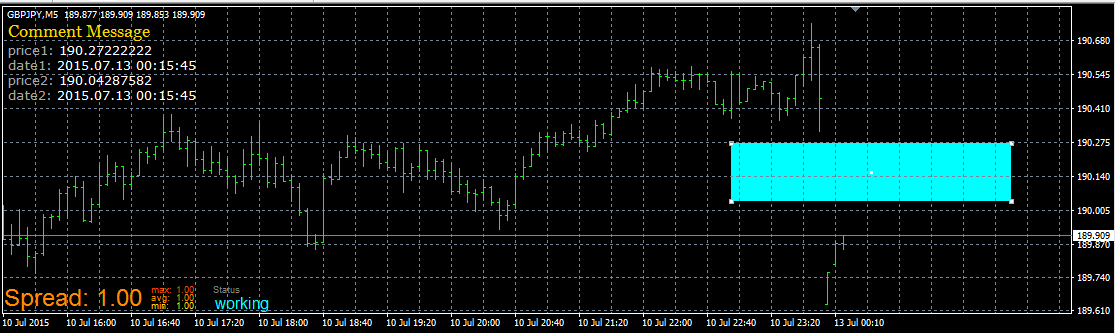
you can see, price coordinates are taken correctly, but time/date is not -- with original MQL functions ...
or maybe my way to test it was not ok who know ...
(the same happen for trendline)Between trading and gambling is a very small gap, be careful.
-
@miro1360 said in unix timestamp to "hh:mm" timestamp:
ok, as I expected, problem is in metatrader (not in fxdreema) ... because if you will get time coordinates from object, it is not working, price is working but time is not ...
this is test EA
https://fxdreema.com/shared/vCdUDU66dand result is this:
you can see, price coordinates are taken correctly, but time/date is not -- with original MQL functions ...
or maybe my way to test it was not ok who know ...
(the same happen for trendline)I already checked the readings from the object, they work fine! The unix timecode equals the date and time from the object.
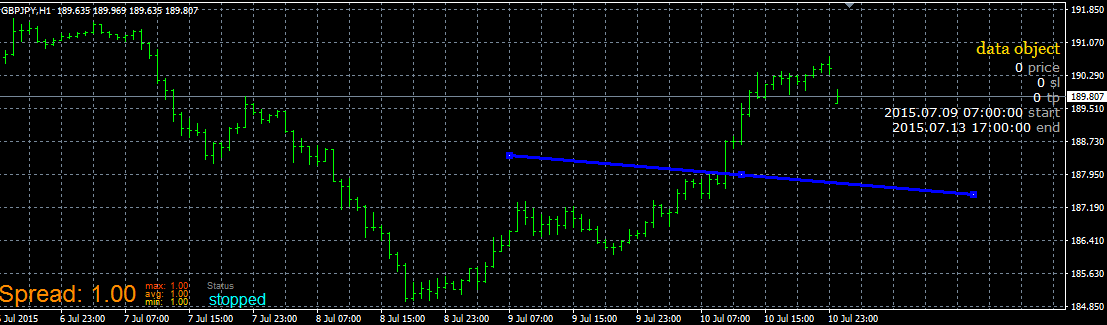
If I use fxdreemas way to convert this unix time it works fine, but I need further codesamples that show how I can save the results to variables and work with them and how to split it up further, like you did!
But your version always shows just the current time if I replace the 'unixtime' with my variable 'startobject'. -
this one can help you:
https://fxdreema.com/shared/ADSCMFSLb