Once per bar and No position together?
-
How do I get the effect of Once per bar and No position at the same time?
Thought I could just string them together, but Once per bar overrides No position in terms of allowing multiple positions to be opened.
Connecting Once per bar after No position doesn't do what I expected.
Once per bar is acting like it's at the top of the string of blocks even though its not.
Thanks
-
What are you looking for exactly?
-
Sorry if I wasn't clear. I want to activate a possible trade once per bar and only if no position currently exists. The combination of the Once per bar and No position blocks.
Unfortunately, the Once per bar block appears to override the No position filter and allows multiple positions to be opened.
I want a No position block that activates on bars instead of ticks.
Thanks.
-
Whe you say 'No position' do you mean the 'No trade' block?
-
The block is called "No trade" on MQL4 projects and "No Position" on MQL5 projects, but they are the same thing.
Make sure you are using the correct block (there is one block for position, one for pending order and one for both).
It should work like you said: Once Per Bar -> No Position. At least it works on MQL4 projects.
-
I've never worden on mql5. As you say, it works on mql4. I have no idea what's the problem, sorry.
-
@rafaelgrecco Thanks Rafael. I was getting multiple simultaneous trades on the one-minute time frame, bar after bar. No paying attention to open positions or trades.
Definitely a lack of documentation, help files, demos, tutorials, etc.
Lots of surprises and wasted time.

Thanks.
I was using MT4 but MT5 is sooooo much better for backtesting.
-
Once per bar limits by time, while No trade (No position) limits by the number of trades you have. One block passes 1 time for each bar, while the other passes when there is not a single trade at the moment. They do different things

-
@richard96816 with "No trade" block, you could have a lot of closed orders for TP or SL (very tight values) on the same bar, sometimes it is better to put together "Once per bar" and this problem does not happen
-
I understand these two blocks do different things. It is sometimes helpful to have the combined effect of both. Only pass when there is no trade and only pass once per bar.
When I string them together I sometimes get surprising results, like as many as five simultaneous trades running. Seems Once per bar is negating the effect of No position.
The name No trade is reasonably suggestive of what it's supposed to do. Once per bar is much more confusing. And the documentation is incomplete. It hints at what it does more than fully explaining it.
What happens when you hook various blocks together? Some blocks, like these two, seem like they shouldn't have the connector on their tops. Like they should always be the first block in a chain. I've not seen an explanation of their possible special nature.
Maybe I'm putting No trade in the wrong place. Is it legal to put it in the chain just before a Buy or Sell block? Most of the examples I've seen put No trade at the top, suggesting that it needs to be there. (With limited documentation these are the kinds of things users have to go on.)
I've seen mention that a single block by itself is not executed. But I don't remember that being well explained or even mentioned more than once. Are any two connected blocks all it takes to enable execution? Which blocks are 'special' in this regard? What are the limitations of this scheme? What blocks shouldn't be 'anded' or 'ored' with other blocks?
Thanks.
-
"No trade" blocks are usually used at the top, but you can use it anywhere you want.
Oncer per ber -> No trade works fine.
I am currently working on a project that has almost 3000 blocks of all types and colors. I just added some Terminal Variables to the mix

You must understand that it takes some time to understand how this platform (FxDreema) works. I've been working with it for more than 2 years and I am still learning some things.
You will get the hang of it.
If you need more help, post a screen shot or share your project. It's easier to understand where the problem is if we can see what you are doing.
-
@rafaelgrecco Thanks. I've put some useful things together. But surprises still arise.
More complete help files would make the learning curve more bearable.
-
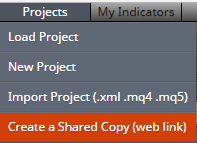
Richart, make a small test project in your projects that shows the problem, and I will see it. Or you can share this test project here
-
@fxdreema Thanks for the response. I worked around it already.
Learning to be much more thorough in my testing.
Thanks.


