PositionCloseBy function
-
Hello,
I would like to implement the function PositionCloseBy on a custom block (Custom MQL code). This function closes a position with an opposite position. For example: if there is one buy and one sell position open, the function will be able to close the buy with the sell position (or vice-versa), without the need of executing two new orders to exit both positions. Here is the MQL information: https://www.mql5.com/en/docs/standardlibrary/tradeclasses/ctrade/ctradepositioncloseby
I know this is done automatically in MT5 "netting" accounts, but I need to use it on a regular "hedging" account.
I have tried very hard to make it work, but couldn't. I was hoping I could get some help.
@miro1360 , would you be so kind to have a try? I have seen you do the impossible with fxdreema blocks

You could perhaps use this simple project, that will open 2 buys + 1 sell position: https://fxdreema.com/builder/shared/dfo4SBX2e
My goal is to be able to leave only one buy position open (the newest).
Thanks a lot
-
This is what I made as an example: https://fxdreema.com/shared/kUibWj44 It works... kinda. I personally don't really see the need of this function if we want to close all trades into one. Because in the process we actually create new trades and it gets messy. I'm probably wrong, but I think that this function is to be used for 2 trades only, when they are known and there is a reason to turn them into one. I don't like what happens when we want to turn more than one trade into one.
-
The function PositionCloseBy is from the Trade.mqh library and belongs under CTrade class and therefore an object must be created.
https://fxdreema.com/shared/E5T9pyT8e
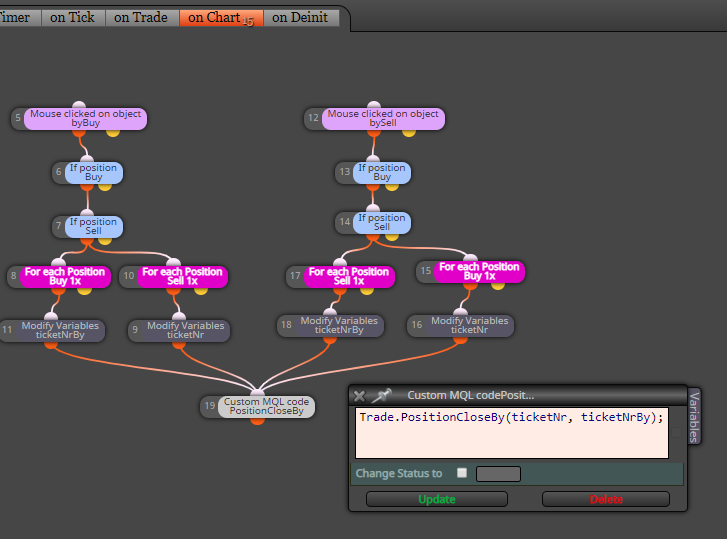
from FxDreema generate only mql5 code
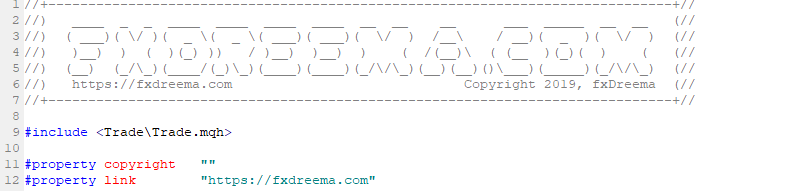
open generated code in the MetaEditor, in your computeradd this include in the top of code:
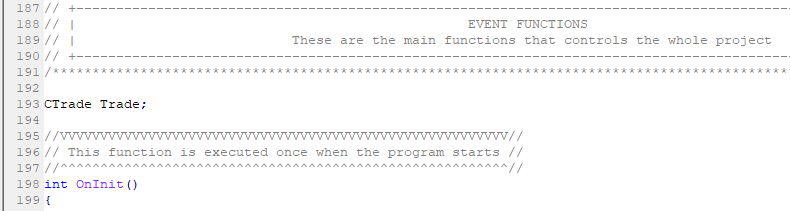
Above the OnInit() function add this CTrade object Trade definition:
Click on the Compile button in the MetaEditor, it generates ex5 file and done
-
-
you can change the code like this:
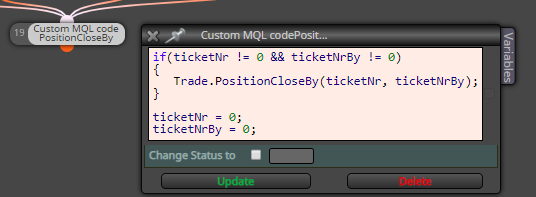
which will run that function only once, when both ticket numbers are recorded... or you can create another rearrangement of blocks too, like this one:
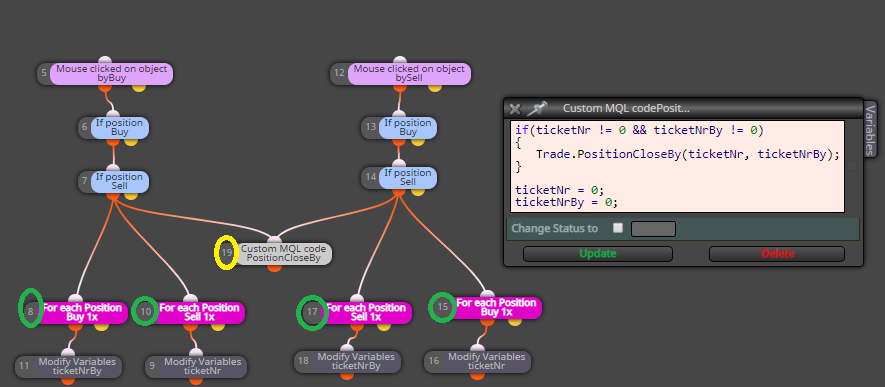
where the custom code block happens after all the cycles are finished
but in this case, custom code block must have its ID number larger (yellow circle) than any number from the green circle... each for loop can go through all the trades (can happens more than 1x) and condition blocks as filters can be added (and record only that trade, which will match the filter) ... but thats your job
-
Excellent Miro...
I got the concept... my problem was with the initial code.
Thanks a lot again.
