EXPERTS, PLEASE HELP and SHARE
-
I have successfully made my first EA using 2 indicators and it works perfectly fine (not much profit). I am very happy with it but i would like to add some parameters to it and i'm stuck.
- if trade is losing, it will not close and will open another entry at a specified distance with lot size doubled or multiplied to x.
- if target profit is achieved, all open trades related to the first entry should close.
please help.
-
@tradeandearn-0 For point 2 you can read this:
https://fxdreema.com/forum/topic/6416/close-all-trades-when-open-trades-are-in-profitFor point 1 you need to be more specific, please. What parameters would you need to be selectable?
-
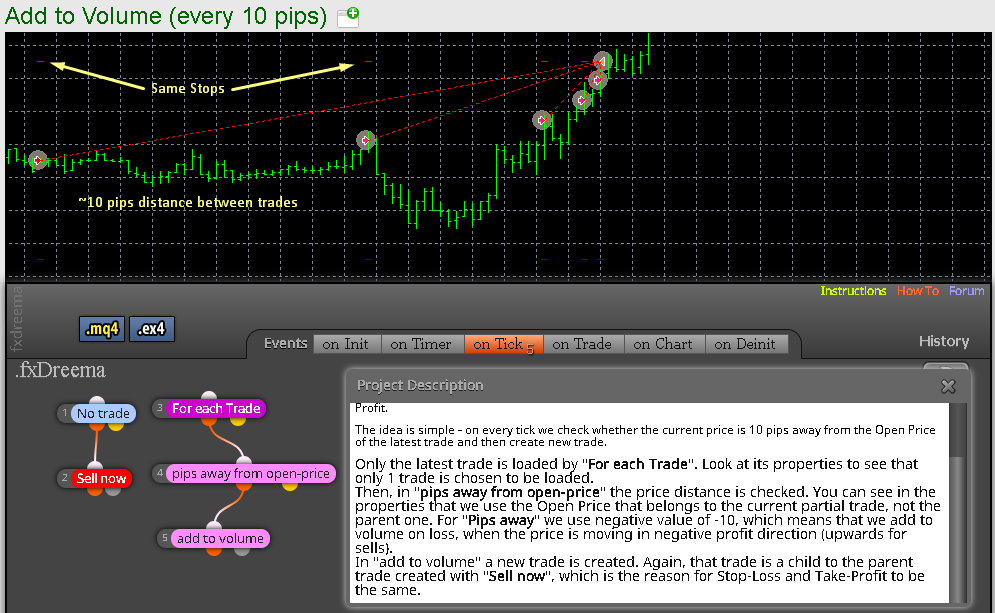
@l-andorrà https://fxdreema.com/examples#Loop-(For each...)
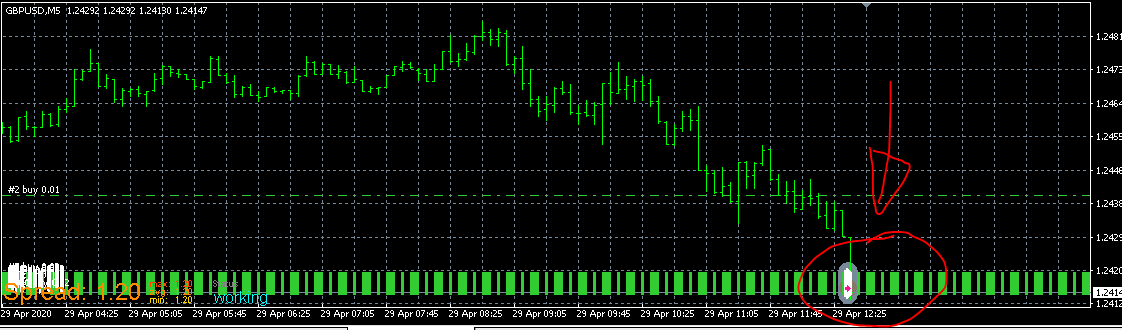
i tried this example but the add to volume did not work. it opened a lot of trades after the distance
-
@tradeandearn-0 add to volume/ every 10 pips
-
@l-andorrà this is the test result
-
@tradeandearn-0 Can you please share your project instead of just showing those screenshots?
-
@l-andorrà id like to make add to volume work first
-
@l-andorrà sure, here is the link,, https://fxdreema.com/shared/rzPdq1Tud
-
@tradeandearn-0 Ok Now I see the problem. fxDreema cannot increase the amount of lots of an open trade. What it does is opening a new trade with a new lot size. Is that what you want?
-
@l-andorrà yes, after x pips away from current open price, open a new trade with a new lot size. the lot size is higher than the previous
-
@tradeandearn-0 And isn't it doing that right now? Because that's what the logic of your project says.
-
@l-andorrà not working
-
@tradeandearn-0 Isn't it opening a new trade?
-
@l-andorrà i took a screenshot of the results, then you asked for the project. it there on top
-
@tradeandearn-0 ,, Please excuse L'andorra, he is seriously a very busy man and helps a lot of people so he maybe just missed the screenshot... all is good in this land
-
@alphaomega Correct, and not aonly that I see no screenshot in my browser!
 Can anyone see it except me?
(English) I will try to help everyone in these fxDreema forums. But if you want to learn how to use the platform in depth or more quickly, I can help you with my introductory fxDreema course in English at https://www.theandorraninvestor.eu.
(Català) Miraré d’ajudar tothom en aquests fòrums d’fxDreema. Tanmateix, si vols aprendre a fer servir la plataforma amb més profunditat o més de pressa, t’hi puc ajudar amb el meu curs d’introducció a fxDeema en català a https://www.theandorraninvestor.eu/ca.
(Español) Intentaré ayudar a todo el mundo en estos foros de fxDreema. Sin embargo, si quieres aprender a usar la plataforma en profundidad o más deprisa, te puedo ayudar con mi curso de introducción a fxDreema en español en https://www.theandorraninvestor.eu/es.
-
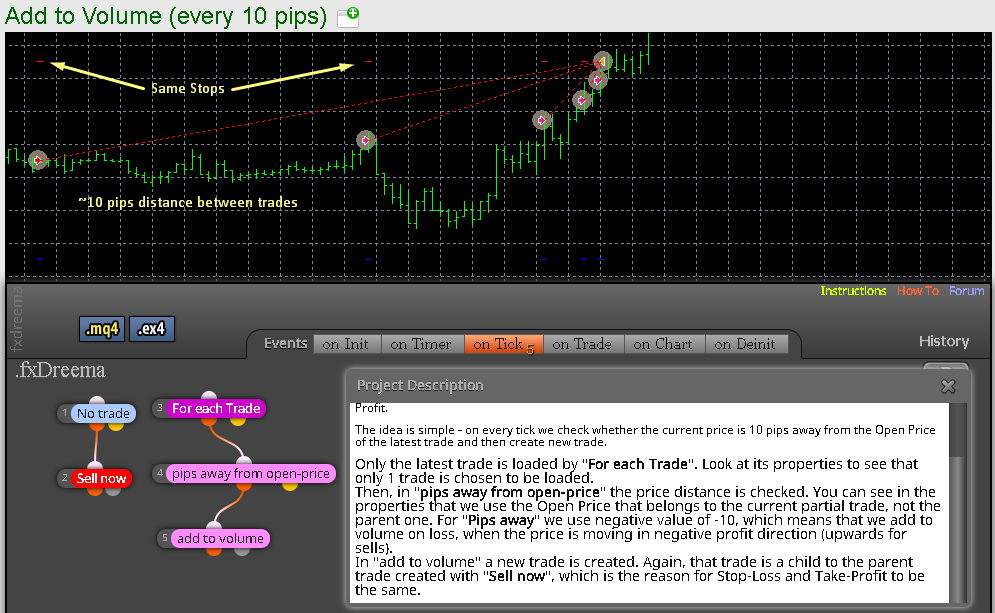
@l-andorrà ..... the screen shot is there
-
@alphaomega And why can't I see the first one? Ok. This is taken from the instructions' page. I'm afraid I don't see the issue.
(English) I will try to help everyone in these fxDreema forums. But if you want to learn how to use the platform in depth or more quickly, I can help you with my introductory fxDreema course in English at https://www.theandorraninvestor.eu.
(Català) Miraré d’ajudar tothom en aquests fòrums d’fxDreema. Tanmateix, si vols aprendre a fer servir la plataforma amb més profunditat o més de pressa, t’hi puc ajudar amb el meu curs d’introducció a fxDeema en català a https://www.theandorraninvestor.eu/ca.
(Español) Intentaré ayudar a todo el mundo en estos foros de fxDreema. Sin embargo, si quieres aprender a usar la plataforma en profundidad o más deprisa, te puedo ayudar con mi curso de introducción a fxDreema en español en https://www.theandorraninvestor.eu/es.
-
@l-andorrà There is no issue..... He must just search and find and try try try ... till he has it!!

