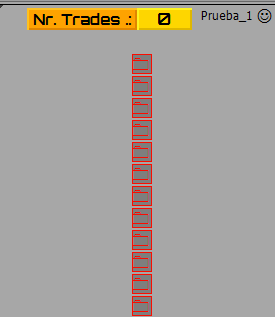
Video Tutorial - Signals Dashboard EA [advanced] - looping Objects, arrays
-
Hi zedai2. You try to open it with two EAs, only all in one EA. Since if you do it with 2 EA, if you think that one eliminates the other, a panel will never accept two EAs at the same time, this only allows you with indicators. Sorry for my English
-
@xyon126 said in Video Tutorial - Signals Dashboard EA [advanced] - looping Objects, arrays:
@ miro1360. Thank you very much for the tutorial and the video, they are phenomenal, unique. This help is the best. I have a question. It is possible that the buttons of the pairs or symbols EURUSD, GBPUSD, etc. have a LINK that when pressed does not send to the window of that pair, if so, how could it be done. Thank you very much in advance and sorry for my English.
It is pretty simple, just continue with the loop template. I assume that you need to change a pair on the same chart (not open a new one). Add this to "on Chart" section.
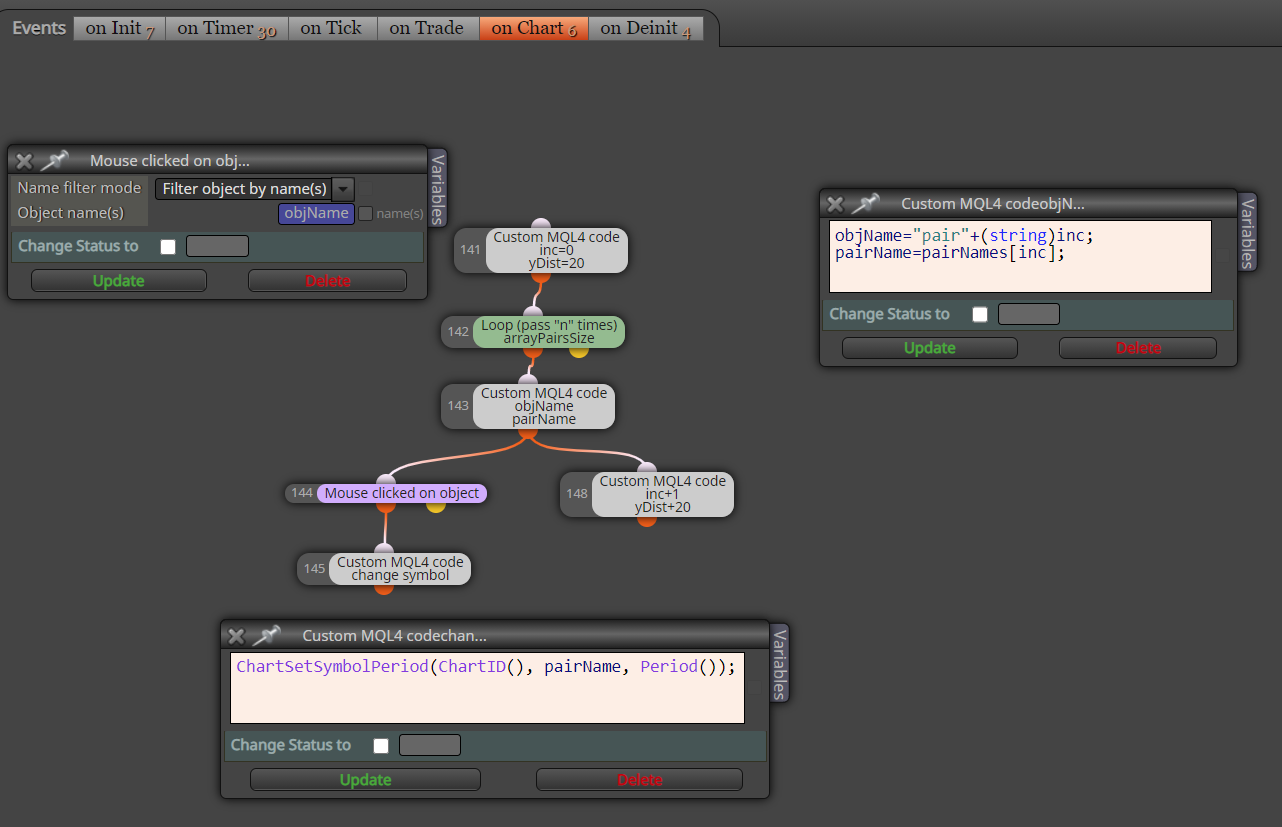
Now when you click on the pair name, the chart changes accordingly.
Between trading and gambling is a very small gap, be careful.
-
@miro1360 said in Video Tutorial - Signals Dashboard EA [advanced] - looping Objects, arrays:
Thank you very much for the tutorial and the video, they are phenomenal, unique. This help is the best. I have a question. It is possible that the buttons of the pairs or symbols EURUSD, GBPUSD, etc. have a LINK that when pressed does not send to the window of that pair, if so, how could it be done. Thank you very much in advance and sorry for my English.
Thank you very much, I am going to try it.
-
@miro1360 Thank you very much. I look at all this is by pair?
-
https://fxdreema.com/shared/W5N4D492d
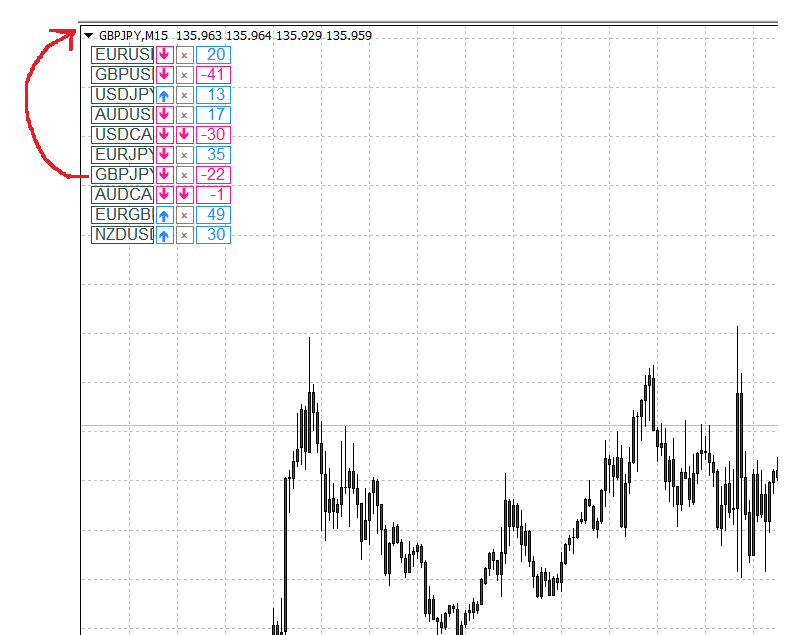
you look on it through the loop + mouse clicked on object (the loop iterates over an object name, the object name (and pair name) is selected/changed in the loop)
now as you click on a pair name, the chart is changed accordingly ... so you can make any object clickable from any array contained its name:
Between trading and gambling is a very small gap, be careful.
-
@miro1360 Many thanks. Just a few last questions to be able to adapt it to my strategy:
What exactly does it do?, How can an audible alarm be added? and in "on Timer" there are in the lower right corner two loose blocks "Pass" the Nr. 22 and Nr. 23 What function do they have, what are they for? or they do nothing. -
22 and 23 does nothing

alarm for what condition?Between trading and gambling is a very small gap, be careful.
-
@miro1360 Hi look! My intention is to adapt it for my strategy which is: Always being in M5 when this occurs EMA-30> EMA-200; EMA> 12> EMA-30; PRICE> EMA-200; Current candle crosses above EMA-30 all in M5, M15 and H1 at the same time. Let me know (sound signal and on panel) when all this occurs and the candle that obtains it closes.
All this I will apply in 12 currency pairs. There is another premise but I think it is impossible to program since it is visualizing a change in trend or swing with a minimum of 4 candles, 2 bearish and 2 bullish in a row and this visual is much faster. That is why I need an audible warning and in the panel to know which pair produces it. By the way, what does the tutorial panel really do?
Thank you very much. -
here is something ... alert is slightly tricky, the whole system can be complicated and not easy to explain
Between trading and gambling is a very small gap, be careful.
-
@miro1360 hi, i'm following the video, excellent tutorial, thank you very much.
I would like to ask if there is something similar but to handle the open trades of the currency of the chart we are working on.
That is, we assume that we work with several currencies at the same time and in the graph we want only the open trades of that currency to appear so that we can easily see specific information about that currency and not about everything in general
Thank you very much for everything, you are a great help -
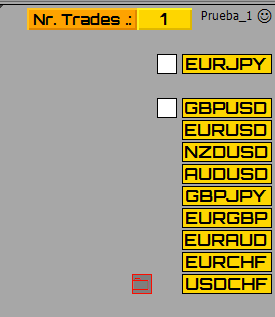
@miro1360 Hello, I am making this concept of the photo with your panel, the problem I have is the one seen in the photo, my idea is that in the panel next to each PAR I get the number of open operations in that PAR and that in another button I get an arrow up green or down red If the profit is positive or negative but I am not, what I get is the photo, I do not get all the buttons in any column, it deletes the PAR and when I delete the EA I have a button and it does not delete it. Please, what am I doing wrong? Thank you.
-
many things ...
- block IDs (numbering) is wrong (it must be incremental as my first example does)
- prefix name is missing
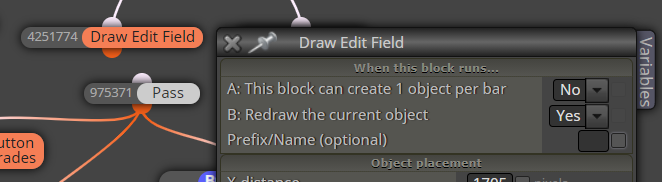
- this is not working that way ... move it in the loop (and add blocks for trades filtering - by name)
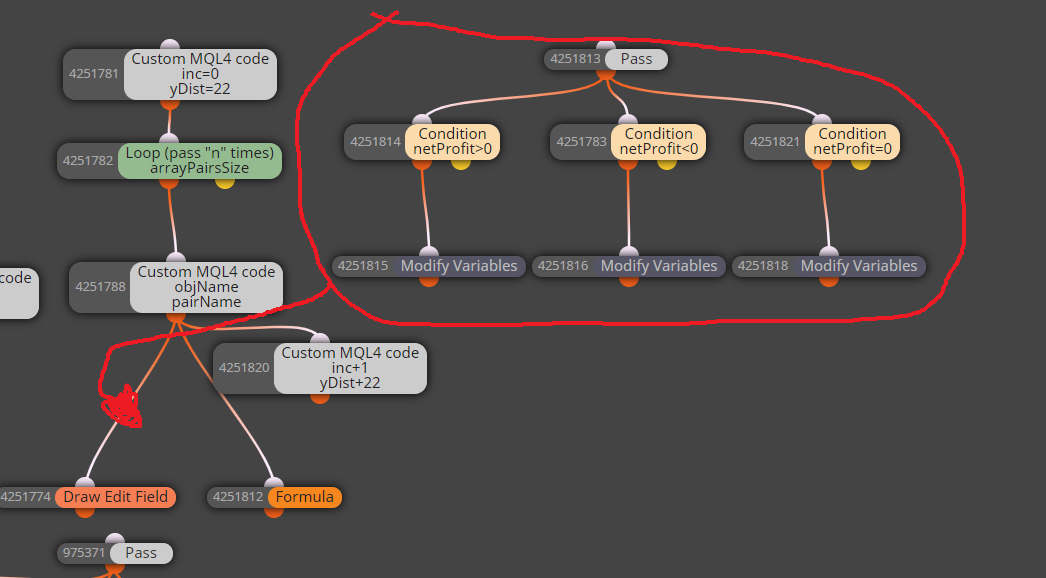
Between trading and gambling is a very small gap, be careful.
-
-
as I said, many things
....
all "conjoint" objects have the same name and it is wrong, change it ... for something different, like "field-a" and "field-b"
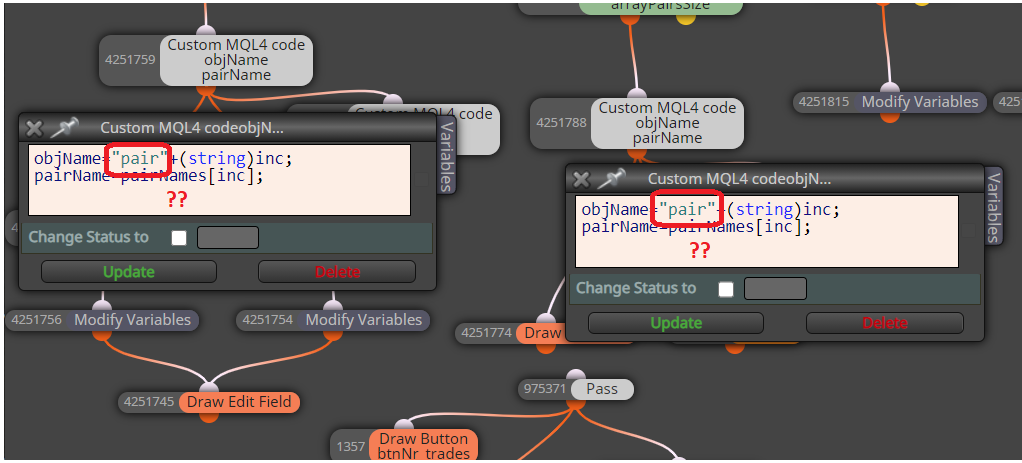
-
and do this correction for each loop:
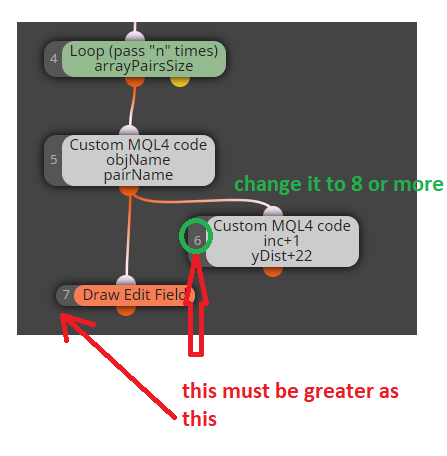
-
I am not sure if this will be sufficient:
... perhaps you will need somehow filter the trades, because "Trade statistics" count with all opened trades (regardless of the pair) and therefore all blocks will be either green or red
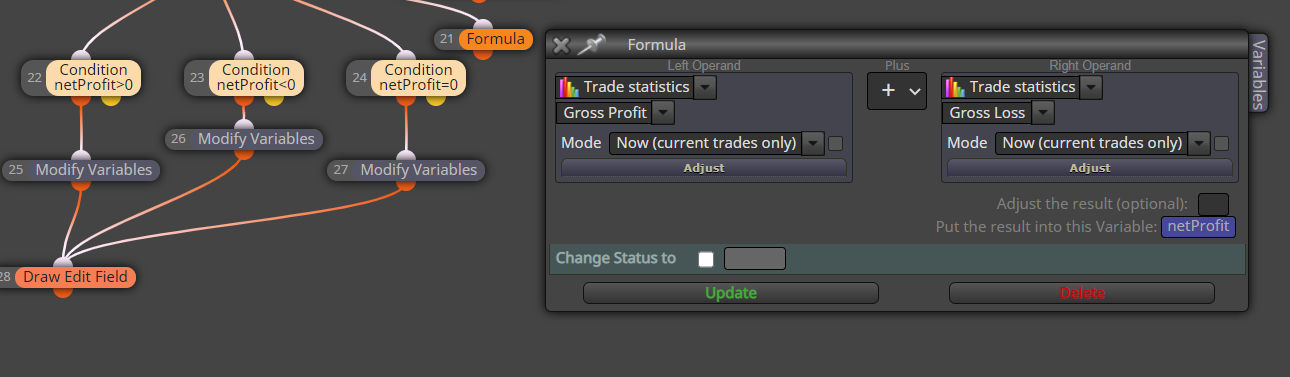
Between trading and gambling is a very small gap, be careful.
-
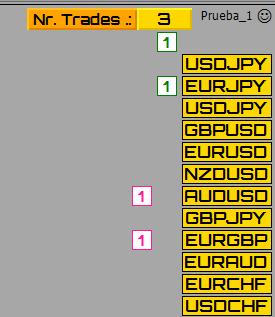
@miro1360 Hi @miro1360, thank you very much for the comments and help, for what you comment with the profit for PAR I see that it will not be possible and having only the amount next to the pair it will be worth the same. I have modified everything and what I have done is two columns, one for purchases and one for sales, but even so it gives me problems; In the photo there are 3 open operations as indicated in the upper part where it indicates the total of operations but in those of the pairs when there are no pairs a button with a zero should appear and it does not come out, and it generates a button in the air that I don't know why, another problem is that when everything is left to zero the upper panel does not reset and the columns of the pair operations do not appear, And I get the trading buttons one position above par and not to the side. where are the errors? Well, I think it's simplified and now it should be fine. I'm not a computer scientist and I am unable to find the errors. Thanks a lot.
-
here with profit/loss info ... you can add all additional info that way:
https://fxdreema.com/shared/WkqqYegkb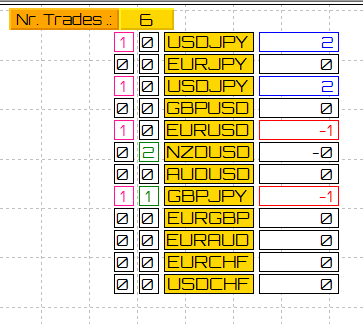
Between trading and gambling is a very small gap, be careful.
-
-
 no worries, the more you practice the better you become
this is important in the loop
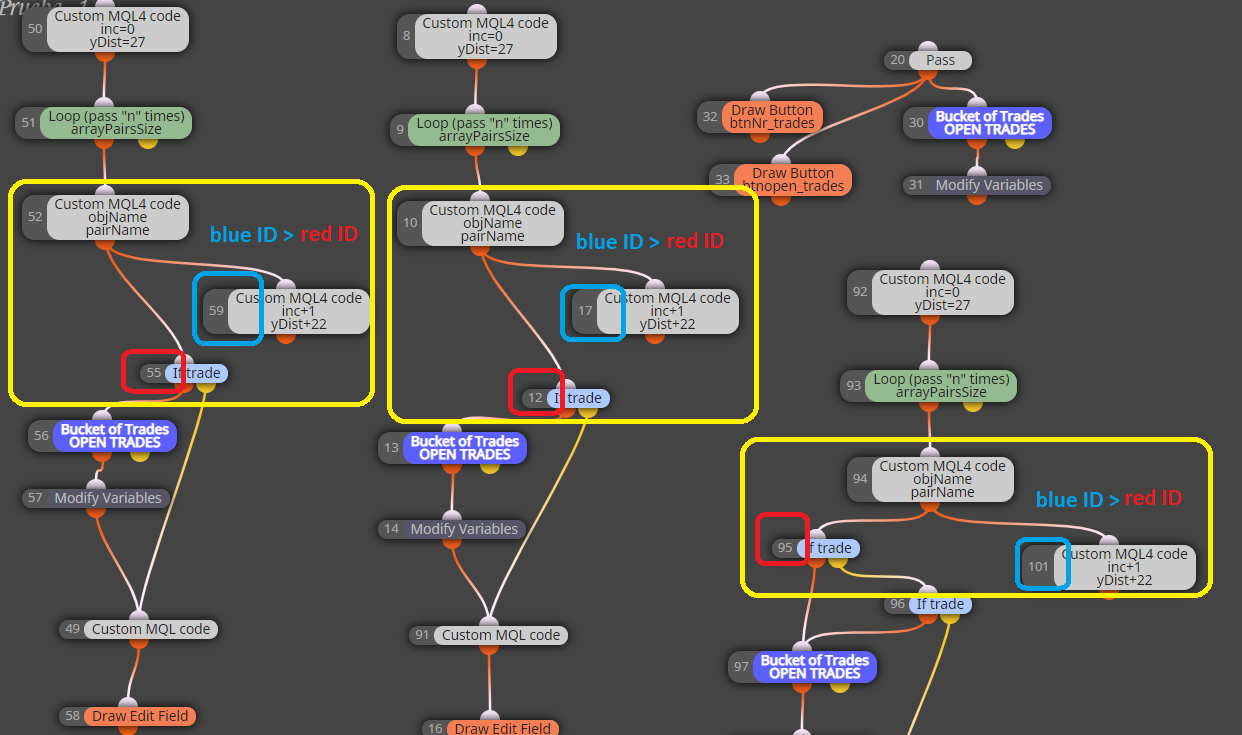
I wish you Merry Christmas too
Between trading and gambling is a very small gap, be careful.