I dont understand trailing stop
-
Hello Dreemas
Correct me if Im wrong. If I start trading at 1.000 and I set a trailing stop at 100 pips that means the trade will stop at 1.100 with trailing take profit and 0.900 with stop loss? and what does trailing steps do. I have read the info and im not really understanding.
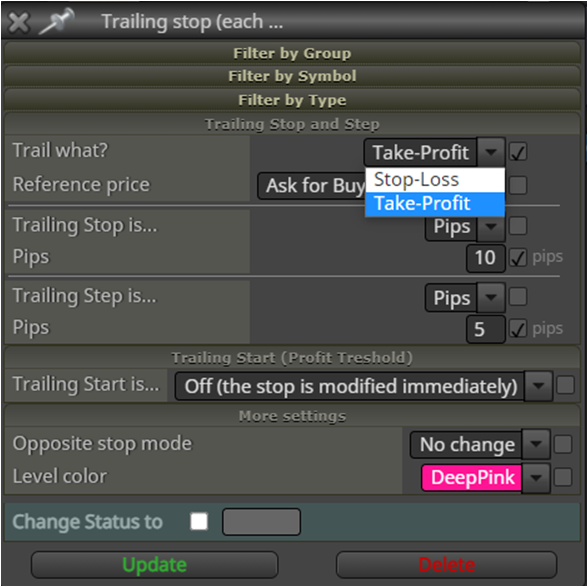
If I want to make a check point can I do it with trailing stop or do I need to build with other blocks. With check points means it keeps modified the stop lost higher and higher. For example:
- buy order start at 1.000
- at 1.100 it triggers the check point and its stops 50 pips below the current price. That means the stop lost is 1.050.
- but if the current finds a new higher price the stop lost will change with it :
by 1.1000 the stop lost will be 1.050
by 1.1001 the stop lost will be 1.051
by 1.1002 the stop lost will be 1.052
by 1.1003 the stop lost will be 1.053
by 1.1004 the stop lost will be 1.054 and so on.
Can some one pls help me with this? thank you in advance
-
@william-1 Stop is how much profit before stop moves, step is how far to move once stop is reached, start is how to wait before starting trail, the trail won't stop until price retraces and hits.
-
This is my setting for my trailing stop block
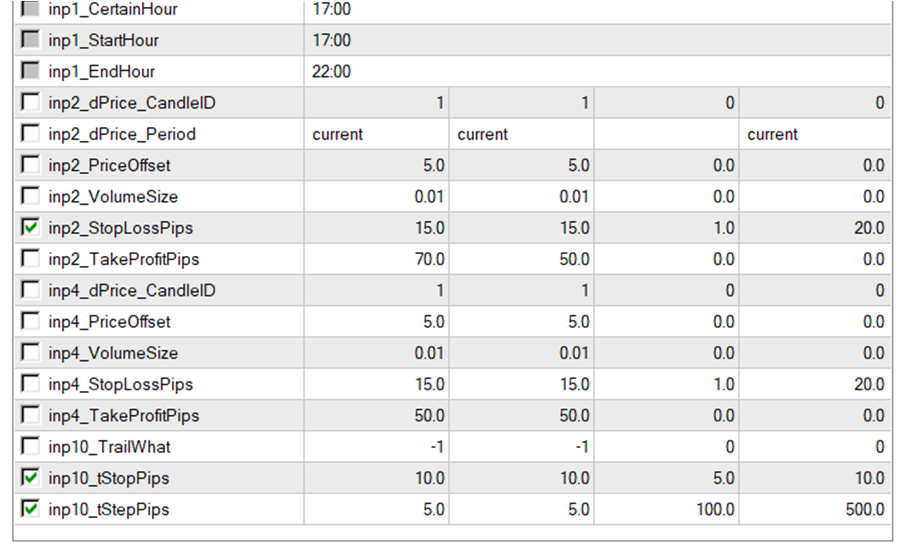
Is this how it should done? With tstop pips means at 100 pip profit to trigger the trailing stop? and 50 pips to stop lost?

for some reason the the stop lost doesnt move. The selling order is 114332 and after 50 pip its just taking profit? While there is a whole lot profit to be make.
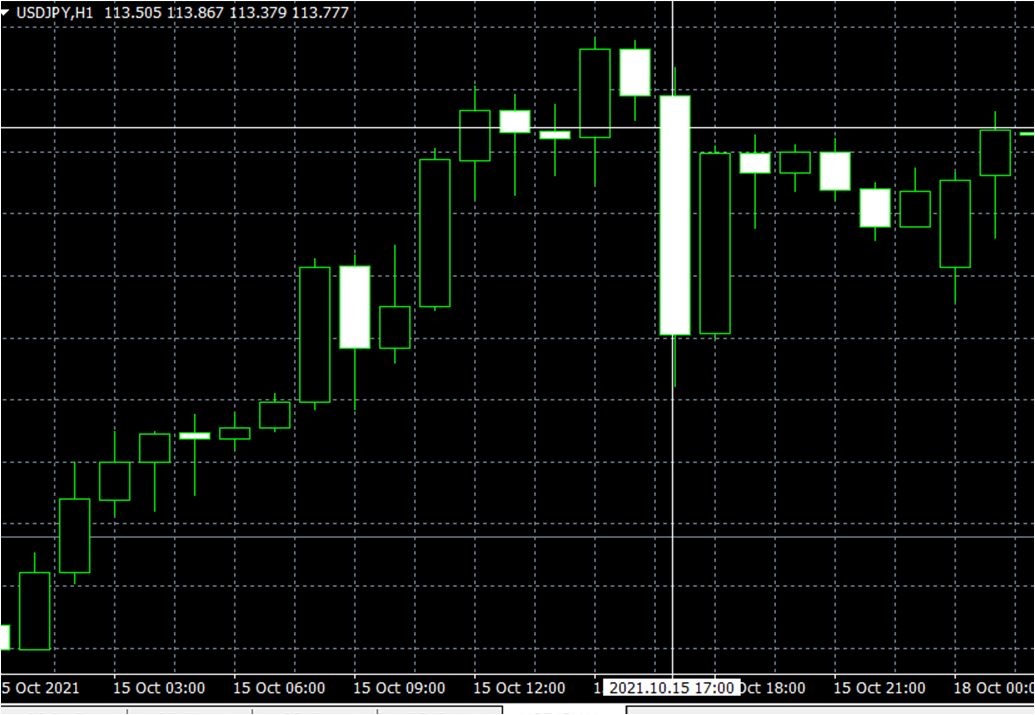
what did i do wrong with the settings
-
@william-1 The stop is how far behind price to trail, this distance doesn't change unless you use start or a separate condition to start/stop. If you put a shared link things can be looked at, I would set up a simple buy/sell EA, then set up a simple trail to see on back test how it works.
-
@jstap I really appriciate for helping me :D. thank you for that. This is my project link.
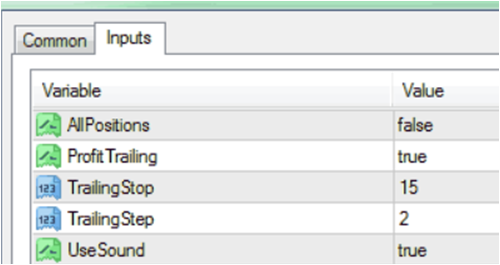
As you can see at my trailin stop there are like 4 columns and when I google it, it got 1 column. Do you know how it comes. Mine is more complex for some reason.
-
@william-1 Put a shared link on here so problems can be assessed.
Learn fxDreema Without the Wait!
My comprehensive book, available on Amazon, is packed with examples and invaluable insights to help you fast-track your learning journey.
The paperback and hardback editions include MT4 & MT5 QR codes for easy access to all prebuilt projects and robots, including my latest gold trading robot!
Don’t miss out
Click here➡️ https://mybook.to/fxDreema to get your copy today!
Enjoy! 😊
-
Good day folks - Here I have the same problem:
my settings
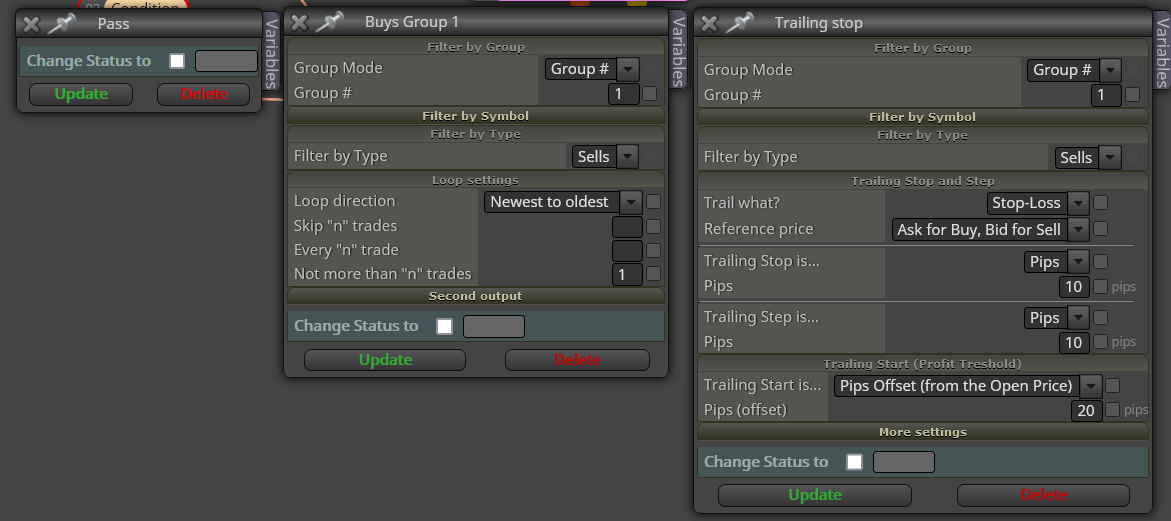
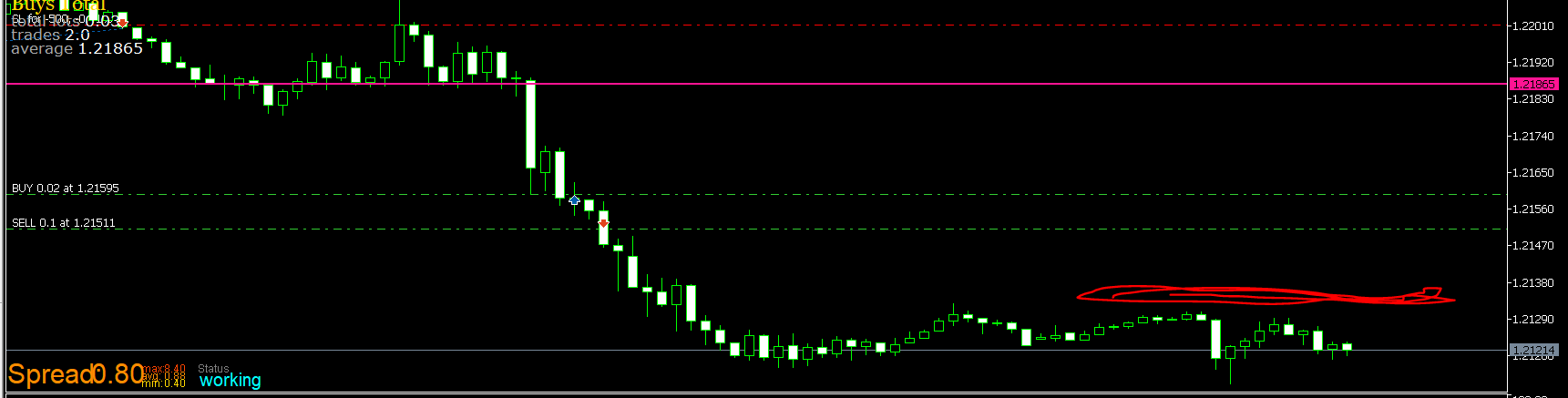
But this settings works 100% in the same expert
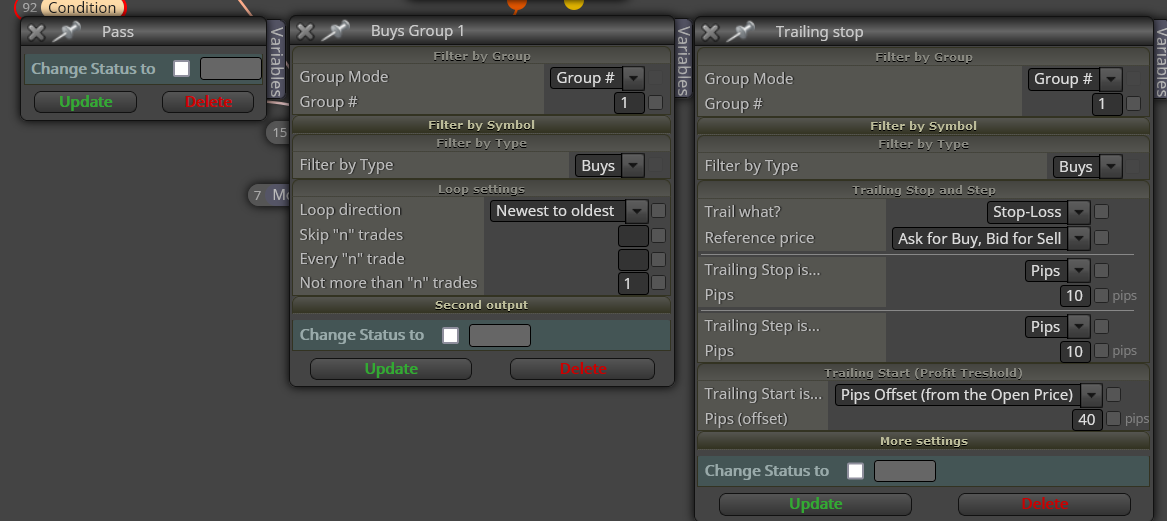
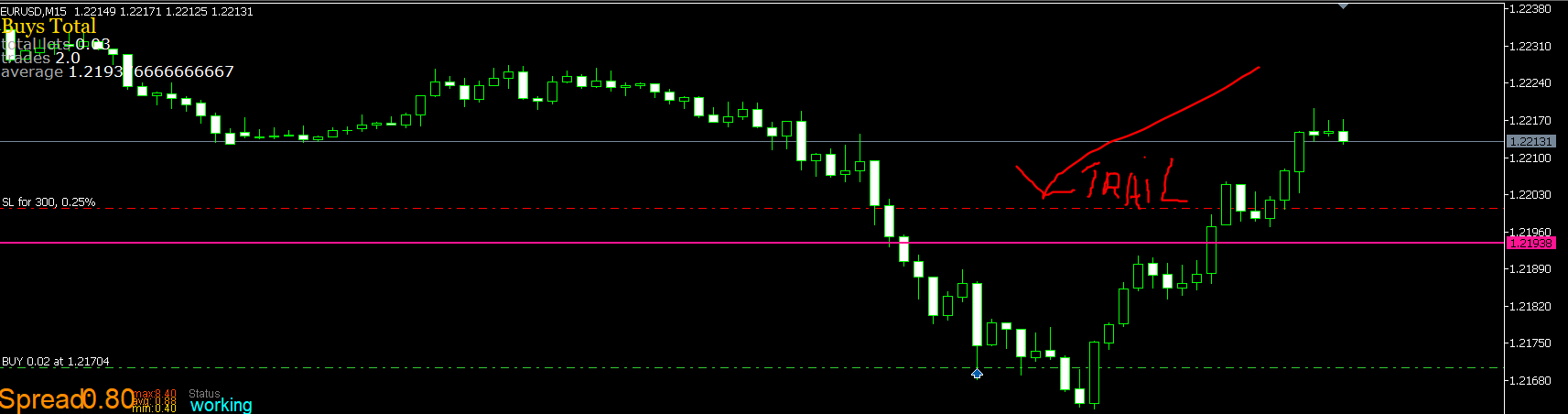
Some advice is needed please
-
I tried some difference same project difference parameters:
- trailing Start offset is 100pips. after 100 pips profit the trailing stop will be triggered.
- trailing step =ever 100 pip there will be a new checkpoint
- trailing stop = if there are 50 pips below the checkpoint it will stop lost.

- The blue colour is start buy trading
- The green colour are checkpoints
- the red colour are stop lost
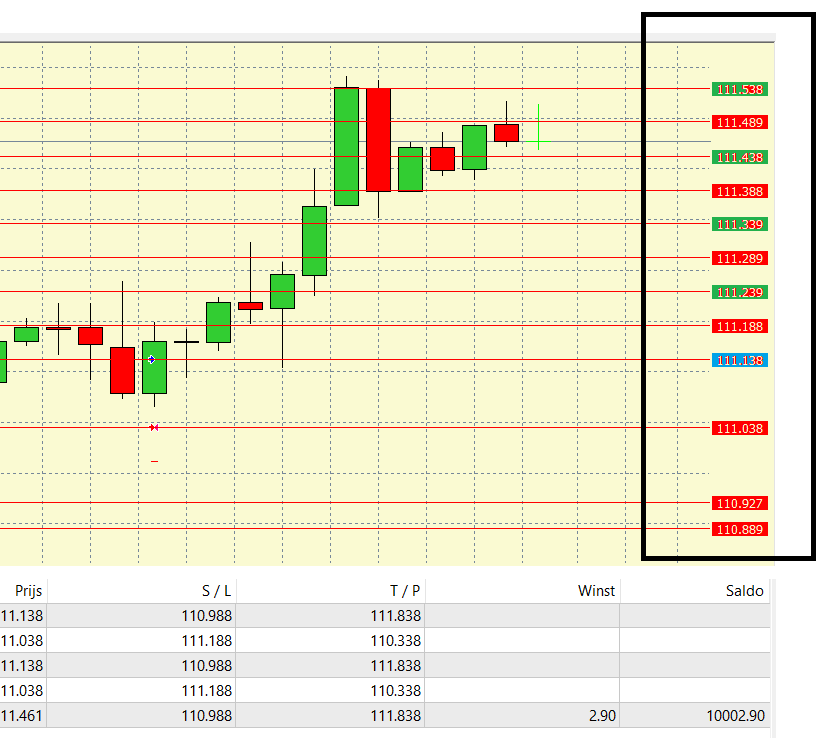
It should be stop at 111188 but instead it stoped 111461 . Can some help me with the setting. It kinda confusing. Are there other easy way instead of 4 columns.
Thank you in advance
-
if trailing stop doesnt work are there other ways to set a the strategy like above?
-
@william-1 Trailing should work by itself.. I did write a email to the creator Fxdreema about this problem. It use to work 100%, dunno whats going on now. Next would be to create a variable to run a loop check your profit... You can also try to work with profit unrealized block. I used it before... it is not a trailing stop function but at least you can set the ea to not lose your profit if you have a lot of positive and negative trades in one go.
-
@william-1 @AlphaOmega If you put a link to the shared project and the specific problem you are having the connections and inside block can be checked.
-
@William-1 @jstap @AlphaOmega
I'll try to explain it to you as I understand it and also with a project where I drew lines so I could see the stopping points of each one.Trailling Start - He just asks you:
(How many profit points above the opening price do you want me to move your Stop Loss from?)
If you enter 300, then it will do the following:
Open order at price 1000, when market price reaches 1300 move Stop.Here comes another question, (Where should I move the Stop Loss?)
To answer this question you must fill in the (Trailing Stop)
Trailling Stop - He asks you?
How many points below the price of (Trailling Start(1300)) do you want me to put yours (Stop Loss)?
If you enter 300, then it will do the following:
Trailling Start is at 1300, when the price touches it, I will put my Stop Loss at price 1000, that is, 0x0.
If you put for example 250 the StopLoss would be moved to 1050.Here comes the final question,
What is (Trailling Step) you want, I understand this as a delay.
Why delay?
Answer: If you observe there is a sequence logic, if in (Trailling Step you keep (0) then you are talking about, don't be late, whenever the price makes a new higher price, drag my StopLoss next to each point, that is.
If my current price is at 1300 and I've already secured my 0x0 at the 1000 price, when the price hits 1301 drag my StopLoss to 1001, go point by point giving me profit.
Now if you put Trailling Step a value (50), you're saying:
After you have left me at 0x0, when the price is at a distance from the sum of points of (Trailling Start+TraillingStop, ie (300+50=350) 350 points above the price of where my (Stop Loss) is, move it immediately giving me 50 points of gain and walk like that always.I tried to detail it because I see a lot of doubts about this, hopefully it helps a lot of people around here, I like to put lines in the graph to unravel the workings and I do this for everything in all my EA's.
Follow the project link, if anyone has a better idea please share it too.
https://fxdreema.com/shared/2QD4rMMtdSou do Brasil e utilizo o sistema Fxdreema a alguns anos, sempre que tenho tempo disponível eu tento ajudar alguém por aqui, mas se quiser uma ajuda mais próxima me contacte:
Site: https://www.ontradingx.com.br
Youtube: https://www.youtube.com/@ontradingx
Boa sorte a todos nós!English - I'm from Brazil and I've been using the Fxdreema system for a few years, whenever I have time available I try to help someone here, but if you want more help, contact me:
Website: https://www.ontradingx.com.br
Youtube: https://www.youtube.com/@ontradingx
Good luck to all of us! -
@ontradingx I would not use a single pink block I would use a blue if trade block, to modify stop's at each level a pink for each trade block connected to a condition, connected to a pink modify stop's block.
Learn fxDreema Without the Wait!
My comprehensive book, available on Amazon, is packed with examples and invaluable insights to help you fast-track your learning journey.
The paperback and hardback editions include MT4 & MT5 QR codes for easy access to all prebuilt projects and robots, including my latest gold trading robot!
Don’t miss out
Click here➡️ https://mybook.to/fxDreema to get your copy today!
Enjoy! 😊
-
@jstap Could you make this change and generate a project posting here so we can analyze?
-
@ontradingx Thank you for this wonderful detailed explanation!! Would you please take this post of yours and make in the Tutorial thread, because many people have problems with this and will miss this great tutorial because they will not search this post name under "I dont understand trailing stop". I myself just by luck stubled upon this post as the search option is not that efficient or maybe I am using it wrong.
-
@jstap Thank you for for your replay ill look into it
-
@ontradingx thank you for your reply. I know now that my strategy wont work with trailing stop , the keep moving stop lost up in every 100 pips in profit and then blow 50 pips of that price.
-
@alphaomega
Thank you my friend, let's unravel this Fxdreema as much as we can, now I'm working on something custom, as I like Trailling Stop Técnico, I don't believe in anything other than breakpoints or technical balance, I suggest you study more the asset that is operating and try to create trailling stop with strong structures, Trailling stop is great to ensure profit, but the best is you put your stop in the right place and the right place is always behind strong barriers.
Follow the link to the tutorial already posted.
https://fxdreema.com/forum/topic/13829/trailling-stop-how-to-use -
@ontradingx I tried it out and it works, but how can I make the stop lost fixed by 50 pips after it the trailing start. Can i also make it a loop? I mean after every 100 pips it make a new fixed stop lost level?
-
@william-1
Hello friend, I don't understand, can you be more specific or send a drawing of what you need?


