Making The EA look nice? Settings block IDs
-
How do I make this:
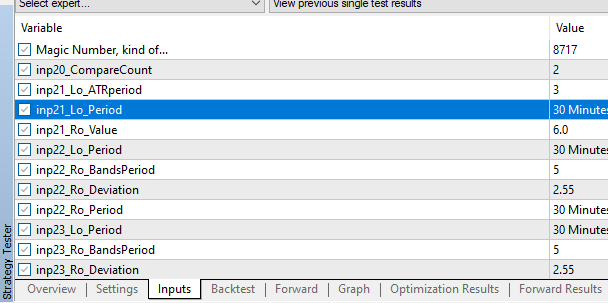
..look like this:
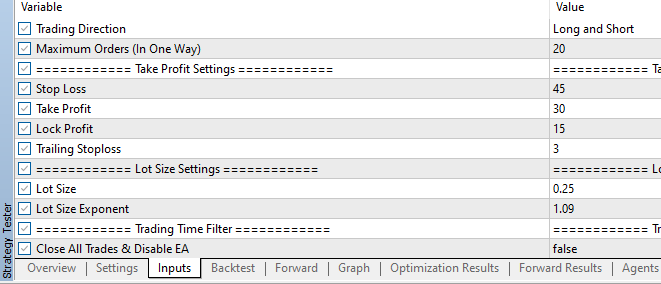
?
I don't even know the proper keywords to search for this in the Q and A, haha!
-
Look for Constant.
-
Ok, I see that.
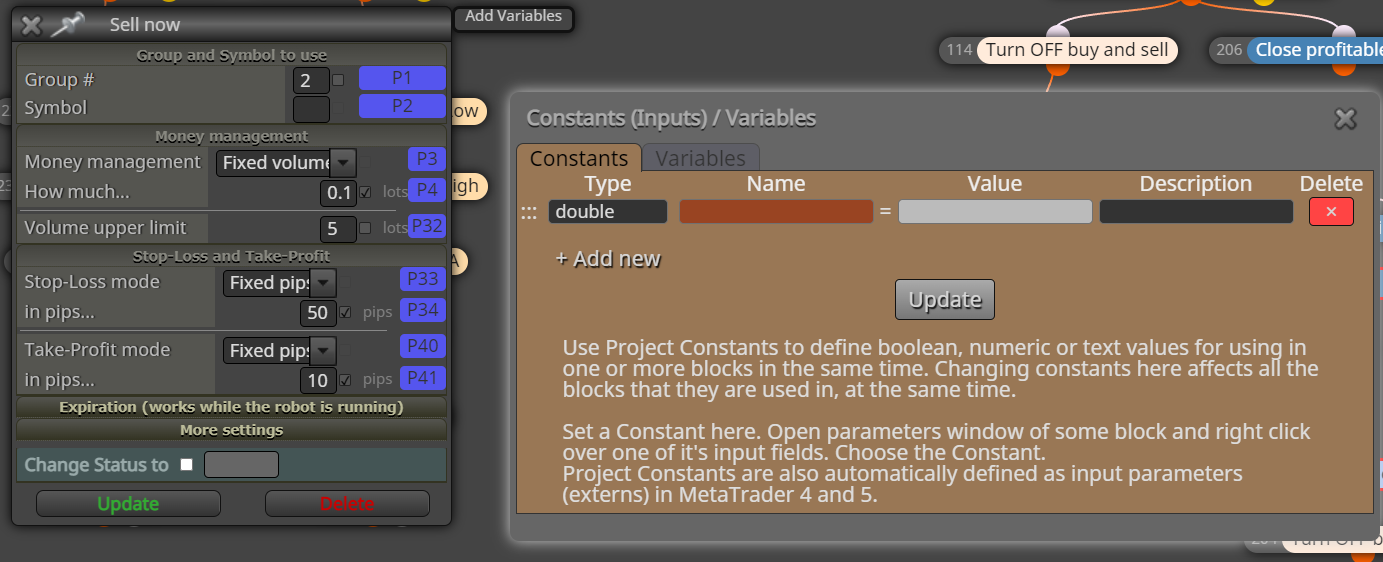
Do the P#s go under "Name" or "Value"?
what equals what? Is P# the name or the value?
Also how do I add a row that's just a description as seen in the example in my first post?Ok, searching the forums, thanks.
-
@nicholas86 The name is how you want input to look and help you know what's doing what, the value is whatever is needed to create the desired result type is:
bool== true/false
int == whole number like 1, 2, 3, 67, 581 etc
double == number with a decimal like 0.0, 8.7 etc
string == textthere are more but unlikely to need.
-
@jstap So I guess I would put
string == Typical price (HCL/3)
if I want to have a constant be able to change the applied price of an indicator block from the drop down menu? Or is there a specific code I need to enter.Thank you!
edit: that string didn't work. It shows up in the tester parameters but it doesn't drop down a menu. just shows the text.
-
@nicholas86 I have never done this but you need to use this type: ENUM_APPLIED_PRICE
this in value: PRICE_TYPICAL
or possibly the value that's in the link. -
@jstap Yeah, the option is probably not even gonna make a difference in this particular indicator, a moving average. The period is probably more important.
I am grateful for your help. The ENUM thing works!
-
@nicholas86 Your welcome, for moving average int and number is all that's needed.
-
@jstap How do I add the fancy Title bars with this:
==== Text goes here ====
?
I tried entering
string = [blank] = description: the text I wanted
But it didn't work.EDIT: Never mind, I made a mistake. I forgot to update the Constants before closing the Constants window. Oops!
-
String | name | description
Under Name just put anything.
