fxDreema

    • Register
    • Login
    • Search
    • Back to the main page
    • Categories
    • Recent
    • Tags
    • Popular
    • Search

    My button won't change colours, anyone knows what I am doing wrong?

    Questions & Answers
    3
    5
    996
    Loading More Posts
    • Oldest to Newest
    • Newest to Oldest
    • Most Votes
    Reply
    • Reply as topic
    Log in to reply
    This topic has been deleted. Only users with topic management privileges can see it.
    • S
      Satyne last edited by

      Hi everyone,

      I am trying to get the following to work:

      When a button on the chart is pressed, it should change color. When it is not pressed, it should have it's original color.
      At this moment, when I press the button, nothing happens to the colour at all and I am still stuck at part one of what I want it to do, namely change colour when it is pressed.

      In this example I have no "pass" button connected to the on chart blocks, but i found that the results were the same.
      I spent time browsing through the tutorials, but obviously I am missing something.

      https://fxdreema.com/shared/g8Rz0xAXb

      Other things I tried were:
      I tried creating a block with "mouse clicked on object" but then I run into the problem that the conditions that you can put under there
      [object on the chart] - only has button state pressed/depressed and not either/or pressed.

      Can anyone point me in the right direction?

      Thanks for reading!

      jstap 1 Reply Last reply Reply Quote 0
      • D
        Dore last edited by

        Here is a project that I did that uses buttons. I do not change the color but I change the text. ea on /ea off
        But this should work
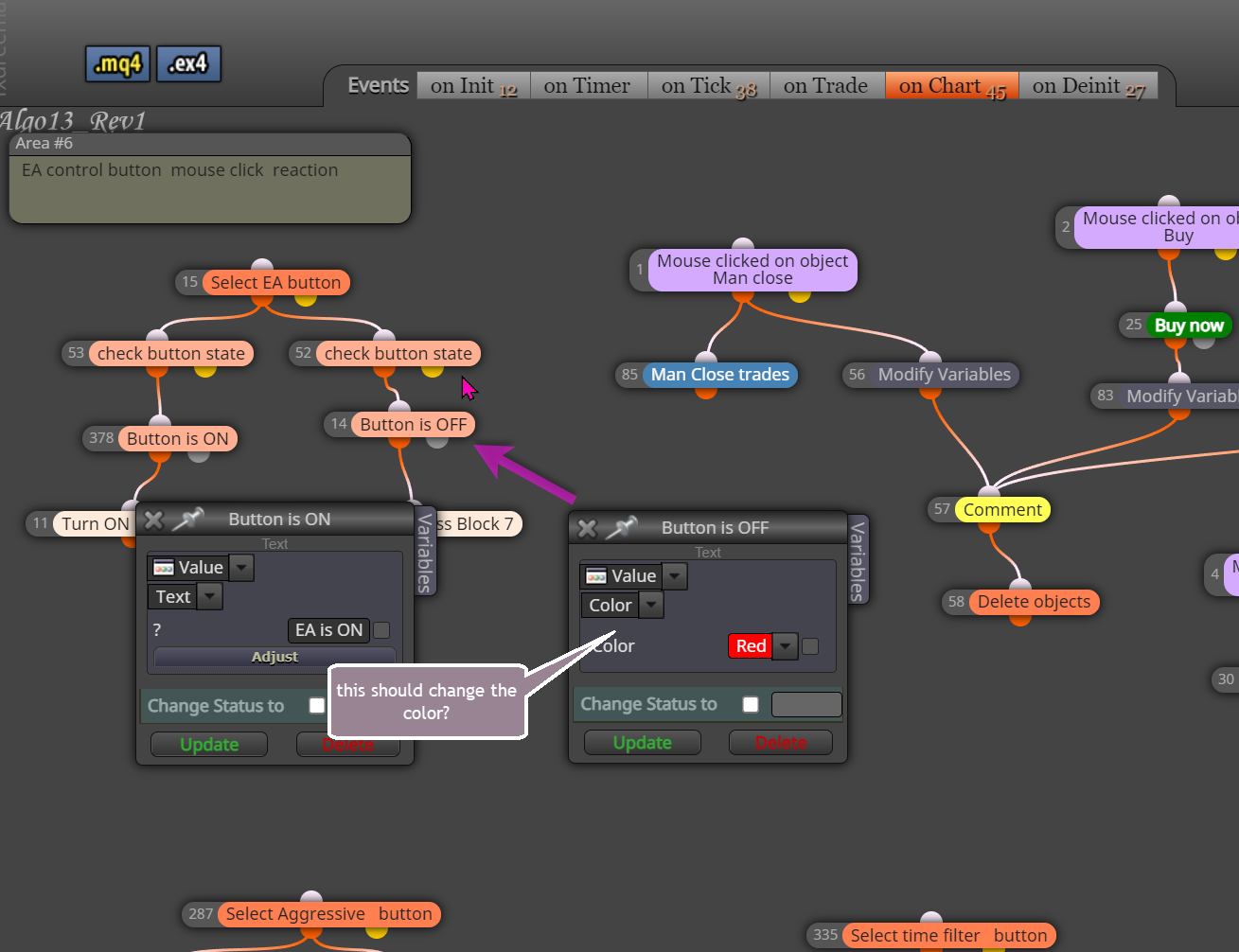
        0_1637240754317_051a4a64-74c8-48a6-8a3a-0ddefe97bd1f-image.png
        https://fxdreema.com/shared/ItWx4Lxhe

        1 Reply Last reply Reply Quote 0
        • S
          Satyne last edited by

          Thank you, I will try that out! @Dore

          1 Reply Last reply Reply Quote 0
          • jstap
            jstap @Satyne last edited by

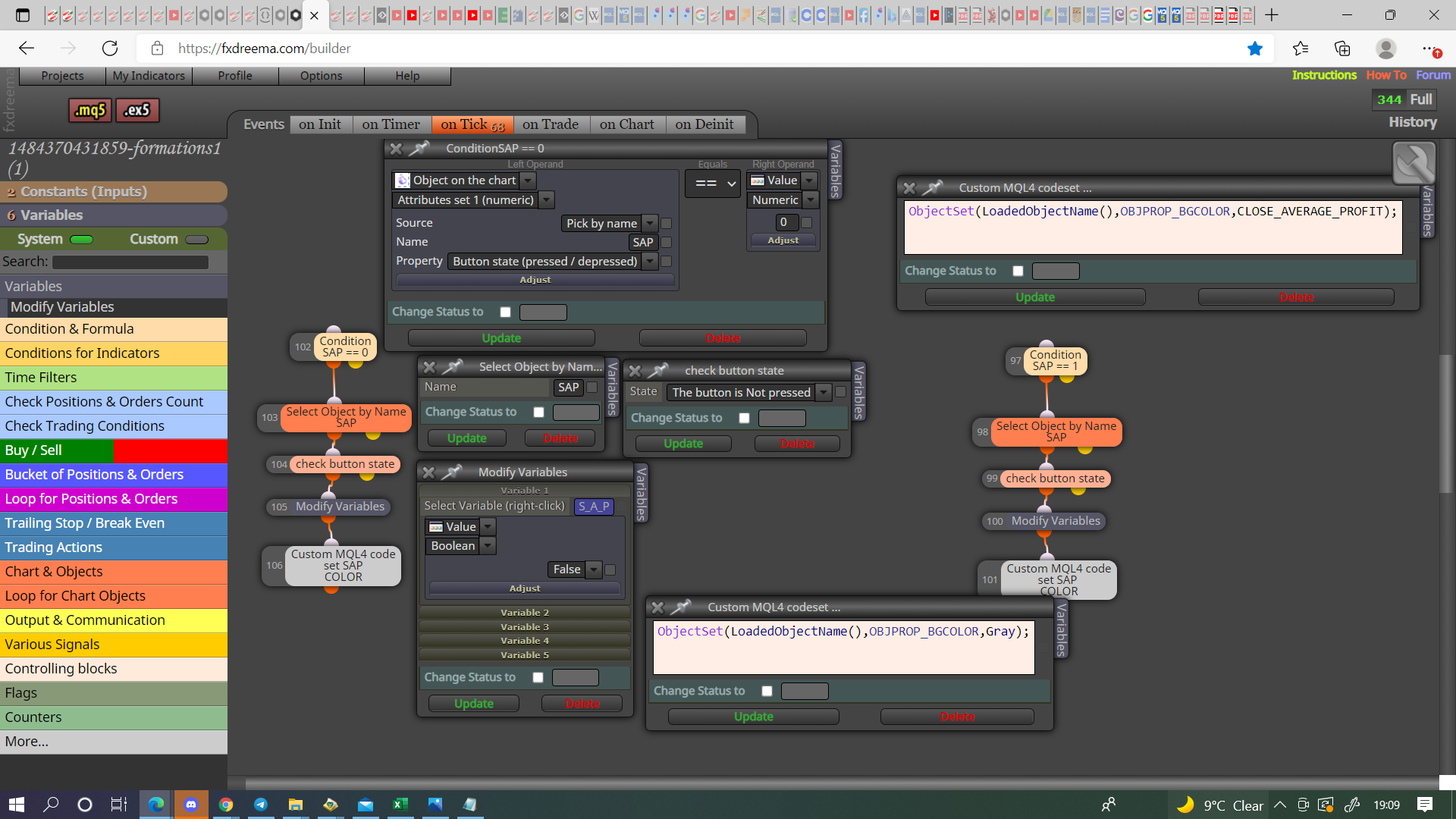
            @satyne I have never done it like this, if you search @miro1360 for buttons you will find all you need, this is how I have it working@:

            0_1637349053471_eb55951f-6d7b-4a0e-b333-f426d11ba0b5-image.png

            Learn fxDreema Without the Wait!

            My comprehensive book, available on Amazon, is packed with examples and invaluable insights to help you fast-track your learning journey.

            The paperback and hardback editions include MT4 & MT5 QR codes for easy access to all prebuilt projects and robots, including my latest gold trading robot!

            Don’t miss out

            Click here➡️ https://mybook.to/fxDreema to get your copy today!

            Enjoy! 😊

            1 Reply Last reply Reply Quote 0
            • S
              Satyne last edited by

              Thank you @jstap !

              1 Reply Last reply Reply Quote 0
              • 1 / 1
              • First post
                Last post

              Online Users

              A
              M
              K
              M
              B
              A

              19
              Online

              146.7k
              Users

              22.4k
              Topics

              122.6k
              Posts

              Powered by NodeBB Forums | Contributors