How do I put Stop Loss on a draw line?
-
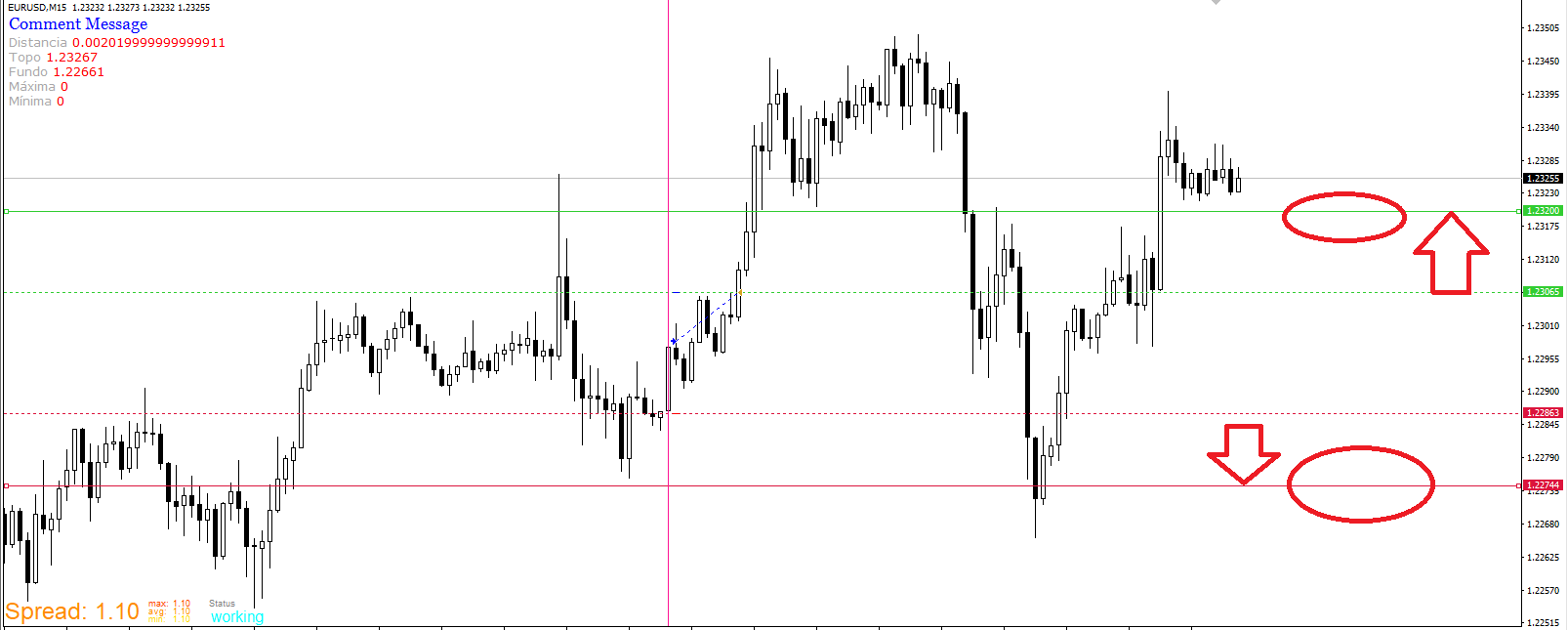 How do I put Stop Loss on a draw line?
Example:
I put 4 draw line:Draw line (1) at the top of a candle.
Draw line (2) on the bottom of a candle.
Draw line (3) target above the top of the Draw line (1)
Draw line (3) target below Draw line background (2)
How do I place stop loss on Draw Line (3) ?
How do I place stop loss on Draw Line (4) ?
-
@adeildo Is a lot easier to create the lines on EA start, maybe reset when wanted so they don't go off screen, this way they are called a specific name and you can use object on chart with the name you choose, save level into a variable, when creating object make it selected.
-
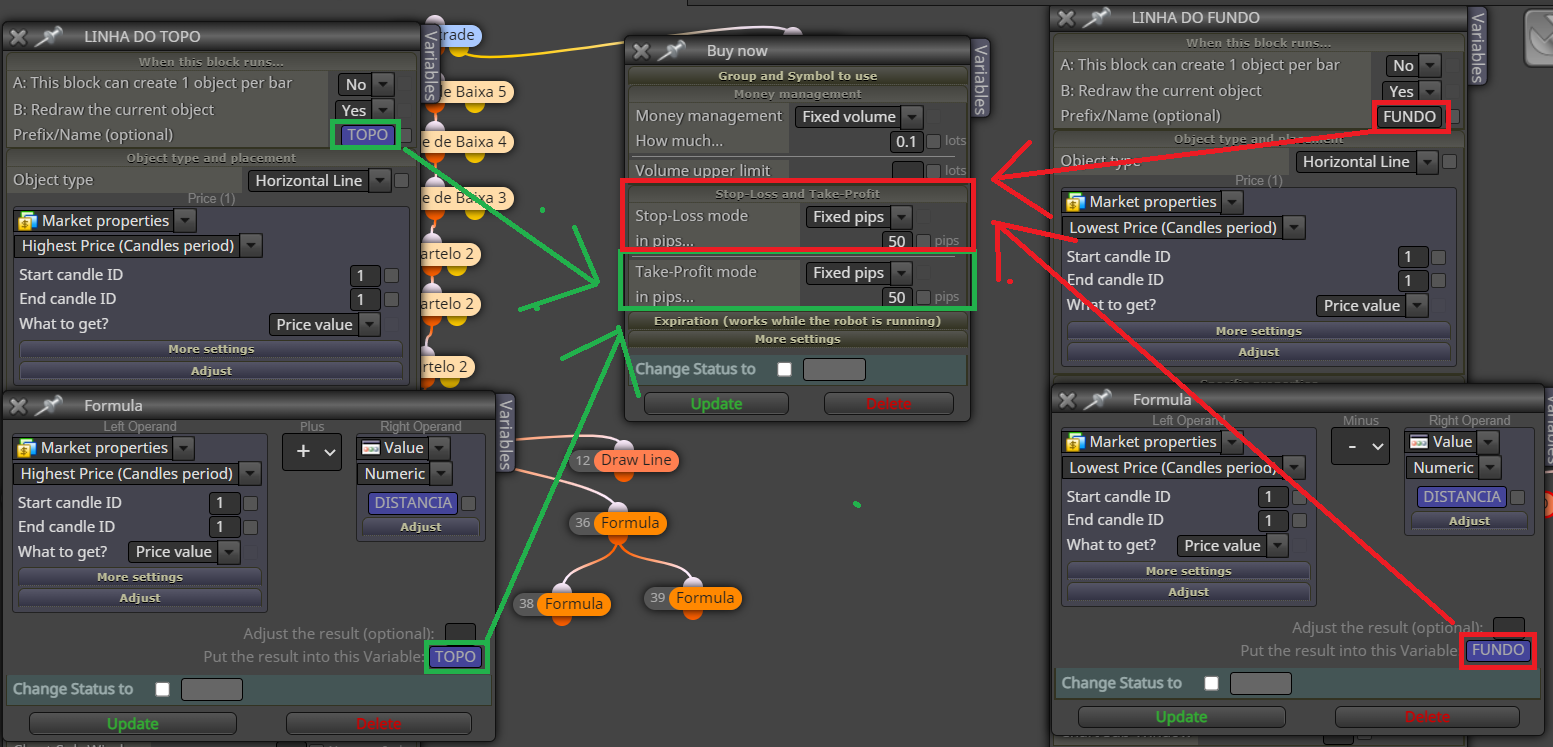
I've already made the lines, put the references in a variable, but I can't put it in the BUY.
-
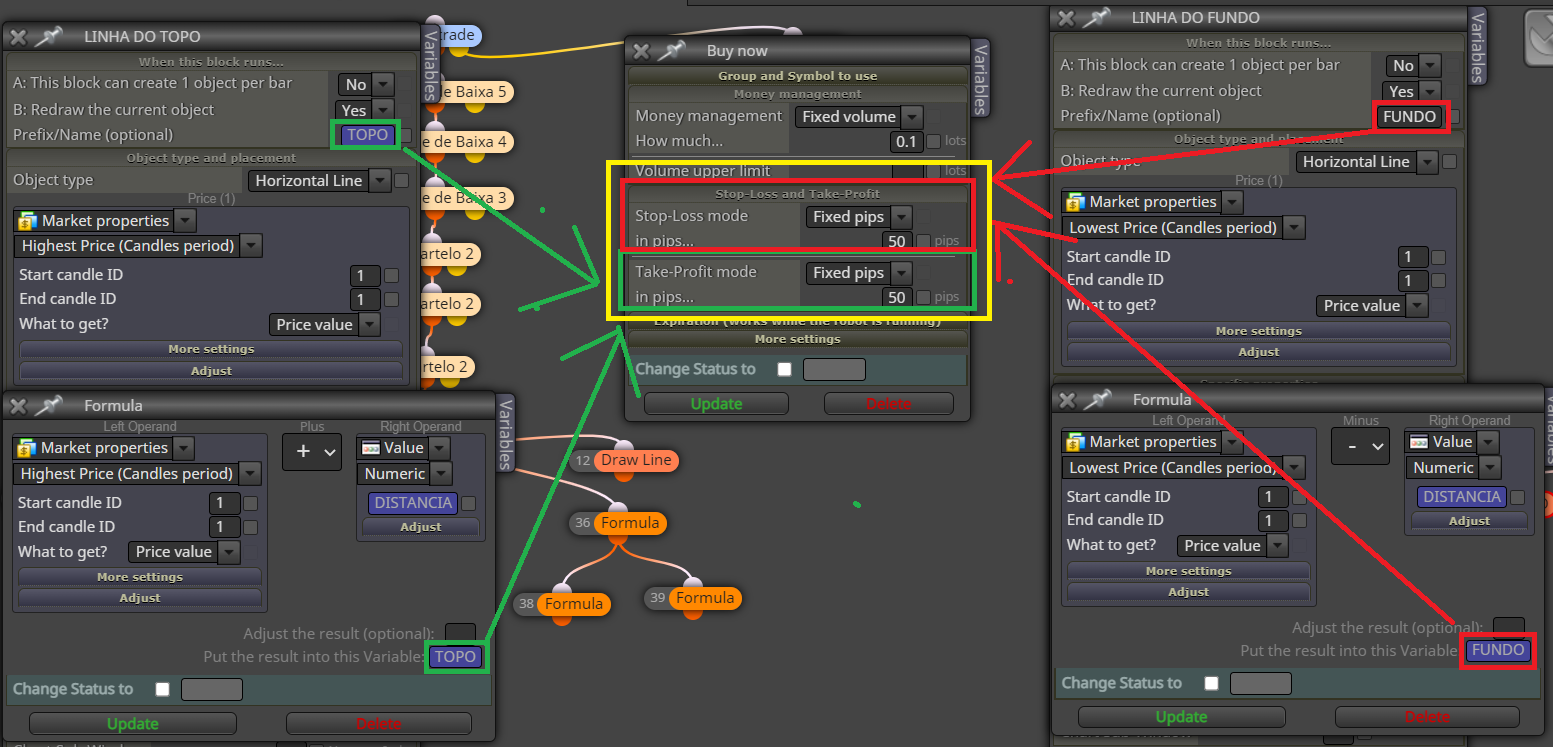
I've already made the lines, put the references in a variable, but I can't put them in Stop Loss and Take profit. as shown in the figure circled in yellow.
-
@adeildo Use custom level in SL/TP use object on chart with the name of the line, if not working put all in a comment block so you can see what's happening.
-
@jstap
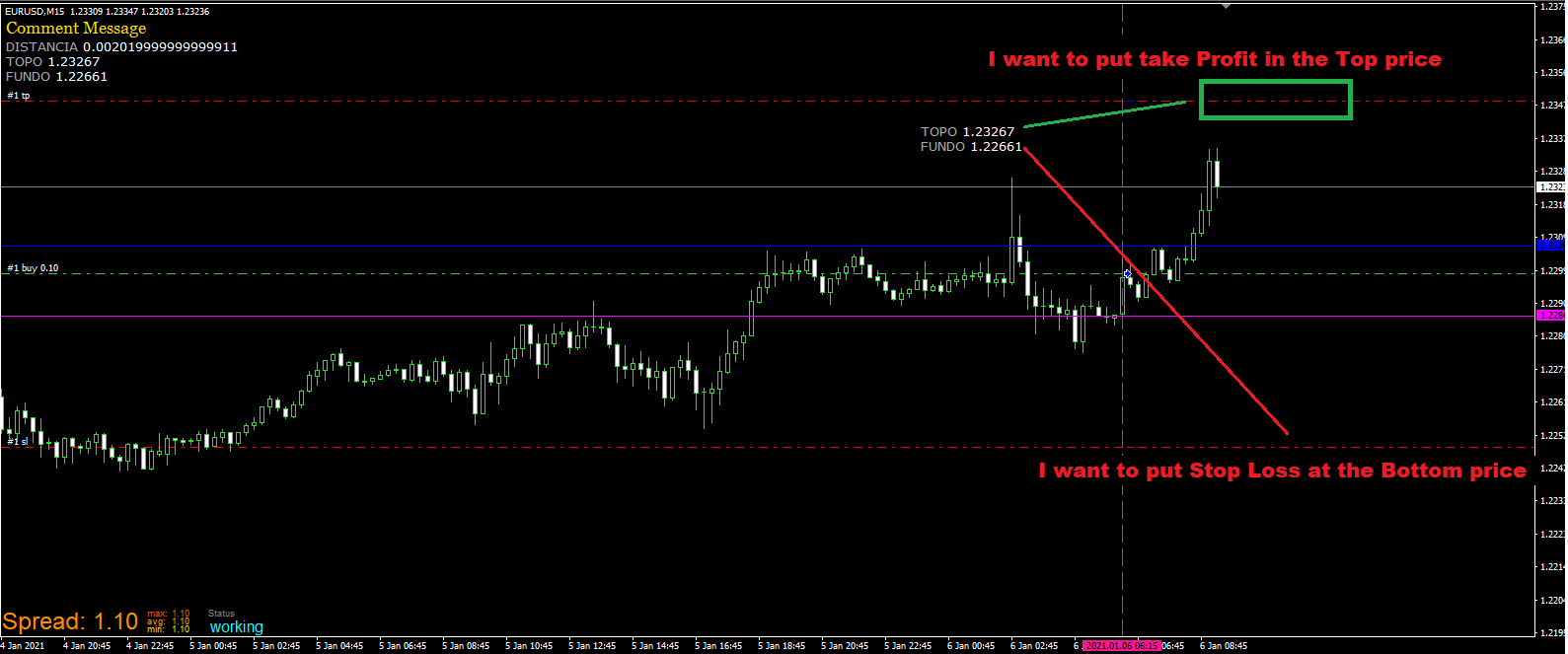
I want to put take Profit in the Top priceI want to put Stop Loss at the Bottom price
-
@adeildo said in How do I put Stop Loss on a draw line?:
@jstap
I want to put take Profit in the Top priceI want to put Stop Loss at the Bottom price
-
@jstap 0_1650920961652_Rascunho.mq4
I sent the EA to see if you can help me. -
@adeildo I said what to above, make a test project, if you struggle to get working put a shared project here with a description of problem you are having.

