EA robot and multiple charts
-
Hello,
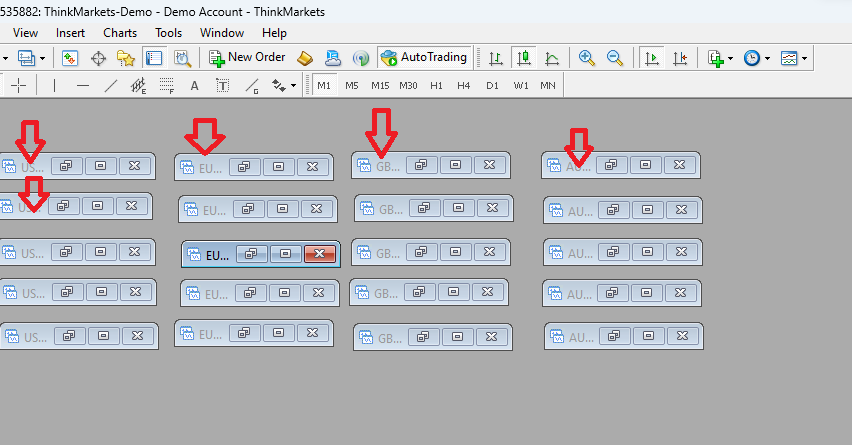
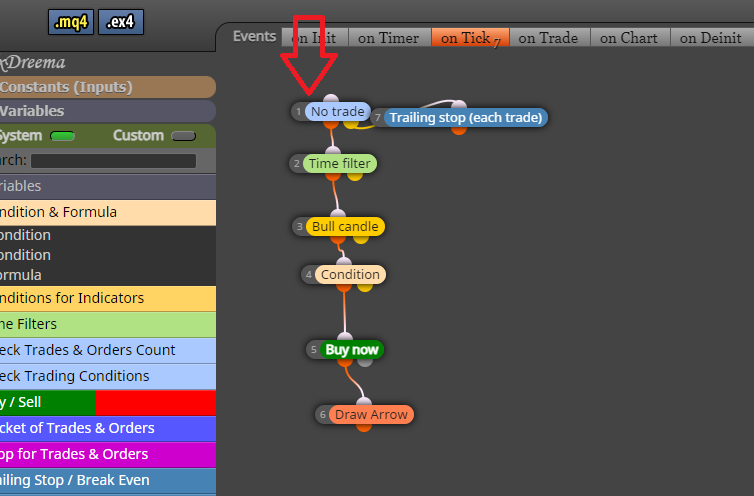
I have an question. I use EA robot for multiple charts (pic.nr1) and by using a robot that trades on multiple charts, not one. However, I noticed that EA only executes one order at a time. If only USDJPY, only USDJPY, and it seems that EURUSD does not see it or dont start trade. I found out that because of the "No trade" function problem (pic nr.2). I just want it to work well. I want to trade with all currency pairs at once at once, it is necessary to trade continuously with all pairs, it does not matter if the order of another currency pair is open.. What block should I use? Maybe replace it with an "If trade" block? Is it better not to use it at all?
Thank you
-
Add a shared link rather than a picture, need to see inside each block. Probably in the no trade block you have all trades set.
-
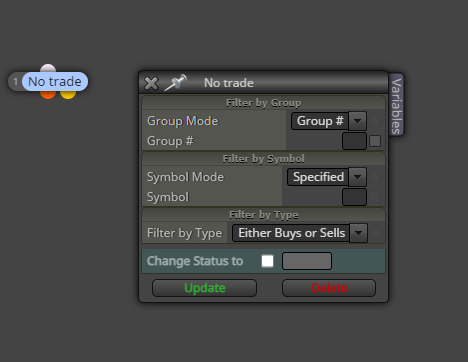
jstap, thank you for replay. I am using demo, so it is possible share a link? If not, I am uploading no trade block picture. So, where can be an issue?
-
Jstap, I found how to share a link. Please look at https://fxdreema.com/shared/ZPg1WvJXd where can be an issue? Instead of "No trade" use something else? What will be the best option? You see, I noticed when trade is play on, nothing else happening I mean a new orders is not opended as I wish. I wanna that how much multiple charts with EA robot I have it will be open all of them. Thank you
-
Please check shared link Please look at https://fxdreema.com/shared/ZPg1WvJXd
-
Thought I replied to this, looks ok like it should work, try recreating from scratch.
-
Look, the an issue is that I have multiple charts like 10. So, the EA works well, but when the plays only one currency chart is excecuted at that moment, but anothers 9 charts no, so where is the problem? Maybe "no trade" block? I need that all 10 charts excecuted at the same time. Thank you
-
On your platform probably, I run EA's on many.
-
Jstap, what do you mean? My platform is bad?
-
Jstap, I have 5 USDJPY charts, 5 EURUSD, 5 AUDUSD and if I run 5 different EA on them all, only one is excecuted, why? Is it something wrong with my platform?
-
All I can say is it works for me, if you install another platform you can test and see.
-
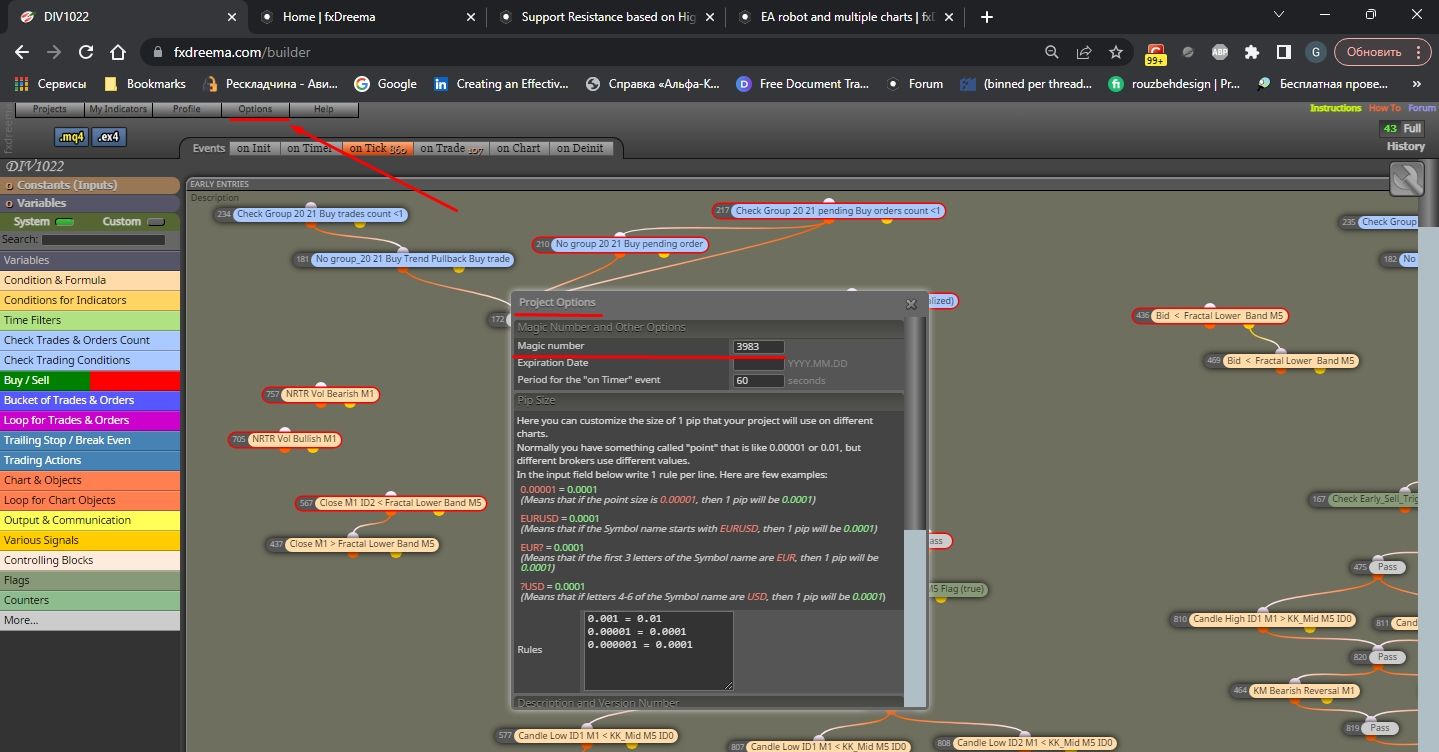
- @HDPaul Hey mate. It's likely you will need a different Magic number assigned for each EA you attach to each chart. That entails the MT platform will treat each EA separately.
- You can find the Magic Number setting in the Options->Project Options. Try it out to see if that works for you

-
Hi mate @GeoFX ,
Thank you for helping. I assume it will solve an issue. Thanks mates for help.

