Distance In Time*
-
Hi all. Once again I am stuck!
I want to turn on my News Filter 5 mins before the line on the chart, and turn it off again 5 mins after the line....
How do I do this...??
-
You have the time of line? -x:xx and +x.xx minutes from or to the time to complete the required action
-
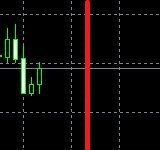
Yes the line has a time stamp being a vertical line...
I've tried Candle Time with no luck.....*
-
Use time now, when => or =< the bot will know if it should do something or not, if you put these values into a comment you can see what to do with it.
-
So I'm using: For Each Object> Value Time Candle Time Shift Forward 5 minutes = Object Picked In Loop Time 1 > Action....
What's weird is sometimes it works and sometimes it doesn't....
SO frustrating.... :-((
-
Unlucky, I have found over the years that things decide not to work sometimes
-
Yes my friend...However as usual you were right....
When dealing with Time values you have to use <= or =>, not =.....
So I will update soon......
-
@jstap @l-andorrà - Update: So yes the problem was I was trying to use = instead of <= or => which as you know, can't be done when dealing with Time Values as the time can skip, especially around candle openings....So that's that solved....
So how about this little problem: When dealing with a Button, why does it have to change to white when pressed?
I want it to stay black.....
https://fxdreema.com/shared/AwqWyT7eb -
I am unsure but you could redraw the button under where it is used
-
So essentially you'd have to have 2 buttons and be drawing and deleting them under the On Tick tab right....?
Don't buttons need to be sitting under the On Innit tab...?
-
I thought I sent this yesterday, on init creates from the start, any tab that uses it can redraw as you want. So create more than one, I normally copy and paste.
-
I guess I can have a mess around with it but I don't want 2 buttons on the chart....
It's strange and a pity the thing has to turn white when you press it.....*
-
You only have 1 button on the chart, each tab can re-draw
-
I've decided to leave it as White when Pressed because this means you can see at a glance from across the room whether or not it is pressed.
Thanks Again*
-


