Trade manager places trades using incorrect symbol
-
Hello,
I have a major issue. I created a Trade Manager which includes buy/sell buttons. The tool seemed to work fine, until one of the users reported the following bug.
-In MT4 A symbol is loaded (fe EURUSD);
-The Trade manager is then loaded and you can place trades with the buttons on the screen;
-Now a new symbol (fe GBPUSD) is dragged from the Market watch window in MT4 on to the previous chart, so EURUSD is replaced by GBPUSD;
-All settings on the screen are still present, but if you now use the buttons from the Trade manager, it will place orders using the PREVIOUS symbol (in this example EURUSD).This means the Trade manager is not being refreshed for some reason. The only way to fix this is reload the template or the Trade manager.
This tool is used by multiple people so it is a serious issue for me.
Do you know what is causing this??
Hope you can help.
-
maybe, but I am not sure if this resolve your problem, because it can be something else, you can try:
find with metaeditor in EA mql code this (it is on top of code, somewhere in onInit):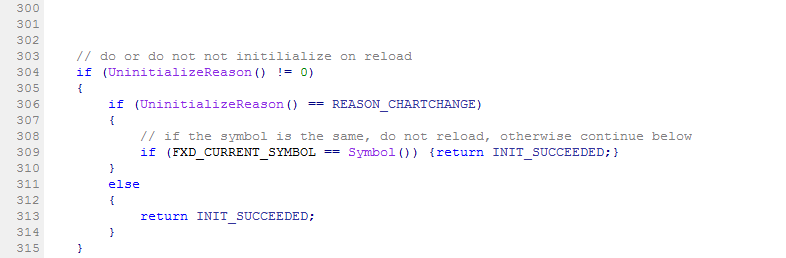
and do this (give it into "comment" or just delete it):
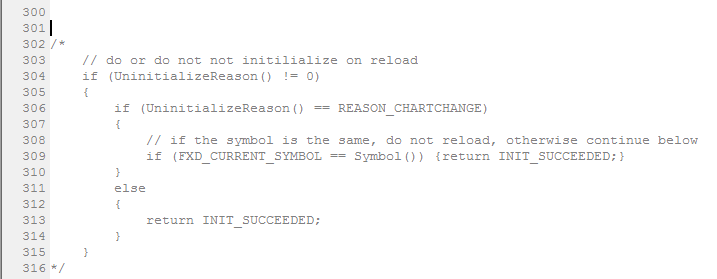
and recompile your project using metaeditor
-
Thank you for your help. I tried your suggestion, but it did not work. Here is the the project example, but only with the Buy button (with this you will also be able to replicate the issue). Maybe you know another solution?
Just place a buy order with the button on any symbol;
Then change symbol by dragging another one from Market watch on to the chart;
Then place another buy order with the button.It should now have 2 buy orders for 2 different symbols.
-
I see now, it is little complicated to do this, but try with blocks, do this:
https://fxdreema.com/shared/KGQdJ0HKd... make string variable where you use custom code function Symbol() - it return actual symbol name, place this variable into all blocks where is parameter Market (dont forget all touched blocks where is this parameter, it is important
 ... if you use also TP and is here this Market, place that variable into field! )
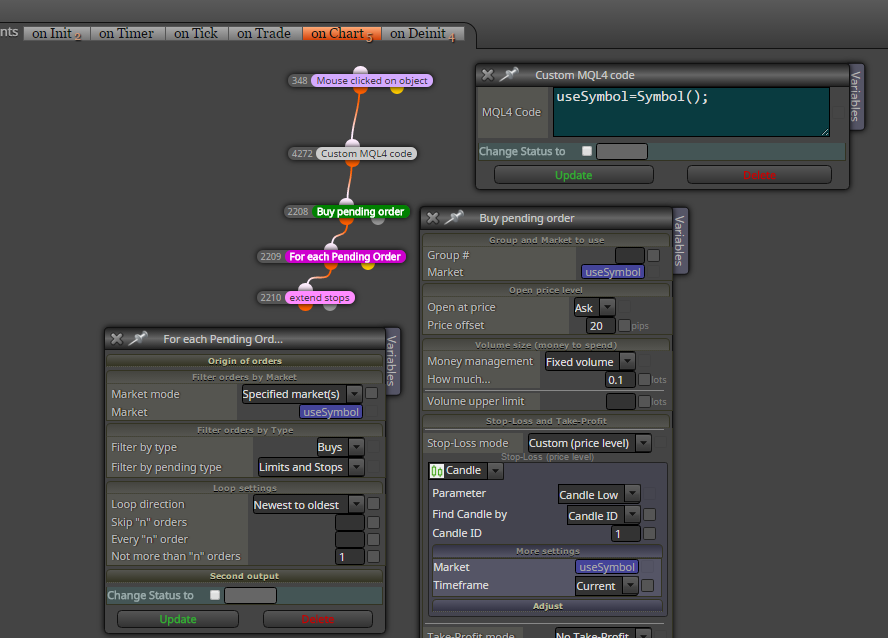
-
or if you will not do that variable, just add this function manually in code exactly on this place above unit reason:
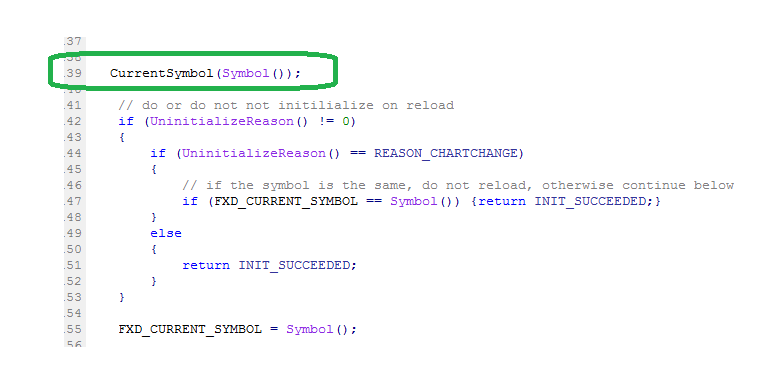
-
Thank you for your help, this seems to work!
-
Well, I don't recommend using functions that I have made, because eventually I might change them and they will stop to work. When I do things, it happens that I always rethink the way I did them and I always change something here and there. So, use any of my functions on your own risk and be prepared for that EA to broke eventually

