Is it possible to change the used time-frame using input parameters (in blocks)?
-
I think this may be asked a lot.
Sometimes i need to create EA's that use multiple-timeframes but need the parameters to be editable to prevent duplication (and excessive work). This would add a lot of flexibility for creation AND for testing/optimization.

A view from one of my projects to demonstrate how big it can get without this option:
https://fxdreema.com/builder/shared/YUoEVLcvb
Thanks in advance

-
this into inputs (string Timeframes is only for info) :

this into variables:

in on Init:

if(TF_input == 0) { TF_used = 0; } //current
if(TF_input == 1) { TF_used = 1; } //M1
if(TF_input == 2) { TF_used = 5; } //M5
if(TF_input == 3) { TF_used = 15; } //M15
if(TF_input == 4) { TF_used = 30; } //M30
if(TF_input == 5) { TF_used = 60; } //H1
if(TF_input == 6) { TF_used = 240; } //H4
if(TF_input == 7) { TF_used = 1440; } //D1
if(TF_input == { TF_used = 10080; } //W1
in on Tick:

(just use variable for timeframe)this technique can be used also for other specific parameters where optimization and its static increment is not enough (different periods - like 13, 34, 82)
Between trading and gambling is a very small gap, be careful.
-
@miro1360 I right clicked the time-frame menu and WHOA! The variable menu appeared (feel so dumb now xD).
So if i understand correctly the variable used needs to be int and ranges from 0 to 8 for each time-frame, is this the same for MQ5?
-
for MQ5 you should change few things:
variable type TF_used is ENUM_TIMEFRAMES
and definitions are from this enum list: https://www.mql5.com/en/docs/constants/chartconstants/enum_timeframes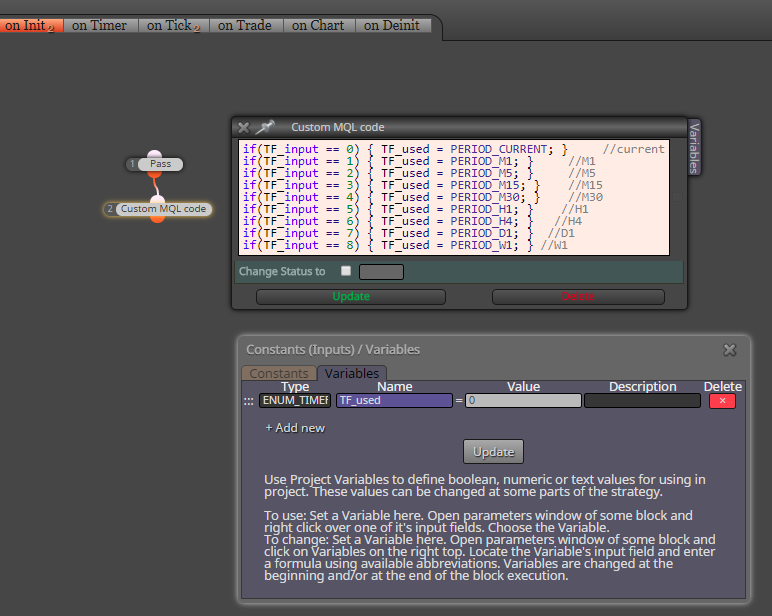
Between trading and gambling is a very small gap, be careful.
-
@miro1360 Nice, this is exactly what i was looking for, you have my many thanks
-
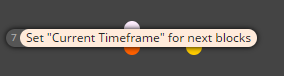
But wait, what about this block
-
@fxdreema Nice, this could be used to gather information from various time-frames without cloning blocks

-
Trying to find a solution to my prob and i see this.... Very nice job miro, tyvm.


