Combine variables
-
Hi to all.
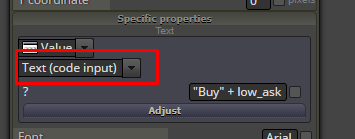
Lets say i have in variable string = EURUSD ( changed dynamical )I want to draw a button with a text: Buy EURUSD, but seems thee is no way to do it, coz "Buy" is static and rest is in variable, but in button text field i can just write static text or use text from variable, is there any way to make it works? Maybe some tricks?
-
you can combine string variables ...
string var1 = "EURUSD"
string var2 = "buy"
string var3 = "price:"
double var4 = "1.21212"
string var5into custom code block write this:
string var5 = var1 + " " + var2 + " " + var3 + " " + (string)var4;and result in var5 is: "EURUSD buy price: 1.21212"
-
In a text (string) field, when you want to use variables, add ""+ in the beginning and + "" at the end. Something like this:
"" + "Buy " + MyVariable + ""By the way I didn't made this "hack" intentionally. Long time ago I just found out that it works this way and I was doing it like that since then. But if you are not doing it that way, it could not work properly. Make sure that you have ""+ in the beginning and + "" at the end.
-
@fxdreema said in Combine variables:
In a text (string) field, when you want to use variables, add ""+ in the beginning and + "" at the end. Something like this:
"" + "Buy " + MyVariable + ""By the way I didn't made this "hack" intentionally. Long time ago I just found out that it works this way and I was doing it like that since then. But if you are not doing it that way, it could not work properly. Make sure that you have ""+ in the beginning and + "" at the end.
I tried but not works for me.
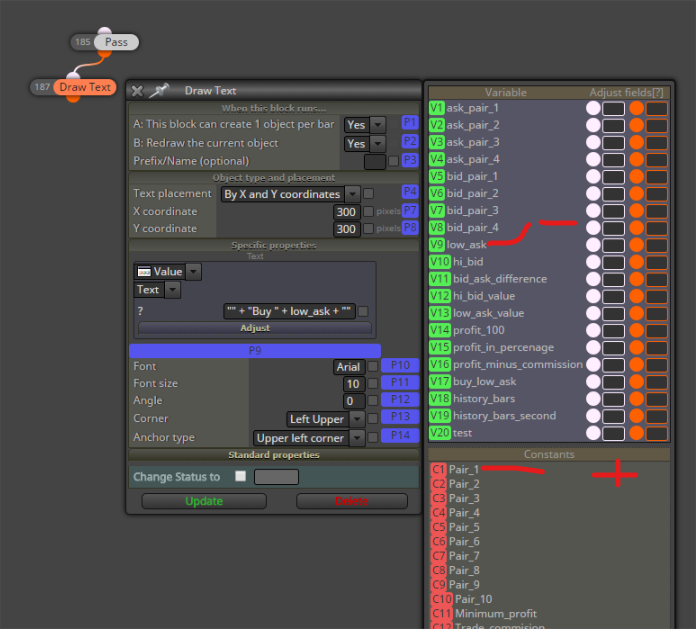
I have Variable: low_ask ( value for example inside is: BTCUSD )I created a Draw text, and put the code inside:
"" + "Buy " + low_ask + ""When try to compile:
'low_ask' - undeclared identifierI wanted to get:
Buy BTCUSDBut still not lucky on this.
After some test i have more info, if
"" + MyVariabe + ""is my CONSTANT - than it works, but it's not a constant - it is variable
-
Yes, something doesn't work and I will check it. But you can better do it that way in this case: