fxDreema

    • Register
    • Login
    • Search
    • Back to the main page
    • Categories
    • Recent
    • Tags
    • Popular
    • Search

    Example Calculations

    Questions & Answers
    3
    6
    2529
    Loading More Posts
    • Oldest to Newest
    • Newest to Oldest
    • Most Votes
    Reply
    • Reply as topic
    Log in to reply
    This topic has been deleted. Only users with topic management privileges can see it.
    • D
      danerius last edited by

      Hi

      Im wondering if theres any examples of fxdreema-EAs that I can check with math done on Indicator values? So I can learn how its done? Im still hooked on comparing High/Low prices to get good buy/sell signals

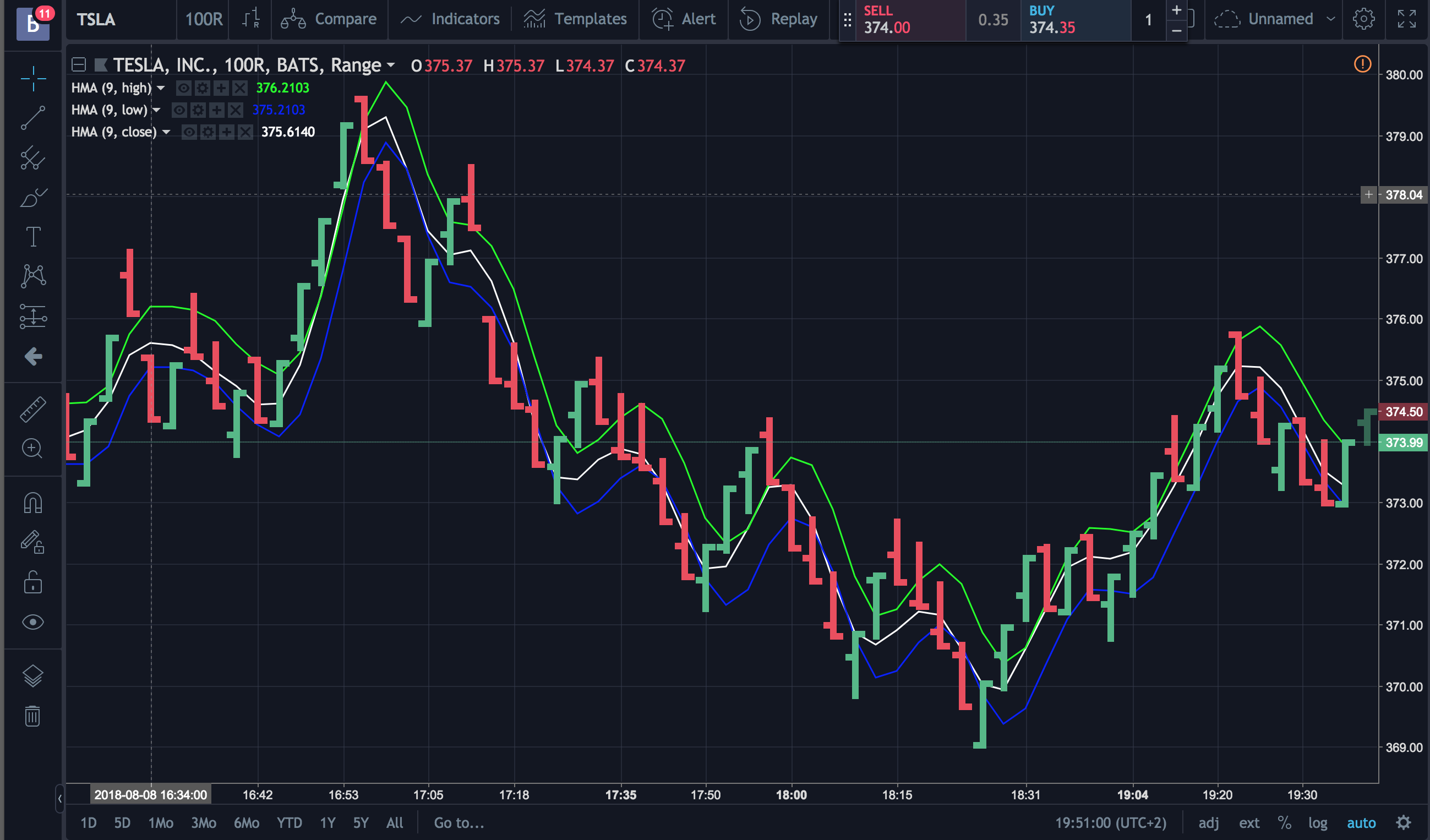
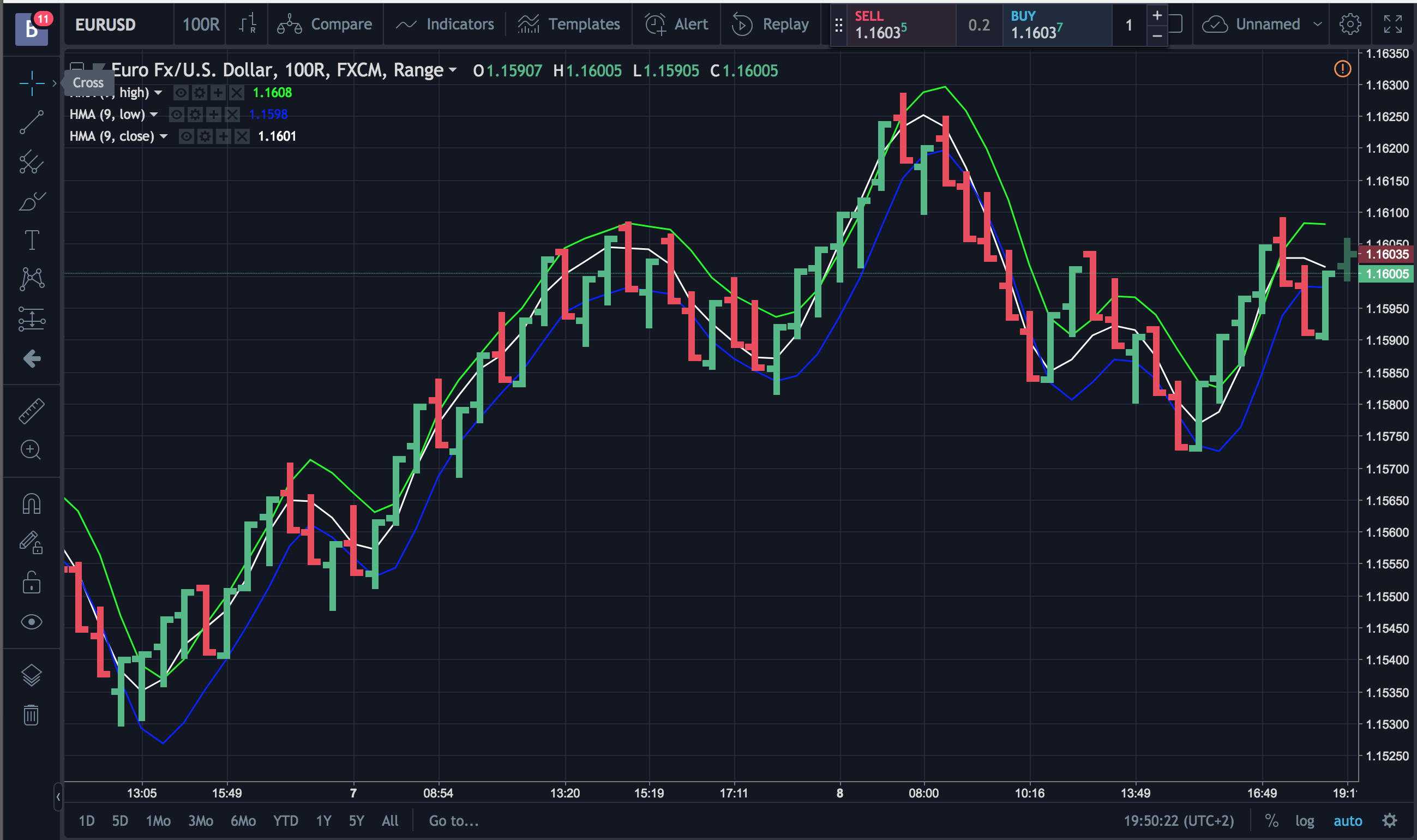
      This time its adding High + Low and dividing by two and comparing that to the Close Price. In the pics -> Yellow and Blue is the High and Low Price. White is Close . An average of H + L would cross the line above or below the Close Price and thus produce signals.

      Thanks + Regards /danerius
      1_1533759112239_Skärmavbild 2018-08-08 kl. 19.50.19.png 0_1533759112239_Skärmavbild 2018-08-08 kl. 19.50.50.png

      1 Reply Last reply Reply Quote 0
      • D
        danerius last edited by danerius

        A clarification...

        Since theres no response yet. I thought I might explain a bit better 🙂

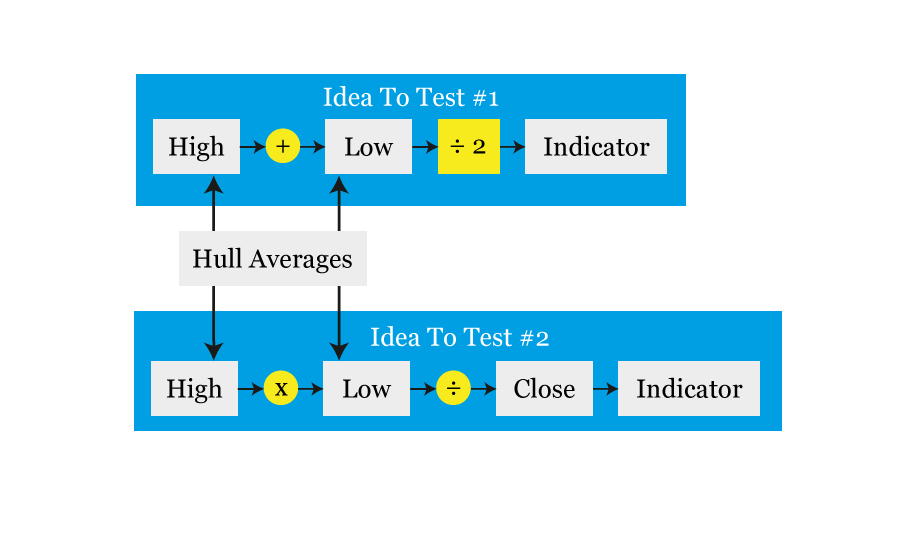
        The principle goes like this illustration says.

        0_1533926545969_HLC3b.png

        Im not sure how do to do the math in fxdreema. Ive highlighted in Green the parts Im having trouble with
        0_1533926686052_HLC3.png

        Thanks and regards /danerius

        1 Reply Last reply Reply Quote 0
        • fxDreema
          fxDreema last edited by

          Very basic math can be done in Formula block. Also, you can do math in all input fields, but it's not that pretty. So, you can use "Formula" here and there, also define some Variable and use "Modify Variables" as well. But I have another idea - define few Variables, one for High, one for Low and so on. Then in "Modify Variables" set the value for each one. Then in the second Condition block (the one with darker color) you can write long formula, using each Variable as many times you want.

          1 Reply Last reply Reply Quote 0
          • D
            danerius last edited by

            Thanks fx

            I just a made a surpricing discovery 🙂

            High + Low / 2 is called a Median Price and a lot of Indicators have it as standard. It was a bit simpler than I thought

            /danerius

            1 Reply Last reply Reply Quote 0
            • R
              rafaelgrecco last edited by

              @danerius

              Open a "Condition" block and select "Candle".

              There you have low, high, open, close, median price, typical price, average price, body size, wick size, etc, etc, etc.

              1 Reply Last reply Reply Quote 0
              • D
                danerius last edited by

                Hi rafaelgrecco

                THanks. Thats an excellent start for my experimenting 🙂

                /danerius

                1 Reply Last reply Reply Quote 0
                • 1 / 1
                • First post
                  Last post

                Online Users

                A
                G
                Q
                C
                T
                S
                A
                M

                17
                Online

                146.7k
                Users

                22.4k
                Topics

                122.6k
                Posts

                Powered by NodeBB Forums | Contributors