fxDreema

    • Register
    • Login
    • Search
    • Back to the main page
    • Categories
    • Recent
    • Tags
    • Popular
    • Search

    "Write to file" block

    Questions & Answers
    6
    22
    7752
    Loading More Posts
    • Oldest to Newest
    • Newest to Oldest
    • Most Votes
    Reply
    • Reply as topic
    Log in to reply
    This topic has been deleted. Only users with topic management privileges can see it.
    • J
      josecortesllobat last edited by

      Hello

      Please, could anyone explain where is saved the csv file written by the "Write to file" block? Because I used the Desktop path but it looks like nothing is written.
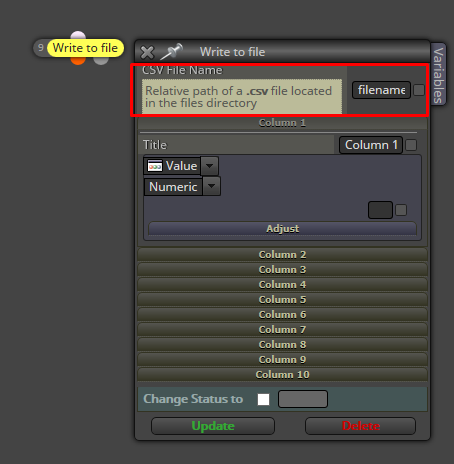
      0_1538243810984_77aafbdb-d374-41a1-adb9-72b10be4dc5b-image.png

      Thanks

      1 Reply Last reply Reply Quote 0
      • M
        miro1360 last edited by

        in Metatrader program select File - Open Data Folder

        when EA is running in tester:

        • tester\files

        when EA is running in chart:

        • MQL4\files

        relative path means, you can add a subfolder path to the file

        Between trading and gambling is a very small gap, be careful.

        1 Reply Last reply Reply Quote 0
        • J
          josecortesllobat last edited by

          Hello @miro1360

          Thanks for your help.

          It looks like that is not working for me (MT5). I have checked the paths you suggested but I am not getting the file.

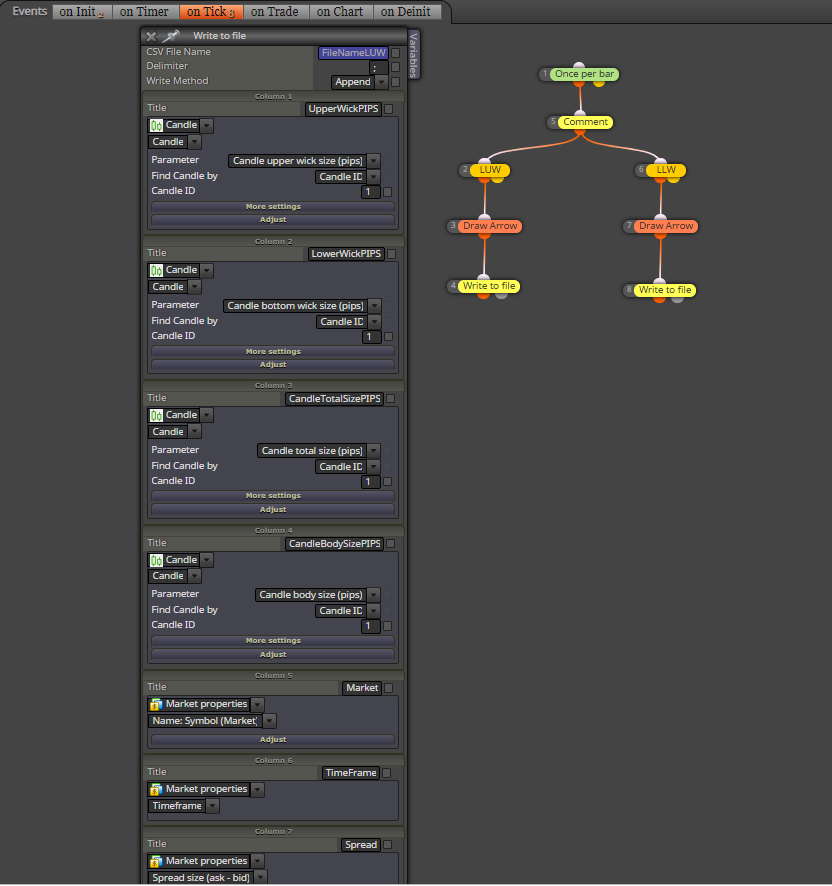
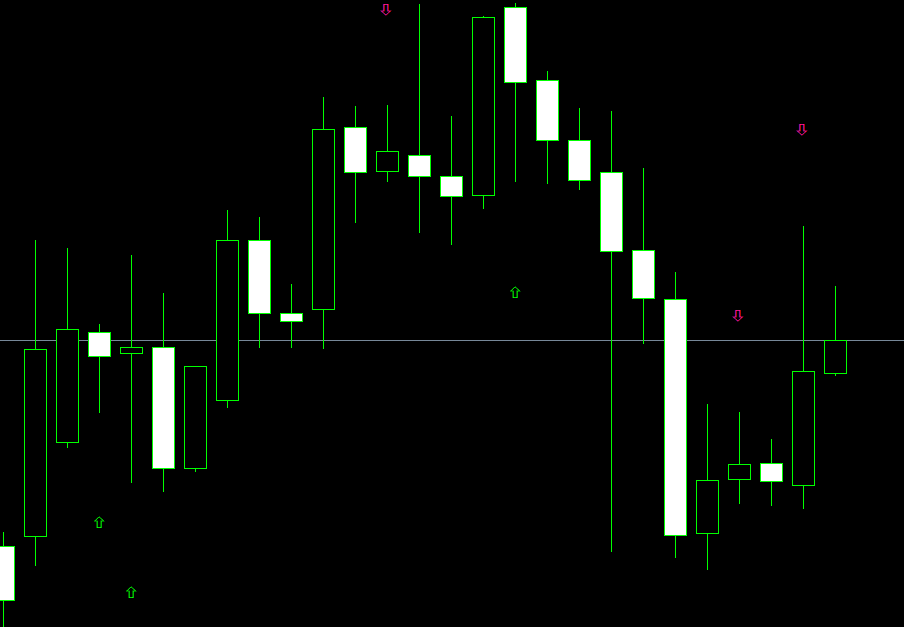
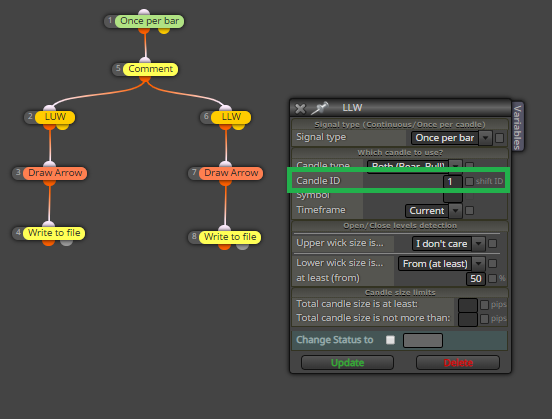
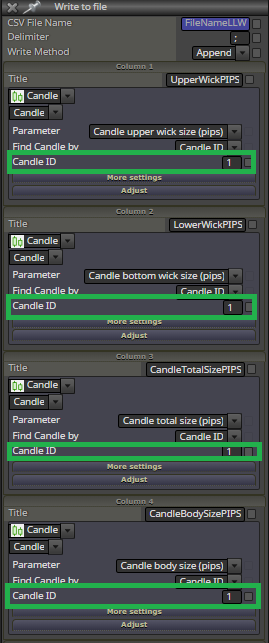
          My EA just looks for candles with a long upper o bottom wick. I have used your "candle formations" tutorial for the EA's search base. When it finds a candle, it should write some values to the file. The EA is working pretty well because it draws an arrow when it finds a candle.
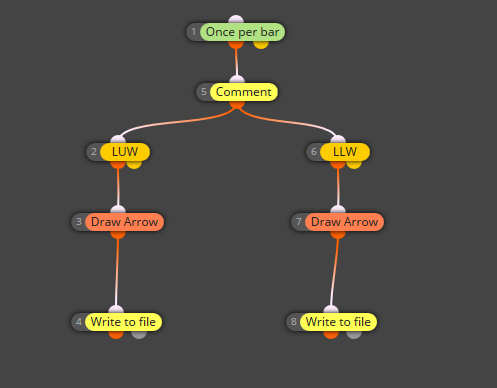
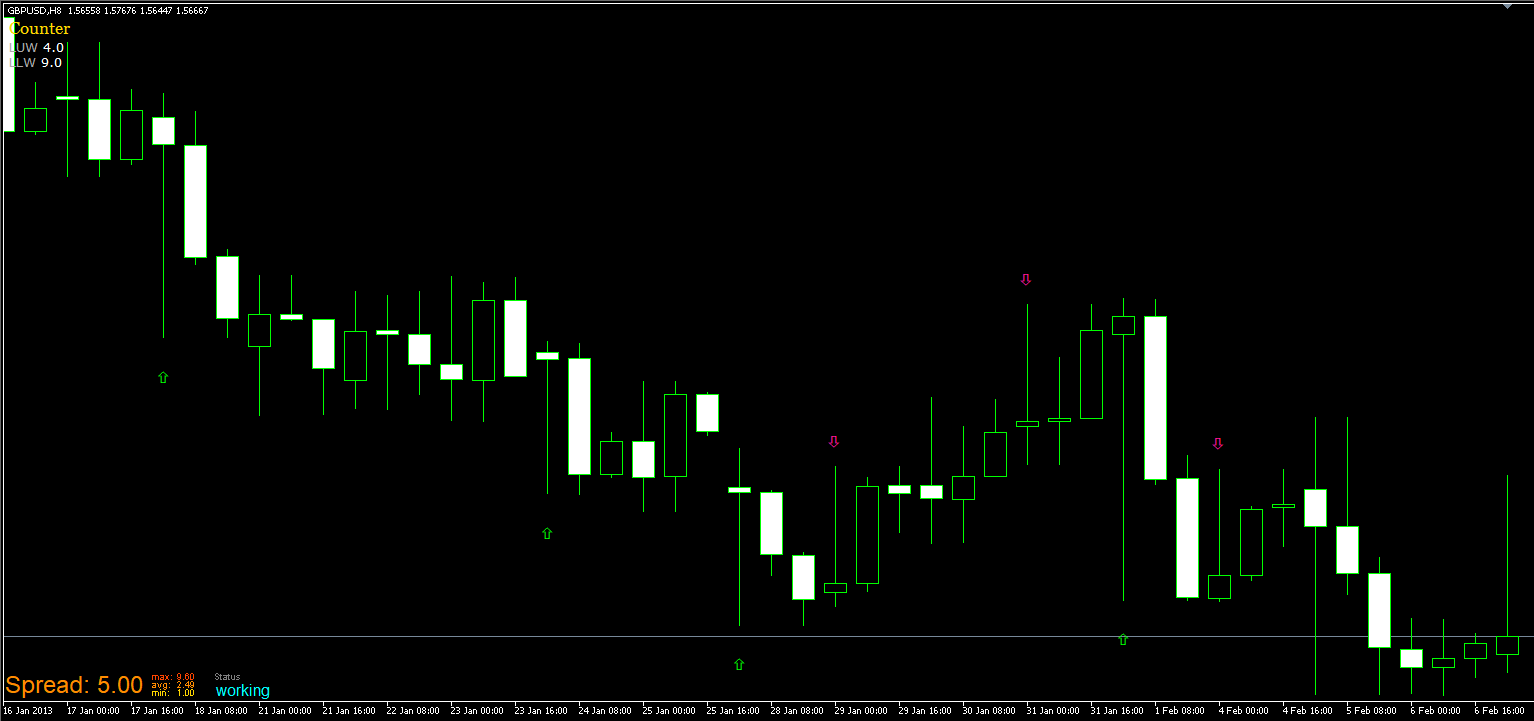
          0_1538290023808_27587a5f-48c7-4b3a-985d-117e01e6b1d5-image.png

          0_1538290060977_b233c347-db25-4c81-847f-924da58ed3f5-image.png

          But I am not able to find the files that should be written if they are written.

          Could take a look and let me know what I am doing wrong?

          https://fxdreema.com/shared/YAUDRX5L

          Thanks

          1 Reply Last reply Reply Quote 0
          • M
            miro1360 last edited by miro1360

            the location for MT5 tester is:
            C:\Users\username\AppData\Roaming\MetaQuotes\Tester\subfolder\Agent-xxx\MQL5\Files

            😄 😄 crazy path ...

            Between trading and gambling is a very small gap, be careful.

            1 Reply Last reply Reply Quote 1
            • J
              josecortesllobat last edited by

              Yes. It makes no sense that path.

              0_1538322659997_51422ad7-0342-4939-8fda-b9dbabb2a98f-image.png

              Thanks a lot @miro1360

              Your help make us better in fxDreema.

              0_1538322812408_daf2796f-fa9e-499b-affb-24509325ad81-image.png

              K 1 Reply Last reply Reply Quote 0
              • K
                kerrre @josecortesllobat last edited by

                @josecortesllobat I'm having a similar problem with that function. I have no difficulty finding the file but when I open the file I just get one row of data. Isn't it supposed to store the data into different rows each time?

                1 Reply Last reply Reply Quote 0
                • J
                  josecortesllobat last edited by josecortesllobat

                  Yes, it is.

                  Here you have how it looks like after importing the CSV file into Excel
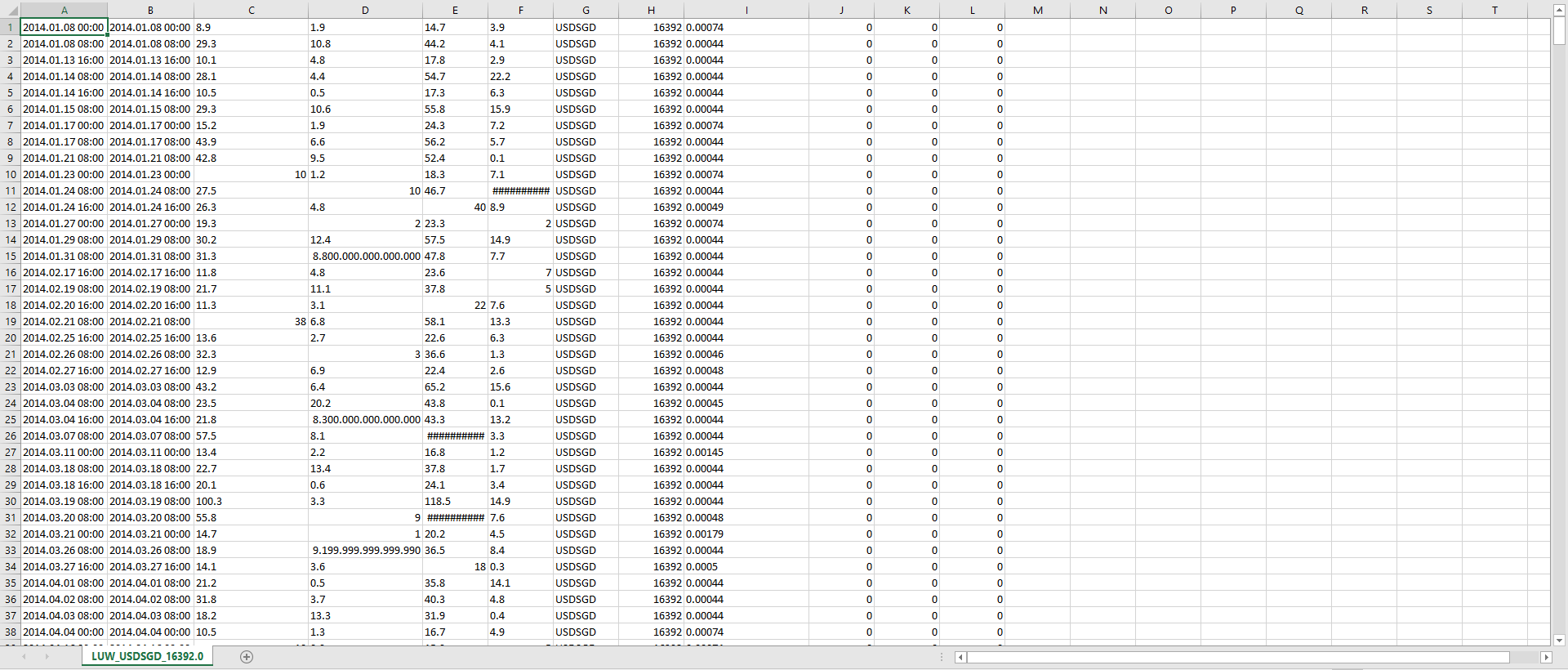
                  0_1543423636541_237705f4-7373-453e-a568-59bc791bfc3b-image.png

                  My EA is looking for some specific candles and stores some properties
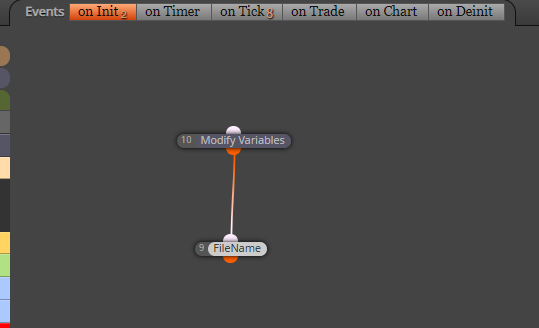
                  0_1543423733085_e5373e4d-1fa4-44f9-92d1-f208b88cecce-image.png

                  0_1543423792909_7260c00d-5bb1-4fe7-90f7-3edb21626398-image.png

                  0_1543423838342_76e78368-6328-45c9-bf20-09f66f3fa5f4-image.png

                  1 Reply Last reply Reply Quote 0
                  • K
                    kerrre last edited by

                    Thanks a lot for your quick reply. Here is what I have but it keeps saving only the last value. https://fxdreema.com/shared/PyUf65OJ
                    Could you please tell me What mistake I'm making here?

                    1 Reply Last reply Reply Quote 0
                    • J
                      josecortesllobat last edited by

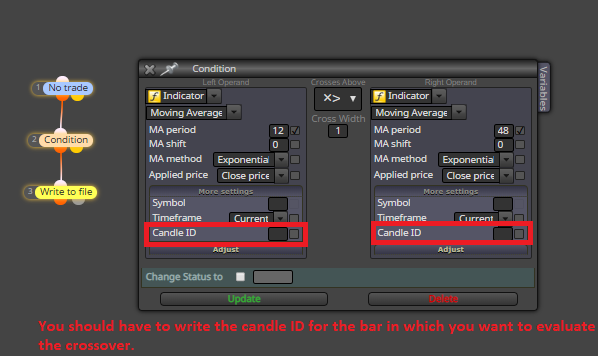
                      0_1543429921370_f0b4520d-b84c-4551-aae3-67092ae75f05-image.png

                      https://fxdreema.com/tutorial/builder/crossover

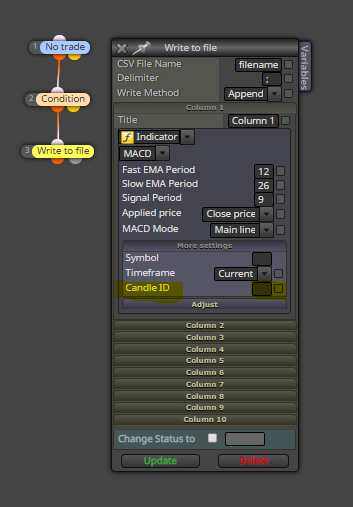
                      0_1543430183004_b4cb6155-aee3-48e3-addc-94a2e68d6801-image.png

                      0_1543430013410_462b273e-4dd7-42e4-b6b3-29f4ecab1957-image.png

                      0_1543430101638_de8d8b88-aecf-4afd-a6a1-2a37760d0430-image.png

                      1 Reply Last reply Reply Quote 0
                      • K
                        kerrre last edited by

                        I just did what you suggested but the result is the same I think I need to have more than those blocks. When I look at your EA I also see some additional blocks but I'm not sure about their functions. Sorry for taking up your time and thanks a lot.

                        1 Reply Last reply Reply Quote 0
                        • J
                          josecortesllobat last edited by

                          Hello @kerrre

                          I think it might be a bug with the "Write to file" block and we need that admin takes a look at this. Because I have my old EA working correctly but I compile it again and it does not work.


                          0_1543434995280_087b767c-cd6a-4ac4-b3ec-645100dc6f8a-image.png

                          0_1543435012512_46eb8bb1-20ef-4af8-9136-b6d0673cb740-image.png

                          0_1543435043208_b15d930b-13bf-4efc-ba54-ddea7872f20b-image.png

                          0_1543435058033_9afe346e-6657-439a-97a2-cfd5b6368da1-image.png

                          With the new compilation, the csv file only contains one record like what you are getting with your project.

                          fxDreema 1 Reply Last reply Reply Quote 0
                          • J
                            josecortesllobat last edited by

                            Hello @fxDreema

                            We need that you take a look at "Write to file" block. It looks like it is not behaving correctly.

                            Thanks

                            E 1 Reply Last reply Reply Quote 0
                            • E
                              eduardo55 @josecortesllobat last edited by

                              @josecortesllobat Hi, I've the same problem with the "write to file" block today. @fxDreema can you take a look and fix the block?

                              1 Reply Last reply Reply Quote 0
                              • R
                                richard96816 last edited by

                                Write to file was recently upgraded.
                                You might want to delete the file you have and try again.
                                Make sure the append option is set properly.

                                J 1 Reply Last reply Reply Quote 0
                                • fxDreema
                                  fxDreema @josecortesllobat last edited by

                                  What is the problem, only one row of data?

                                  1 Reply Last reply Reply Quote 0
                                  • K
                                    kerrre last edited by

                                    Yes. It keeps storing the data in the same row.

                                    E 1 Reply Last reply Reply Quote 0
                                    • E
                                      eduardo55 @kerrre last edited by

                                      @fxDreema only one row of data is stored, the last one. Instead of a file with, let's say, a hundred rows, the output file only have one row, always.

                                      1 Reply Last reply Reply Quote 0
                                      • J
                                        josecortesllobat @richard96816 last edited by josecortesllobat

                                        @richard96816 I did it but just one row is stored with the new compilation of the same EA

                                        1 Reply Last reply Reply Quote 0
                                        • J
                                          josecortesllobat last edited by

                                          @fxDreema

                                          Yes it is. Only one row is stored. As @richard96816 said, it might be an issue related with the last update of the block because it works as expected in a project compiled some time ago.

                                          Thanks for taking a look at this.

                                          1 Reply Last reply Reply Quote 0
                                          • fxDreema
                                            fxDreema last edited by

                                            I see. Yes, I made some update before and it looks that I did it wrong. I removed flag FILE_READ, because we only write there, but without that flag the file is always overwritten. I think I fixed it


                                            K 1 Reply Last reply Reply Quote 0
                                            • 1
                                            • 2
                                            • 1 / 2
                                            • First post
                                              Last post

                                            Online Users

                                            A
                                            F

                                            6
                                            Online

                                            146.7k
                                            Users

                                            22.4k
                                            Topics

                                            122.6k
                                            Posts

                                            Powered by NodeBB Forums | Contributors