Tutorial Expert Advisor with some recent issues solved
-
Here is the Tutorial EA that I recently created and which covers some of the issues that were asked for in the forum. I tried to keep it as simple and structured as possible.
Disclaimer: This EA is created only for eductaional purposes. It's functions are rarely tested and may contain errors. Using this EA on a real account is strongly not recommanded as the strategy settings are not optimized at all!
Key Features:
- Risk Control based on Balance (SL)
- SL ATR multiplied based
- ATR based trailing
- TPs ATR multiplied based (TP1 / TP2)
- TP1/TP2 visualized by horizontal lines - values will be picked up on terminal restart
- Close on Opposite signal
- Close on max. age
- Limiting trading time
- Protect from tripple swap
ToDos:
- News filter
Custom Indicators used:
- tma-line-extreme-indicator
- vq-stridsman_on_jurik2_mtfalerts_nmc
- waddahattarexplosion_averages_nmc_alerts_2_1
Any Credits go to the authors!
Installation: Unfortunately I cannot upload a zip file, so you must do a little work manually.
Create a Folder "TMA-EA" in your indicators folder (IMPORTANT!!!) and copy the following indicators into it.
5_1580504153979_waddahattarexplosion_averages_nmc_alerts_2_1.mq4
4_1580504153978_waddahattarexplosion_averages_nmc_alerts_2_1.ex4
3_1580504153978_vq-stridsman_on_jurik2_mtfalerts_nmc.mq4
2_1580504153977_vq-stridsman_on_jurik2_mtfalerts_nmc.ex4
1_1580504153975_tma-line-extreme-indicator.mq4
0_1580504153969_tma-line-extreme-indicator.ex4Please rename the files according to the names mentioned above as the forum adds strings as prefix to the uploads. But do not remove the file extensions!
It should look like this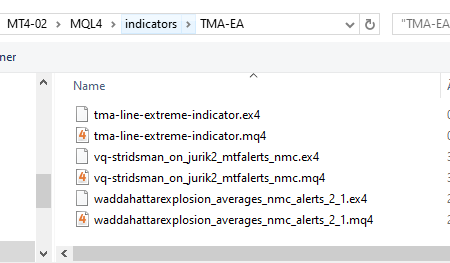
Copy (and rename) the files in the expert folder to the experts folder of your MT4 terminal.
1_1580504633596_Tutorial-EA_V1.0.mq4
0_1580504633595_Tutorial-EA_V1.0.ex4Currently I do forward tests on M30 timeframe in order to things happen more often. The screen when EA is attached to the chart should looklike this:
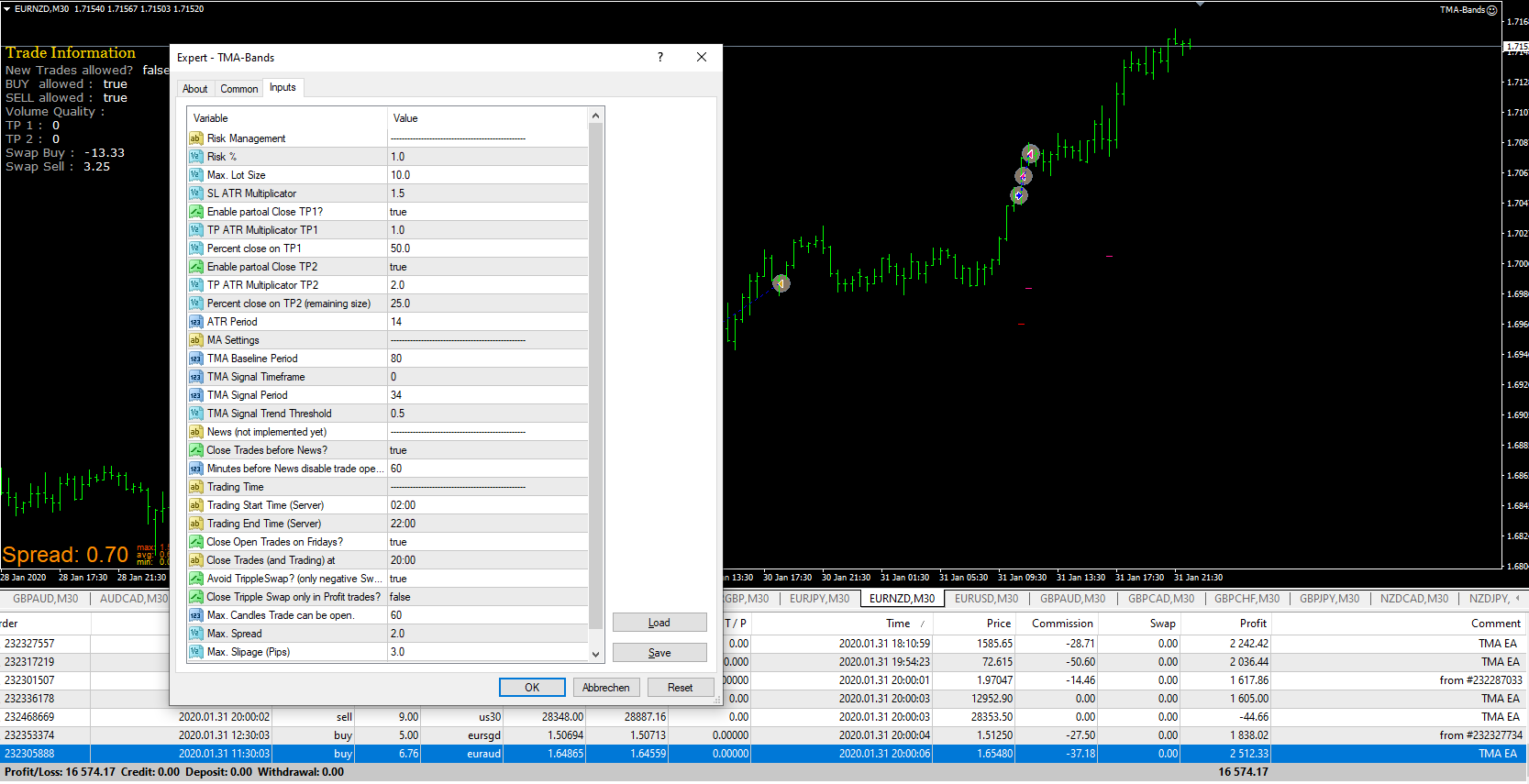
You can import the file Tutorial-EA_V1.0.mq4 into a fxdreema project, The result would look like this.

-
@trader-philipps Thanks a lots for your work
-
@trader-philipps
Amazing! Many thanks.Very, very useful.
-
Absolutely impressive!

-
nice work!! for news filter i always use this free tool: https://darkmoonfx.com/newsinfo/
-
your tutorial is very useful for alll thew nononsensforex traders out there!
-
@fabien-s said in Turtorial Expert Advisor with some recent issues solved:
your tutorial is very useful for alll thew nononsensforex traders out there!
Yes indeed! The trading style from my perspective is one of the most reliable ones. Just ATR level if trading other timeframes than D1 may need adjustment on multipliers.
-
@fabien-s said in Turtorial Expert Advisor with some recent issues solved:
nice work!! for news filter i always use this free tool: https://darkmoonfx.com/newsinfo/
Yes, I know this indicator. Most users just use the EA disable function what I think is very risky if there are trades open. But I took a look at the manual and saw chapter "News data query from Expert Advisors (EA)". So I will focus on implementation of this as my ffcal tests ended in out of memory errors.
I'm already working on V1.01 of the EA. Currently I just implemented a notification feature of terminal lost connection to broker.
So there will be an update later after some testing.I like to share my knowledge, but expect the others to contribute as well.
-
@trader-philipps looking forward to see how you have implemtend it

-
@fabien-s Testing on demo now. But without back testing it's hard to do. And there are a bench of errors in the log from it.
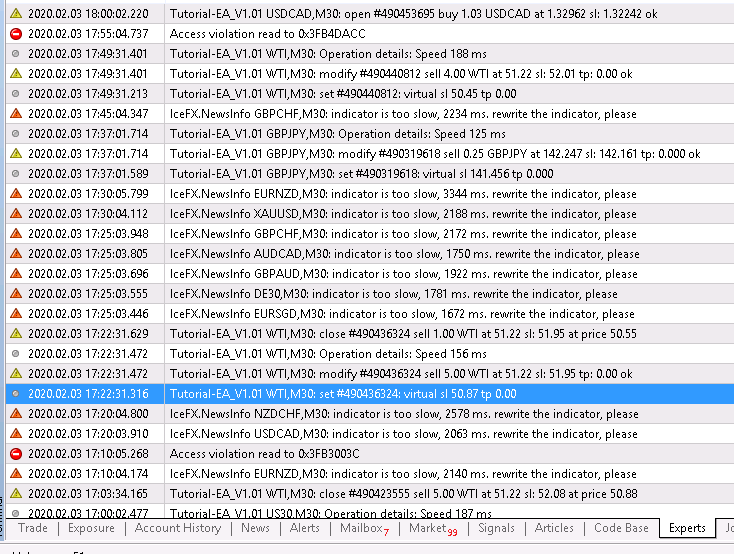
So maybe I need to rethink the entire thing. If it's not possible to integrate it as a usual indicator in fxdreema, there's only the option with the global variables. But so far I didn't produce news events for all, but just 1 pair from the market watch.
-
@trader-philipps hello do you have the fxdreema project link? please, it would help me a lot to learn from this world of EAs
-
@juan-9 said in Tutorial Expert Advisor with some recent issues solved:
@trader-philipps hello do you have the fxdreema project link? please, it would help me a lot to learn from this world of EAs
you can find everything in the first post
-
@juan-9 said in Tutorial Expert Advisor with some recent issues solved:
@trader-philipps hello do you have the fxdreema project link? please, it would help me a lot to learn from this world of EAs
Here is the link to the updated version that I will release soon after some testing. There are some more features I added.
- News support (not back-test)
- Connection lost notification (if broker connection gets interupted)
- Take screenshot on trade closure
- re-aranged In-trade management blocks for TP1, TP2 and trailing in order to make it a bit more understandable.
- minor bug fixes
Here is the actual project link - but keep in mind it's still under testing and may have bugs.
Once testing is done a bit I also want to release a version that doesn't contain any entry/exit strategy. Thus you can use that version as a template to get up to speed quicker (and for myself as well). For that version I might drop News indicator as well as it's a bit work to get it into fxdreema (33 parameters).
-
WOW!.... what a lot of energy that went into this tutorial.... Thank you so much, a work of ART!!
-
Here is a simplified version of the Tutorial EA V1.02 without any custom indicators (just built-in)! It's a MA / Stochastics strategy AND only for demonstration. I don't recommand to trade it on real account.
0_1582075070641_Tutorial-EA_V1.02_EMA-STO-Sample.mq4
If you want to use it as a template, adjust the following parts to your needs:
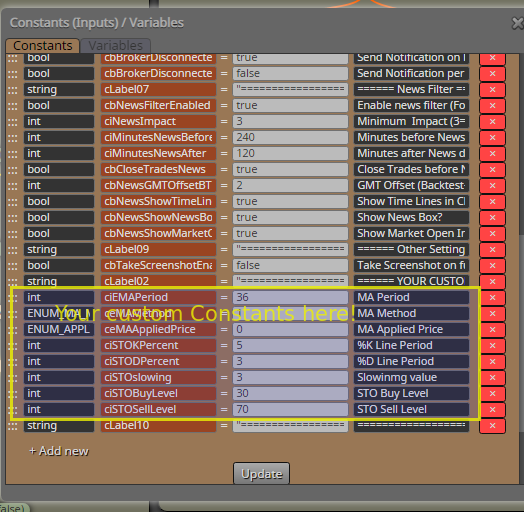
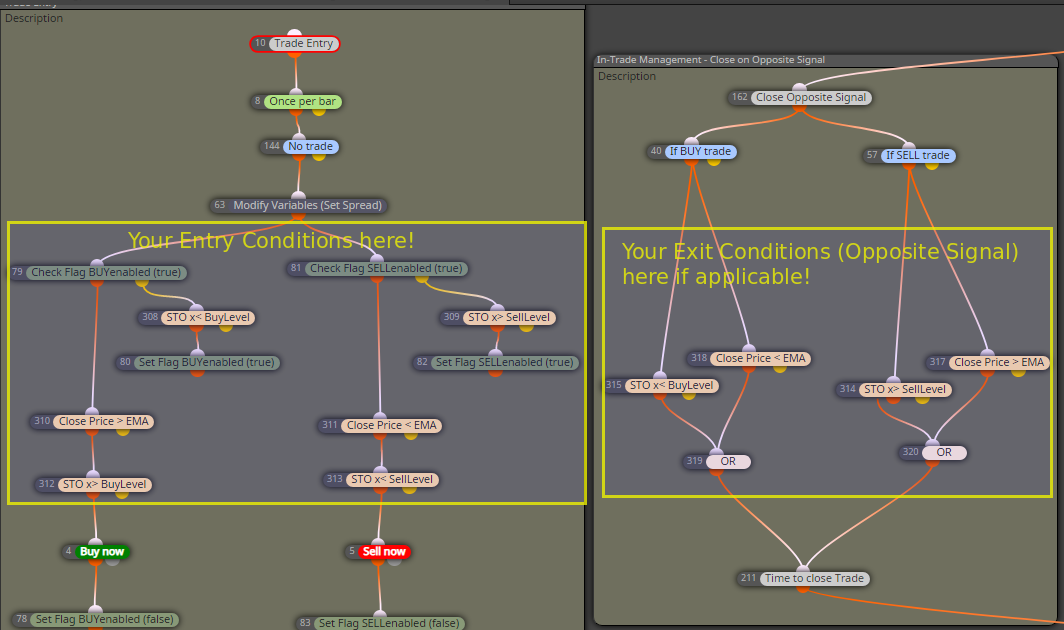
Further explanation I will give on request.
-
@trader-philipps you totally lost me ,i need a course
-
@kop Okay, you could take the mq4 file and import it into a new project. In that way you may use the EA and adjust it to your needs.
Assuming that you want to define your own entry and exit conditions, you may delete the parts marked in the screenshot and place your own strategy there.
On entry conditions you may keep the flags for switching on/of buy or sell.I like to share my knowledge, but expect the others to contribute as well.
-
@trader-philipps ... Man!! this is way way above my pay grade or abilities... but it sure looks impressive!!
-
@alphaomega If you know hnow how to define your entry and exit conditions, you can use the template and place it inside there. Hence you'd have all the other features included. Well, at least that's the intention behind. If you need other money management for instance, of course the template may not suite well to it. This one is for 1 trade per direction/pair with risk %.
I like to share my knowledge, but expect the others to contribute as well.
-
@trader-philipps Thank you for present... will take me long to understand what you have done here to fully understand the gift you left on this site. Thanks once again


