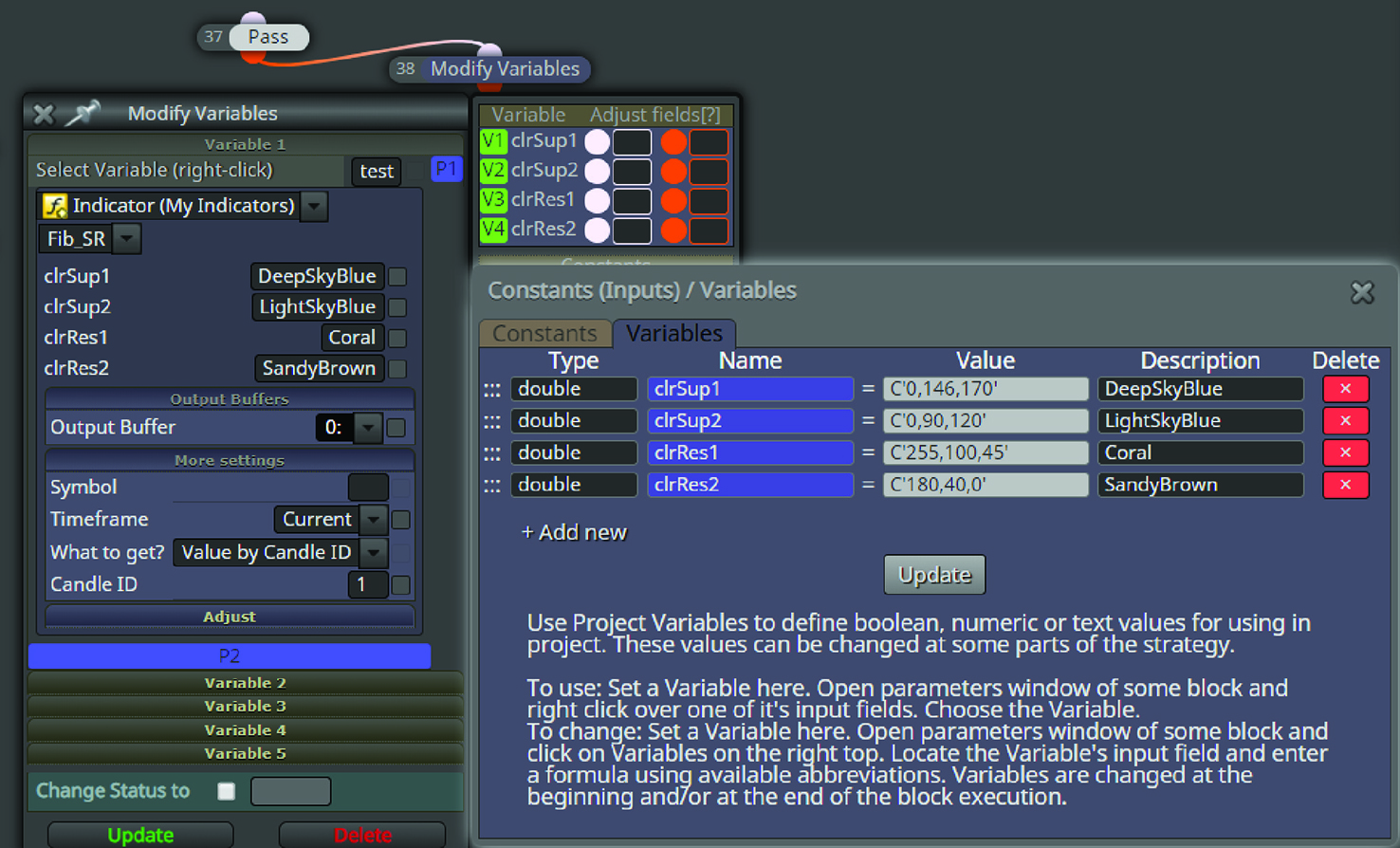
EA with object on the chart
-
YES, you are right.
Sometimes i even close it manually, haha.So about this ea, i don't know which part is not right.
The EA doesn't need to read the indi right?
only identify the object and execute trade. -
Hello @TitanGeorge , and other experts.
This project is still unsuccessful for what reason i don't know why.
@TitanGeorge have guide me through but here at my place still doesn't execute the trade.Can anyone help me with this project?
Can anyone see what is the problem here?
The EA failed to run on MT4.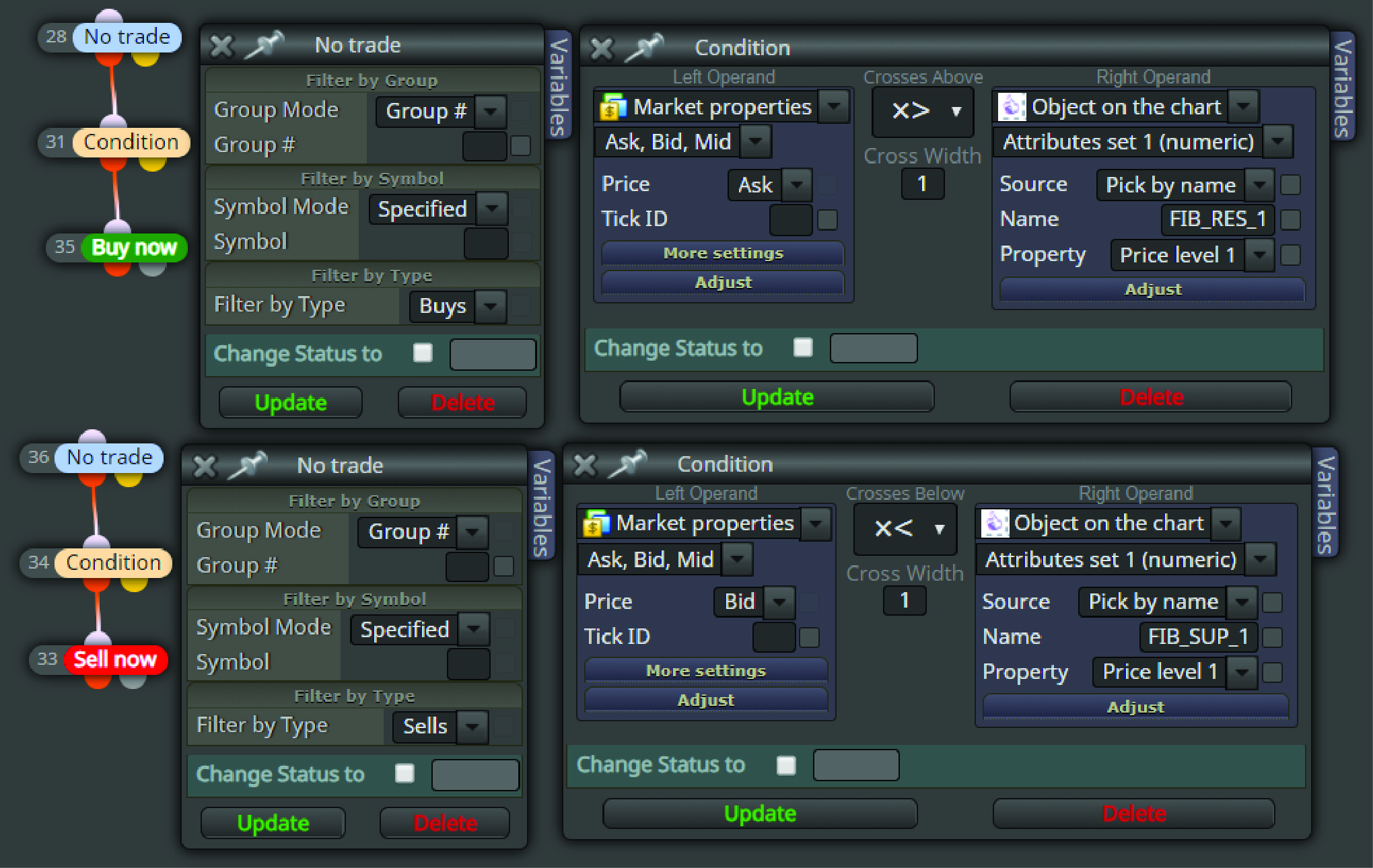
-
@biztet May you share your current project state?
-
Here it is.. https://fxdreema.com/shared/ziQ1r4NUc
Please find the indi in earlier post.
-
@biztet Looks like the issue is that there is no indicator loaded and hence there are no objects on the chart - at least if you run it in tester. You may try to call it by an is indicator visible block for instance and check if tester picks up the values from the chart now.
-
I have try that before. Still won't work. Not just that, even the EA cannot be load in tester. That is the problem.
-
It works, you’ll need to load it on your chart and let it work live. If it’s not working on the tester it’s because you have to choose the “visual” option and MANUALLY load the indicator OVER and OVER. As long as it works on 1 sell and 1 buy, you can live test on a demo account and go from there.
-
@biztet Looks like your indicator has an issue when working in the tester. Didn't get it to work even if I put it on chart manually.
-
hmm...i wonder what is the mystery behind this indicator...
I'll try again. thanks.btw, @TitanGeorge , if you don't mind could you please send me the mq4?
i will try continue from there. thanks. -
it is not the solution, but take an inspiration from this 3 years old post:
https://fxdreema.com/forum/topic/4209/tutorial-07-read-prices-from-indicator-objects -
WOW! so much more i can learn from this. Thanks miro!
-
I just tried the project you shared and it is working on the tester.
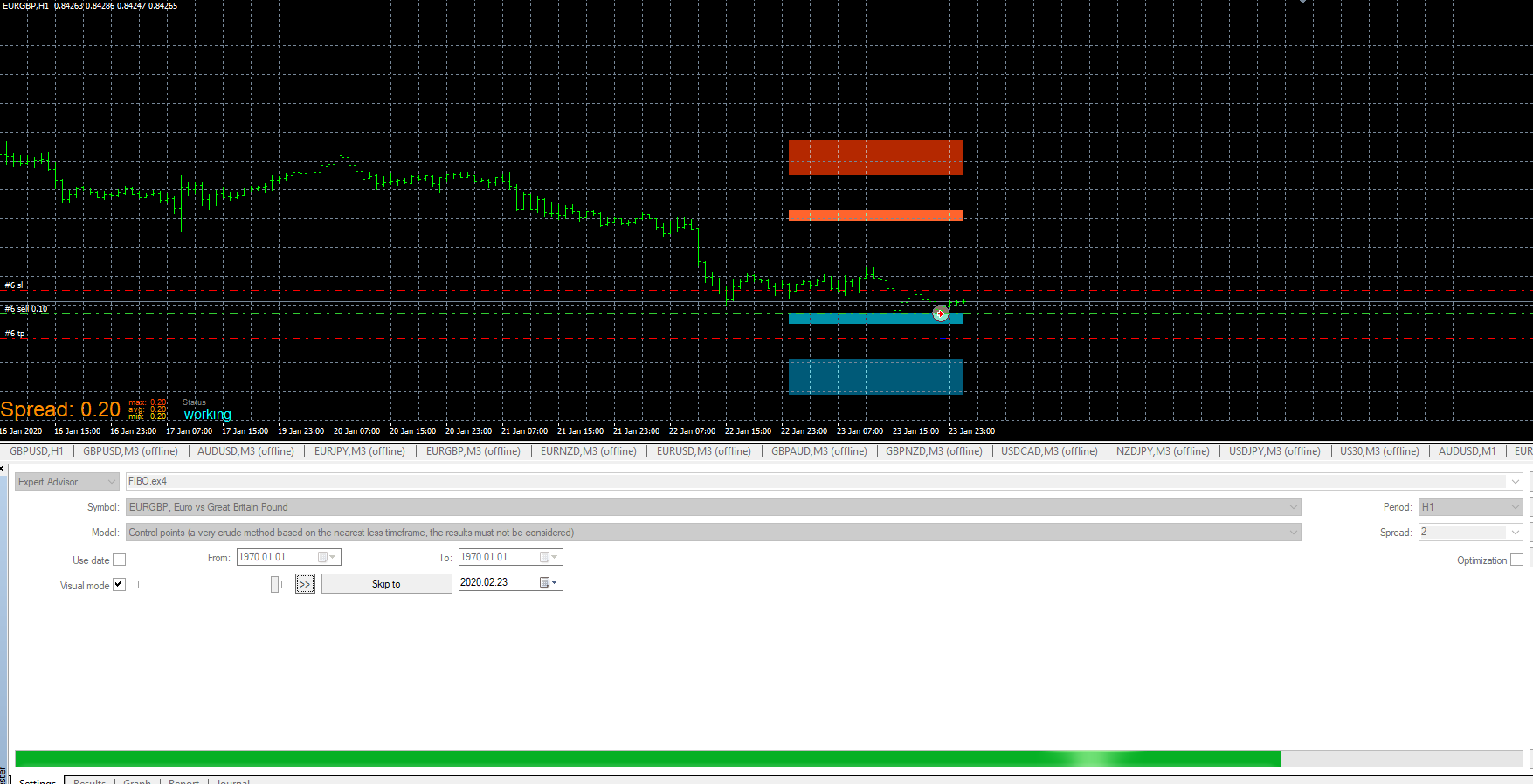
YOU NEED TO MAKE SURE "VISUAL MODE" has a check mark. Then you have to MANUALLY load the indicator every 24 candles if you're using the 1 Hour chart.
-
You didn't add/change anything?
Hmm... Weird.. Mine here either doesn't open trade or EA cannot load. That's my problem here. Anything that I miss here? -
@titangeorge Didn't work for me. There were nothing shown from the indicator.
-
Didn't change anything. Haven't modified your indicator. Depending on your level of trust, I use Team Viewer.
Do this...
Make sure your EA is in the Expert Advisor folder. Not in the indicator folder. Then, RIGHT CLICK and press "Modify"
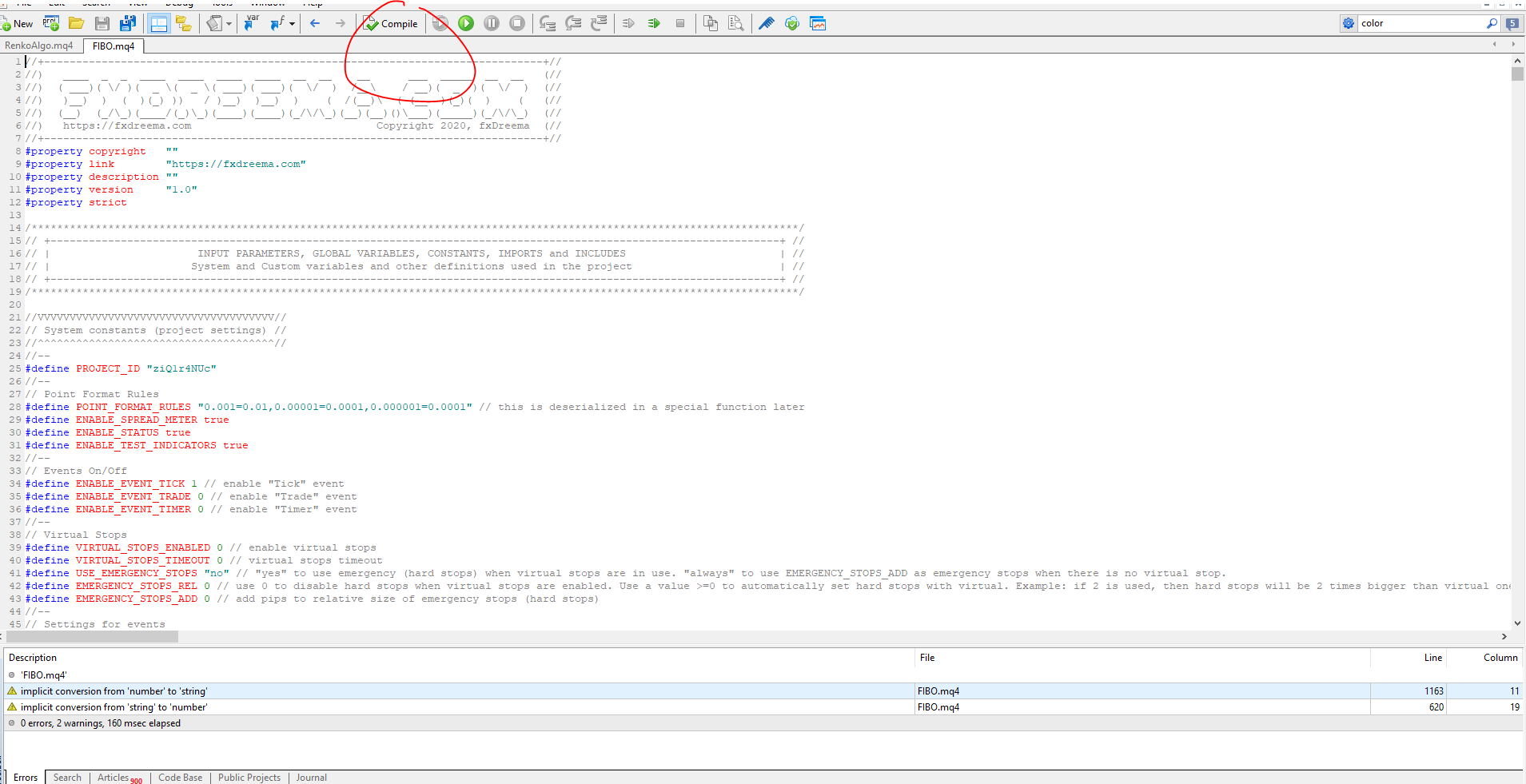
It will open up the editor. Find "COMPILE" and press it.
It should look like this screenshot:
-
I reset it and tried the strategy tester again. It's working, are you using visual mode and then manually uploading the indicator on the test chart?
-
Hi all. I've just test it like what @TitanGeorge & @miro1360 miro said the way it should be done.
Turns out its correct, i got the trade.
So, is there any way we can make the indicator in and out?
-
@biztet Easy as I wrote before. You just need to import your indicator to fxdreema as usual. Than have a block that uses the indicator. I tried to do so like this ..
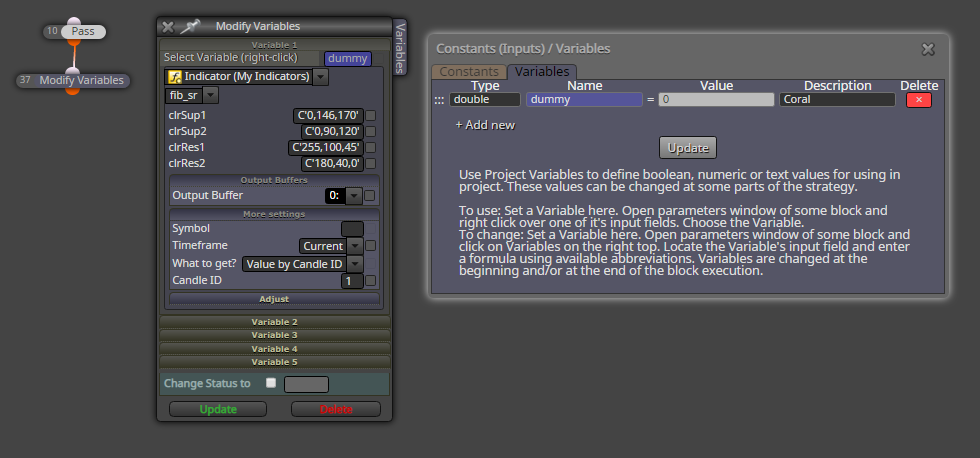
Works fine.
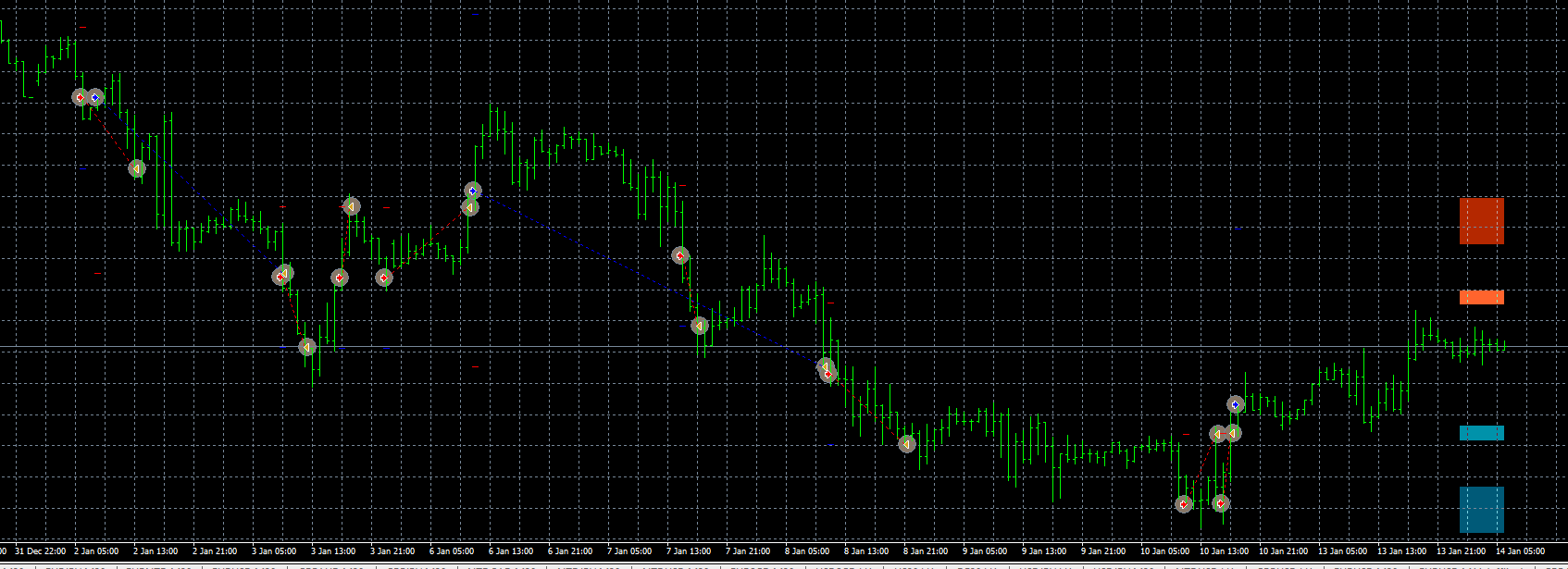
Btw. I managed to get your indicator to work, It looks like it takes a day in order for it to draw something and I was just too impacient or an too low timeframe.
-
OK, I will apply like what you suggest. And yes, the indicator will change/refresh Dailly.
Do you thing we can change the setting of indicator to make change every 2days? Since we have the mq4...
-
@trader-philipps ,I need help!
I try to apply this but EA won't run.
Anything wrong with my work?