Tutorial : Working with ex4 & ex5 indicator file
-
IF you want to work with special indicator and you don't have Mq4 or Mq5 file you have to can find active buffer in the indicator and enter that to the Fxdreema.
You have 5 part to do that.
i have prepared some screenshot to guide you.1.Added you indicator and open data windows

- when you moving the mouse on the indicator you can see which buffer (value) is active with your shape.
Here i have 3 values and colour but I should use Value 2 and Value 3 (Green&Orange)
Note: some times value is TEMP ( when the value is not active at the moment )

- when you moving the mouse on the indicator you can see which buffer (value) is active with your shape.
-
- Now, you should add your indicator to Fxdreema same as this picture
Before that copy your indicator to MT4 or MT5 indicators folder

- Enter your data type (if you want)
Then enter buffers (i have 3 colours) same as the picture

- Now, you should add your indicator to Fxdreema same as this picture
-
- Now, you can use your indicator in the your EA
It is very important, you have to use the "Indicator is visible" block for the same as my indicator, when your values are filling with TEMP.
If in the data window your values are always filled with numbers you can use "Condition" block
you can see in the screenshot how should using custom indicators

- Now, you can use your indicator in the your EA
-
This is simply priceless, my friend!
 Thank you very much for this excellent tutorial.
 -
@l-andorrà your welcome. too many users don't know how should use that and sent posts about that.
IN GOD WE TRUST
-
@xfire Thank you so much!!
-
Xfire
I tried doing your method with this Support Trend indicator ... but I can see no values0_1586884308524_Trendline Support indicator.ex4
... Roar have a tutorial to read indicator from chart. Which is totally above and beyond me.
https://fxdreema.com/forum/topic/4209/tutorial-07-read-prices-from-indicator-objectsCan anyone help me to get this indicator working in an example please
-
@alphaomega Yes, I checked for you . some indicator doesn't have buffers and just designed for visual trade and you cant use in EA. this indicator has one buffer and you cant use in EA
IN GOD WE TRUST
-
@xfire .. Thanks for the trouble .. most appreciated
-
@alphaomega your welcome, you can find better indicator
-
hi sir,
please guide me i am doing ok or not
need below data in my custom indicator
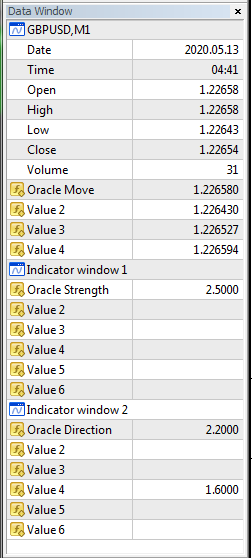
import indicator ex4 file in FXdreema and
and add value as per data window
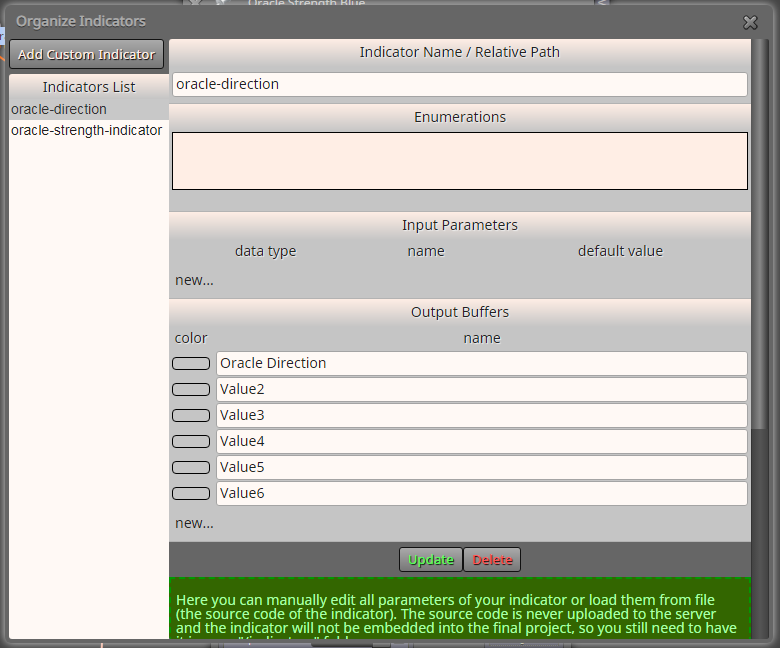
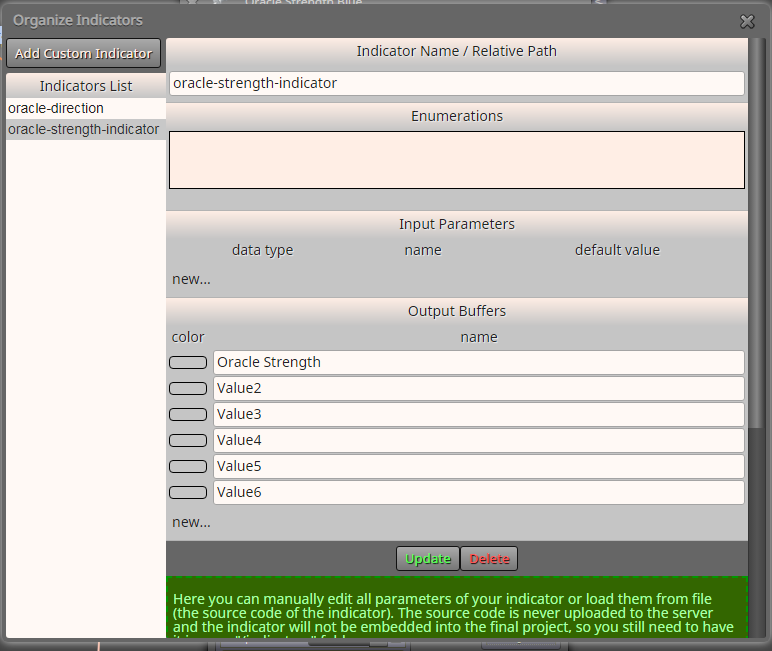
and add Value in my first simples EA
Check coded as below.
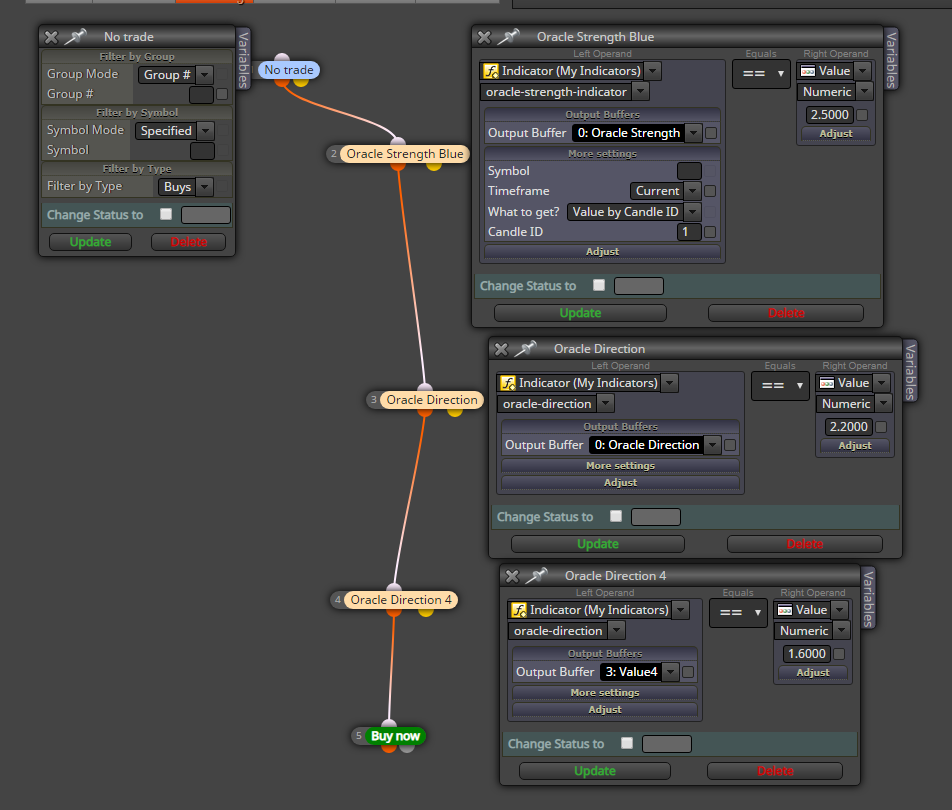
-
I guess the problem is the lack of input parameters. Are there any in the indicator?
-
@parimal HI. when you don't need some parameters then don't add to input
if your parameter "Oracelxxxx" has always number you can use Condition block else you should use "Is Invisible indicator" block
what is your problem? have you a problem? -
@xfire thank boss i really appreciate work for me
pls how i add anoda , like macd is it the function AND i will needed here now
-
@xfire sir pls is only place trade for buying, sell is not wrkin
-
@omosisko
helloMACD is in the FXDreema default indicator you don't need add manually
-
@omosisko you should create a new topic for your problem and another user can solve for you.
that problem is from your algorithm
-
Hi, if we have loaded the indicator into the EA, do we still need to load the same indicator on the chart? Or will it work now as usual but without drawing the indicator lines on the chart?
-
This topic is so gold,
But i need some assistance here,
https://ibb.co/xsv0P2KHow should i fix this problem?
-
@slimmz Could you please open a separate thread for your issue? This one should focus on the tutorial only, please.